VXDIAG JLR DoIP Pathfinder Software File Out of Date?
Problem:
I have a problem with the vxdiag vcx se jlr doip and Pathfinder. It said the software status file is out of date. Can i download software online?

No, better not to download software files online.
Our Pathfinder hard drive is cracked offline version.
Online update may destroy the hard drive.
We don't hold the responsibility for the damage if you are trying to download software online.
Download and Install VXDIAG Nissan Consult3 Plus V226
Allscanner VXDIAG released new Nissan license for VCX NANO, VCX SE and VCX DoIP series.
Vxdiagshop.com provides Nissan consult3 plus software free download resources.
Version: Nissan Consult III Plus V226.50
Operating system: Windows 10 64bit
Free download Nissan Consult3 plus v226
Including software, patch and driver for vxdiag
Compatible devices: VXDIAG VCX NANO for Nissan, VXDIAG VCX SE for Nissan
Multi-language: English, Finnish, French, German, Greek, Italian, Japanese, Portuguese, Russian, Spanish, Turkish, Thai, Czech, Polish, Hungarian, Chinese (Simplified), Chinese (Traditional)
Vehicle Coverage:
Support Nissan models from 2005 till 2023, including specific models like LEAF, Quest, Murano CrossCabriolet, GT-R, NV, Infiniti M, and M Hybrid.
How to Install VXDIAG Nissan Consult III Plus V226 software and driver?
1.Run the Nissan_install registry
Press Yes
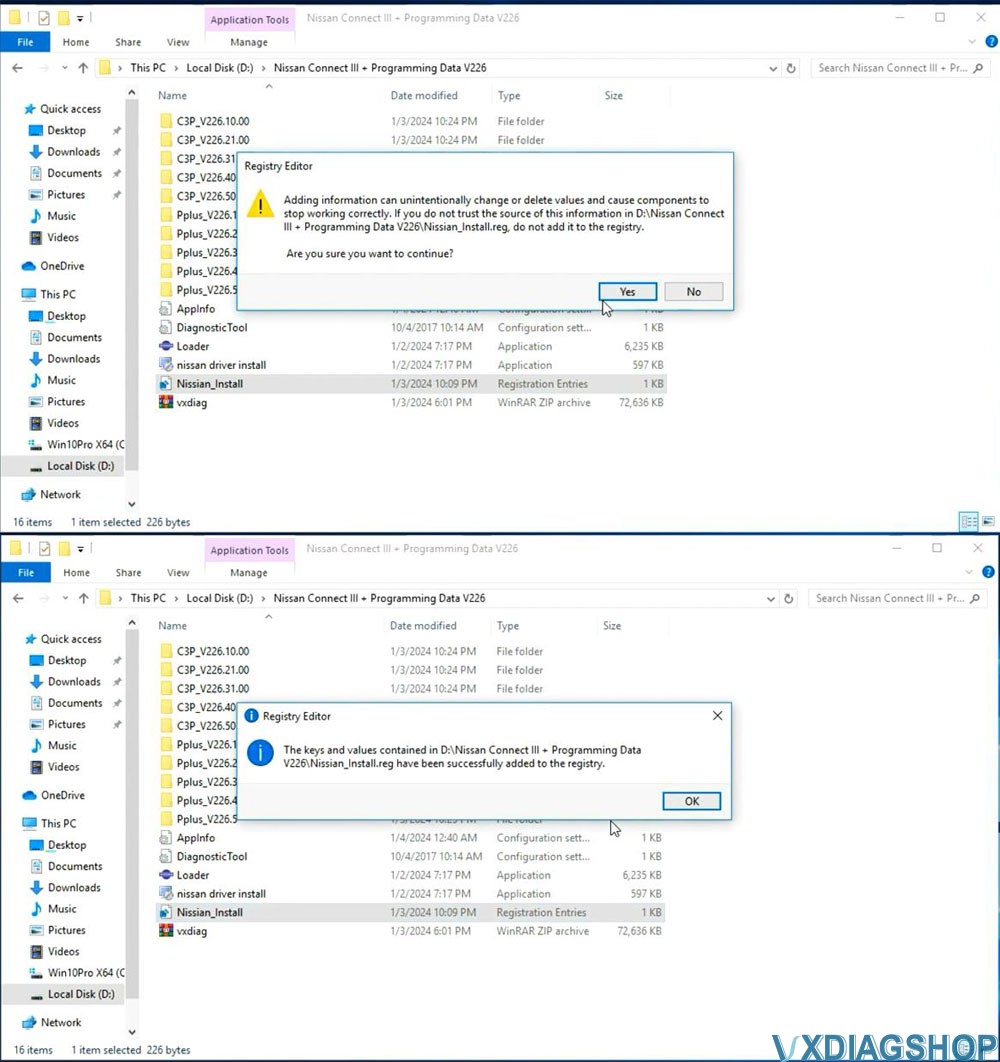
2. Install C2P Setup
Open C3P——V226.10.00 folder, install setup.exe
Install First
installation
Accept license agreement
Select area/country
Select setup
language
Select Nissan, Infiniti or DATSUN channel
Start copying
files
Install necessary components for Nissan Consult III Plus
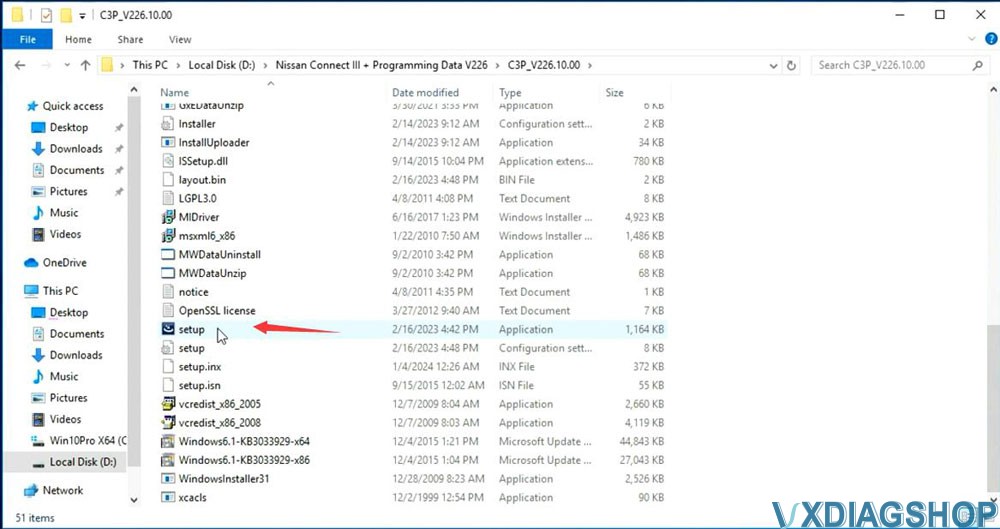
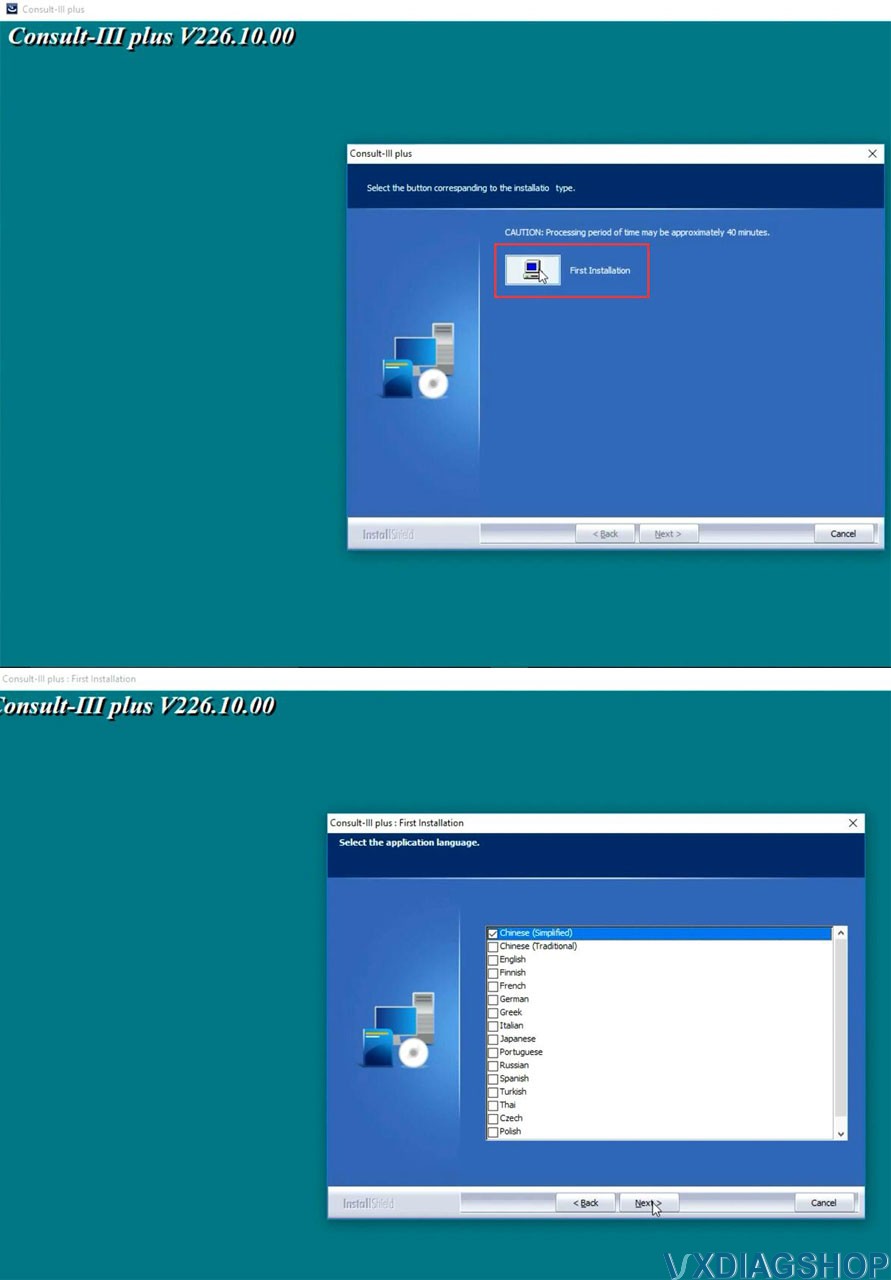
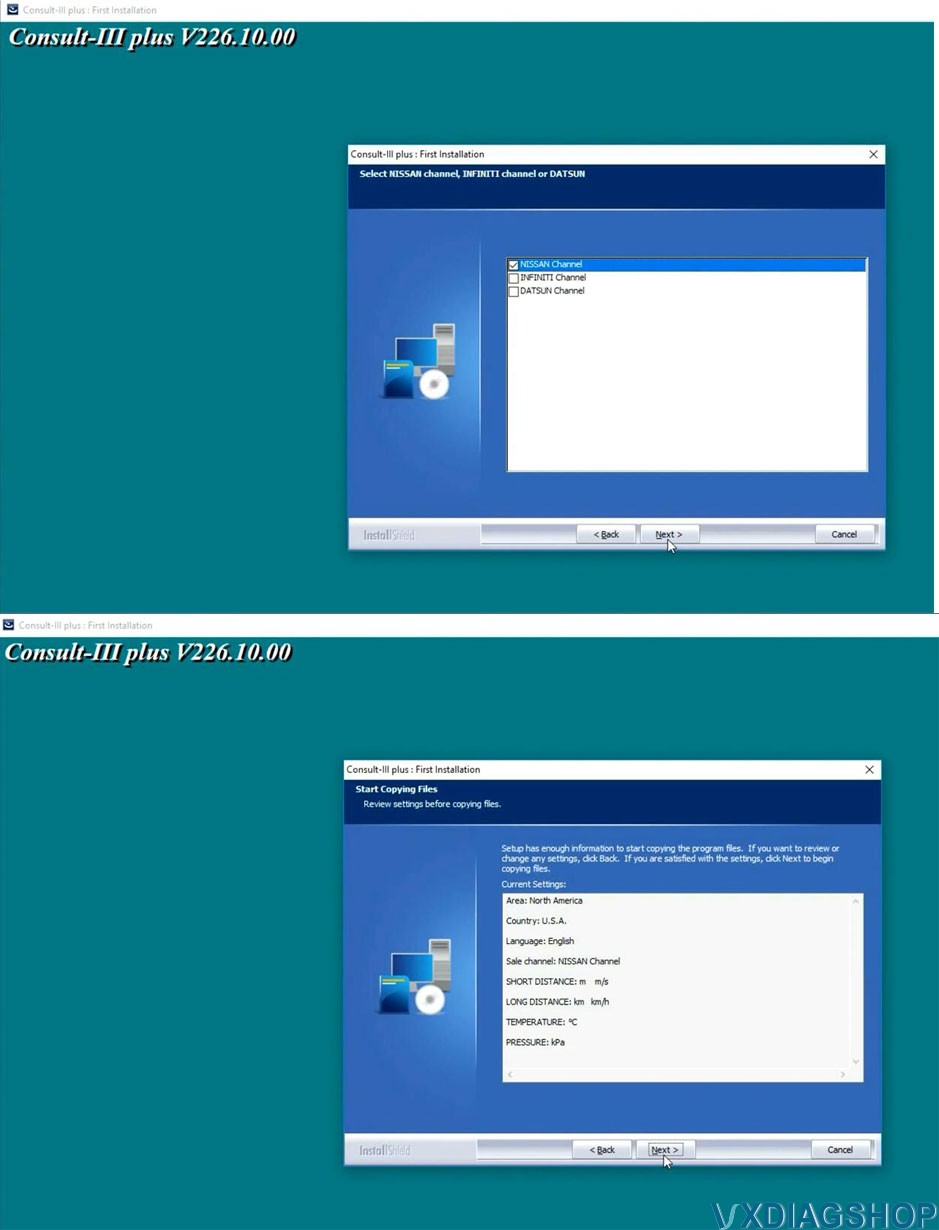
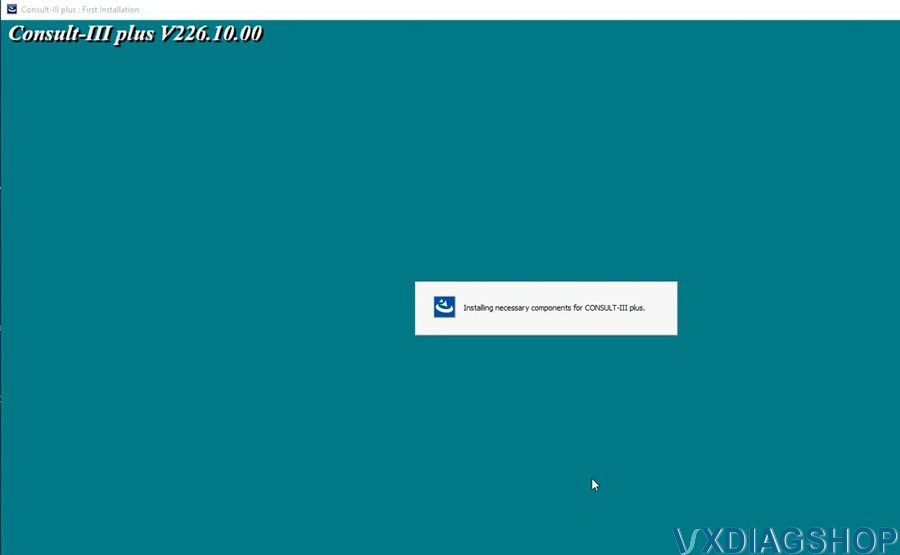
Open C3P——V226.21.00 folder, install setup.exe
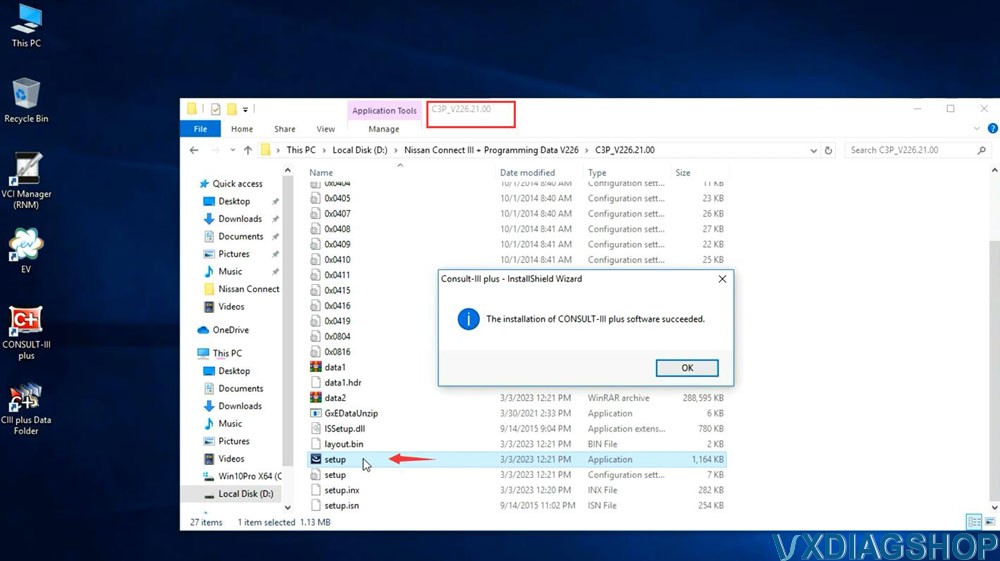
Open
C3P——V226.31.00 folder, install setup.exe
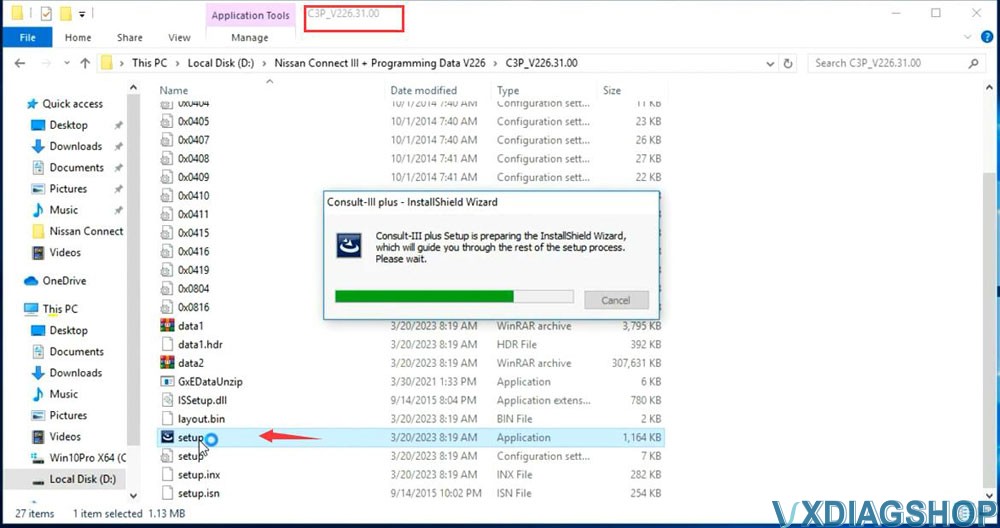
Open
C3P——V226.40.00 folder, install setup.exe
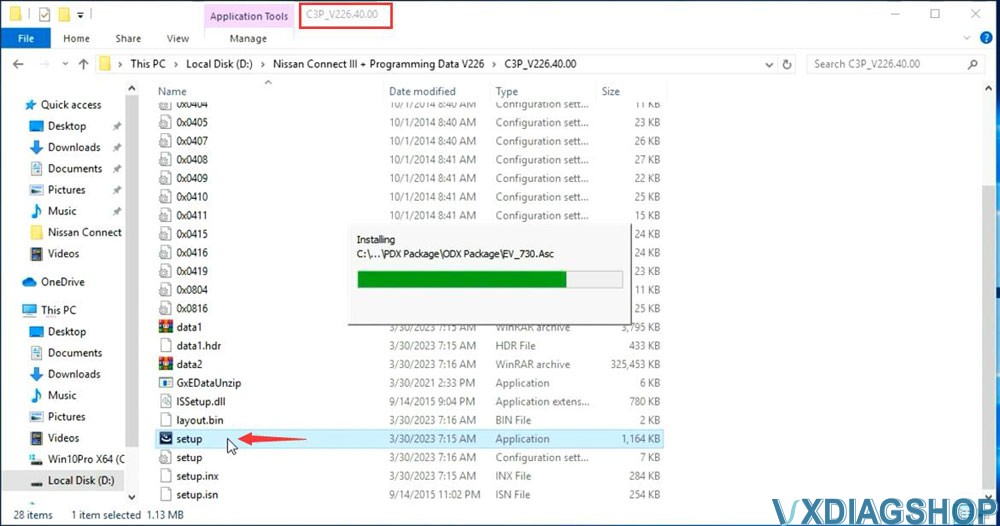
Open
C3P——V226.50.00 folder, install setup.exe
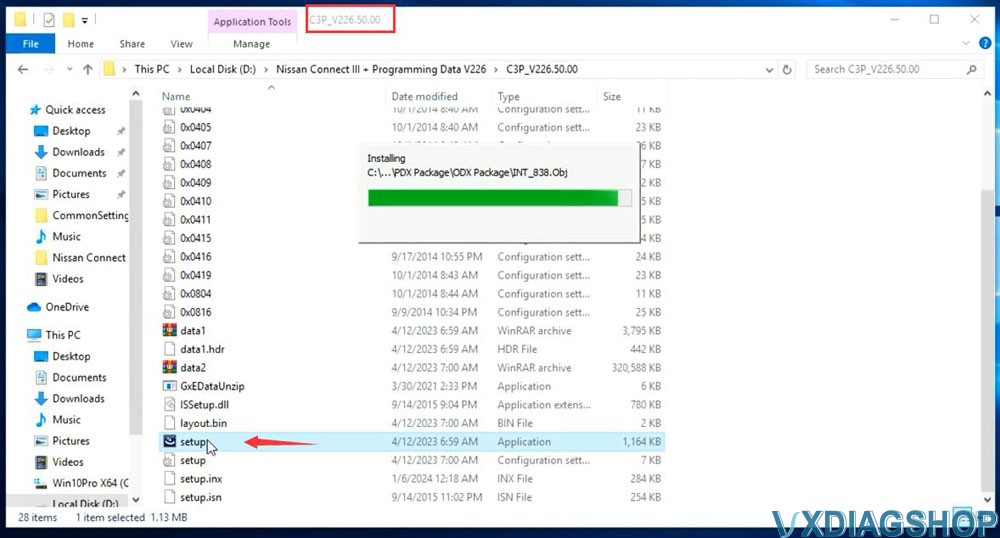
3.Install Pplus setup
Open Pplus_V226.1F folder, install Pplus_V226.1F setup
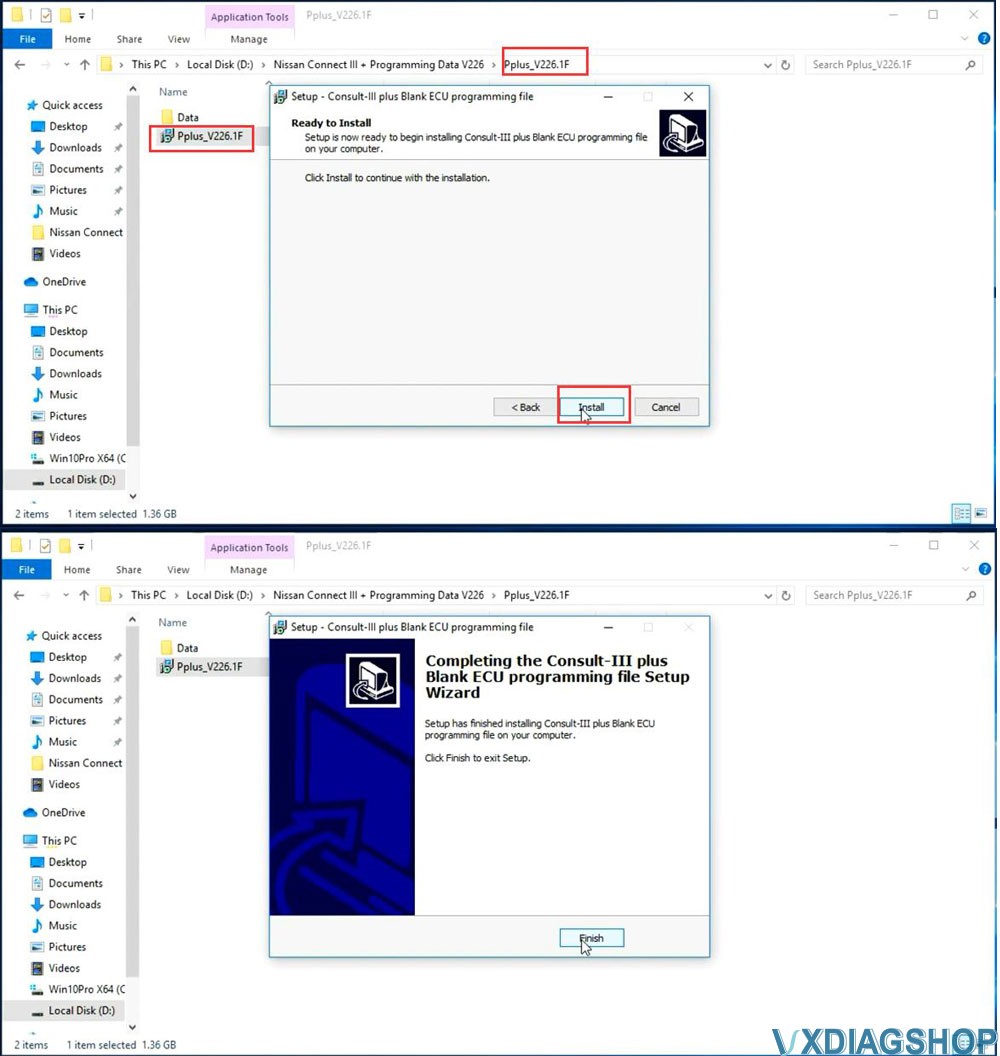
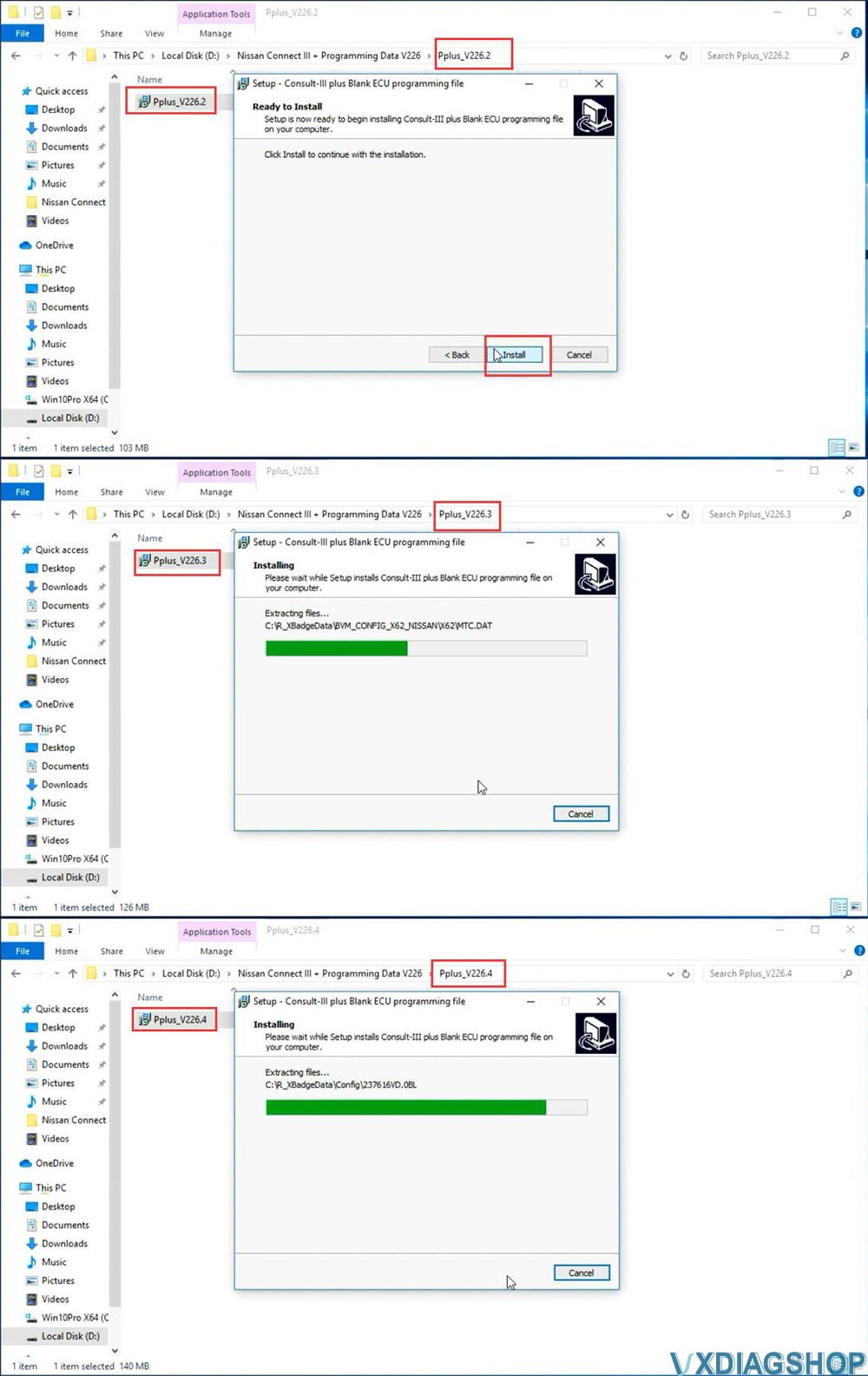
Open Pplus_V226.2 folder, install Pplus_V226.2 setup
Open Pplus_V226.3
folder, install Pplus_V226.3 setup
Open Pplus_V226.4 folder, install
Pplus_V226.4 setup
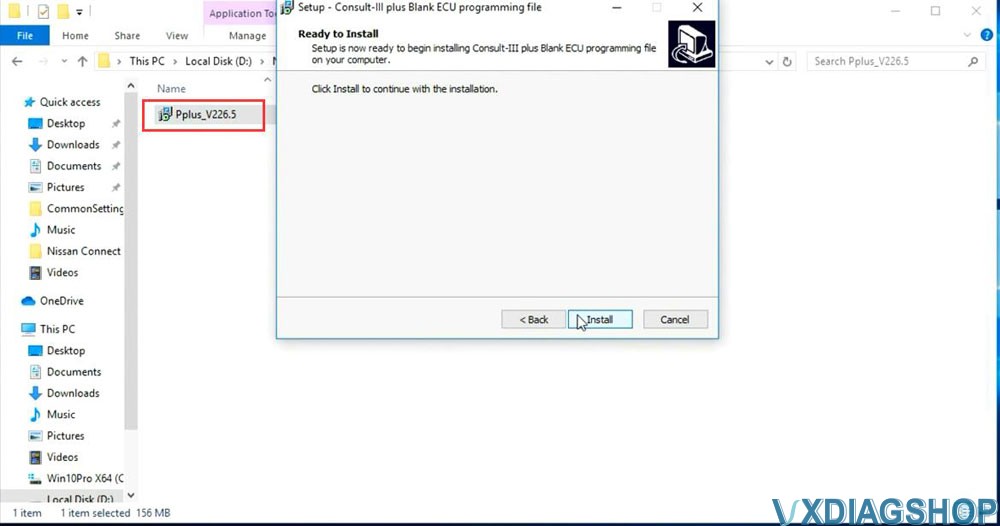
Open Pplus_V226.5 folder, install Pplus_V226.5 setup
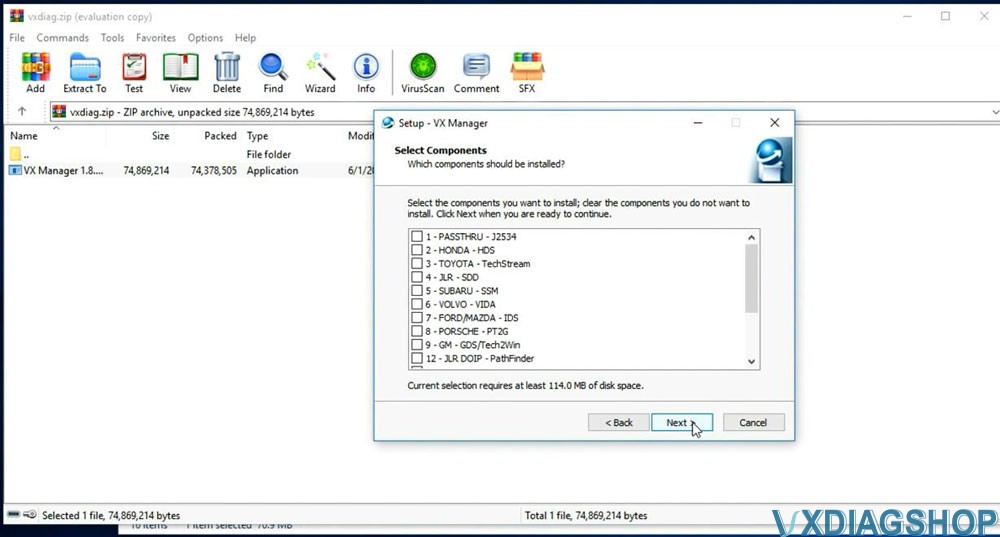
4.Install VX Manager
Extract vxdiag.zip and install vx manager 1.8.9
5.
Install Nissan VCI Driver for VXDIAG
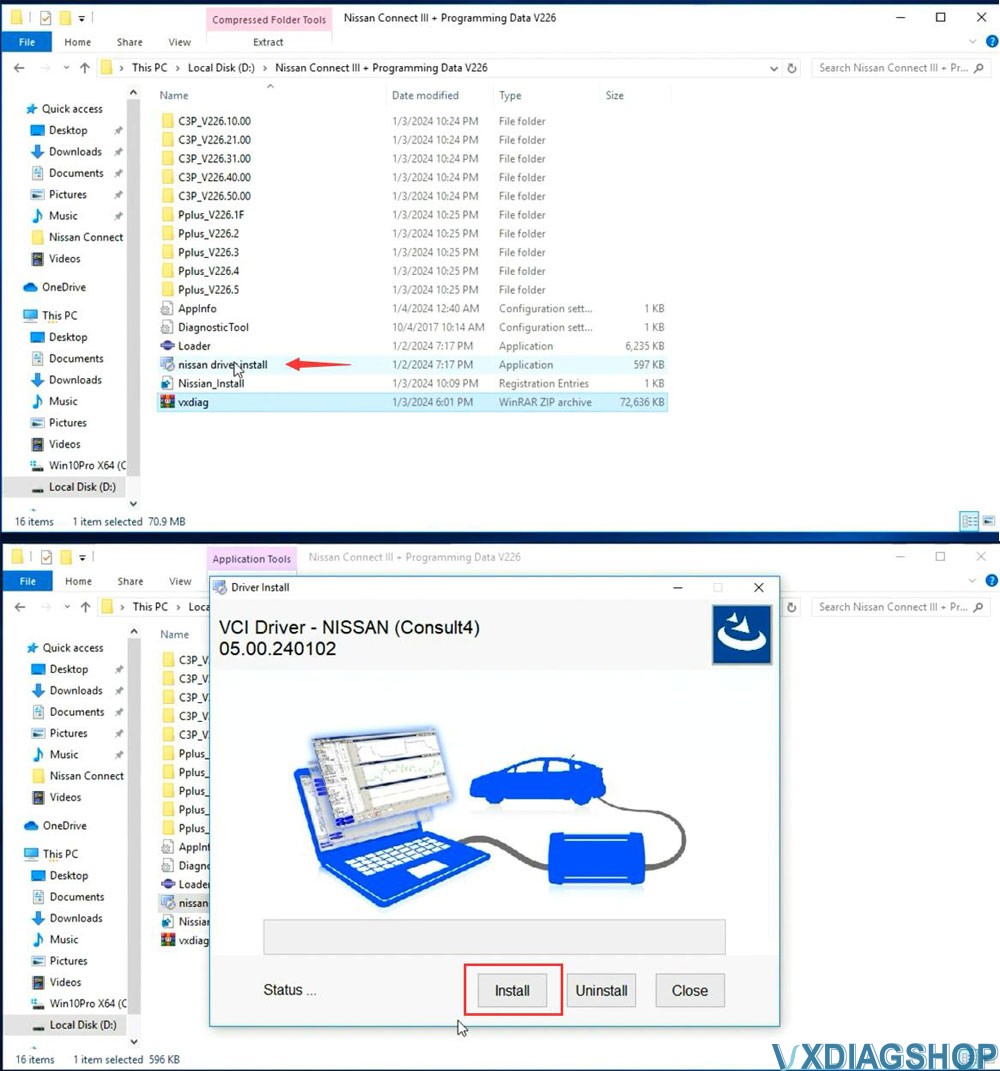
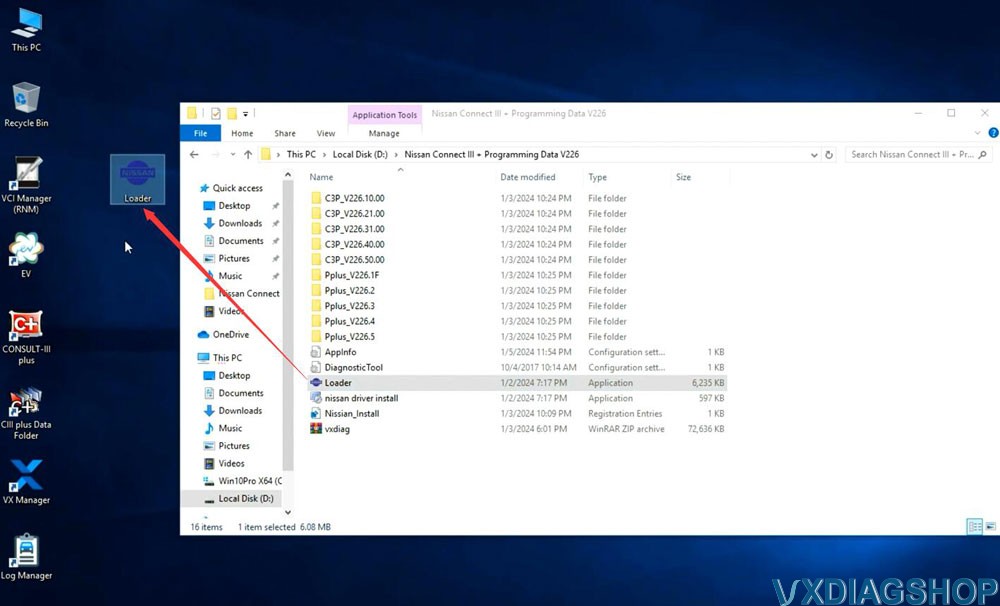
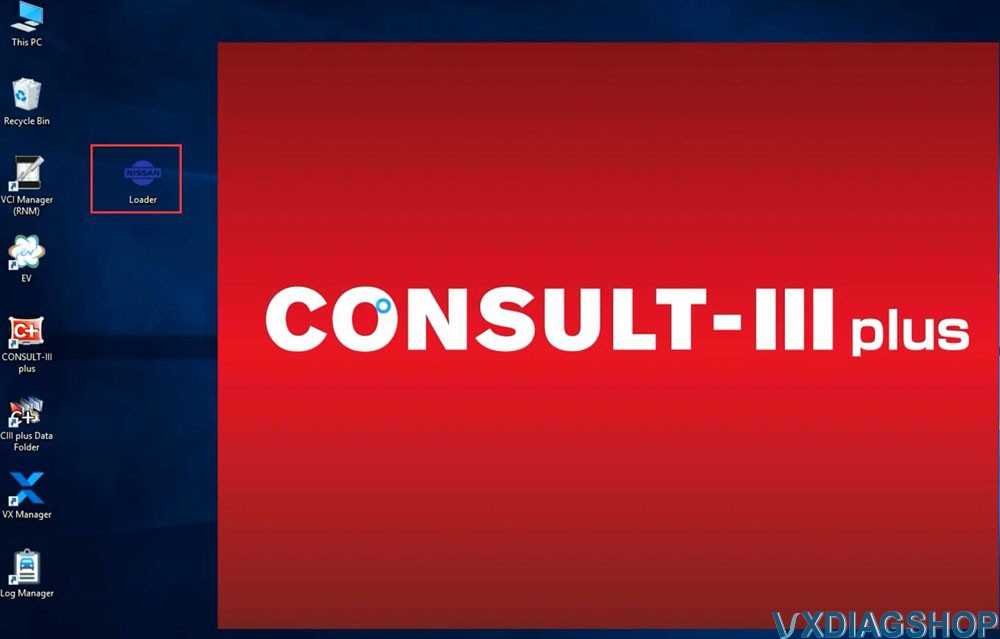
6. Copy and paste Nissan Loader to desktop
7.
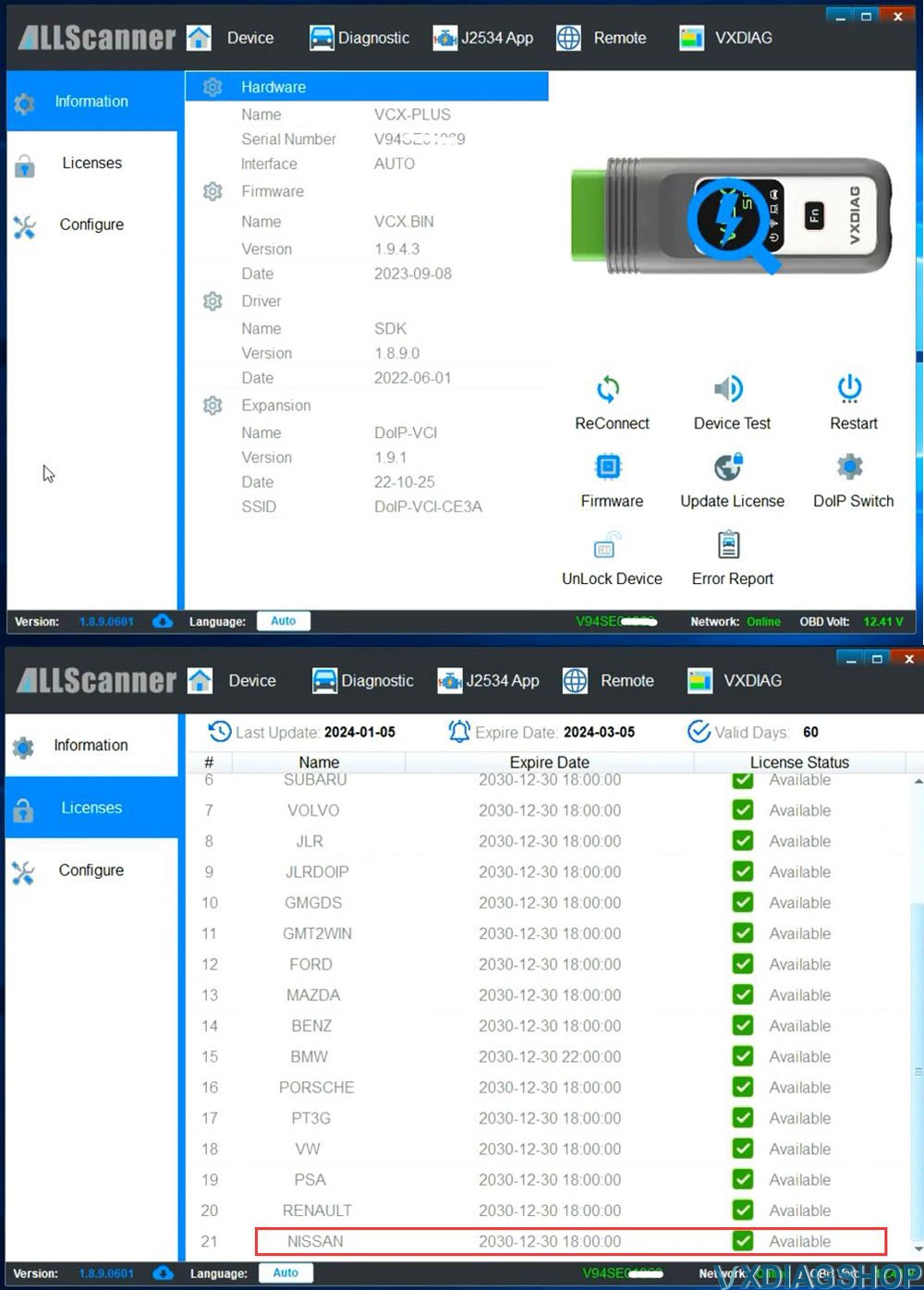
Connect VCX SE or VCX NANO Nissan scanner with laptop
Run vx manager, make
sure detected is detected
Check Nissan license status
Don't need to
install Nissan driver in vx manager. It uses seperate driver for Nissan, like
Renault.
8.
Run Nissan Consult-III Plus software from Loader on desktop
The immobilizer menu is gray and the DiagnosticTool.ini file needs to be replaced to activate this function
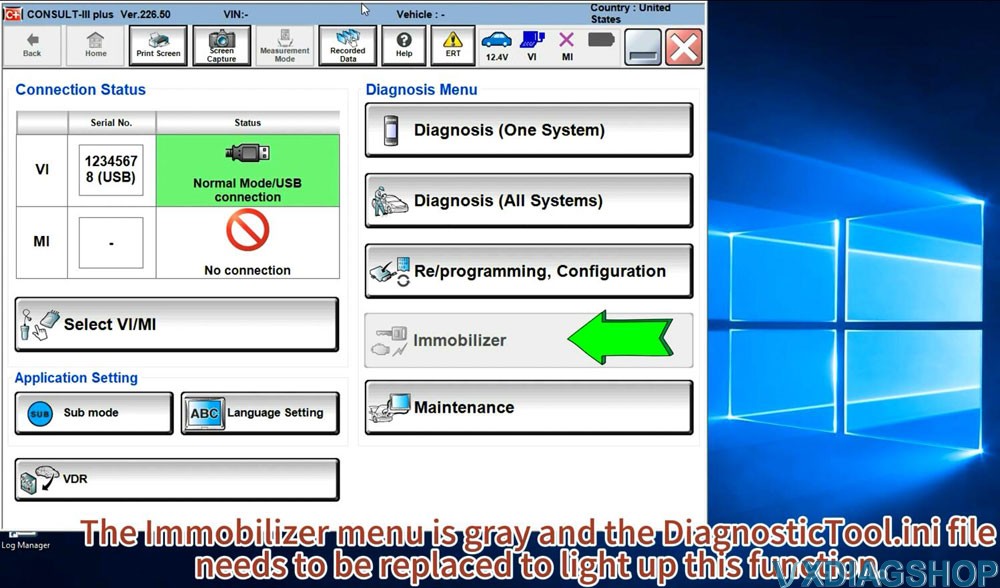
Quit Consult3 plus software
9.Activate Immobilizer function
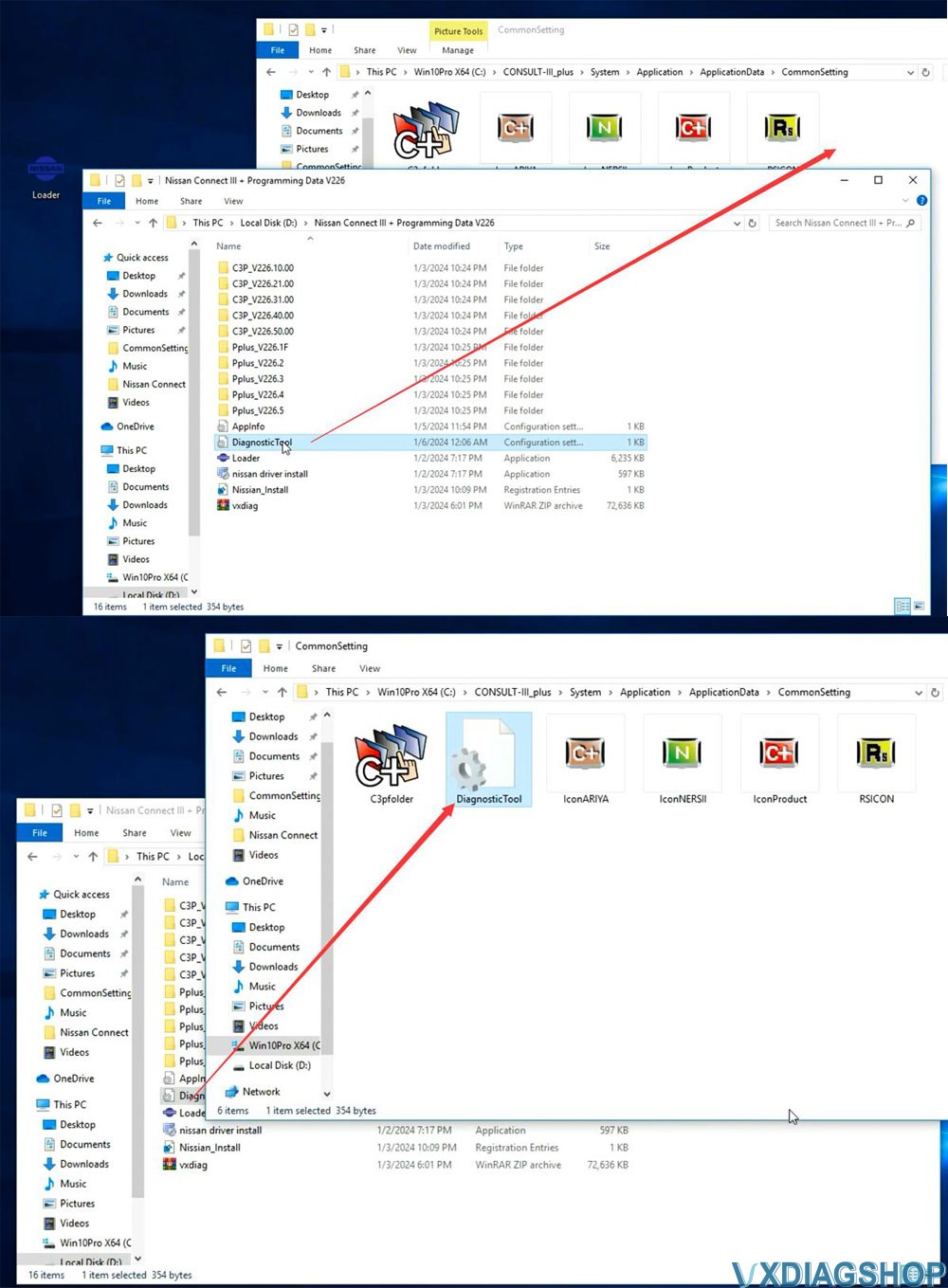
Go to
Win10Prox64/Consult-iii_Plus/System/Application/ApplicationData/CommonSetting
folder
Delete DiagnosticTool.ini file
Copy and replace DiagnosticTool.ini file from V226
software folder to the CommonSetting folder
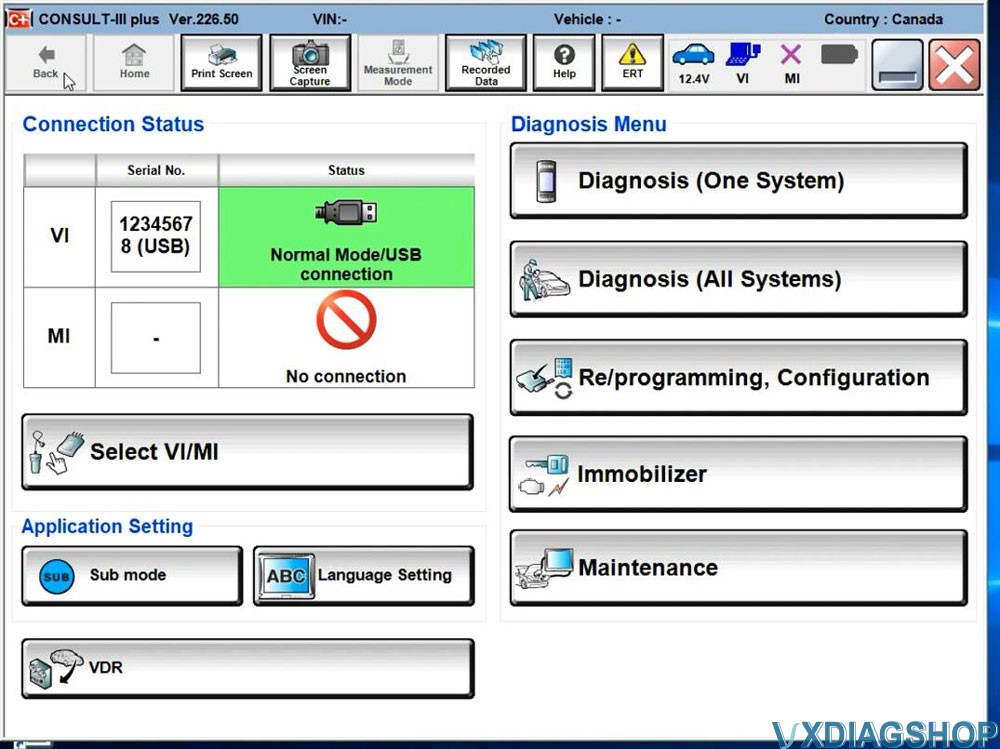
Run
Consult iii plus software from Loader again.
Now you will see Immobilizer
menu is activated
Software is ready to use.
VXDIAG GDS2 Cannot Diagnose Opel Corsa F 2022?
Problem:
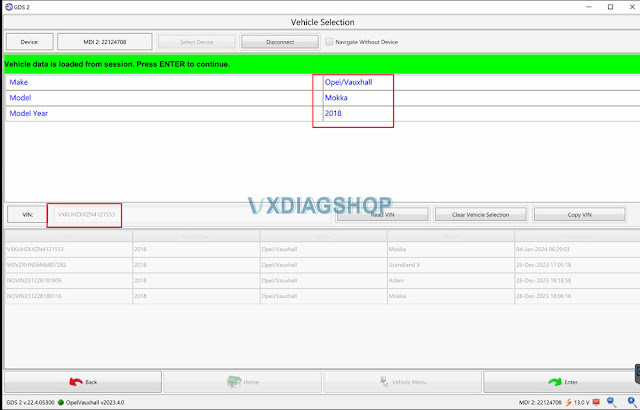
Tried to scan an Opel Corsa F 2022 (VIN: VXKUHZKXZN4121553 ) with vxdiag vcx nano gm GDS2 software. GDS2 detects it as an Opel mokka 2018. It is wrong.
When trying a manual selection, no vehicle can be found. My universal scanner does see it. Any clue?


Solution:
The diagnosis of the new Opel Corsa F must be done with the Diagbox software, because the new version of the Opel Corsa F is based on the Peugeot 208.
Aslo other new Opel car models such as Mokka,
Crossland, New Astra, New Grandland,
Combo life, Combo Cargo, Zafira Vivaro Life, Vivaro, Movano
etc.
should be done via diagbox.

Purchase VXDIAG PSA diagbox device instead.
How to Install and Activate VXDIAG PSA Diagbox 9.85 Software?
VXDIAG VCX DoIP No Device Detected in VX Manager?
Problem:
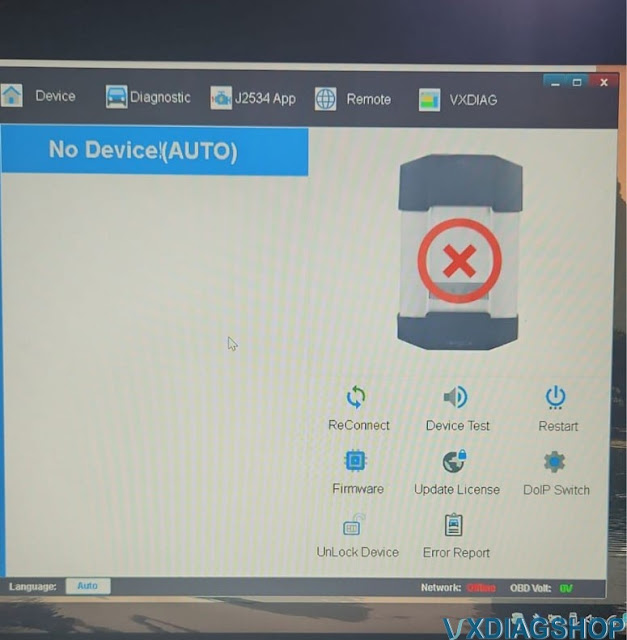
The vx manager cannot detect my vxdiag vcx plus doip vci. No device is detected and no network (offline). All indicators on the vci turn on ok.
Any idea?

Solution:
Turn off the Windows Defender and try again.
Feedback:
I figured it out. The router had malicious website blocker turned on. Turned it off and now it works.
It ended up being a setting on my eero mesh system that blocks malicious sites. As soon as I turned it off it worked. It would work when on Ethernet because the Ethernet cable was plugged in to the provider modem and not the Ethernet.
If turn off windows defender won't work for you, try solutions below:
VXDIAG VCI Detected but VX Manager No Device (Auto) Solution
VXDIAG Nissan License is Ready for VCX SE
Allscanner company released new Nissan software license in January 2024.

Nissan license compatible devices:
VCX SE and VCX Plus series.
VCX SE V94SE****, VCX Multi V52XP****, V71XN****, V81XD****, V83XD****, V94XD*****, VCX PRO P71XP****.
To activate Nissan license to your VCX SE or VCX Plus devices, pay for the Nissan license here, then provide your device serial number to us. Vxdiagshop.com engineer will activate license for you in 24hrs-72hrs.
https://www.vxdiagshop.com/wholesale/vxdiag-authorization-license-nissan.html
Software version: Nissan Consult III Plus V226, update by link
Car brands: Nissan, Infiniti, GTR
Multi-language
Operating system: Win7, Win8
Driver: use separate driver for Nissan (like driver for Renault)
Software and driver can be downloaded free (soon).
Related item:
VXDIAG VCX SE for Nissan (with Nissan license in default, able to add other car brands)
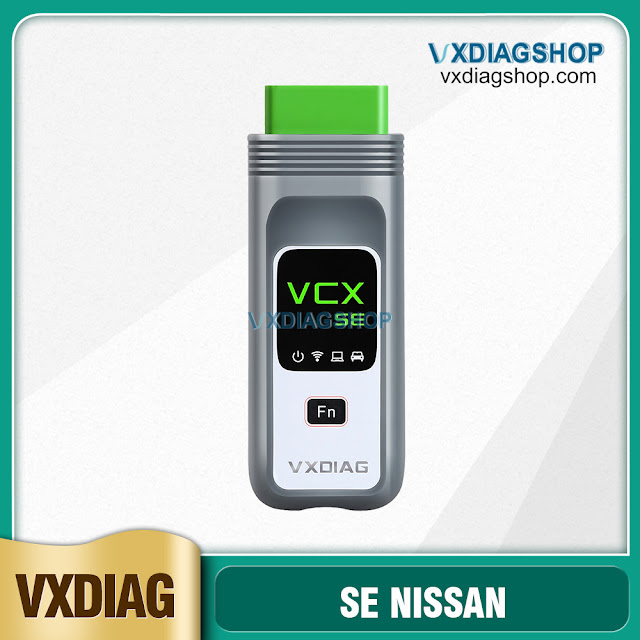
VXDIAG VCX NANO for Nissan (single brand, wifi version only)
