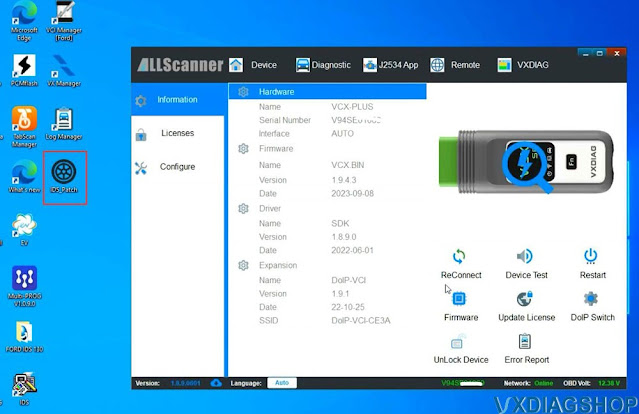
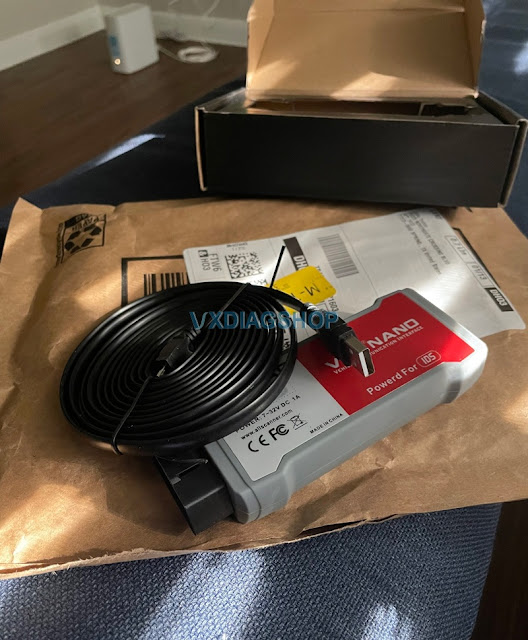
VXDIAG VCX NANO Toyota review on Tundra Programming

Here comes the customer review of vxdiag vcx nano Toyota cable on Tundras.

The VXDiag website has a good version that works with 32 and 64 bit platforms. It uses a patch file to bypass login. I've been using it for over 5 years with no issues.

I recommend the obdii VXDiag cable interface. I have done a lot with it, and would say it is on par with the mongoose/xhorse devices and it isn't nearly as expensive.

I've applied some software updates, sensor calibration and other things (most advanced features require paying for daily access to Techstream). Works great for TPMS programming as well.

I downloaded a copy of TechStream, from VXDiag and were able to log into it with an official TiS log in and use it with an unofficial cable.

I paid $25 for 2-day license. With the Techstream legal subscription, it gave me access to files I needed (only done it a few times, the last time for calibrating a sensor). I would never do it with the cheapo cables, but have been happy with the VXDiag.

I wouldn't apply updates to a new Tundra under warranty as the dealer will usually do that. I've done it on older rigs that are out of warranty. If I screw something up, so be it, but I have saved a lot programming keys, sensors, and other updates without paying a dealer.

I looked into access for programming 3rd gen keys, but I don't qualify so I found a locksmith that would get me the security codes in real time. Worked great.

I was able to do all the customization I wanted and program TPMS as well on my 2016 Land Cruiser (no need on Tundra as it self learns TPMS). I have also calibrated sensors and done some software updates through TIS. I've only customized Tundra features so far.

Note that I have the wired version. I'd be nervous to use the wifi (wireless version).

VXDIAG VCX NANO Toyota review on Tundra Programming

Basically most cheap cables come with Techstream with a hacked exe file that gives you free offline access. Some people worry about using hacked software due to virus risks, which is understandable. I used the vxdiag version for years before finally retiring my laptop to be a techstream only device.

I don't recommend the cheap xhorse knockoff cables (clear/see-through cheap cables). They don't support all functions and the software they provide is not great.

A real xhorse/mongoose cable is the best option (but expensive). The VXdiag is a good compromise that is less than $100 (I paid $89).

You can use the crack software for a lot, and subscribe when you need cloud based support (downloads, etc) from TIS.

Always make sure your computer has good battery (I keep mine plugged in as well) to avoid a shutdown mid-software update. Good luck!'
VXDIAG VCX SE Connect Device Error Ping Failed?

Problem:

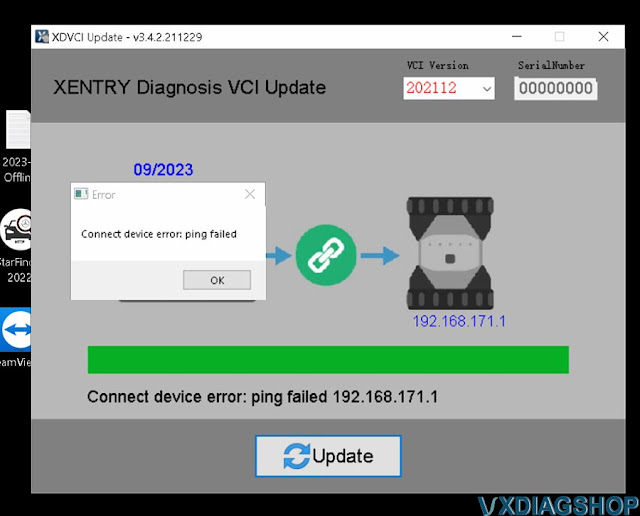
I cannot install and update vxdiag vcx se Benz VCI driver.

Got an error "Connect device error: ping failed".

Any solution?

VXDIAG VCX SE Connect Device Error Ping Failed 1

Possible reason:

Ping failed usually caused by network issue.

Try solution here first

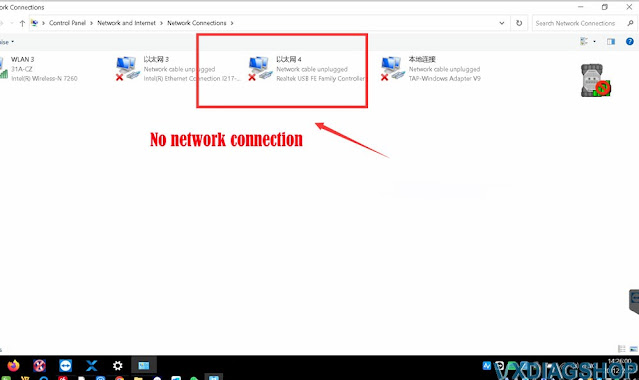
If not working, check network connection.

VXDIAG VCX SE Connect Device Error Ping Failed 2

If has no network connection, disconnect device, unplug OBD, change USB port and reconnect device via USB only.

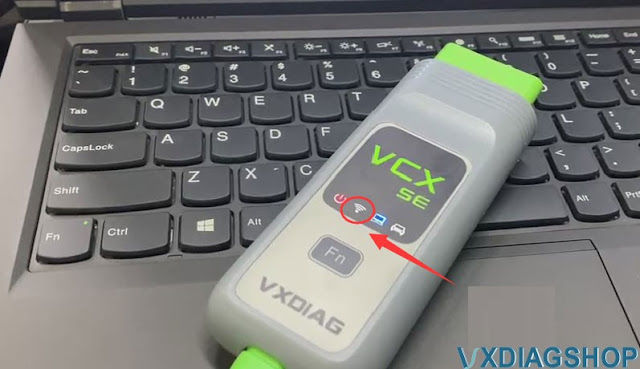
Check if WiFi indicator turns on.

VXDIAG VCX SE Connect Device Error Ping Failed 3

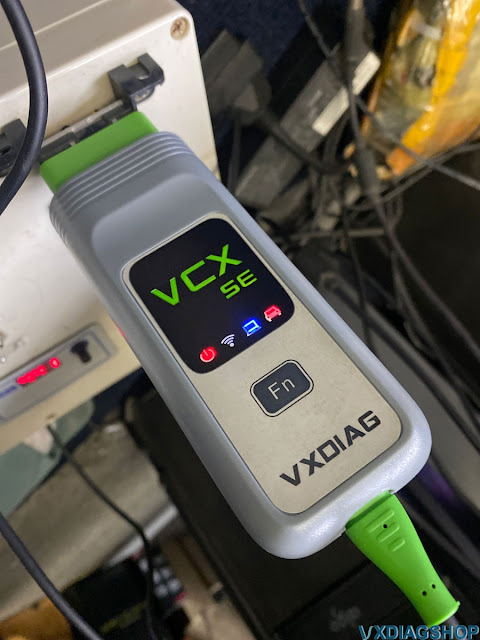
Then connect OBD, check if WiFi indicator will turn on. If do all above, WiFi indicator still not turn on. There is something wrong with your vcx se interface.

Need to send back for repair.

VXDIAG VCX SE Connect Device Error Ping Failed 4

VXDIAG Mazda IDS V131 Installation Guide

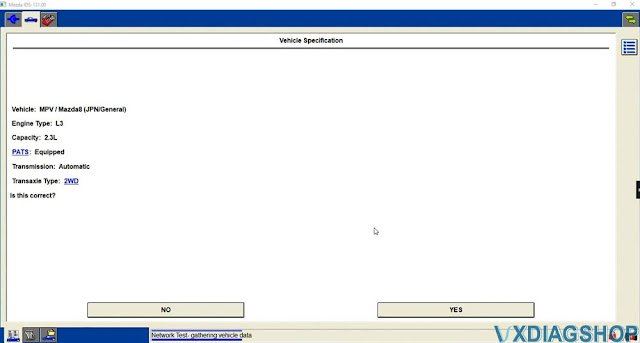
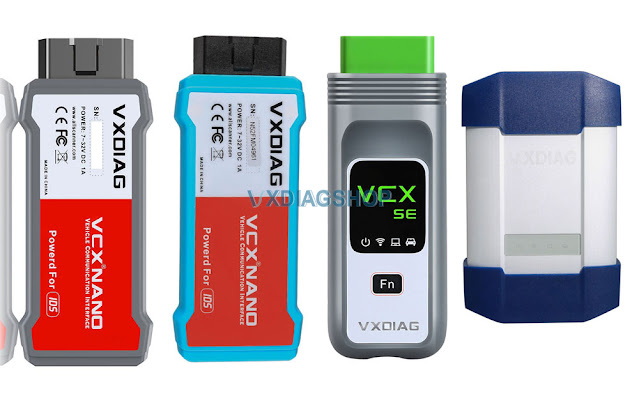
Mazda IDS V131 was tested and verified working fine with vxdiag scanners including VXDIAG VCX NANO Ford/Mazda USB or WiFi, VCX SE or VCX Plus Ford/Mazda.


Here is the guide to install vxdiag Mazda IDS V131 software on Windows 10.

Software can be downloaded free here

Free Download VXDIAG VCX NANO Mazda IDS V131

Operating system: Windows 10 (free to test on Win7 and Win11)

NOTE: Don't install both Ford IDS and Mazda IDS on the same operating system!!!

Procedure:

Mazda IDS installation is easier than Ford IDS. Mazda does not need to install VCI software driver.

Open Mazda IDS V131 software folder
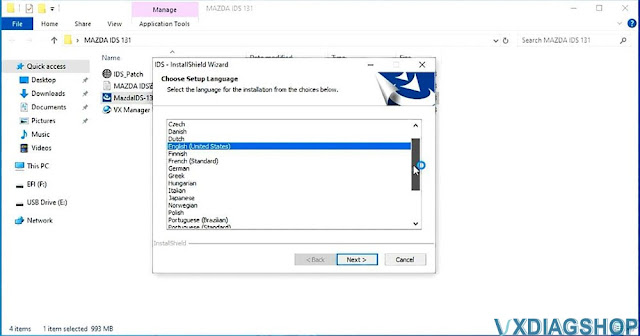
Install MazdaIDS-131.00.exe setup

VXDIAG Mazda IDS V131 Installation 1


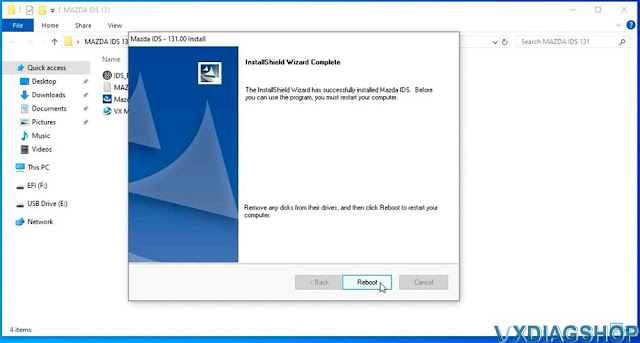
Install setup until completed
Reboot

VXDIAG Mazda IDS V131 Installation 2


VXDIAG Mazda IDS V131 Installation 3

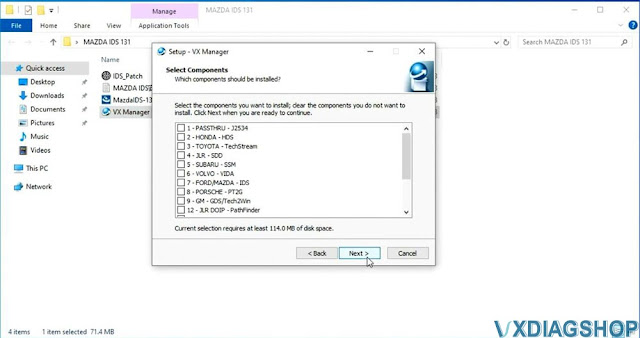
Install VX Manager, install Passthru and Ford/Mazda IDS driver

VXDIAG Mazda IDS V131 Installation 4


VXDIAG Mazda IDS V131 Installation 5

Connect VXDIAG device with laptop
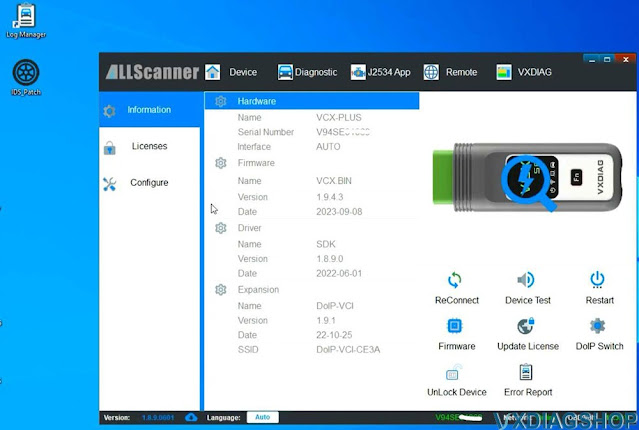
Run VX Manager
check device status

VXDIAG Mazda IDS V131 Installation 6

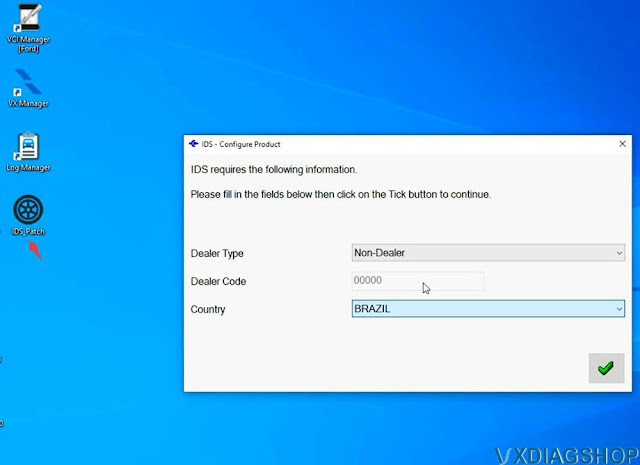
Copy and paste IDS_Patch to desktop
Run Mazda IDS from IDS_Patch on desktop
Software is ready to use

VXDIAG Mazda IDS V131 Installation 7

VXDIAG Mazda IDS V131 Installation 8

https://www.vxdiagshop.com/service/install-vxdiag-mazda-ids-v131-on-win10.html

VXDIAG Ford IDS V130 Software Installation Guide

Ford IDS V130 was tested and verified working fine with vxdiag scanners including VXDIAG VCX NANO Ford/Mazda USB or WiFi, VCX SE or VCX Plus Ford/Mazda.

VXDIAG Ford IDS V130 Software Installation 1

Here is the guide to install vxdiag Ford IDS V130 software on Windows 10.

Software can be downloaded free here

Operating system: Windows 10 (free to test on Win7 and Win11)

NOTE: Don't install both Ford IDS and Mazda IDS on the same operating system!!!

Procedure:

Open Ford IDS V130 software folder

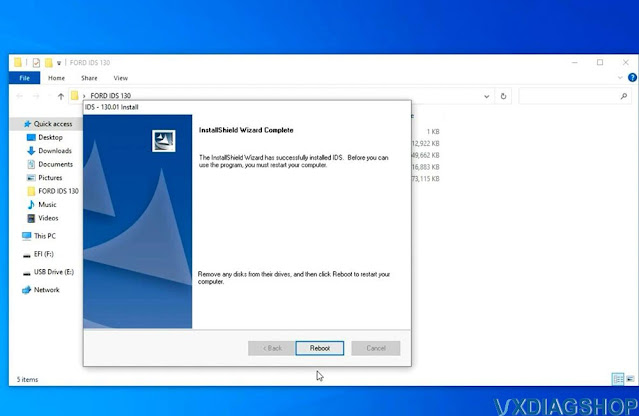
Install IDS_130.01_full.exe setup

VXDIAG Ford IDS V130 Software Installation 2

Select setup language
Install setup until completed

Reboot

VXDIAG Ford IDS V130 Software Installation 3

VXDIAG Ford IDS V130 Software Installation 4

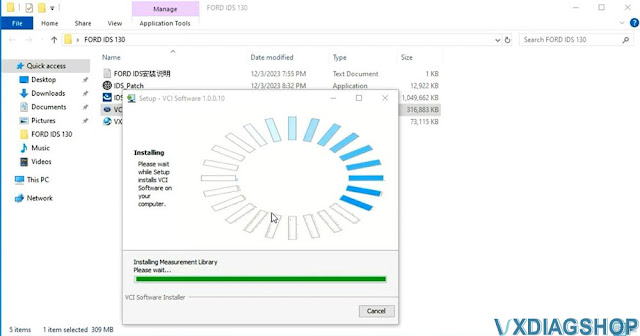
Install VCI_Software_1.0.0.10 driver

VXDIAG Ford IDS V130 Software Installation 5

VXDIAG Ford IDS V130 Software Installation 6

VXDIAG Ford IDS V130 Software Installation 7

Install VX Manager 1.8.9

Install Passthru and Ford/Mazda IDS driver

VXDIAG Ford IDS V130 Software Installation 8

Copy and paste IDS_Patch to desktop
Connect VXDIAG device with laptop
Run VX Manager
check device status

VXDIAG Ford IDS V130 Software Installation 9

Run Ford IDS from IDS_Patch on desktop
Software is ready to use

VXDIAG Ford IDS V130 Software Installation 10

VXDIAG Ford IDS V130 Software Installation 11

https://www.vxdiagshop.com/service/install-vxdiag-ford-ids-v130-on-win10.html

VXDIAG VCX NANO Simplifies Ford Explorer Key Fob Setup

I got the VXDiag to use IDS for programming a remote for my 2017 Ford Explorer PIU. My browser and antivirus both flagged the software. I ended up using a virtual machine on my laptop in order to use it. It works, for what it's worth.

This is the link for the device: https://www.vxdiagshop.com/wholesale/vxdiag-vcx-nano-for-ford-mazda-2-in-1.html

VXDIAG VCX NANO Ford Explorer Key Fob Programming

My local dealership wanted to charge $200 to program and ended up saying they couldn't program it because these cars don't have PATS. So it was my only option for programming the key short of jumping around to a bunch of dealerships and wasting lots of time/money.

Also for Forscan, you do not need to purchase a license. You can keep using the free trial and requesting a trial again once it expires again. Even with the same information/email.

Getting it programmed at Ford is hit on miss. I tried to have them program my keyfob before I found the device. They were going to charge about $180 with the keyfob I included. They weren't able to figure it out, so ended up not charging me.

I used VXDiag with my 2017 to get the OEM Keyfob working. I used a virtual machine on my laptop to use it, but you get access to IDS so you can do all the programming. It needs a $89 device plus the keyfob which I think was about $20. This is probably the cheapest way to get the keyfob working unless you know someone who has IDS access.

But seriously use it cautiously if you're going to use it.