[VX Manager 1.8.6] How to solve VXDIAG VCX SE not recognized?
Here comes the solution to vxdiag vcx se, vcx nano and vcx plus no device detected problem after updating vx manager to 1.8.6, 1.8.7.
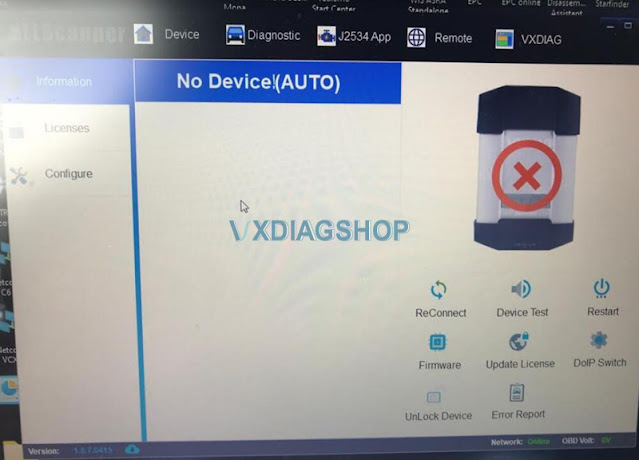
Possible solutions:
Solution 1: Change a USB port or cable
Solution 2: Delete vx manager,
install the latest version vx manager, update firmware and license.
Solution
3: Change USB or WiFi connection, reset the firmware.
How to Reset VXDIAG VCX SE Firmware?
How to Reset VXDIAG DoIP Firmware?

If all the above not working, contact vxdiagshop.com customer service for technical help.
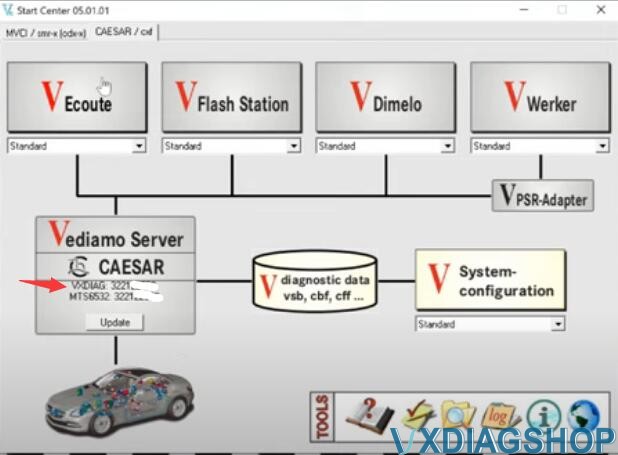
How to use Vediamo 5.1 with VXDIAG VCX SE J2534?
Question: Possible to use VXDIAG VCX SE Mercedes J2534 interface with Vediamo 5.1 program?
Yes. We have discussed how to set up Vediamo with Benz C6 VCI before
Possible to make Vediamo with VXDIAG Benz C6
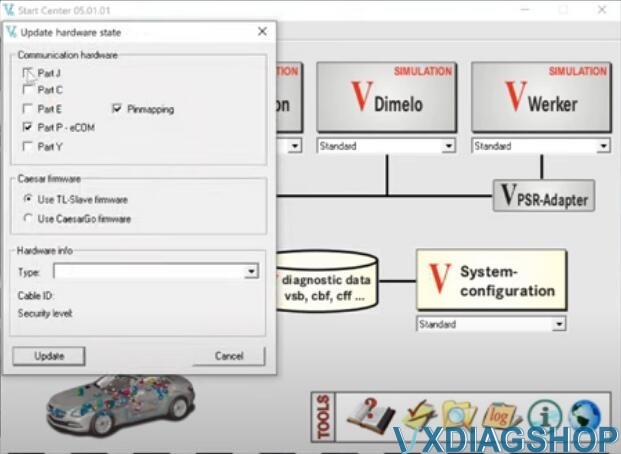
But have to mention that, VXDIAG VCX SE/VCI C6 does not work with Vediamo 5.1 in Part P mode, freezes and crashes from blocks. Checking work with CBF files. Connection in J2534 mode. It is also possible to work with OpenPort 2.0. Connecting to the car in real time, checking the stability of the device.
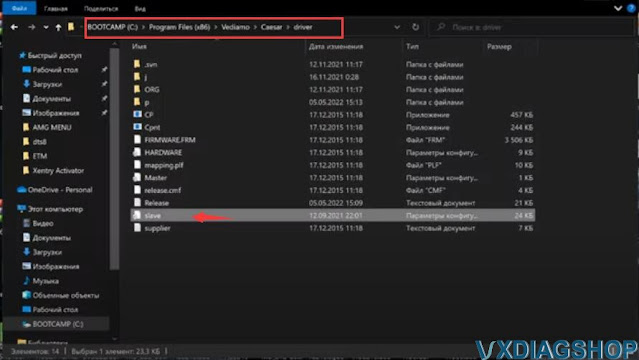
C:\Program Files
(x86)\Vediamo\Caesar\driver\P\
Copy and paste slave file
to
C:\Program Files (x86)\Vediamo\Caesar\driver
folder
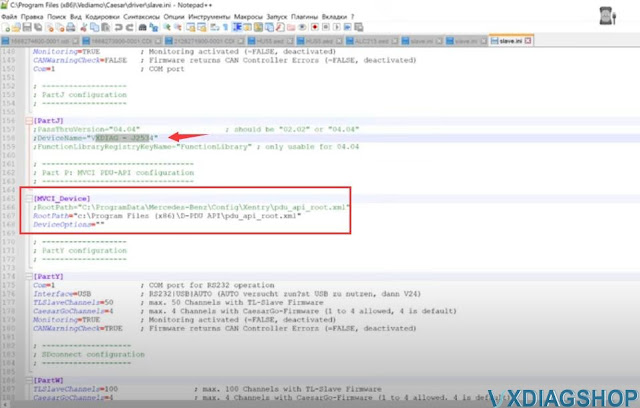
Then edit slave file with Notepad
Fine MVCI_Device
[MVCI_Device]
DeviceOptions=
RootPath="C:\Program Files (x86)\D-PDU API\pdu_api_root.xml"


[Solved] VXDIAG Xentry VCI version firmware is not compatible
Here comes the problem:
I am using the 2021.06 xentry version HDD with vxdiag vcx se benz doip scanner. It was working fine until I got the vx manager (1.8.7) and vci firmware (1.9.10) updated to the latest version.
Error:
Initialization of the Multiplexer has failed
The firmware version of the Xentry Diagnosis VCI being used is too new.

Vxdiagshop.com solution:
Xentry VCI version is too new and is not compatible with 2021.06 xentry version.
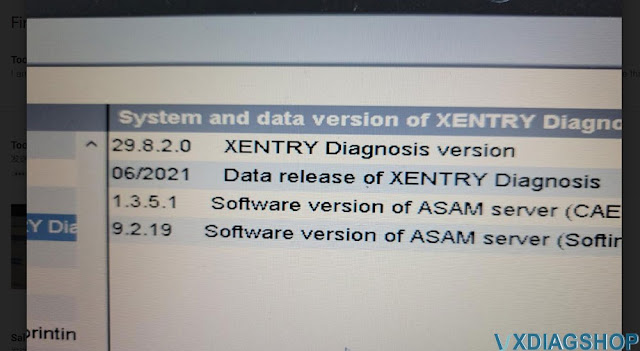
Check your Xentry version (here is 06/2021)
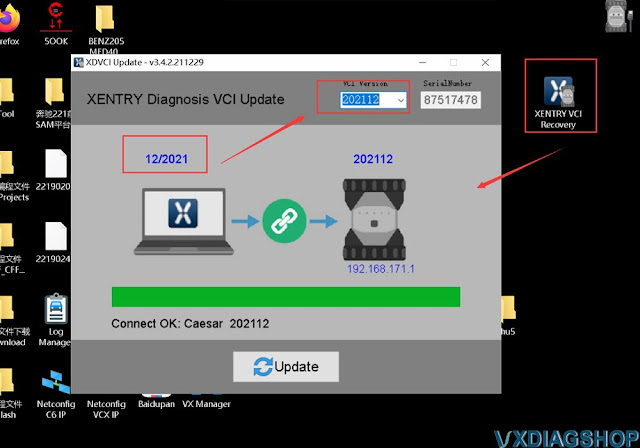
RunXentry VCI Recoverytool on the desktop
Select corresponding VCI version and update
https://www.vxdiagshop.com/service/solve-vxdiag-benz-xentry-vci-too-new-problem.html
"SOLVED: VXDIAG VW ODIS 9.1.0 "exceeded 50 trail
Here comes the working solution toVXDIAG 2TB VW ODIS 9.1.0trial period expired issue.
Error:
'Your trial period has expired.
You have exceeded 50 trial executions.
Please register this software to remove trail limitations. '
.jpg)
Solution:
Download and install odis 9.1.0 unlimited trail patch here to fix the error
https://mega.nz/file/HIoxHYbQ#lwgGN6jgyuwEAfnSVL8HOBW7Kpn0JWTGCti6WjVuTxQ
How about Xentry Passthru? Tested on Mercedes W212
Why the Xentry Passthru is interesting?
If you are keen to do proper Xentry grade health scanning, but not coding say
for START STOP be gone, but can do lots of TEST, you can get Xentry PassThru
version.
Because the J2534 interface device is cheap and small like an OBD2
dongle, i.e openport 2.0 and vxdiag
vcx se benz. vcx se benz is quite recommended. It works with both Passthru
and OpenShell. It also supports WiFi connection and communicates much faster
than openport. (Check: VXDIAG VCX SE or
Openport 2.0 for MB Xentry Passthru?)
So if you already have a Windows 7
or 10 laptop, some effort at Google or Youtube to search, you will surely find
Xentry Passthru download resource.
This is a 2014 Mercedes W212 E400 ( M276 Dela 30, 3 liter Turbo) RWD not Hybrid and well tested with Xentry Passthru.
So in case NICE people wanna learn more about the cars…… find some teasers below :
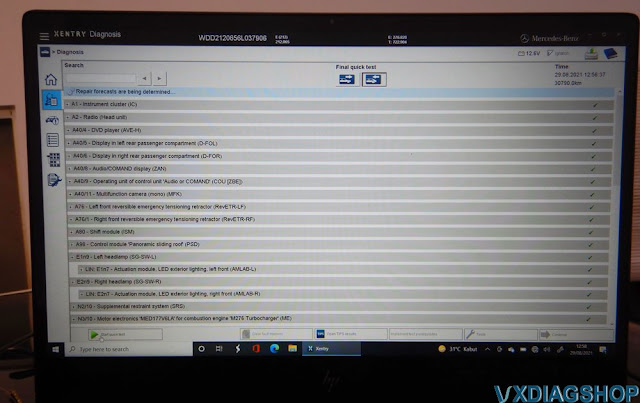
Health scanning 100% all modules read.
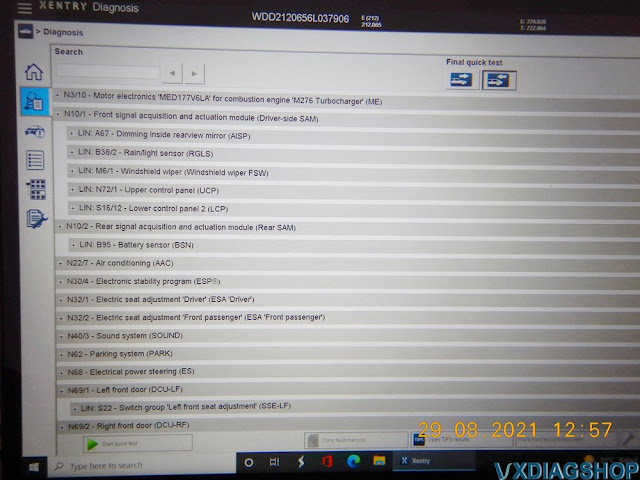
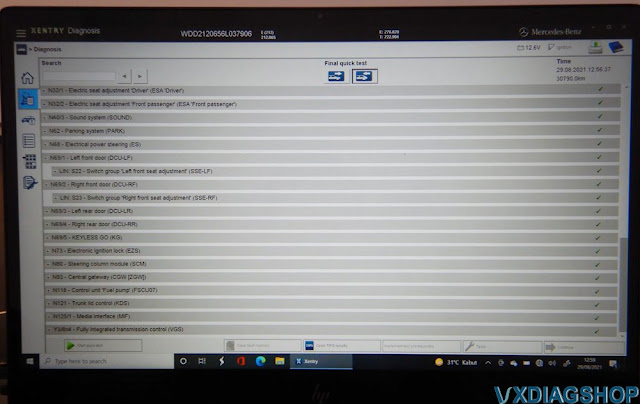
You can do air conditioning 7 way venting ( air distribution )…which always wanted for the LEG + BODY
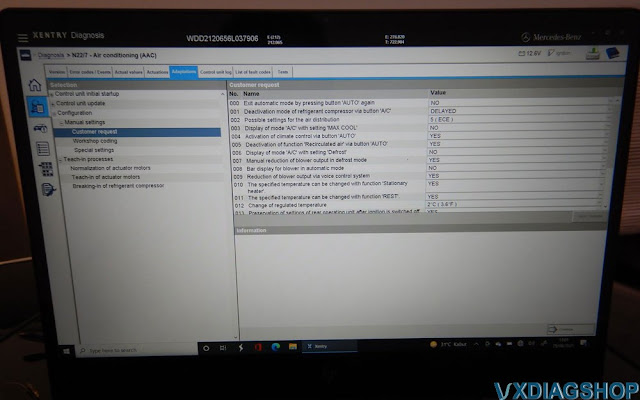
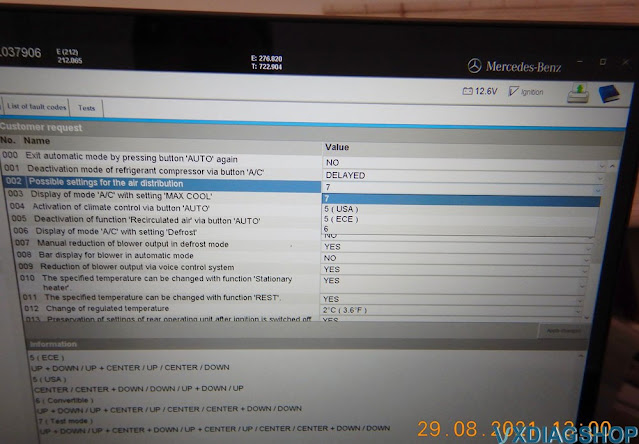
Yes, LEG + BODY air distribution possible now. BTW using AUTEL MS906BT I have disabled the stupid FRESH AIR FLAP WILL OPEN NO MATTER WHAT…AFTER 30 MINUTES. Now it remain closed.
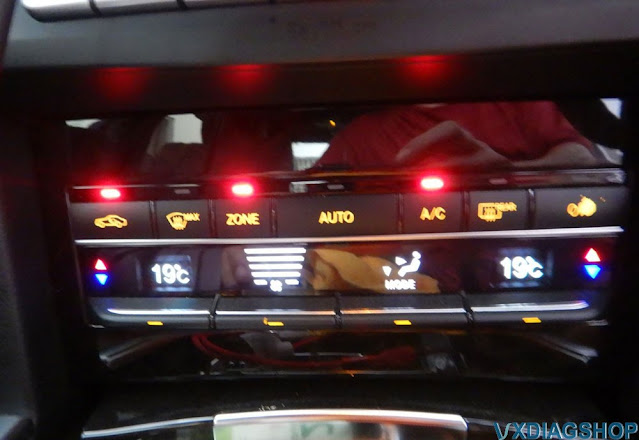
This is good

Data gold-mine. Now we can know how and when a certain code made it to be a CEL/MIL. No more guessing a 3rd party scanner interpretation of a DTC code actual meaning… we use the MB ones


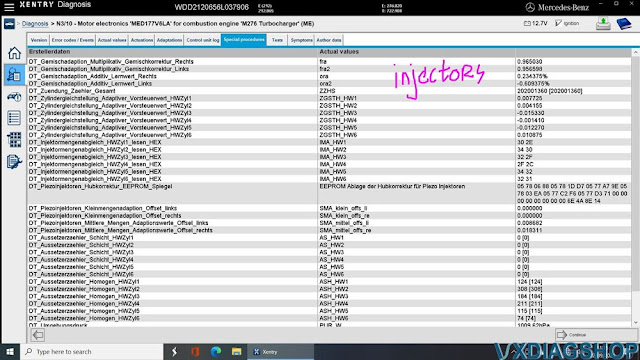

OK enough teasing around.
Let me remind again. YOU CAN NOT DO CODING with this naughty Xentry PassThru.