VXDIAG VX Manager Error Find New Version 1.8.7?
Problem:
I have a problem with my VXDIAG VCX SE Benz and Xentry 2021/12 which tells me the VCI has a too old version. It says a new version 1.8.7.0415 was found.
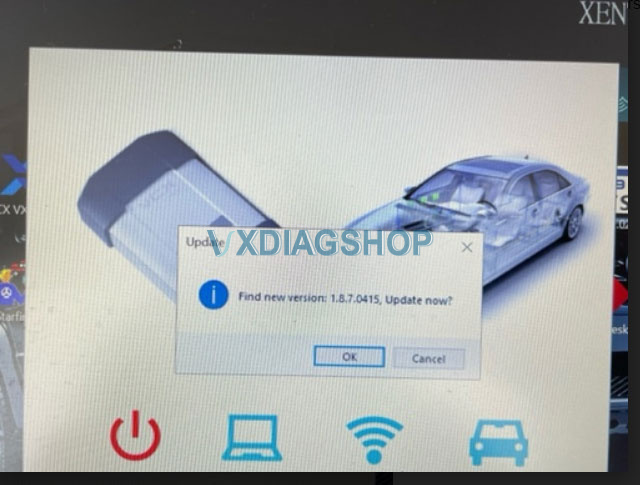
If I click OK and I'm connected to the Internet, I'm getting the following errors:
System error, cannot find MSVCP140D.dll
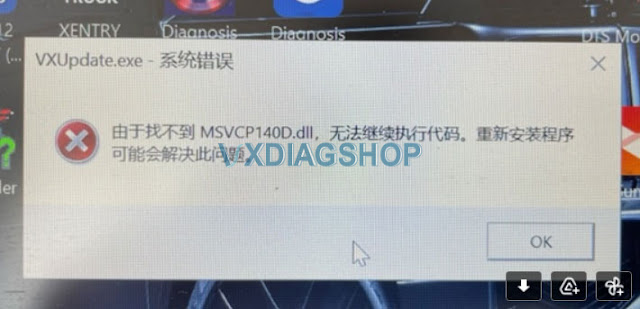
When I start VCX Diag I'm getting another error. Any idea how to fix it?
Solution:
DON'T Update VX Manager to V1.8.7 in VX Manager Directly!!!
Download VX Manager driver 1.8.7 from vxdiagshop.com and install.
https://www.vxdiagshop.com/info/download/
Feedback:
I was able to download the 1.8.7.0415 version from your website and install it. Afterwards I was able to upgrade the VCI Firmware from 1.8.4.0 to 1.9.1.0 and also the DoIP from 1.8.1 to 1.9.0.
Since then I have no errors anymore. Thanks.
VXDIAG Benz WIS_EPC Not Working Solution
One of our customers failed to open VXDIAG Benz WIS/EPC and StarFinder software. Our customer helped him out via Teamviewer. Hope it helps if you have the same problem.
Don't change your computer's default browser. In this case, he has changed the default browser from Edge to Firefox.
Follow the steps below to run WIS EPC on firefox. Same procedure with other browsers.
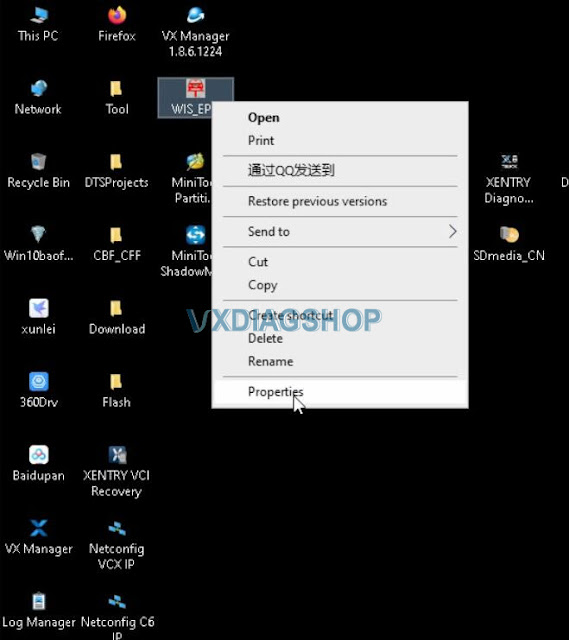
Right-click WIS_EPC desktop shortcut on the desktop
Go to
Properties
Copy and Paste the URL
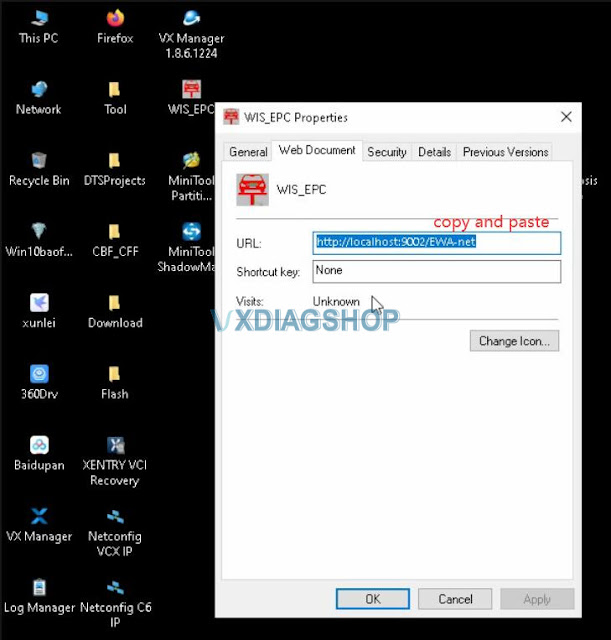
Open WIS_EPC
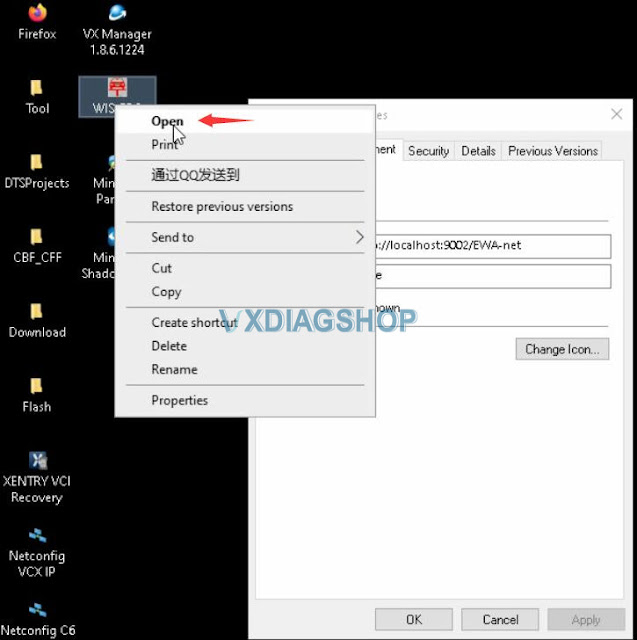
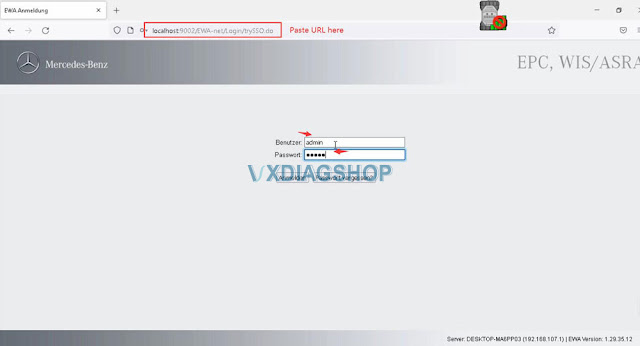
Paste URL here
Login with User name (admin) and password (12345)
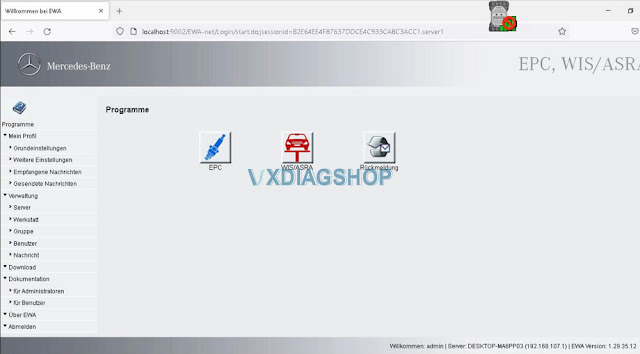
Read also:
VXDIAG VCX DoIP Firmware Update V1.9.0
Allscanner VXDIAG VCX Scanners released a new DoIP Firmware update on April 25th, 2022. With this update, VXDIAG is compatible with BMW ISTA-D 4.34.xx version.
2022.04.05 DoIP Firmware V1.9.0
- Update device gateway address
- Update vcx-icom package, Supports BMW ISTA-D 4.34.xx new version
- Update vcx-doip package, optimize multiple DoIP entities
- Update vcx-pt3g package, Suppurts new device address.
- Fix bugs.
After updating DoIP firmware, if the device cannot be connected, check whether the device manager software is up to date.
Can I Change VXDIAG VCX SE 6154 Language?
Question:
Can i change vxdiag vcx se 6154 odis language to German? If yes how to change language?
Solution:
Yes, vxdiag 6154 software is multi-language enabled.
Multi-language:
English Japanese Portuguese Romanian Korean Dutch Polish Turkish Spanish French Italian Croatian Danish German Swedish Finnish Slovenian Czech Russian Greek Chinese
The first installation will ask to select language pack. DO select the language you desired. You cannot change language within software program.
.png)
How to encode VAG online with VXDIAG VCX SE 6154?
Question: ;
I am a newbie to vxdiag vcx nano gm gds2. Which device vci type should I select, MDI or MDI2?
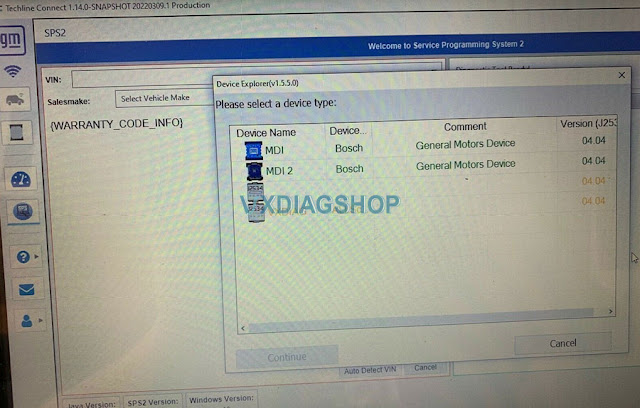
VXDIAGShop solution:
GDS2 will report error 'no selected default device detected' if selecting the wrong device type.
For diagnosis purpose. Select device type as MDI2.
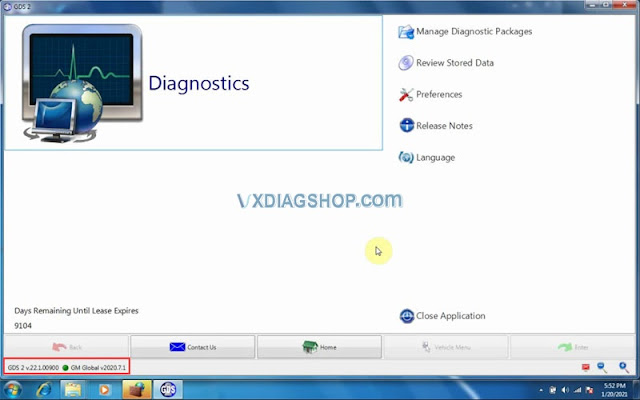
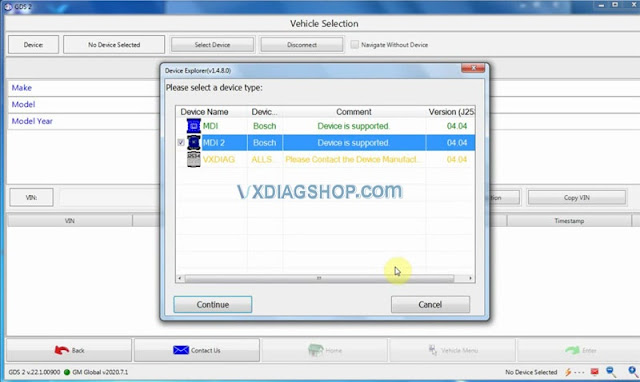
For SPS2 online programming, you selectVXDIAG Allscanner J2534passthru
Check How to set up vxdiag vcx nano gm for Techline Connect SPS2?