VXDIAG Forscan Program Ford Expedition Key Fob
Ford Expedition 2nd Generation key fob programming experience shared by one of our customers:
My wife purchased (2) keys online for our 2005 Expedition. She just went in today and tried to get them cut and programmed at the local dealer. We only have 1 original key. Well they cut the key but said they were unable to program the keys because they each were missing the engine or ignition chip.
She said the door can lock and the tailgate opens with the newly programmed keys but it will not start the truck because these "chips" are missing. Unless there is a way to fix them.
Possible to buy the missing chips and have them programmed?
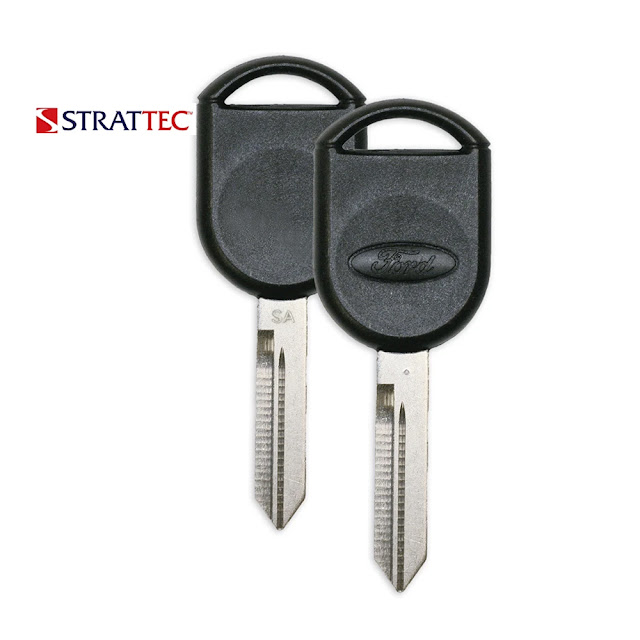
Yes, This may be an option for you if you can find the chips. The Strattec SA 80bit keys are only about $30 a pair.
Looked on eBay and find proper chips. Buy the chips, inserted into the holes and you are able to program the keys.
Look up your Ford key part number at https://aftermarket.strattec.com/ and finding a seller (ebay, etc) to get the OEM Ford keys seems to work out well.
My first encounter with Ford PATS keys resulted in me refusing to pay the
Ford stealer $175 just to program a pair of customer supplied keys or $140 each
if they supplied the keys.
I purchased a pair of Stratec keys for $30, a VXDiag
VCX Nano Ford IDS OBD2 interface for $115 and used the free Forscan software
to program the keys into my 2nd gen Expedition, no problems. This saved a lot
over going to the stealer and now I have the tools to diagnose any issues that
may pop up with the truck. A local locksmith cut my 2 keys for $1.50 each.
VXDIAG VCX NANO Ford IDS V126 Installation Guide
VXDIAG tutorial: how to install vxdiag vcx nano ford ids v126 (vcx se ford,vcx full ford etc) driver and software on Windows 10 operating system.
First of all, Download Ford IDS V126 and patch here
http://blog.vxdiagshop.com/2022/07/05/free-download-vxdiag-ford-mazda-ids-v126-and-patch/
OpenFordIDSfolder
RunIDS-126_01_Fullsetup
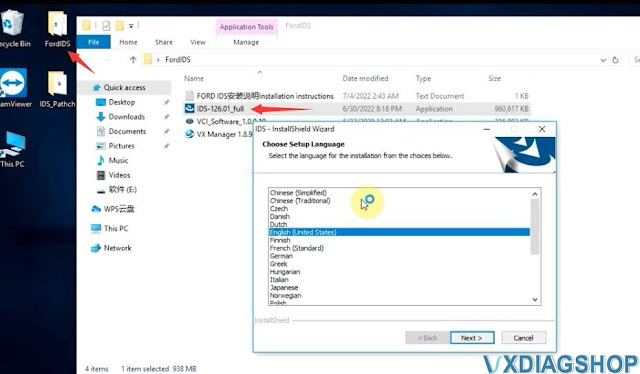
Install setup language
Press Next
Accept license agreement
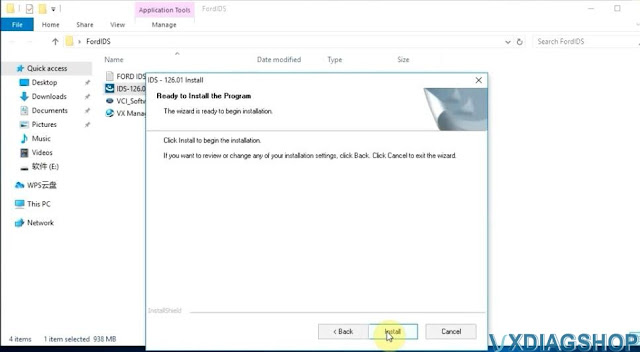
Press Install
Finish installing setup

Press Reboot
InstallVCI_Software_1.0.0.10 Ford VCI driver until finished


Open IDS Patch folder,
Copy and pasteIDS_Patchto
desktop

Always download and install latest version vx manager here
http://www.vxdiagshop.com/info/vxdiag-diagnostic-software-download-4048.html
Select Ford/Mazda driver to install
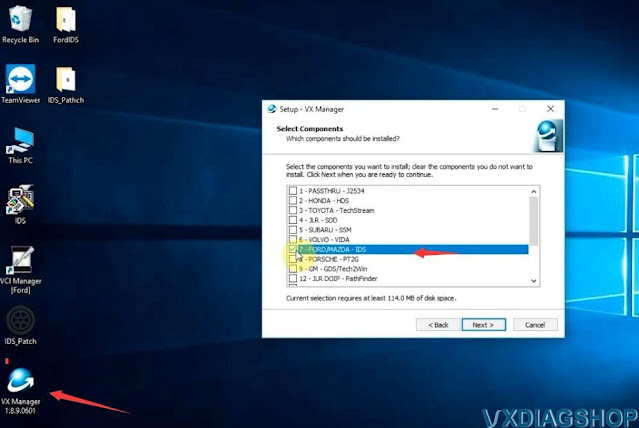
connect vcx nano or vcx se with laptop
vx manager detects device
information

Update firmware and license to the latest version

Before running IDS, make sure the Ford IDS device driver has been installed
Run IDS from IDS_Patch on desktop
Select dealer type: Non-dealer, dealer
code: 00000 and your country

IDS software is ready to use
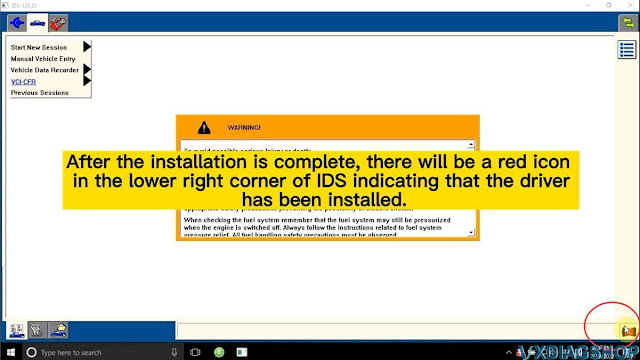
NOTE: Don't install Ford and Mazda IDS on the same PC. Mazda IDS does not require VCI driver.
http://blog.vxdiagshop.com/2022/07/20/install-vxdiag-ford-v126-driver-software/
VXDIAG Techstream addresses 2004 Land Cruiser VSC issues
2004 Land Cruiser. Recently had a lift done. Brake Malfunction, VSC off, and VSC track lights are illuminated.
Finnaly got the problem solved after reading this
Got mine vxdiag vcx nano toyota usb cable and Techstream software Ver. 16 installed on a Win7 32bit laptop.
Resolution with Techstream

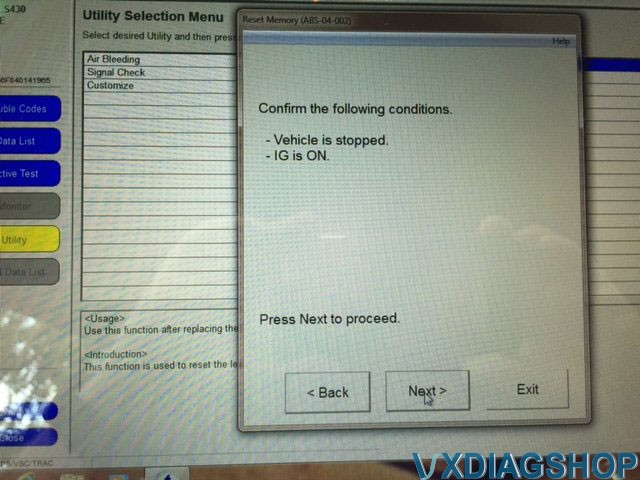
Click Utility

Click reset memory

Click next

Click next
VXDIAG Vauxhall Tech2Win 182 Bin File
The Tech2win is for older cars from about 1992 on the North American side up to 2008, for the Vauxhall we use a little bit later so it will be about 1996 or 1998 up until 2012 up to the Insignia platform then they started moving over GDS2.
Vxdiag vcx nano gm tech2win does not work on Saab nor Opel. VCX nano does not with Saab properly even with bin files, it does not work well with the mdi very well either. It requires a lot of BUS protocol that MDI cannot emulate. It does work on Opel/Vauxhall with proper bin files.
Vauxhall 182 is the latest and most stable version as it is known to all. 137 is good sometimes.
VCX NANO does not have Opel Tech2win bin files. You need to find yourself.
For example:
Opel Tech2Win PCMCIA V182 Spanish:
https://drive.google.com/file/d/0B_C4k-_wPmotM3lFYXRSV09WODQ/view
Password:mhhauto.com
Tech2win 32MB PCMCIA Card V182.000 English:
Part 1: https://mega.nz/#!QPYU2B5J!JvOBKyrB1bqpXuUXC8gJU8_HCAAtc3PTLwHMRGWkPz4
Part 2: https://mega.nz/#!MKIREarI!qjW5E_DD0n1UjwAYGkZyythcWj5U3qqYTDWKYmz5c7k
Password: mhhauto
*You are at your risk. We don’t take the responsibility for the damage.
Test Vauxhall 182 with vxdiag tech2win:
Connect vcx nano gm interface with laptop
Run vx manager, you can see it is connected and it is showing its serial number
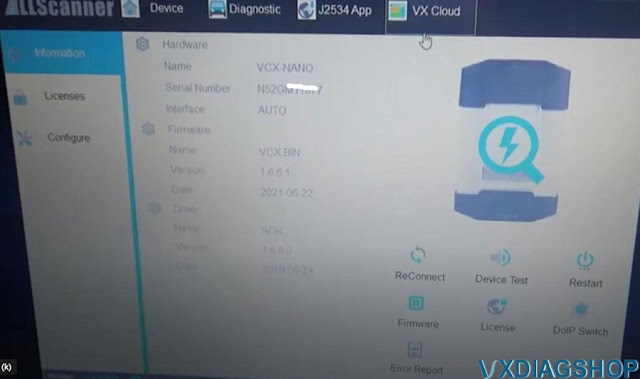
Do a quick device test, update the license and firmware to the latest
version
Now we go configuration of the Tech2win
and you have numbers of
different rom files which give you different access to different
vehicles
even though this is the Vauxhall platform can be used
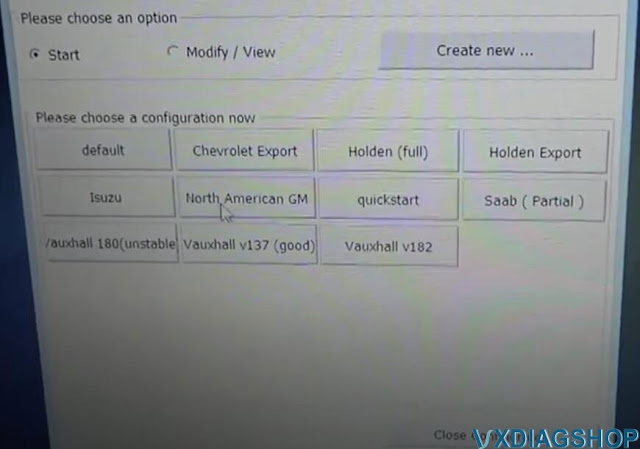
We click Vauxhall 182 you will get a TECH2WIN Screen pop-up
you select the
top one MDI-USB
if it is black means vcx nano is not connected
Connect vcx
nano via USB
and it comes to the screen here TECH2


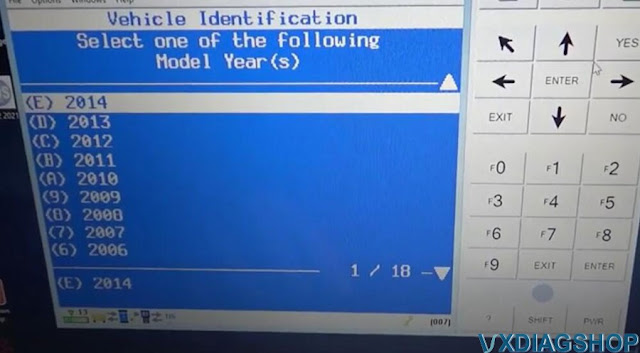

Now select vehicle, model and function you need to perform.
http://blog.vxdiagshop.com/2022/07/19/free-download-opel-vauxhall-tech2win-182-bin-file-for-vxdiag/
How to use VXDIAG VCX SE with PCMFlash?
PCMflash software has been tested working fine with vxdiag vcx se j2534 passthru. One of our customers has tested it with the ktm bench dongle.
Vxdiagshop.com engineer has tested it working with the new pcmtuner dongle containing pcmflash with 67 modules. You can use any vcx se interfaces. If don’t need software license, go for the vxdiag vcx se hardware unit only.
How to set up vxdiag vcx se with pcmflash?
Download VX Manager 1.8.9 on vxdiagshop.com Download area or vxdiag.net
Install vx manager setup
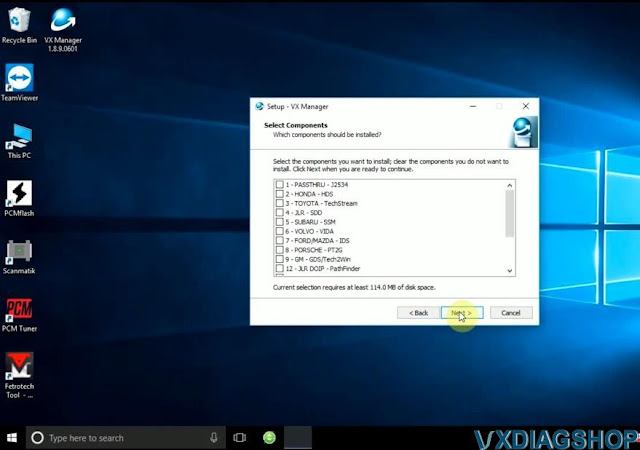
Press Next

Finish installing setup.
Connect vcx se with PC with USB
Run VX Manager from the desktop
Go to Diagnostic tab, install Passthru driver


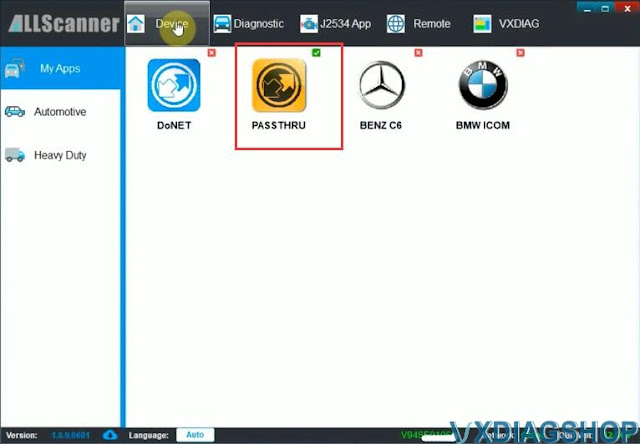
Check device status
Update firmware and license if it is not the latest version

We have read Mitsubishi Outlander 2006-2012 EVOX ECU 1860A867 E6T70484 ecu successfully with vcx se pcmflash
Connect vxdiag vcx se j2534 with ecu thru godiag full protocol jumper cable follow the wiring diagram
.jpg)
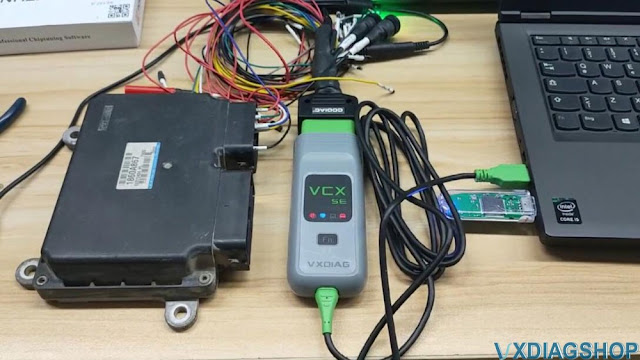

Insert pcmtuner usb dongle with pc
Run pcmflash software
Select interface as VXDIAG J2534
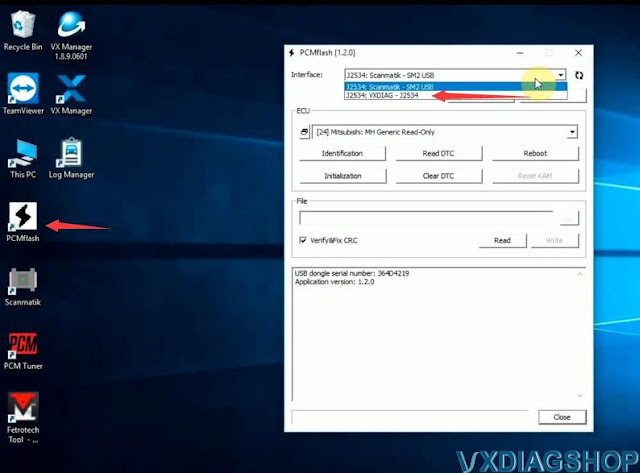
Identify and read ECU
Save ECU data


Done.
If interested in pcmtuner usb dongle and the full jumper, contact www.vxdiagshop.com customer service.
https://www.vxdiagshop.com/service/set-up-vxdiag-vcx-se-with-pcm-flash.html