How to Install VXDIAG VCX SE 6154 ODIS 9.1.0?
VXDIAG tutorial: how to install vxdiag vcx se 6154 odis 9.1.0 + Postsetup 90100.207.230 + vx manager + 6154 driver on windows 10 operating system.
9.1.0 software can be downloaded free here
http://blog.vxdiagshop.com/2022/04/22/free-download-odis-service-9-1-0-postsetup-for-vxdiag/
Operating system: Windows 10 32bit
Multi-language: English Japanese Portuguese Romanian Korean Dutch Polish Turkish Spanish French Italian Croatian Danish German Swedish Finnish Slovenian Czech Russian Greek Chinese
Procedure:
Step 1: Install ODIS Setup
Open ODIS 9.1.0 folder
Run OffboardDiagSetup_VWMCD_9_1_0
setup
Select setup language
Install ODIS setup assisant

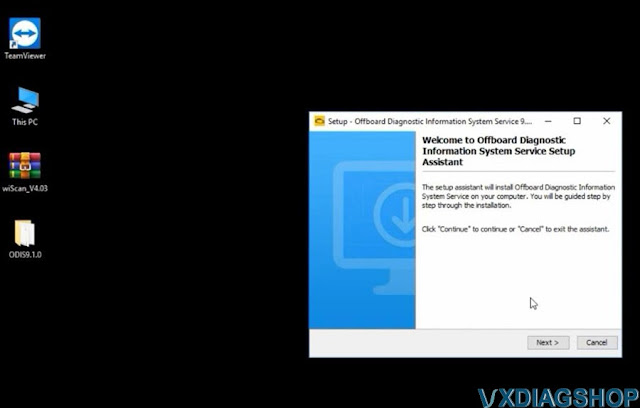
Target paltofrm to Standard PC/notebook
Select dagnostoc interace as
VAS 6154

Add license.dat license from C:/Users/Administrator/Desktop/ODIS9.1.0/license.dat folder
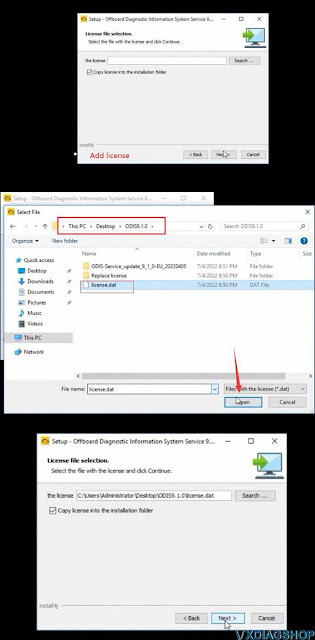
Tick Create a folder in the start menu and create shortcuts for all
users
Installing setup until finished

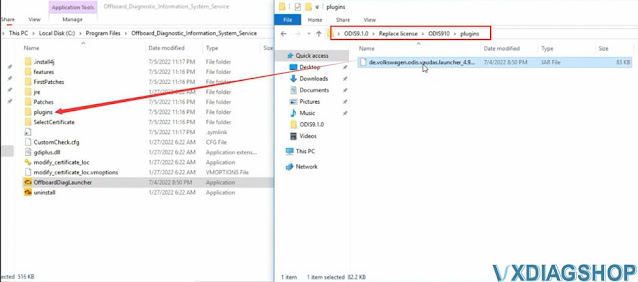
Copy and paste OffboardDiagLauncher file from
ODIS91.0/Replace license/ODIS910 folder
and replace the file
in C:/Program Files/Offboard_Diagnostic_Information_System_Service
folder

Copy and paste plugins file in ODIS91.0/Replace
license/ODIS910/plugins
and replace the file
in
C:/Program
Files/Offboard_Diagnostic_Information_System_Service/pluginsfolder

Step 2: Install PostSetup
Run Offboard Diagnostic
program on desktop
Select local directory
Upload ODIS-Service_update_9_1_0
EU folder
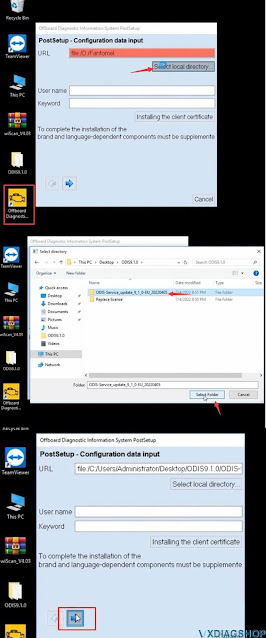
Press Next
Select PostSetup language
Download files and restart computer now


Step 3: Install VX Manager and 6154 Driver
Download VX Manager driver 1.8.9 on vxdiagshop.com download area or
vxdiag.net
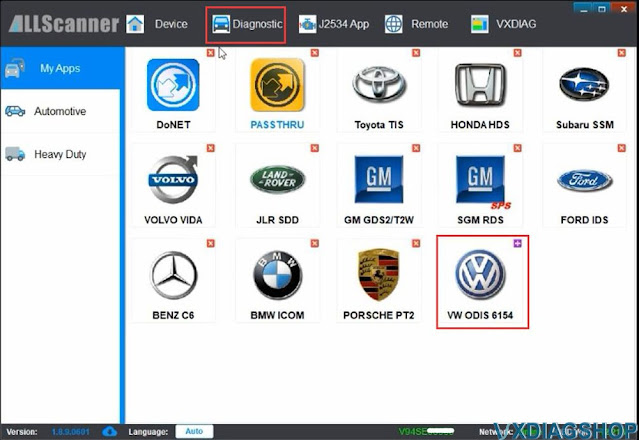
Install vx manager and select VAG ODIS 6154 program to install

connect vxdiag
vcx se 6154 interface with laptop via USB or WiFi (first installation
recommend connecting via USB)
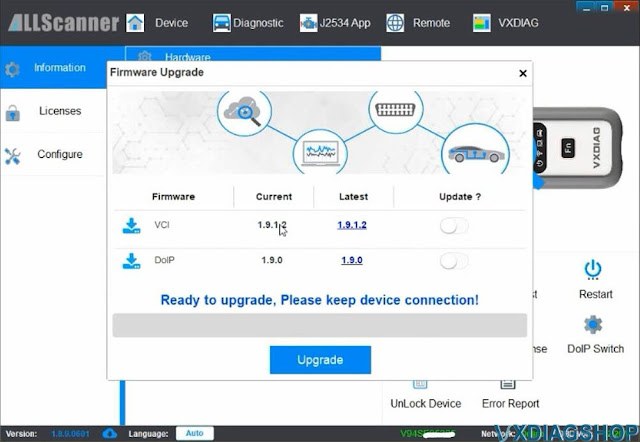
check device status, if the firmware is not the
lateast version, click “Upgrade” to update to the latest version
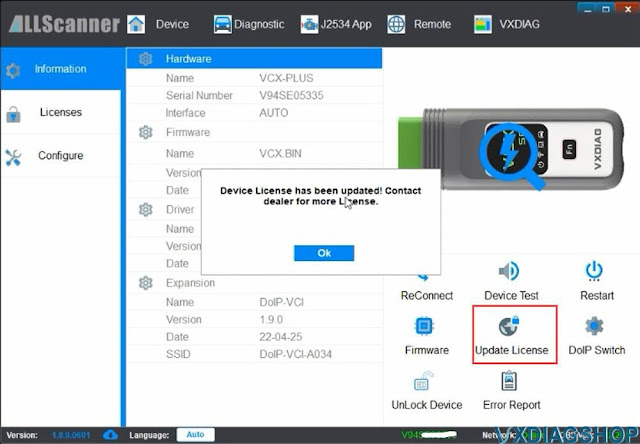
Update
license.
Make sure ODIS 6154 driver is installed
Step 4: Run ODIS 9.1.0 Software
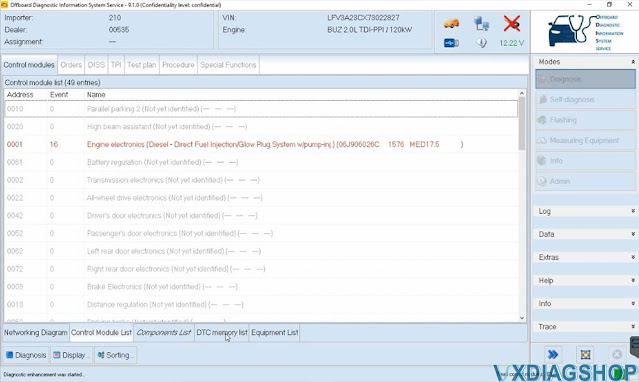
Open Offboard Diagnostic program on desktop
software is ready to use

VXDIAG VCX SE Not Connect to Landrover CAN BUS Solution
Problem:
I was programming a Land rover Discovery 3 with vxdiag vcx se jlr SDD and noticed I was not reading any units that are on high speed can bus. Opened the vcx and found this U20 chip is broken.
No CAN BUS communication with this chip blown.

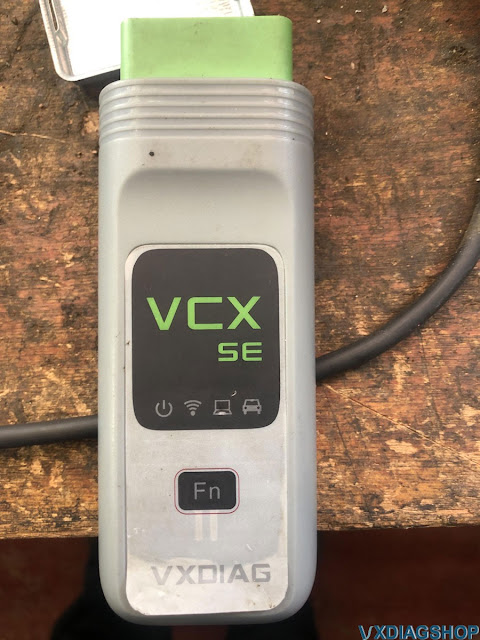
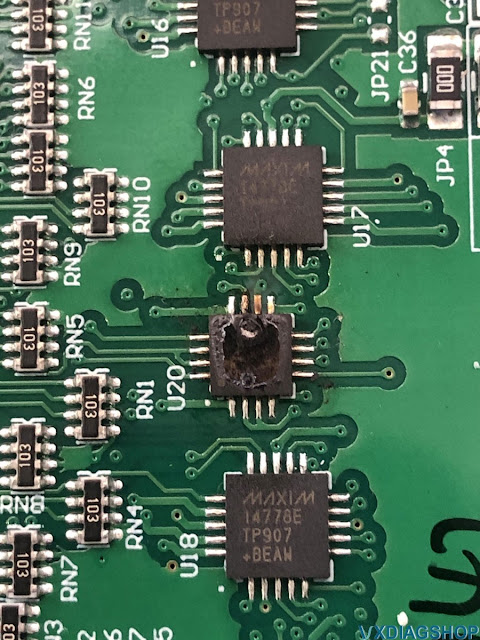
Solution:
You can search ebay for main board U20 EEPROM, then changed the interface.
It will all be ok.
Disclaimer: We are not responsible for the damage.
VXDIAG VCX NANO Ford Enter Battery Saver Mode Solution
Question:
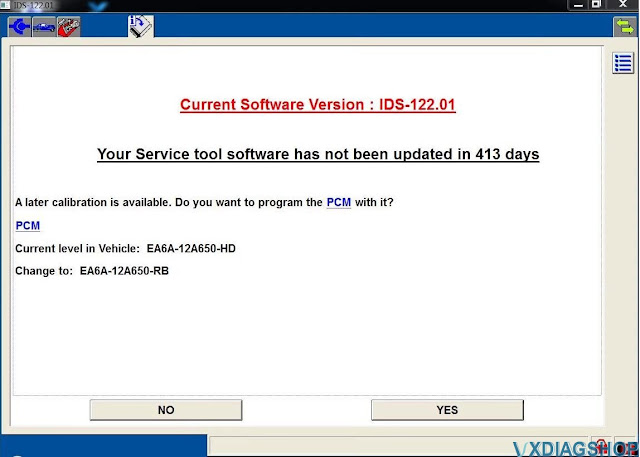
I have a VXDiag VCX Nano Ford for IDS interface and I tested 2 versions of IDS (118.01 and 121) and in both the error below always occurs when I try to start a new session:
There was a problem gathering vehicle data. The vehicle may have entered Battery Saver mode. To correct the problem, make sure the ignition is ON and the battery is fully charged or connected to a charger. To Try again, start a new session.

Solution:
The problem was solved. I provided a battery charger and kept insisting on the connection until it just plugged in and after that I had no more problems.
I was even able to apply an update to my PCM module.
Can VXDIAG VCX NANO do UBP FEPS Fords?
Question: Which Ford IDS adapters support UBP and FEPS protocol Ford F series trucks and Lincoln models? i.e 2004 Lincoln Aviator uses UBP and FEPS on pin 3 and 13. Gets confusing which adapter, OEM, clone, which SW, Forscan, IDS, etc would do UBP and if needed also handle the FEPS if I need to program a module. Does the vxidag vcx nano ford ids do UBP models?
Answer:
VXDIAG
VCX NANO Ford won't do some F series trucks pre-2010 because of no FEPS
support. The UBP network is a special case, only Ford used it as near as you
can tell and only for about 5 model years and only in North America, and it
seems on SUVs and the F series trucks and some of the cars and is very obsolete
except for those of us that have vehicles equipped with it.
OBDLink EX worked well but it has limitations of what module it could access.
Forscan supports UBP since version 2.3.09 but it only works on Ford VCM2 adapters and VCM2 clones.
Forscan tried for almost a year, to develop a Kline protocol (which is very similar to UBP) during 2.3.09 development to enable UBP support for FTDI/ELM327 adapters but never got it to work (even had the external HSMSCan switch support for it at one time) so it will ever be supported in ELM327 based adapters like the vLinker FS!
Which VCM2?
SP239-B it is basically a VCX NANO in VCM2 clothing. It will not do UBP either.
SP177-C/C1: the best quality SP177-C clone works fine with Forscan and IDS
V86 and with the VCI manager 2.3.85.7 (Latest one V86 will work with needs it to
work with Forscan also) which is still available at the boschdiagnostics.com
site. Unfortunately, the one is not being made anymore.
It will do FEPS
work, our have users have updated the 03 Expedition PCM and changed the tire
size in the 05 F150 using a Patched IDS 86 but you have to use a program patch
to reset and enable the PMI for 120 days and back date the computer to early
2013 for PMI to work!
SP177: SP177 is the replacement for SP177-C and C1. The one has a Blue jack connector in that position and was supposed to be the best of the SP177 series! This unit they say will do FEPS and UBP. It is V108.
The VCM3 is what Ford has replaced the VCM2 with at all their dealers in preparation for the electric vehicles that are coming in the future model years, it is backwards compatable with every thing the VCM2 does and is available at the Rotunda site (for $1499.00US without the cables)! A lot of people who have tried it say it works fine with Forscan and find it slightly faster!
BUT I have to add one thing as apparently UBP support has been removed from the VCM3 as it is not listed as supporting UBP in the Ford specs!
VXDIAG VCX SE JLR driver software for Land Rover Discovery review
VXDIAG VCX SE JLR DoIP adapter review from a Land Rover Discovery Sport TD4 150hp Fuji White SE driver.
I'm a terrible diagnostician, but I can now read / reset errors, and register a new battery on a machine with Pathfinder on my own.
.jpg)
The Chinese have finally made an adapter that is more or less affordable (and
workable!) For money, called VXDiag VCX SE JLR. I bought it on vxdiagshop.com in the VX Diag brand
store. I had to spend some time with the initial setup – thanks for the advice
vxdiag stuff.
Who cares, Pathfinder works pretty well on i5, 8 GB, 256 SSD,
but it really feels like everything is at the limit. I specifically took the
Thinkpad T410 for it, in principle, enough.
Moreover, to check and read
errors, it is not necessary to register and break something, a free Topix
account is enough.
By the way, the last Pathfinder update brought an alarming
inscription that Pathfinder will replace Topix Cloud in April 2022.