Escalade GMT800 TPMS Programming by VXDIAG VCX SE
Review: 2003-2006 Cadillac Escalade GMT800 /Silverado – TPMS Programming with VXDIAG VCX SE Tech2win software.
Now we have a vxdiag vcx se scan tool that I purchased from vxdiagshop and that allows me to connect
to this truck- a Cadillac Escalade GMT800.
It's a j2534 communication device
that allows me to utilize factory scan tool software to connect to vehicles and
talk to them for pennies on the dollar compared to what dealerships
charge.
It's pretty simple. You buy the device, install the gm drivers and
then download and install the tech2win software. It's a piece of cake and they
outline how to do it step by step when you buy the device. Another part of the
install is a passenger door module with forward slash tpms which you will read
on the sticker on the back of each one that has it out of a gmt 800
escalade.

Now the Escalade has to have an up-level radio. So with that being said you have the pdm out of an escalade gmt 800 and the tire pressure monitoring sensors either sitting in your hand or on a workbench or installed in the tires.
i'd recommend them getting them installed in the tires and how you want to do that is up to you.
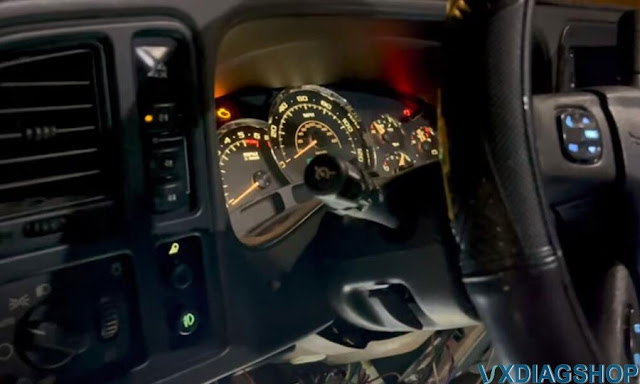
What i'm going to show you right now is the programming step to get this taken care of.
Here's the free tech2win software downloaded from vxdiagshop website. Run tech2 software, choose the North American region.
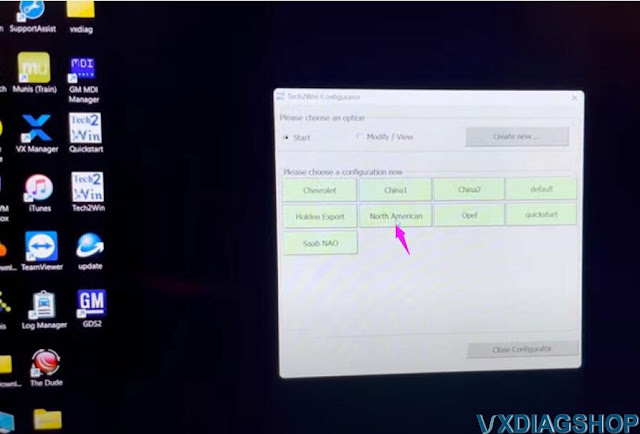
Select correct interface and go ahead.
Drill into the diagnostics-> 2005->ID Truck MPV and Incomplete-> Cadillac-> C series-> F2: Chassis ->Equal to or under 8600 GVW-> Rear Disc Brakes
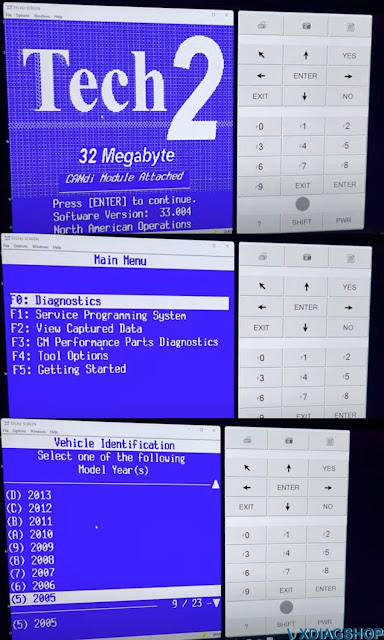
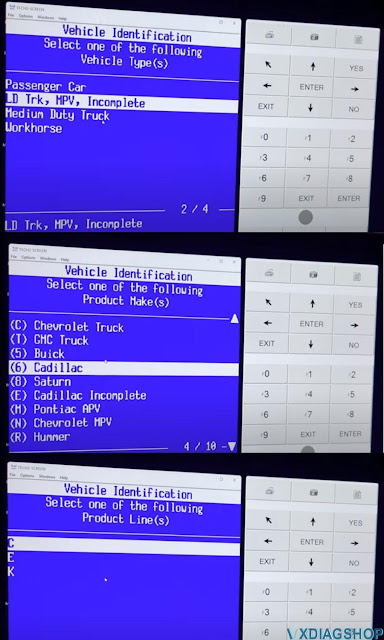
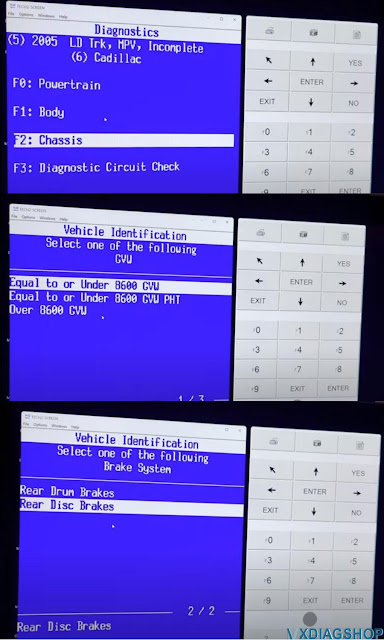

cool ABS is not illuminated
we're going to slide on down to tpms and we'll do just data display to prove it works.
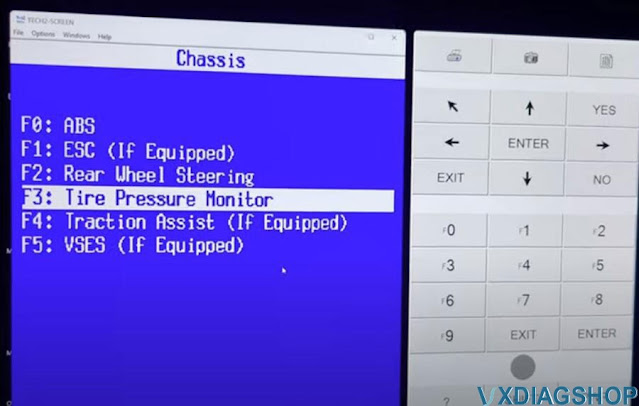
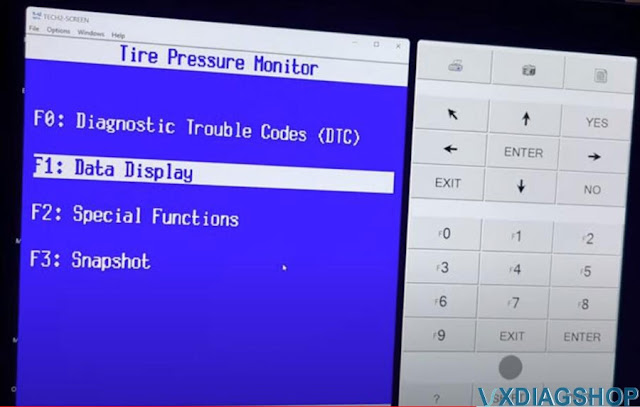
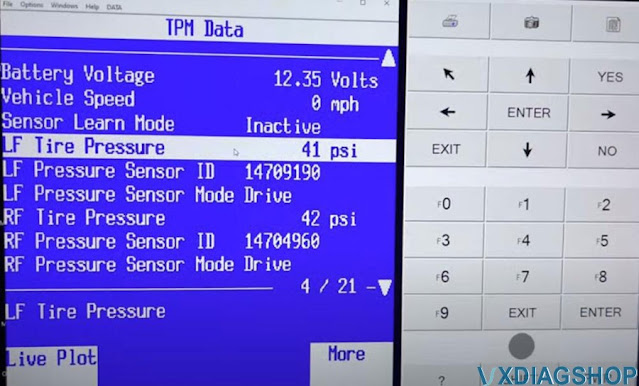
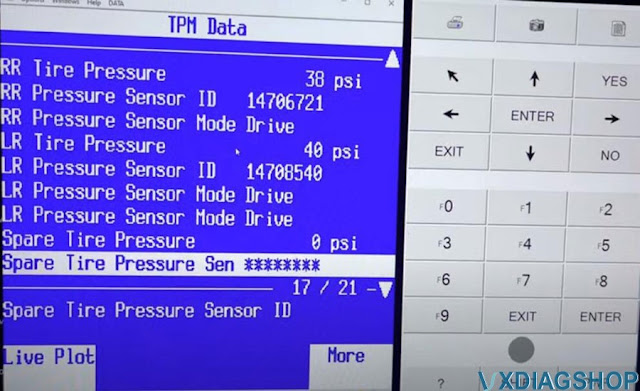
a simple data display that's pulling a live feed through that passenger door module and since i don't live in europe or canada or any other country that's not america i'll switch that to miles
per hour and psi and right now you see all the all the specs 41 42 sensor id, it's currently programmed for 45 psi.
so i believe if it drops down below 10 or if it drops down 10 psi so to 35
it'll set off the tpms warning that flashes on your dtc in your gauge cluster and the light comes on and then you have the load range which you program in here.
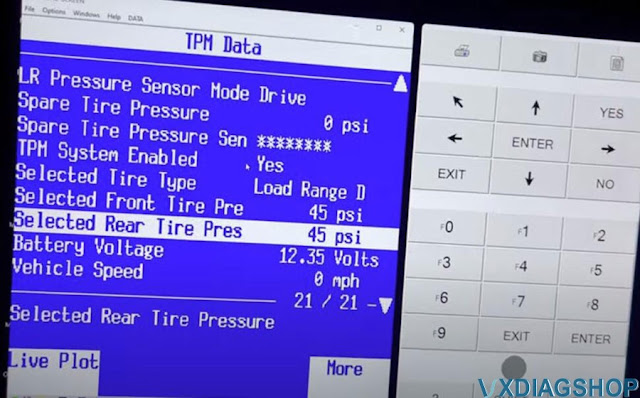
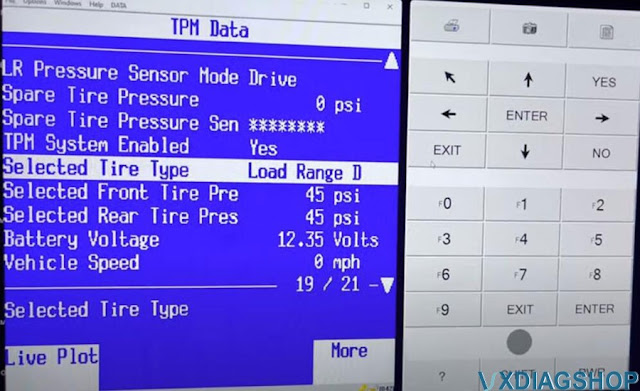
So i'm going to go back and tech2win special functions and here it is so you've got learn sensor location, type tire pressure selection so in here
you would come in here select the load range and specify the tire pressure that you would like

here's the option to enable tpms which it's a piece of cake, just come in here and click enable as long as you have that passenger door module.
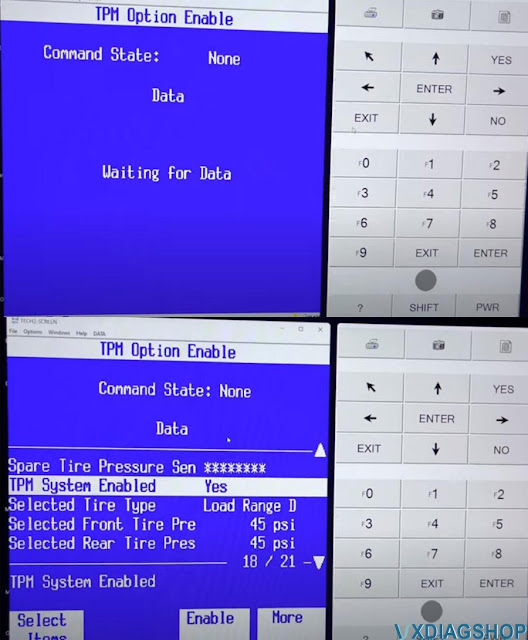
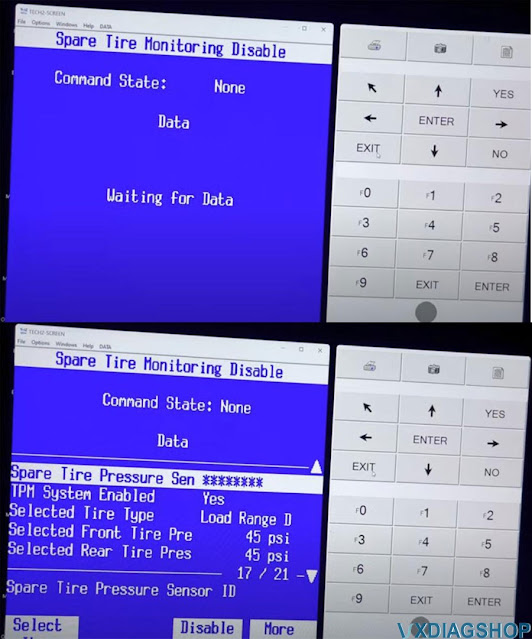
and then spare entire monitoring disable.
Enjoy.
http://blog.vxdiagshop.com/2022/08/02/escalade-gmt800-tpms-programming-by-vxdiag-vcx-se-tech2win/
VXDIAG Ford VCM Communication Error Solution
Problem:
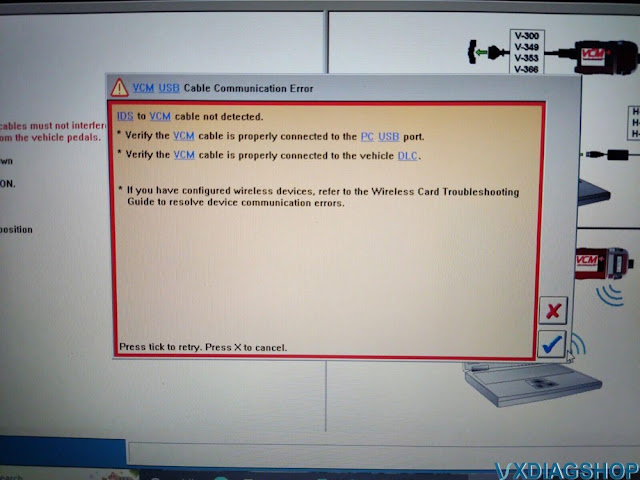
I got a problem running IDS v126 ofvxdiag vcx nano Fordinterface. Run IDS and it says Ford VCM USB cable communication error.
Solution:
Don't start Ford IDS directly. Always run IDS from patch. Make sure Ford VCI manager driver is installed.
Download IDS software patch and follow the installation guide below:
http://blog.vxdiagshop.com/2022/07/20/install-vxdiag-ford-v126-driver-software/
Program Chevy Volt 2012 HPCM2 by VXDIAG & Techline Connect
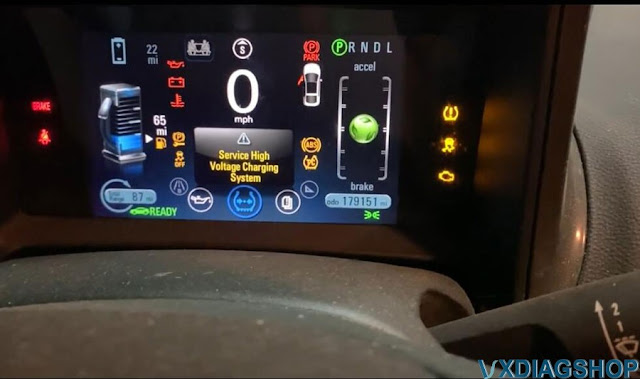
This is a Chevy Volt year 2021. It pops up here Service High Voltage Charging System error. I clear it with GDS2 before but it is not working anymore as I had that caveat before that sometimes it doesn't always work.
I got to reprogram the hpcm2 module. I've already done the BCM update.
These documents help a lot:
Chevy Volt HPCM 2 Reprogramming with VXDIAG VCX NANO SPS
How to Set up VXDIAG VCX NANO GM with Techline Connect?
Using Techline Connect and a VXDIAG VCX Nano GM interface to fix Chevy Volt Service High Voltage Charging System Error:
I am going to put the car in service mode. so i'm going to do that is foot not on the brake. i do have my keys in my pocket. i don't know if that makes a difference.
I'm just going to hold the power button for that long however long that was. i'll hold a button turn the radio down here it's not raining in my shop turn the wipers off.
I've logged into ACDelco tds.com subscriptions. I've done my login. What i'm going to do is go ahead and click view here on subscriptions. I use SPS2 and a 2 year subscription per VIN is $40. A really good deal IMO. This is probably a $200-300 service at a dealer. The VCX Nano is $119 and I want a subscription to the legit GM GDS2, but that's like $500 for 2 years.
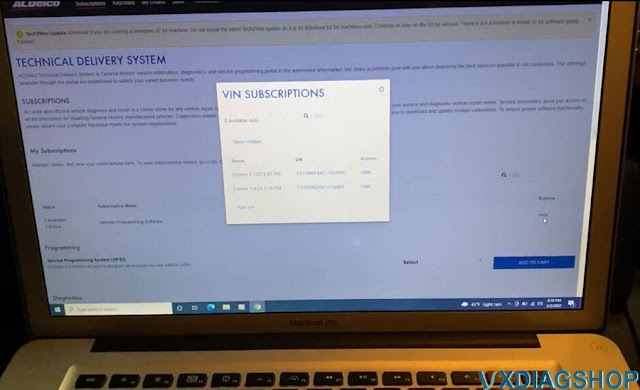
It will bring up the vin, this is my vin.
I've already have techline connect installed and launch Techline Connect.
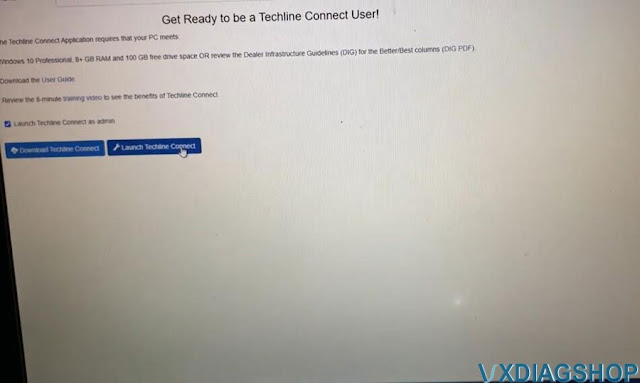
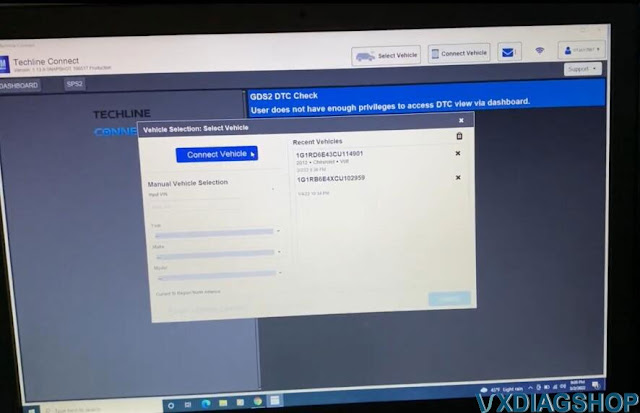
I have the vcx nano software installed. My sacrificial MacBook pro i have a windows partition on there because vxdiag software has the virus and may interfer with Techline Connect.
I've got my vcx nano plugged in to vehicle and connect with laptop via USB
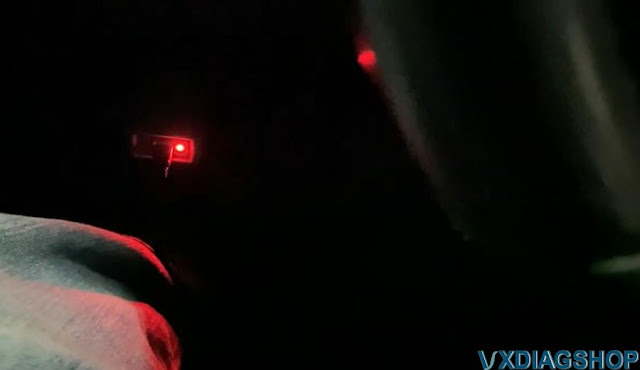
You can see there's a red light for power.
Select VXDAIG
J2534 interface
Launch SPS2
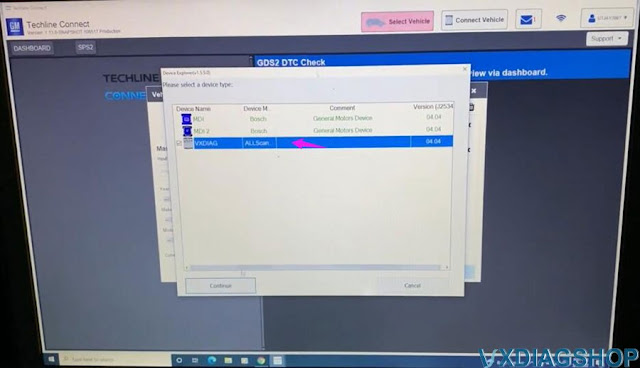
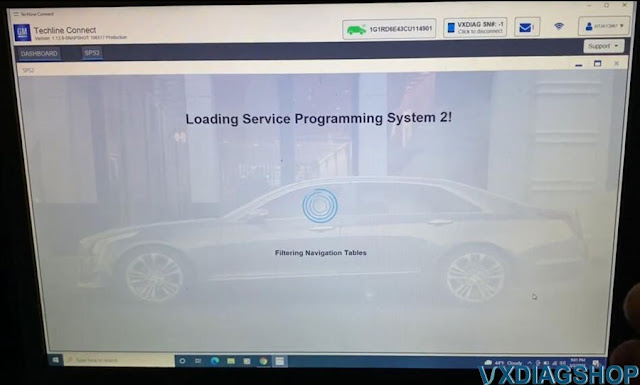
I'm going to go ahead and find the hpcm2 controller
Select Hybrid Powertrain Control Module 2, it is k114b
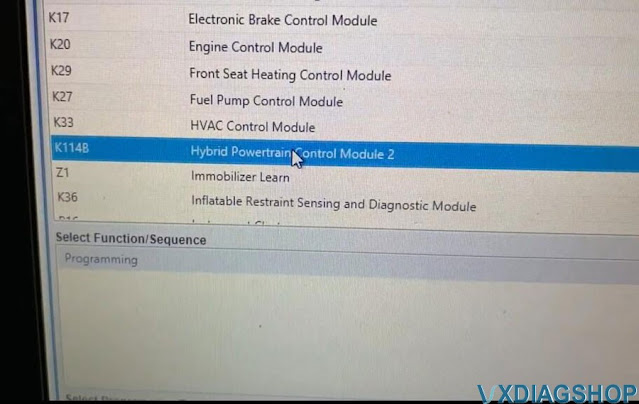
go ahead and select that click
reading vehicle data
the vcx down there
the blue lights blinking, that's your data just doing stuff allegedly
Here we go so finally loaded this screen this is what you want to see
here's the updates. i've already certainly focus here. I already have i've already done this i just keep getting a recurring error Here we go
zoom out here, so the controller the controller k114b, apparently there's two pieces of software down here
current's the same the new one i select is the same so basically just doing a rewrite of the existing software.
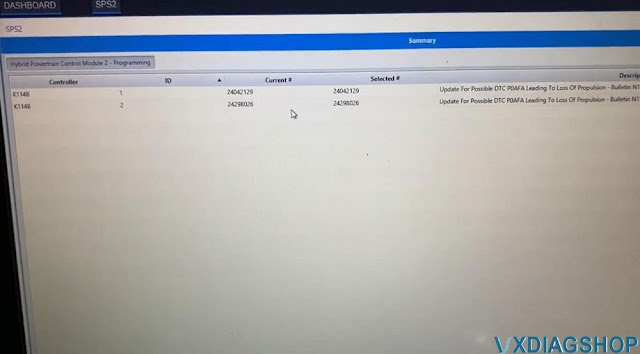
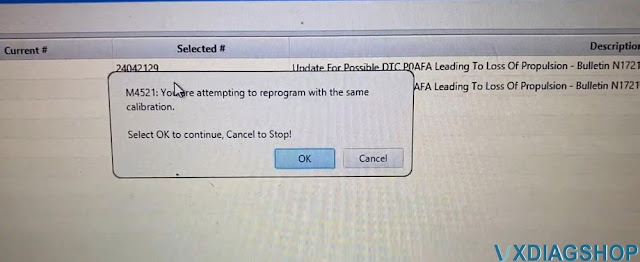
i think it's going to give me an error or a warning about that and here we are you are attempting to reprogram. it's the same calibration yeah it's fine.
so some of you probably be doing this for the first time we'll probably be putting a new calibration on so you don't get that error.
i downloaded it I think it's a pretty small piece of software my internet out here in the country is pretty slow
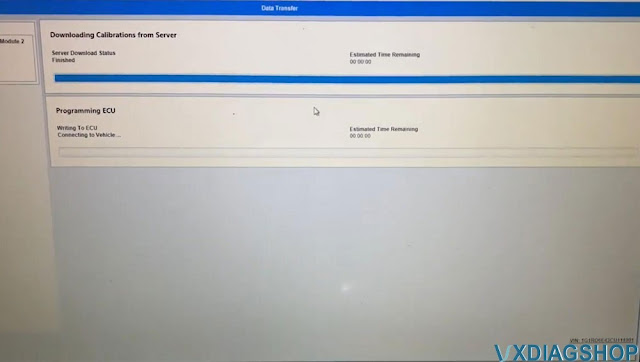
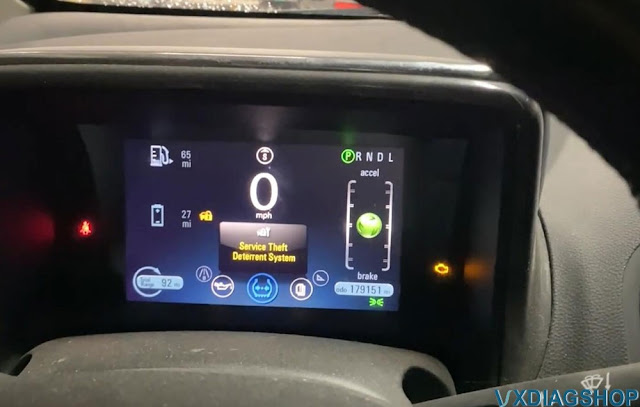
We will see the estimate time remaining, it is not accurate if you noticed it was like 15 minutes since i started talking about it
the vehicle is processing the updates it's actually already uploaded it the module is actually installing it processing it might take a few more minutes.
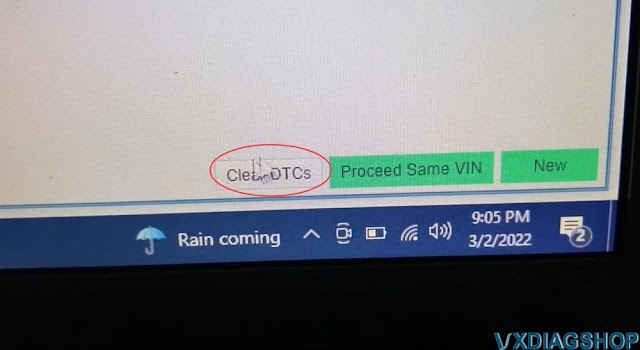
there we go and i'm done so i am going to click clear dtc's down here at the bottom
there we go dtc's have been successfully cleared
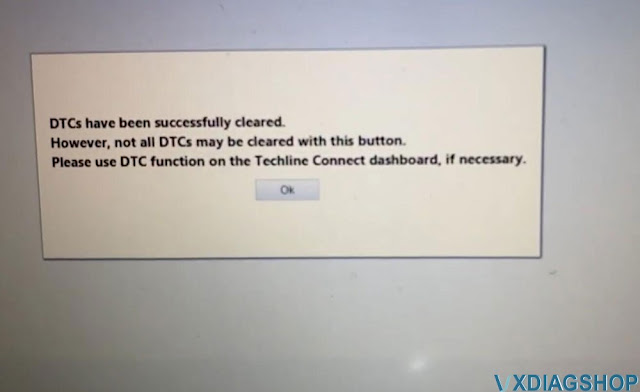
i'm gonna go ahead and close out up here back to the main screen
close here
shut down Techline Connect.
I'm back into chrome and close the laptop here
i'm gonna take it out of service mode by pressing the button so i'll do this press it. I got my keys in my pocket come on.
look at that no check engine light, no service high voltage charging system.
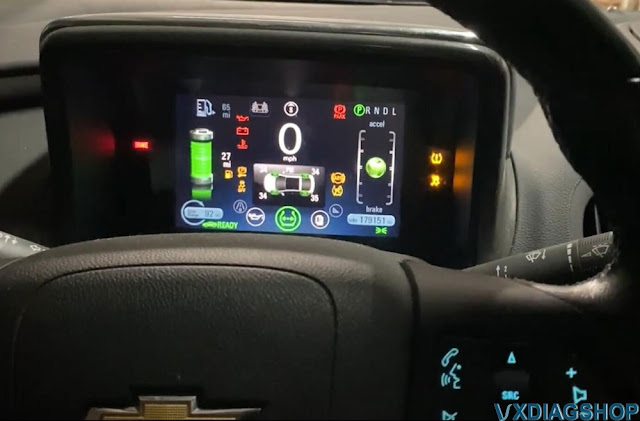
great success very excited, this is a very quick painless process once you have the vxdiag vcx nano for gm scanner.
You're used to dealing with it. It goes pretty smoothly.
How to Fix 2021 F150 No Start After BCM Replacement?
Question:
I purchased a flood damaged 2021 F150 with a bricked Body control module that could not be cloned. So far I've cleaned all Terminals, harnesses, replaced the body control module, Power control module, Passenger door control module, and Body control module C (fuse holder). After replacing those I programmed the 2 keys (original to the truck) to the new BCM using the prompts on the dashboard (without using Forscan) after that I configured all the modules to as built with Forscan.
I was able to get most functions of the truck to work but there is still no crank, no start. Is there something else I need to do to install the BCM? and can I do that with Forscan?
Solution:
1) Erase all keys
2) Program 2 new key/fob combo with remote
start
Buick Bucking Problem Solved by VXDIAG VCX NANO GM
It's a 2003 Buick Century 3.1L bucking jumping when accelerating. No fault code. This problem haunted me for half year. Not a single engine/tranny code in the entire process including history or pending code. After throwing tons of parts at it, I finally fixed it.
Tools:
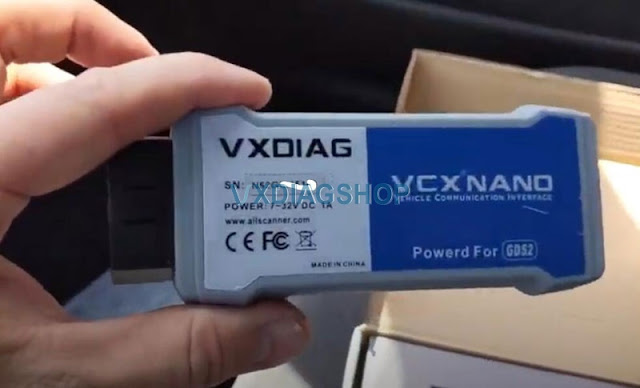
- a PC-simulated GM Tech2 scanner (VXDiag VCX NANO GM from vxdiagshop.com) which has live data, misfire data, 2-way programming or sensor controls.
- Fuel pressure gauge.
Observations:
- Car jump/buck/lunge forward while accelerating or climbing a hill. Worst at 2-3 gear.
- It appears to be engine problem, not transmission problem, because engine RPM drops from >2000rpm to <1000rpm like a "pause". The engine quickly picks up RPM and the car lunge forward.
- Misfire data show occasional misfire in random cylinder, but not bad enough to set any code. During the "pause" there is no massive misfire.
- Fuel pressure gauge shows normal ~50psi idle or under load — normal fuel system
- MAP starts at 30kpa idle. Opened throttle to increase and maintain rpm to 2800, MAP increase to 45kpa and quickly restores to 28kpa — good vacuum, no CAT restriction
- STFT and LTFT are within 5%
Parts thrown at it (without improvement):
- Cleaned throttle, IAC, EGR. Not dirty at all. Tech2 tool is able to control the valve to expected position.
- Fuel: replaced pump, filter, fuel pressure regulator, all fuel injectors (expensive!)
- Ignition: replaced spark plugs, wire, coil, ICM
- Sensors: replaced TPS, IAC, MAF, MAP, 3x Crankshaft Position Sensor (facing firewall) Some articles call it 7x CPS but Tech2 tool shows 3x CPS.
The Culprit:
- The wiring harness that connects 3x CPS to the ICM
It is a 2-wire cable, purple and yellow, with male plugs on both ends. After 18 years and 250000 miles, this cable deteriorated due to proximity to exhaust manifold. Outer sleeve disintegrated. A plastic retainer which plugs to a hole near thermostat is broken. The cable is now dangling near crossover exhaust pipe, and partially melted. From google search I learned the 3x CPS is "critical" and will halt ignition without setting any code. (The other 24x CPS behind harmonic balancer is non-critical)
The Replacement part:
- GM 15301408 or Dorman 645-514
I bought the Dorman. Dorman lists it as a "Knock sensor harness" but it is actually 3x CPS. It's a exact fit with the 2 plastic retainers (hoops) in the middle. I added a fiberglass sleeve around it for extra protection. The bucking problem is totally gone.
Many people had bucking problem without reaching a solution. I hope my story will help someone.