Free Download V121 Ford Mazda IDS for VXDIAG
VXDIAG VCX NANO as well as other vxdiag Ford Mazda devices update latest software to V121.

Compatible device: vxdiag vcx nano for Ford/Mazda USB and WiFi, vxdiag vcx pro, vxdiag full , vcm2 clone (using vxdiag solution) etc
Free Download Ford IDS V121
https://mega.nz/folder/fcoVnYZT#jpEjr4HHXU5Ifg8Hm0xERg
Free Download Mazda IDS V121
https://mega.nz/file/KBpEwIrB#cfsHcX9cf_l3u3CzQNNvl9vwNpR9aKWOP1l3bSt6fpA
Ford/Mazda IDS programming crack patch download:
https://mega.nz/#F!OV4RRC6B!seCWP6UCzOPWEDYlQxZ1iQ
Ford/Mazda IDS V121 New Feature:
- This version also has the ability to download the very latest calibration/software files from Ford’s server if you have an internet connection available at the time of conecting to vehicles.
- Reading and decoding fault codes
- Deleting fault codes
- Displays system current parameters in digital form
- Combined displaying of data
- Logs keeping-writing and keeping of digital parameters in memory
- Special functions-changing of permissible settings of blocks, programming etc.
How to Install VXDIAG Ford or Mazda IDS V121?
2. Wait for the installation of Ford IDS -v121, and restart the computer
3. Install the Ford original VCI software_ 1.0.0.10.exe
4. Install VX manager and Ford IDS driver
5. Wait for VX manager and Ford IDS driver installation to complete
6. Connect VCX device and install idspatch
7. Use idspatch to open IDS and start diagnosis.
Will VXDIAG Techstream Program Toyota 2017 RAV4 Smart Key?
Car model and year: 2017 Toyota RAV4 Hybrid Executive
Purpose: program a new smart key
Toyota cable and software:
VXDIAG VCX NANO Toyota WIFI adapter with techstream V15.00.026
Toyota techstream V15.00.026 Free Download and Installation
What required:
A laptop: a Windows 10 64bit laptop for example.
PS: someone feedback they run it on a 32 bit OS and I tried EVERYTHING to make it work under 64 bit.
What worked so far?
- I can connect to all the available ECUs the RAV4 has.
These are the ECUs after doing a Health Check, supposedly all white ECUs without an asterisc are available in my RAV4, those with an asterisc at the beginning of their name are not available, for example my RAV4 does not have a Moonroof.

- The cable check utility returns a mostly successful test:

- Able to customize some functions, for example I change the Lane change blinker from 3 blinks to 4 blinks.
- Able to read TPMS sensors IDs and their reported values: Temperature and Pressure.
- Program new TPMS IDs.
What failed?
Failed to register new smart key.
I am also not able to do the Key Code Erasure utility, same thing as soon as I click next, it shows the same communication error:

Solution to smart key programming?
I was told that smart key programming can be carried out online only with Toyota official license.
An original online account: Toyota changed the rule for add keys for some models. Now you need passcode for adding second key. You need to buy Security Profession subscription and calculate passcode from Toyota official.

There are three different subscriptions types of Techstream; standard, professional diagnostic and security professional.
Before purchasing a Security Professional subscription, you must be a current member of the NASTF Vehicle Security Professional Registry.

Image 1: Techstream subscriptions
So vxdiag vcx nano toyota is a good buy for diagnosis test. It won’t register smart keys for newer models unless you have online access.
http://blog.vxdiagshop.com/2021/03/26/vxdiag-techstream-program-2017-rav4-new-smart-key/
Subaru Outback AT Learning with VXDiag SSM3
Car model and year: 2011 Subaru Outback
Symptom: replaced the CVT valve body and got fluid back up to proper level. I have the VXDiag SSM3 tool and reset the two memories. I tried to re-learn using the tool but keep getting “AT learning ended abnormally”.
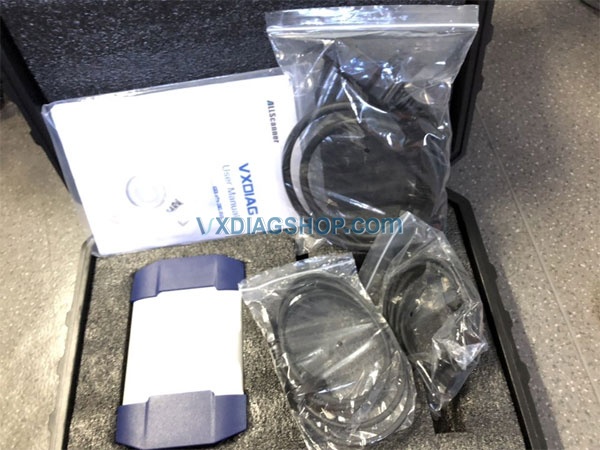
Image: VXDiag SSM3 tool
Advice:
you need lift the car up and then set the parking brake and then do the learn procedure, if it aborts during the test, adjust your parking brake accordingly…
Finally, AT Learning normally with VXDiag SSM III Subaru tool:
I have VXDiag SSM III running on an old Win7 PC (Win10 is not supported) that is not on the internet(or any network). If there is any malware I’ve not seen evidence of it yet – running about 30 days.
I was able to get the Subaru Select Monitor III software with the VXDiag tool to clear the Transmission diagnostic memories and complete the relearn on the CVT. In my case it did not seem to be the parking brake that caused the abnormal ending of the relearn since I adjusted the parking brake but it still did not complete the relearn.
My problem seemed to be that I need to do the Rear differential inspection mode. I went down this path since, in addition to the AT OIL TEMP light blinking 8 times per 2 seconds then off for two seconds and repeating (this pattern indicates the AT learning is not complete), the AWD light was blinking twice per second continuously. The Service Manual states:
““`
AWD light blinks at 2 Hz when any of following malfunctions are detected with engine ON.
1. When tire with different diameter is installed, or air pressure of any of four wheels is excessively low
2. When “Rear differential inspection mode” is judged as NG <Ref. to DI-84, Rear Differential Inspection
Mode.>
“““
So, I ran the Rear differential inspection mode and then the AT learning mode – and it completed normally. I took the car for a short drive and it feels much better – although still not shifting as smooth as it should. Maybe, it will improve.
Enjoy!
http://blog.vxdiagshop.com/2021/03/23/2011-subaru-outback-at-learning-with-vxdiag-ssm-iii/
Solution VXDIAG Multi Tool RunCommand Error?
Here is the working solution to vxdiag multi tool (with serial number V71XN**** ) "RunCommand Error" after adding DoIP license to the scanner.
* JLR Pathfinder, Porsche PIWIS3, Benz or BMW DoIP license can be added to V71XN**** vcx plus scanner now.


The error was caused by low firmware version.
First run the firmware VCI patch
https://mega.nz/file/XUwCQSYT#vOUDZlpntsuAidMT2sjsXhM0Qs8y6aGa2JLd2zZrSSw
Then update firmware in VX manager. It works no problem.
VX Manager V1.8.4 March 2021 Update
Allscanner vxdiag released latest version VX Manager driver V1.8.4 Build 0315.
Current Version: V1.8.4 Build 0315
UPDATE: 2021-03-15
Free Download VX Manager V1.8.4 0315
http://www.vxdiag.net/managecenter/download/vxdiag.zip
V1.8.4.0315
OPT: Device update will use local firmware when offline
ADD”:Configure option. automatic unlock device
UPD: Update new platform SDK v1.8.0.0
OPT: Optimize user interface
if your vxdiag scanner license expired, download latest vx manager, update firmware and license, it is working.