Can i use VXDIAG Ford with Suzuki SDT2?
Question:
I have seen people use Suzuki SDT-2 software with Ford VCM2 clone. Will VXDIAG Ford / Mazda work with STD2 Suzuki? Do you know how to make my VXDIAG work with SDT2?
Answer:
If it works with Suzuki, you can try to install the file that emulates the ford or mazda machine and then copy the drivers in the suzuki folder to see if it is working.
Unfortunately, we have customers tested and confirmed it won’t work with vxdiag ford, only Suzuki VCM (or Ford VCM2.)
Test and Report:
I have Allscanner VXDIAG VCX Plus. It is supporting Toyota/Honda/Ford/Mazda. So I did try to install SDT according to VCM2 Instructions. In first step installing STD2 2.17.0.39 the program asking to connect VCM. I did connect my Allscanner VXDIAG. But the STD@ program say” Couldn’t find VCM. In this situation I can’t install STD2.
Disclaimer:
VXdiag devices are not be compatible with Suzuki sdt2.
VXDIAG VCX NANO GM Volt SPS Programming Setup
With SPS you can update the ecu software ( gm calls it calibration). Other tweaks can be done with gds2 offline. The following is what you can do to get Chevy Volt to work with VXDIAG VCX Nano GM via SPS:
Note:
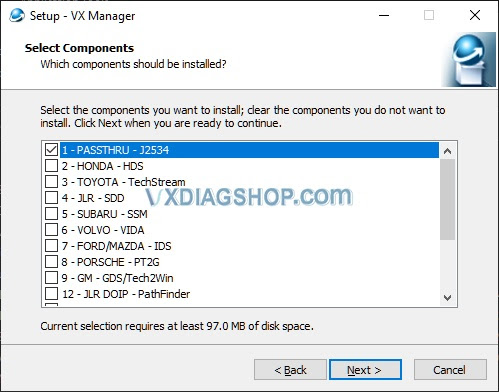
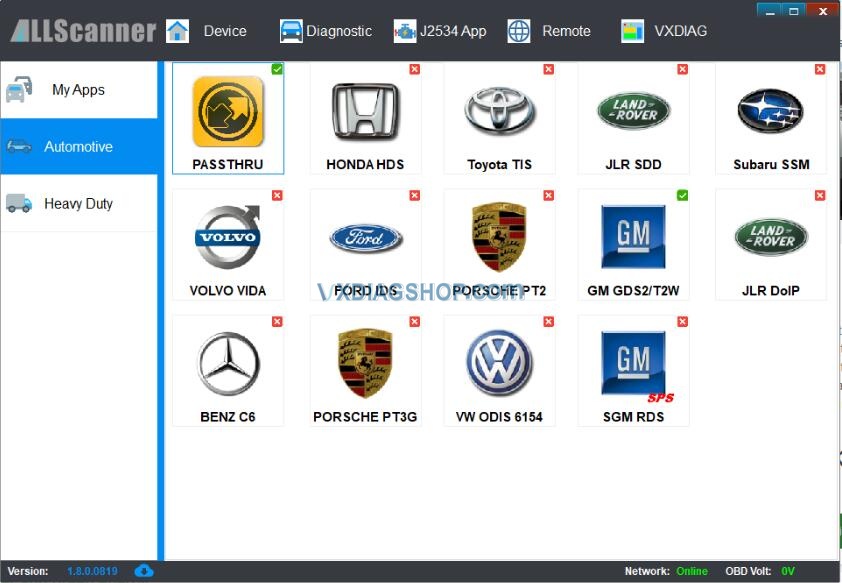
Only have to install PASSTHRU when installing VX Manager app if all you are doing is SPS programming…you don’t need to open the VX Manager app to use SPS.
It is a good idea to check if your VCX Nano is running the latest firmware using the VX Manager app though.
Subscribe ACDelco Module upgrade software (https://www.acdelcotds.com/subscriptions)
You have to get GMs J2534 Wrapper to install successfully. I did this by executing old legacy IE in administrator mode to logon to ACDelco TDS (right click select ‘run as administrator’)
You only have to do this once. After the J2543 Wrapper is installed you can run java normally not as administrator
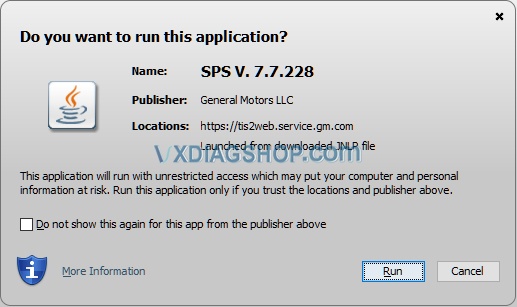
After you launch SPS java select run above
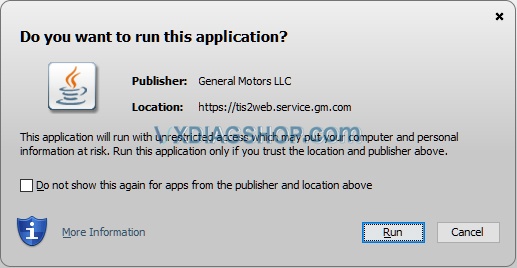
Again, select run at the above dialog box
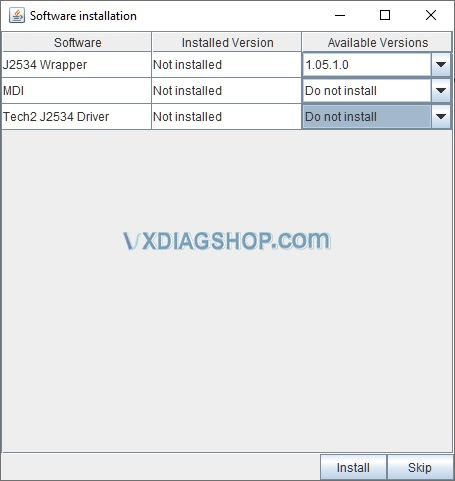
You don’t need MIDI or Tech2 drivers to do any SPS programming…just the J2534 Wrapper as shown above then hit Install button
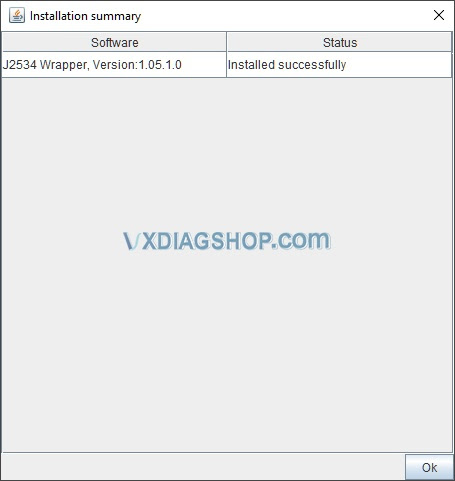
If java was executed as administrator, you will get the above showing J2534 Wrapper was installed successfully…if you didn’t run as administrator it will fail
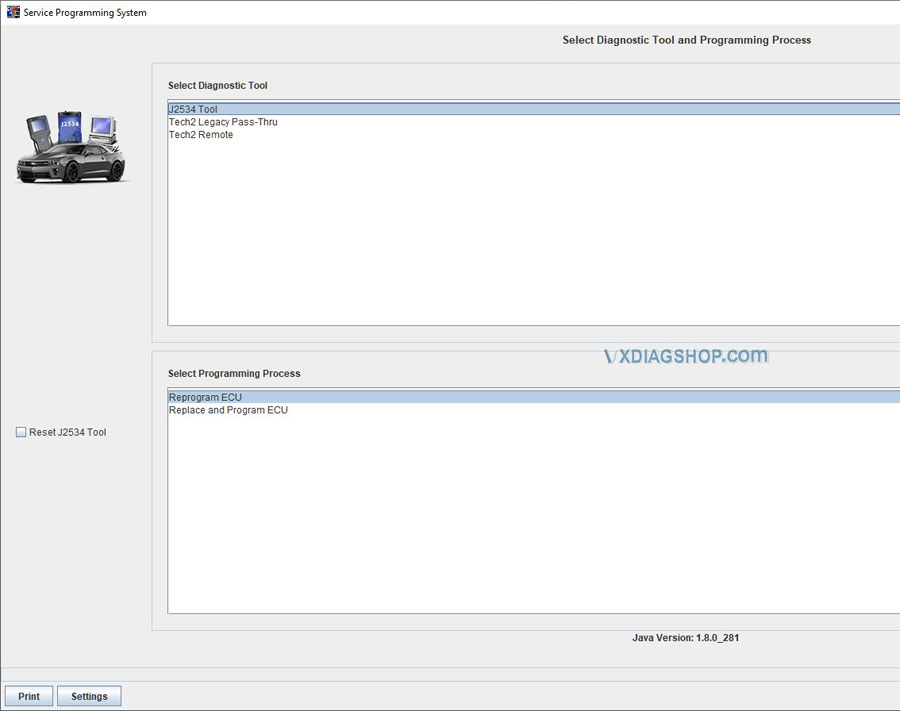
Now you should be able to select the J2543 Tool in order to push firmware onto your volt..SPS should now be able to read VIN w/o issue!
VCX allows programming and is more like what the dealer uses.
Does VXDIAG VCX NANO GDS2 do 2018 GMC Sierra?
We helped a friend solve this problem via Teamviewer and would like to share experience here. Hope it helps if someone has the similar situation.
Problem:
Cannot find 2018 GMC Sierra model on GDS2 2020.07 provided. Install GDS2 for vxdiag vcx nano gmon Windows 10 system.
Vxdiagshop.com solution:

You have selected the wrong software region. GMC Sierra is under GM Global 2020.07 pack.

VXDIAG GM GDS2 supports 2018 GMC Acadia, Canyon, Savana, Terrain, Yukon, Yukon XL models as well.
GDS2 is working fine on the GMC Sierra 2018.

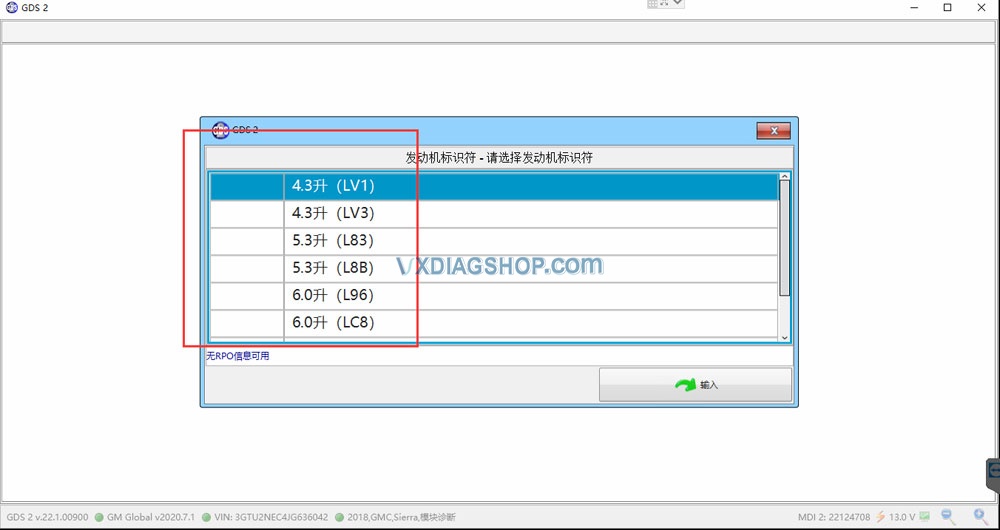

Feedback:
Yes, it works. vcx nano gds2 connect to all control modules.
Done a NOX sensor reset and DPF regen without problem.
VXDIAG Benz Xentry 2020.12 Connect Device Error
When I open XDVCI Update V3.3 to run Xentry Diagnosis VCI Update, it gave me error: connect device error: ping failed 192.168.4.1. I have VXDIAG Benz C6 with Xentry Diagnosis 12 / 2020.
Look at this error screenshot:
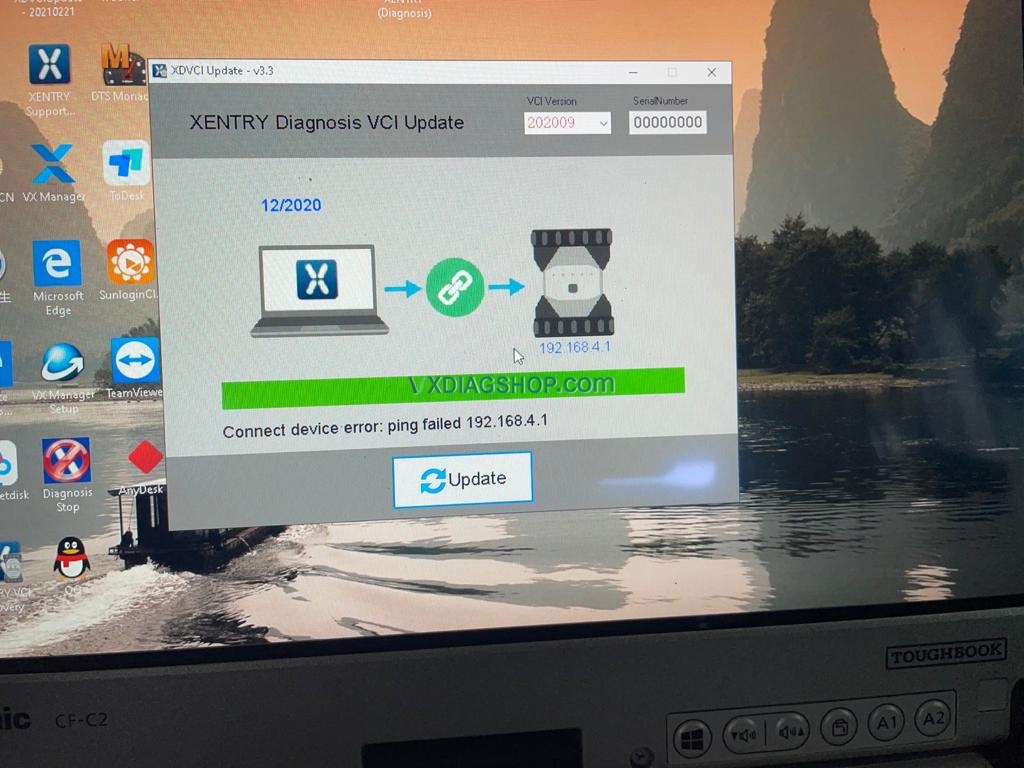
vxdiageshop.com engineer gave the solution:
- Connect your device to the car and the computer
- Go to www.vxdiag.net to download and install the latest version of vx manager 1.84 software
- Install the “XDVCIUpdate-20210221.exe” file by downloading from the mega below:
https://mega.nz/file/HUJxmCIA#z7YJ1-rDxD-bamXgL-jMO9BuD-2NjufGkMHWzoTMIMg
Good luck!
VXDIAG VCX NANO GM Review on Saturn
I was unhappy with the lack of data available through torque pro. Biggest complaint is lack of evap sensor data.