How to Solve VXDIAG Firmware Cannot Update in Donet
Problem:
I need help with the vxdiag vcx se Benz doip. It reported error VCI cannot be used. I thought it might be the VCI problem so I got the doip vci firmware updated. However, it failed me and displayed another error “Upgrade firmware is not allowed in DoNET remote model”
error screenshots attached:


Vxdiagshop.com solution:
1.For the VCI cannot be used error, need to install DoIP firmware update patch.
Download patch and follow solution here
http://blog.vxdiagshop.com/2021/02/22/solved-vxdiag-vcx-se-benz-vci-cannot-be-used/
2. For firmware upgrade now allowed in DONET error, we saw you have setup DoNET remote diagnosis, but firmware update should be carried out via USB or WiFi wireless connection only.
Firmware cannot be updated via Donet connection.
Disconnect DONET Connection, connect vcx se benz doip with USB or WiFi to run firmware upgrade.
VXDIAG VCX NANO for JLR Unbiased Reviews
Today, we’ll share some good and bad reviews about VXDiag VCX NANO for JLR Land Rover and Jaguar in this post.
Good Review 1: Read the instructions and you’ll be fine.
Took me 3 days to get this working because I was an idiot and tried a 32bit copy of Windows 10. The software installed and opened up, but I couldn’t get it to communicate with the car. The seller organized a time to remote into my computer and investigate the issue, and found the OS to be the problem. I re-imaged my computer with 32bit Windows 7 and ran the installer again and it worked like a dream. This tool is extremely useful. I was able to diagnose why my auto stop/start wasn’t working within 2 minutes of opening the diagnostic toolset.
Good Review 2: No issues so far! Works extremely well with the legitimate software that’s not included
If you have a legitimate copy of the software and don’t use the bootleg software that comes with the product. You’re in for success. It works as good as the OEM equipment and other aftermarket equipment at five to ten times the price.

Good Review 3: Works with windows 10 64bit.
Works great with Land Rover SDD. It comes with 2 install disk. But I went to the manufacturers website on the box to download the software because my computer doesn’t have a CD drive. THIS WORKS WITH 64BIT WINDOWS 10!!! Windows 10 has a comparability mode allowing it to work with this scanner and software.
Good Review 4: works great
In the end up I got a VXDIAG Land Rover and Jaguar. It works great and it still has online support, device driver and firmware updates which is good. Works OK with 145 and I can now do things that other jlr cables were flaky with. I’ve edited CCF, programmed modules, read and cleared codes, also been on long drive and calibrated gearbox adaptations on Jaguar XF… All fine with VXDIAG.
Bad Review :
limited operating system
Software is limited to operating on WIN7 or newer 32-bit operating system. Check your computer first.
VXDIAG GM Tech2Win Chevrolet Cobalt Review
I finally got the VXDIAG VCX NANO GM module for just over 100$ with taxes and set up a laptop running 32 bit Windows 7.
What’s needed to get it up & running:
It came with the tool and a white disc with a bunch of files/folders on it. I prefer download updated versions of them elsewhere. vxdiagshop.com has them as well as the latest VxManager driver.
Requirements:
- VXDIAG VCX Nano for GM GDS2/Tech2win (such as the one linked above)
- Win7 32 bit non-VM Computer (Apparently these won’t work on VMs, although I have not tried that)
- VMWarePlayer 6 (32bit), Tech2Win, GDS2, VXManager software’s latest versions all available here (go to GM section down the page)
Installation Steps: Do not plug in the device until told to do so
The order of installation is important.
1) Install VMWare-Player 6.0 (32bit version) but do not open it.
*Not 100% sure this is necessary, but various other installation write-ups say to use it.
2) Install Tech2Win
3) Install GSD2
4) Install VX Manager
5) Plug In Device, let it load drivers (it may take a while) and make sure it loads in to USB Serial Port COM4 with Device Manager after the driver finding part is done.
6) Run VX Manager, update your devices firmware and licenses one after another.
7) Run Tech2Win and select “NORTH AMERICAN”
8) You should be prompted to select a device, select the top one (without a 2 in it)
9) If all went well, you should then be prompted to select another device, it should say your USB device. If this shows up, your MDI Candi module is all good.
When it’s well connected, Tech2win prompts you for a Product Line Code after selecting a few vehicle options.
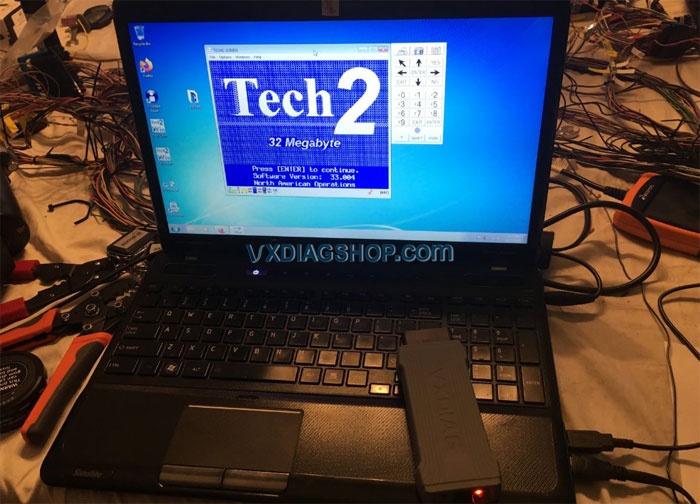

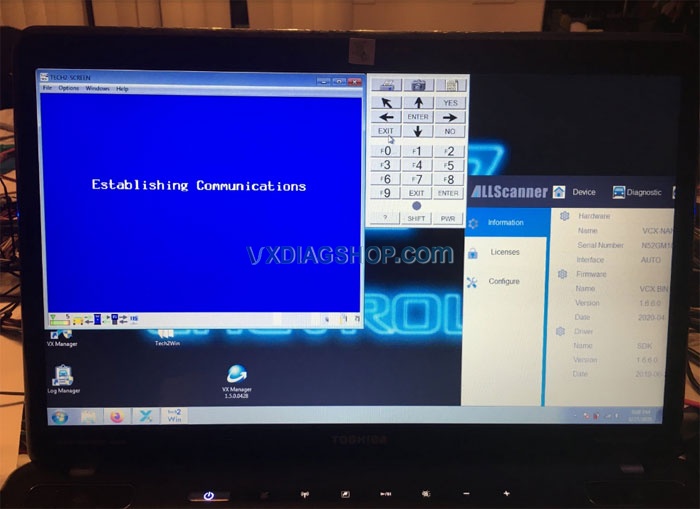
Tech2win is what i need as the model is a 2006 Chevrolet Cobalt SS.
Every function on the tech2 is working great.
Its super easy to get lost in there. I played around with the AIM a bit by adding some icons to the display while triggering the signals through the BCM with the tech2. High beam, turn signals, anti theft indicator (added custom icon), coolant level, batt, park brake indicators work. I even got my cruise control resisters right, because its registering the proper modes thru the tech2 based on switch positions.
I went to do a VATS relearn (as the TDM is from an 06), and to my surprise it has already learned this new key and TDM and enabled the ECM.
I can turn on any circuit from the BCM with the click of a mouse, read inputs/outputs, reprogram my brake pedal sensor, VATS, ect.


Hope it helps.
Credit to Mr. Brian and Mr. Mayor.
https://www.vxdiagshop.com/service/vxdiag-tech2win-setup-and-review-on-cobalt-2006.html
VXDIAG Benz C6 Failed Connect WiFi Solution
Customer problem:
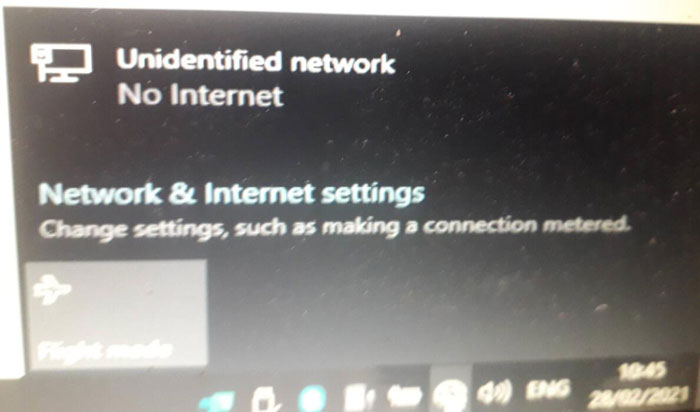
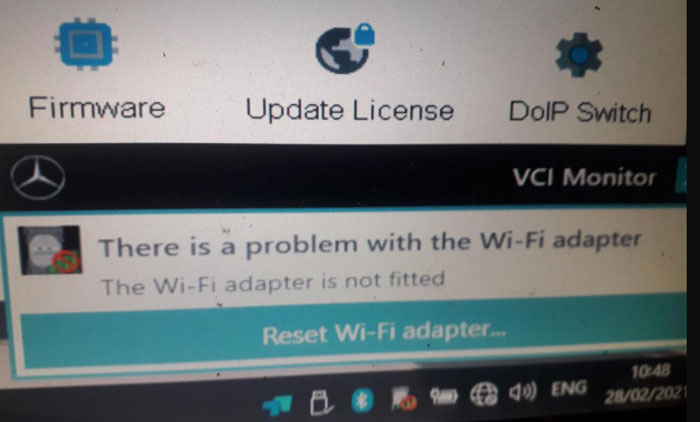
I tried to connect VXDIAG Benz C6 to Wifi network, but got the error message “unidentified network. No Internet”. vx manager detected no device connected. Please look at the pictures below.


Solution offered by VXDIAG engineer:
The reason is that you didn’t install the NIC driver (network interface card driver) on your computer. What you need to do is to download the NIC driver from DriveTheLife, Genius Driver or contact our engineer to download free. After downloading, install the driver and network connection will back to normal
Check also: How to configure VXDIAG C6 Benz DoIP?
Login User Name and Pass to VXDIAG JLR SDD Pathfinder
Problem 1:
Just received the vxdiag vcx se pro with 3 software. We downloaded JLR offline patch which generated user & password.
But Pathfinder software got message below
“Your user name has not been recognized, to use offline you must have previously logged in online on this PC”
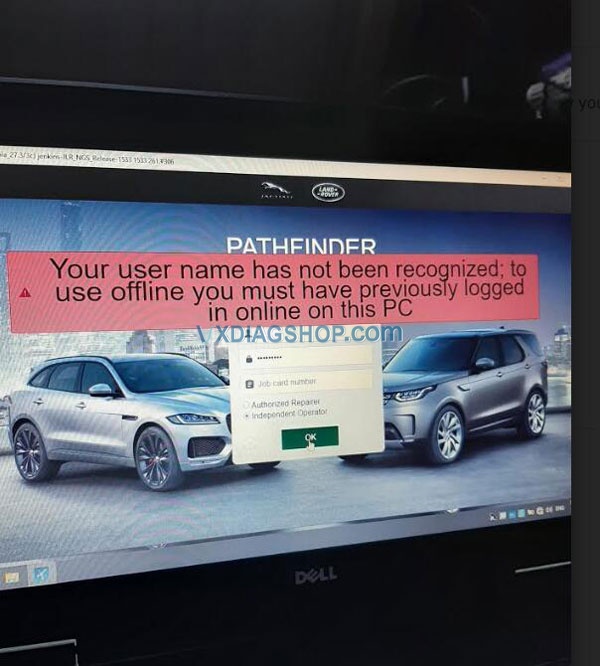

Solution:
For the username and password, it is the offline patch for JLR SDD, not Pathfinder.
For Pathfinder, you need to register original online account from TOPIX.
Problem 2:
Tried username and password on jlr sdd as you mentioned but did not work, see attached picture
“Login failed.
A valid user ID and password are required to login to the system.”

Solution:
Please download offline patch here.
SDD Patch