Free Download ODIS 7.1.1 for VXDIAG
VXDIAG VCX NANO and Multi tool for VAG OD-IS software released new version 7.1.1 in April 2021.
https://mega.nz/folder/OExQQLyK#t43rbWy7gVUwFd-6THzbGg
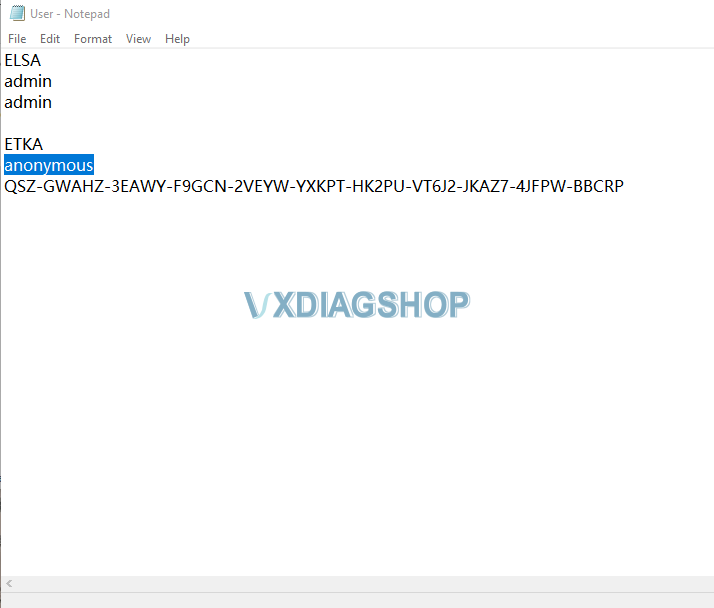
VW Audi Skoda Bentley Lamborghini
Compatible VXDIAG diagnostic tools:
VXDIAG Full, VXDIAG VCX 3 in 1, VXDIAG VCX SE Pro, VCX NANO VW
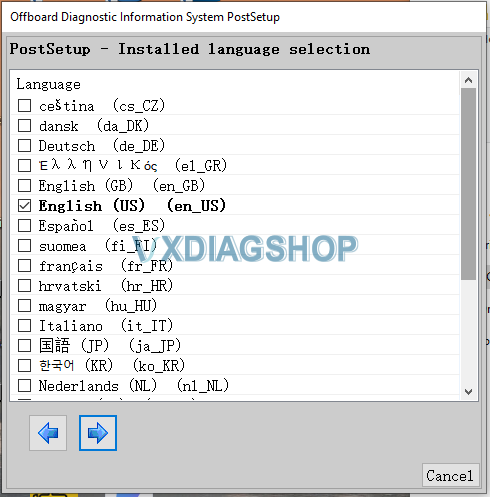
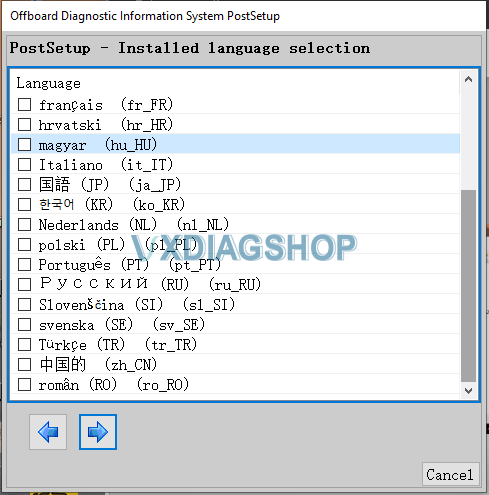
It also supports vehicle repairs using guided fault finding.
Functions such as test instrument support, flash re-programming control units and vehicle self-diagnosis extend the range of applications.
How to use VXDIAG VCX SE Benz with Xentry Passthru?
The new vxdiag vcx se for Benz device is designed to diagnose and program Mercedes benz cars. You can also use BMW and a lot of all sorts of programs that it supports. Here we show how it works in VCI mode, like VXDIAG Benz C6.


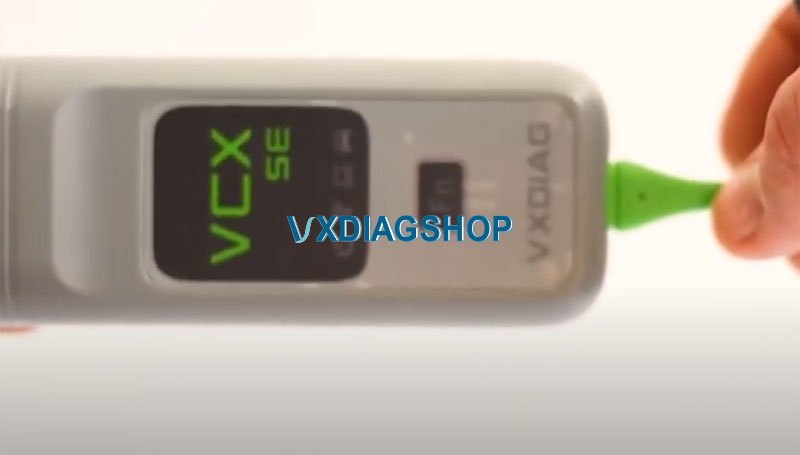
The device is good workmanship, good usb cable and plastic case.
The software supports Mercedes 20105 up, it does not support older models. This is the drawback. But everthything seems to be set up now.
We are testing this device. We will show the installation and configuration of Passthru also OpenShell XDOS.
Vxdiagshop provides HDD or SSD Openshell version. You can make it work with Passthru if you wish.
We will also demonstrate its operation.
The vcx se Benz device also has the ability to support DOIP for updating commands and newer cars.
First of all, we need to download vx manager driver on VXdiagshop.com
They have latest version vxdiag related driver and software available.

The device has the ability to work via wifi and also through USB cable.
We start install vx manager driver

Install Passthru J2534 and BENZ XENTRY program
Other license are listed here. You need to buy a license for them separately.

Finish install VX Manager
The device is now connected via a USB cable.

Check device information, serial number
Go to Diagnostic tab

Choose Passthru, run an update

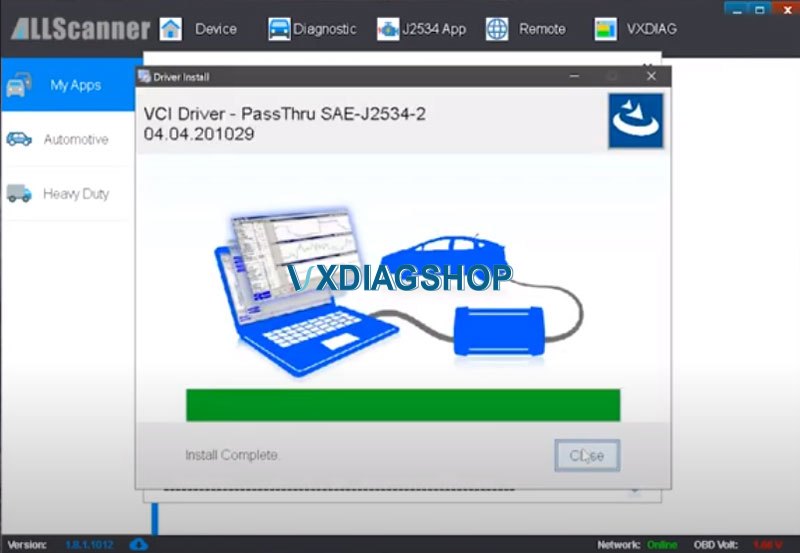
Driver is being installed, updated.
Update C6 driver as well
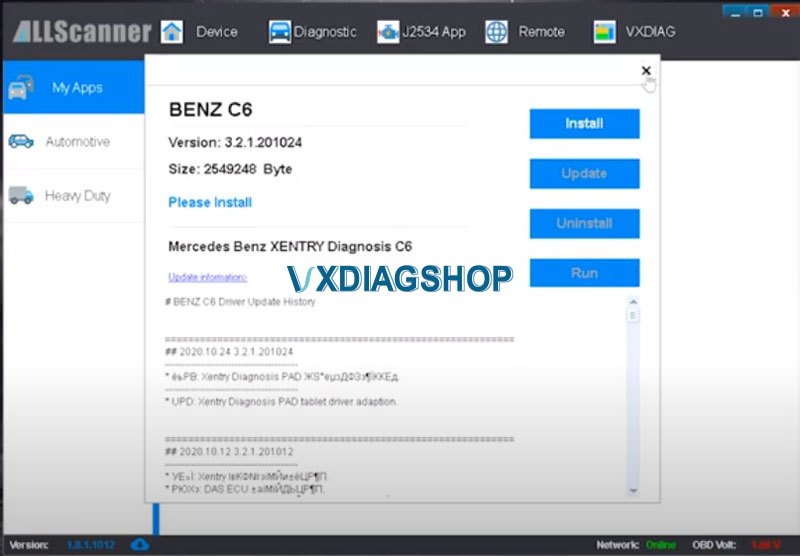
Complete installation, we see the voltage, which is shown below and the internet is also connected to it.
In this case ,vcx se will not connect in VCI mode, because we first test the Passthru program, not OpenShell.
Connect vcx se Benz with vehicle (ML-164) via OBD socket

We connect without cable via wifi

Connect via a WIFI connection, in fact a vey convenient device, with higher capabilities, works more fully with Passthru than Openshell.

Open vx manager, we see that we have WIFI connection, see the tabs in which you can reboot it, connect DoIP, update the firmware.

We launch xnery and select VXDIAG using the passthru j2534 protocol.
All the rest work is the same as through Openshell, you must use the ‘ignition enable’ file which replaced the ignition emulator, connect to our car, we see that we have ignition file.

We run a short test.
It works quite quickly, it main advantage is that you can remotely connect to this device through the cloud (DONET remote diagnosis), even while at home.


All modules are read correctly, and old car is in DAS to check how it works.
We see that we forgot to start the ignition file, the ignition emulator, now we have it active.

The program correctly see the ignition lock.
For the price and function, it is worth buying.
https://www.vxdiagshop.com/service/vxdiag-vcx-se-benz-doip-unboxing-and-review.html
How to Install Opel Vauxhall 2021 into VXDIAG GDS2?
Question: have VXDIAG VCX NANO for Opel, how to install new OV Opel/Vauxhall 2021 deliverable into GDS2?
I need this for insignia MY21 and this is still on GM platform, besides…Opel 2021 package is available as you can see in the screenshot, just need newest gds2.exe…. Model is available, but i can’t install package 2021.3 or 2021.2 or 2021.1.

Answer:
Opel/vauchall from 2021 will need Diagbox due to the PSA platforms being used.
In the GDS2 of Opel, you need to check if there is such a model, but there may not be. If it is GM 2021, there will be no problem.
This is the newest GDS2 software installation package available from vxdiagshop.com:
https://mega.nz/folder/jN4lSYaA#5Q_p4sZEySxLu6HVPP418A
Including: GDS2Install, GDS2 Install Guide, GDS2AutoInstall.exe, vcredist.exe etc.
vxdiagshop.com may not be able to update as fast as the ones in the market, but we will update as soon as possible.
VXDIAG Failed to Update Firmware After Retry
Problem:
My vxdiag vcx nano gm asks to renew license. so I follow this guide to install latest vx manager, update firmware and license.
It won’t let me update vci firmware and reported another error “Updated license failed! Retry. ErrorCode:8001” (image2)

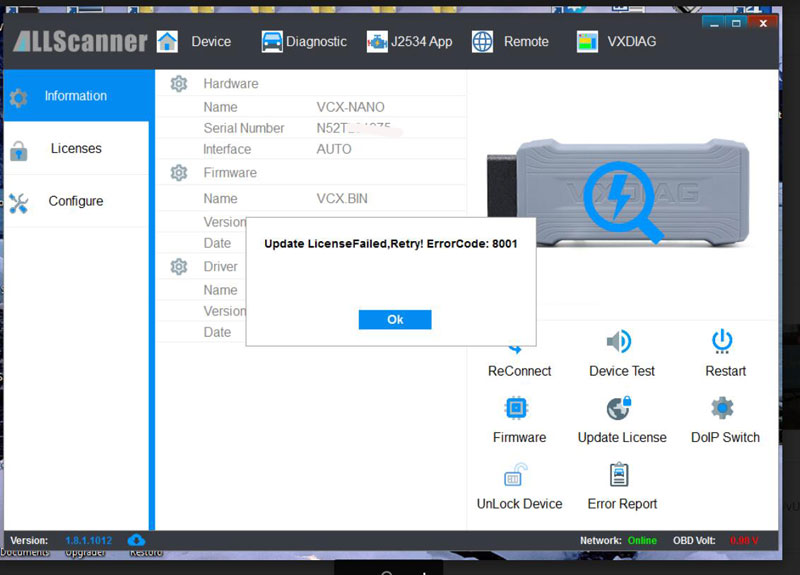
VXdiagshop.com solution:
Force VCI firmware upgrade status to ON. If it is DoIP device, force both VCI and DoIP status to ON.
Then update firmware and license again.

If still not working, contact our customer service for help.
Choose VXDIAG Benz C6 with or without HDD?
About VXDIAG Benz C6 without software, how does it work, if there is free source of Xentry software, can I open a bmw ford gm …license? can the software program online? Read this article.
Question: I want to buy a device VXDIAG Benz C6 Star C6, how does the device work without software? there will be no problems with downloading software with installation?
Answer: I bought one VXDIAG Benz C6 with software, it was delivered with HDD, with Mercedes Xentry pre installed on windows 7. The size of the software is roughly 250GB. For win7, You must Download the install data for win 7.. and copy the data to the install data.
I am not sure they will provide link to download, but I’m sure they are available with extra 2021.3 500GB Software SSD with Keygen

Question: if I buy VXDIAG Benz C6 I can open a bmw ford gm license?

Answer: Yes, you can use bmw, Ford, gm with c6 Benz, provided, you need to purchase license for each individually.
Browse vxdiagshop.com and you can see a banner writing VXDIAG Authorization license promotion, it lists all of their available license for each car brand.

Question: Is that software can program online after purchase?
Answer: Yes, can program online. However, you will have to buy brand specific online account. Without which, you can only do offline troubleshooting.
Example:
VW, Audi, Skoda, seat – you will need GEKO Account.
Likewise, you will need brand special for brand specific
Alright, hope it helps!