How to use VXDIAG VCX NANO to Program Opel ECU?
The PSA group bought the Opel/Vauxhall so we have to go to the PSA SERVICE BOX website to reprogram the Opel ECUs. Here are the tips on reprogram Opel ECU using a vxdiag vcx nano OpelOBD2 scanner and SPS via the PSA website.
Model Example: Opel Ampera 2012 1.4L
The vehicle can not start. GM says that what we need to do is update the versions of the K16 and K114B ECUs.
First, you need to register the Service Box website and pay for SPS subscription.
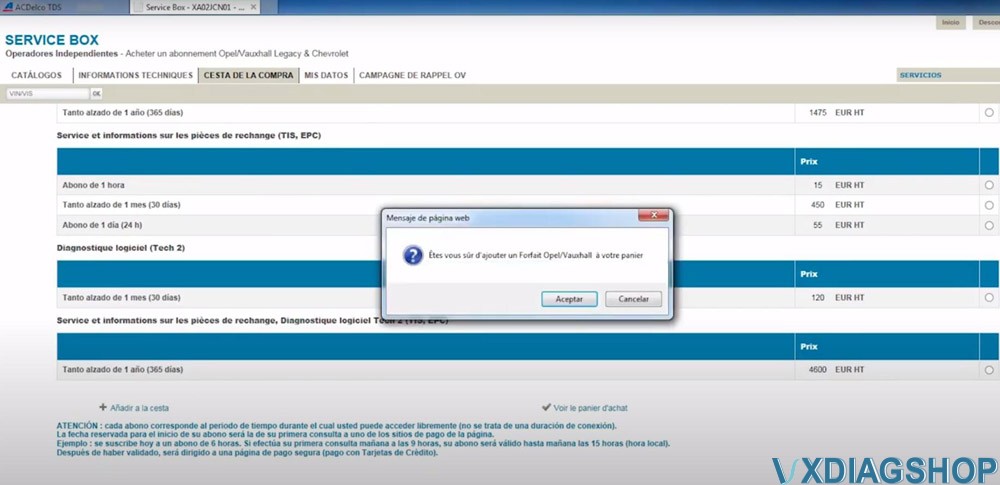
The subscription options also depend on the country from which you connect. Select an option you desired.
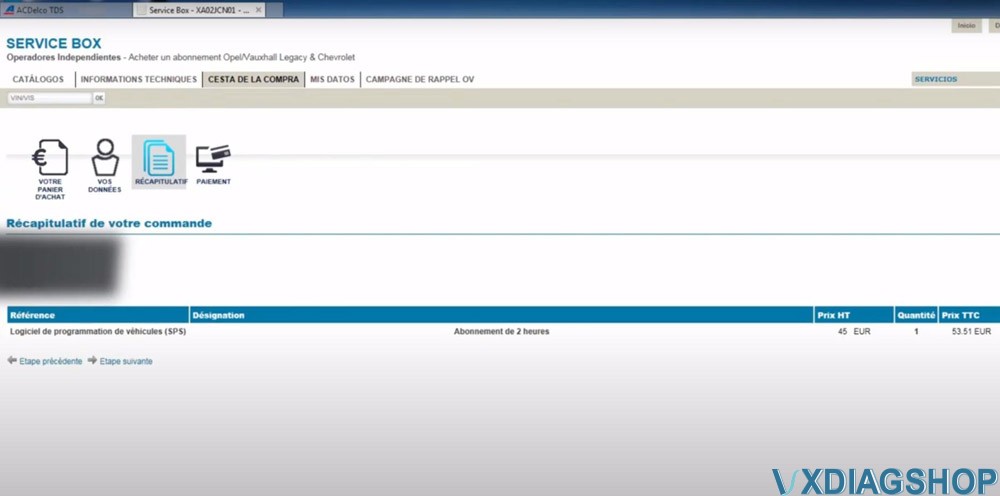
They offer 2 hours of subscription (it took me 53.51 euro). If you log out and reopen in another browser, press F5 and it will come back.

After paying for the ServiceBox, select Technical Information-> Opel Legacy & Chevrolet Subscriptions
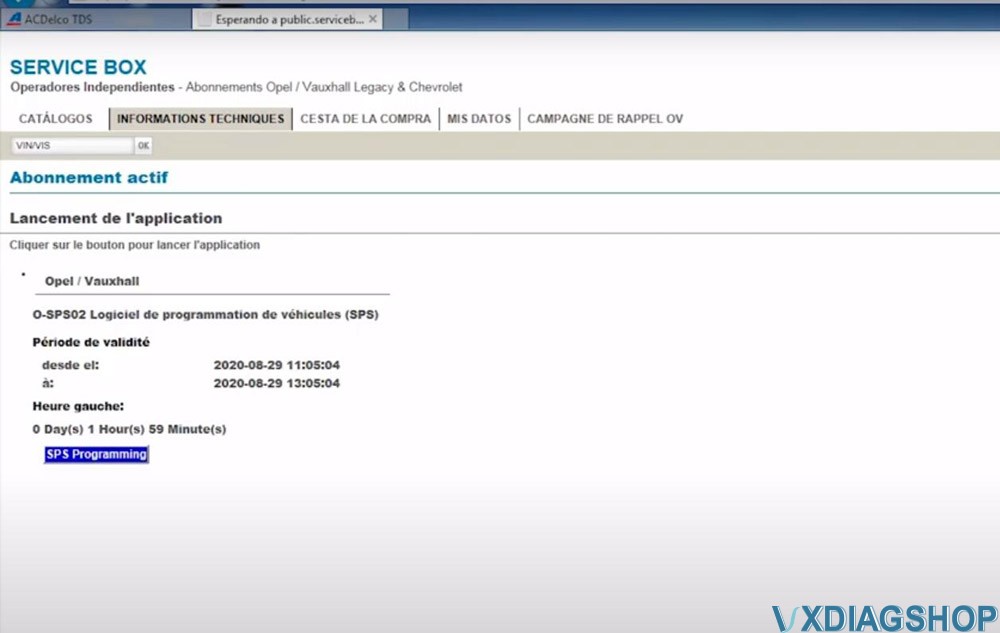
You can see when the SPS programming subscription starts and ends.
The SPS procedure is the same as in the ACDelco TDS website.
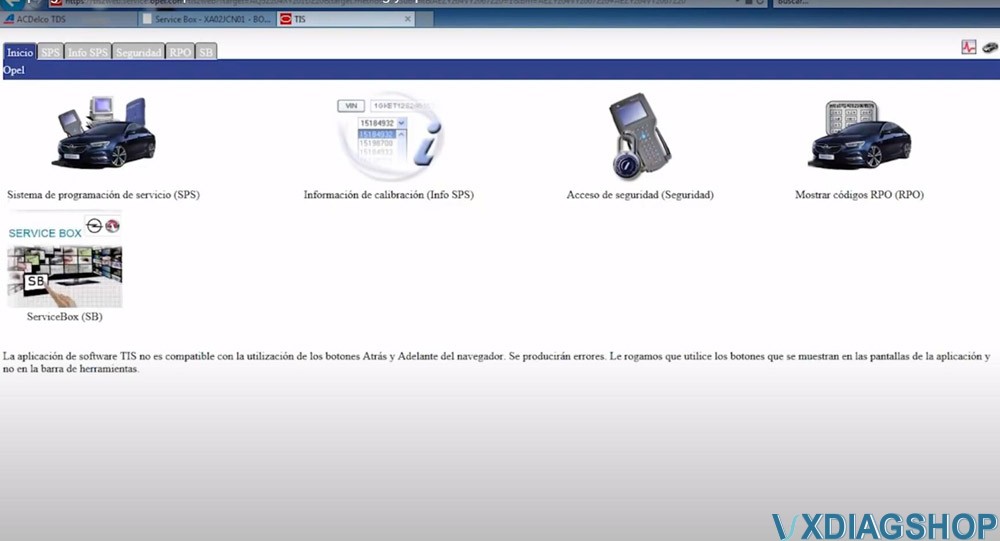
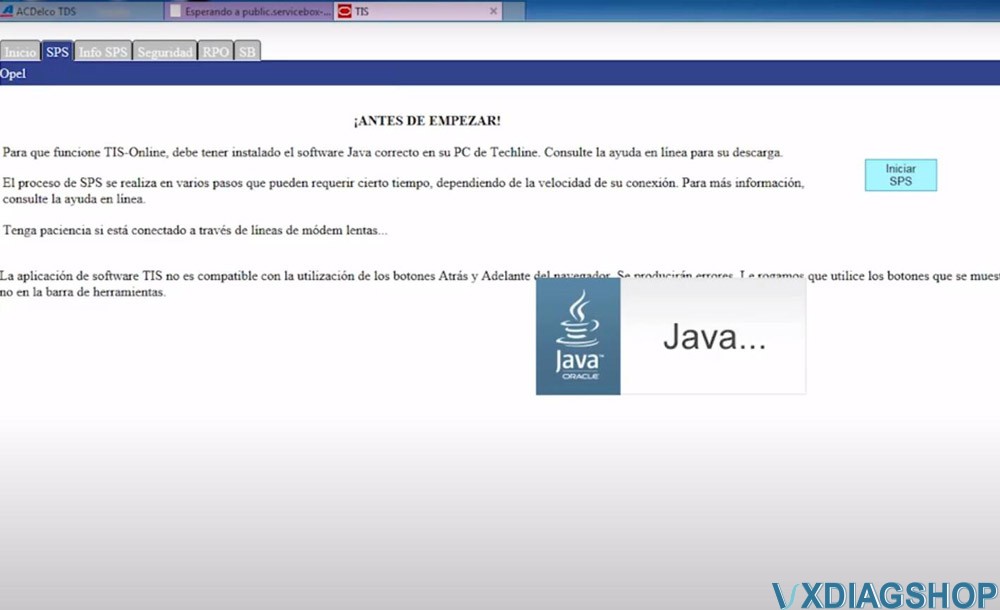
Select SPS programming, accept license warning message, then install SPS
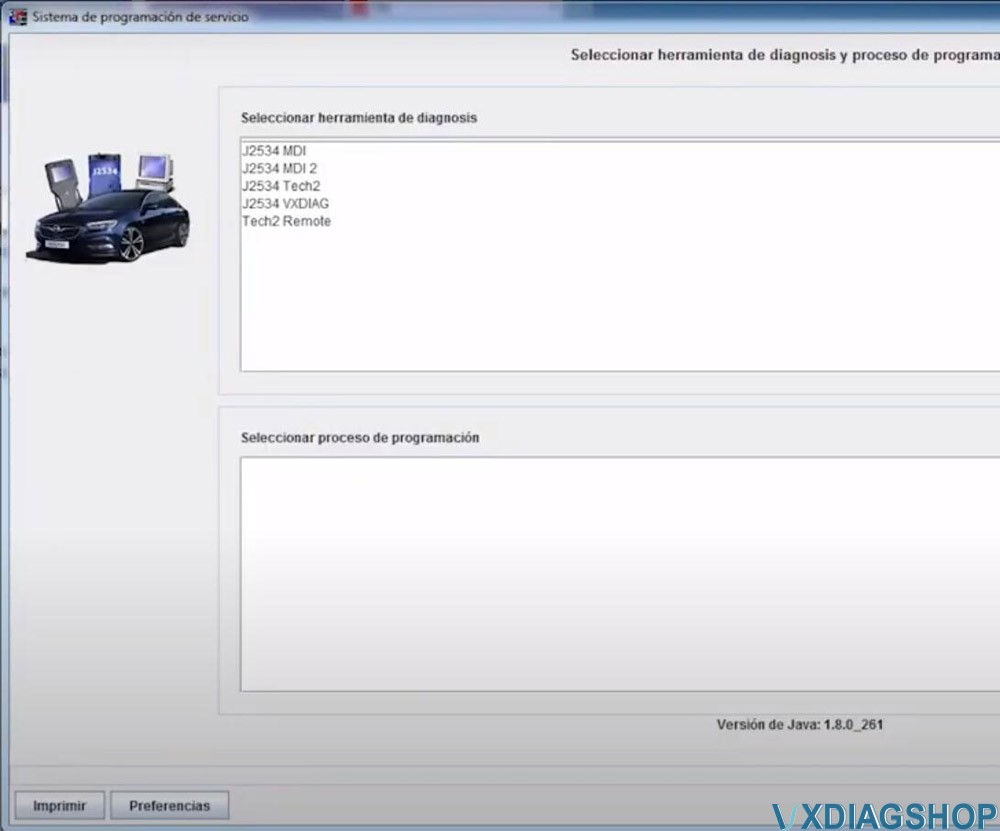
Select diagnostic interface (If there is J2534 VXDIAG, select it. If doesn’t, select J2534 Tool to connect)

Select vehicle information and device type (if failed to connect with VXDIAG Allscanner, select MDI2 instead)
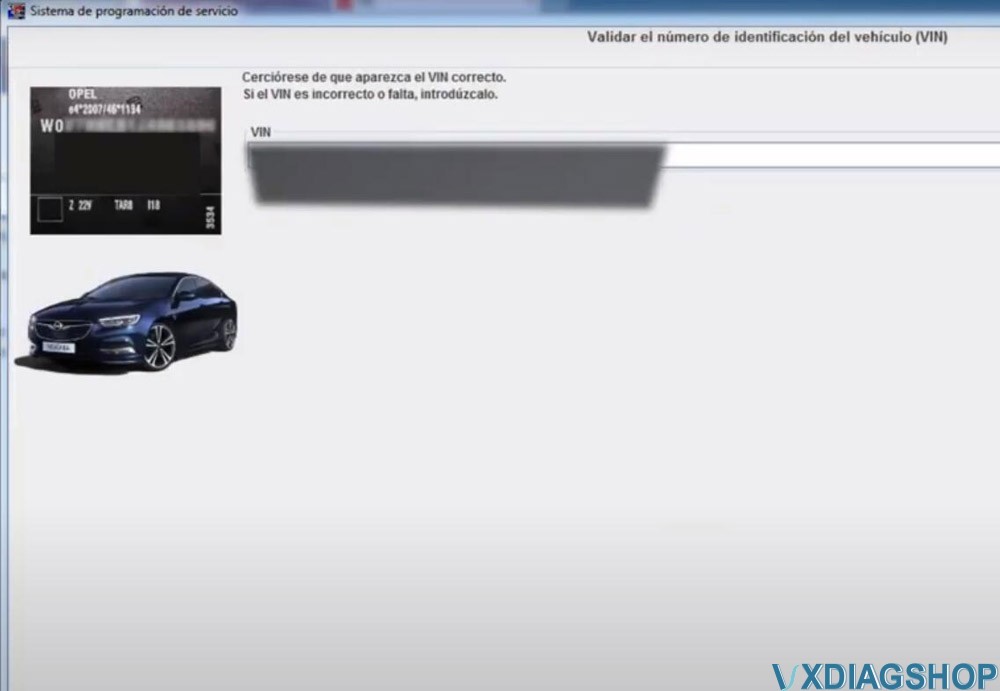
Confirm VIN
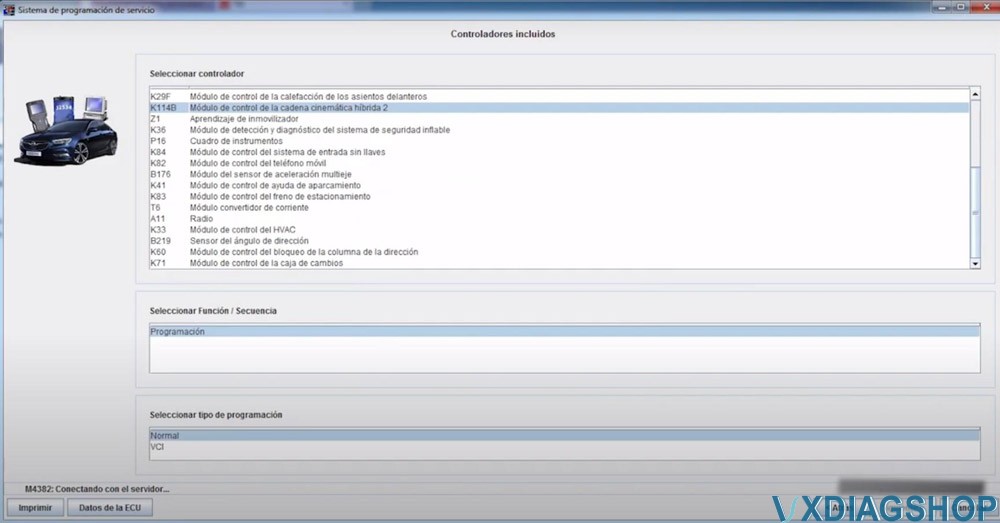
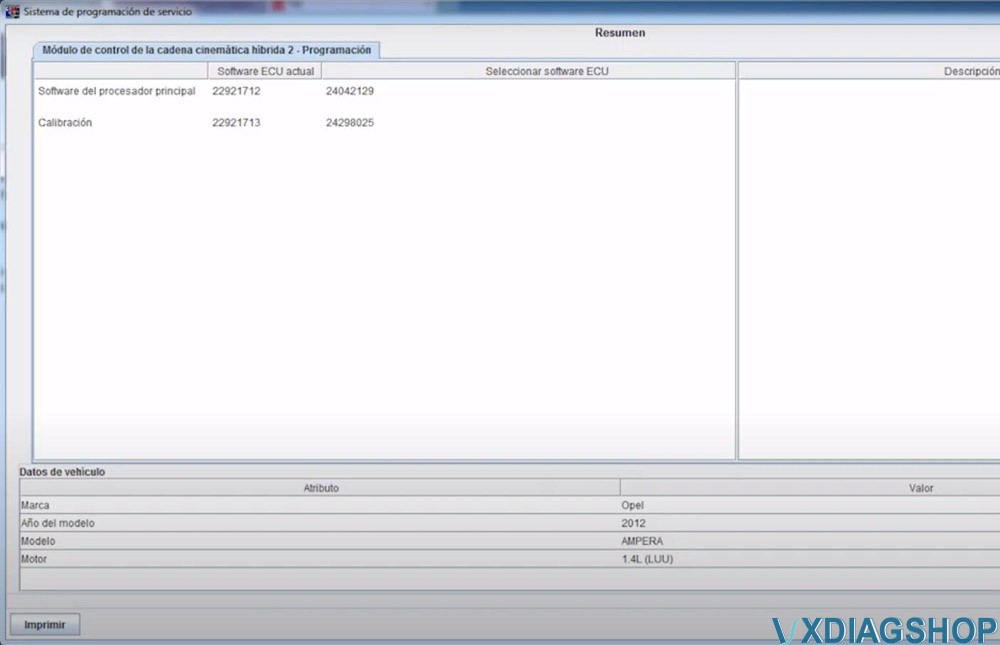
First we programmed the K114B Hybrid kinematic control module 2. Wait until the procedure completed.
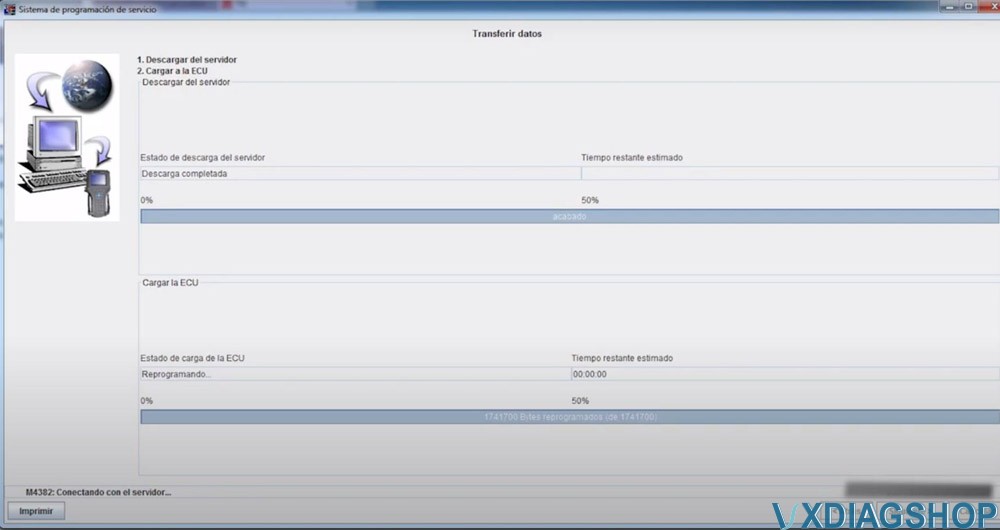
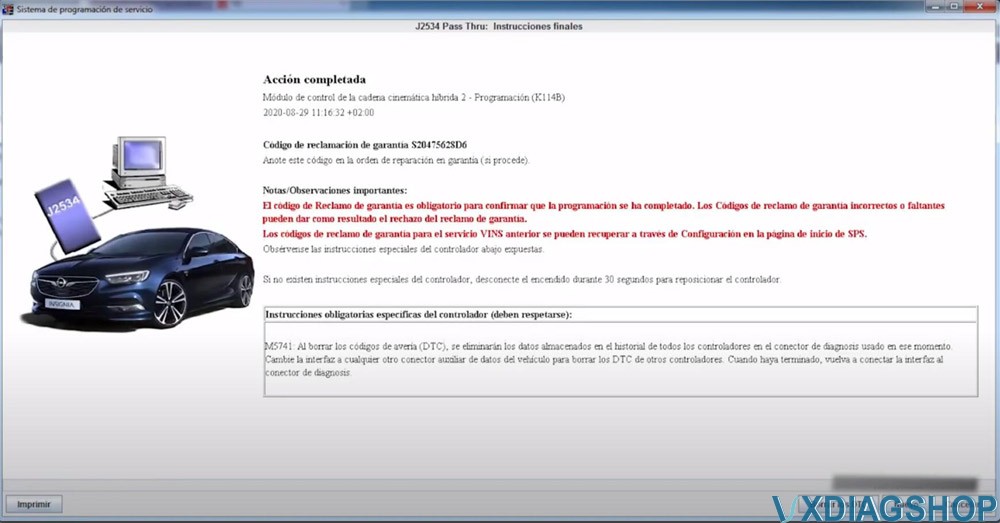
Erase fault code after programming the module
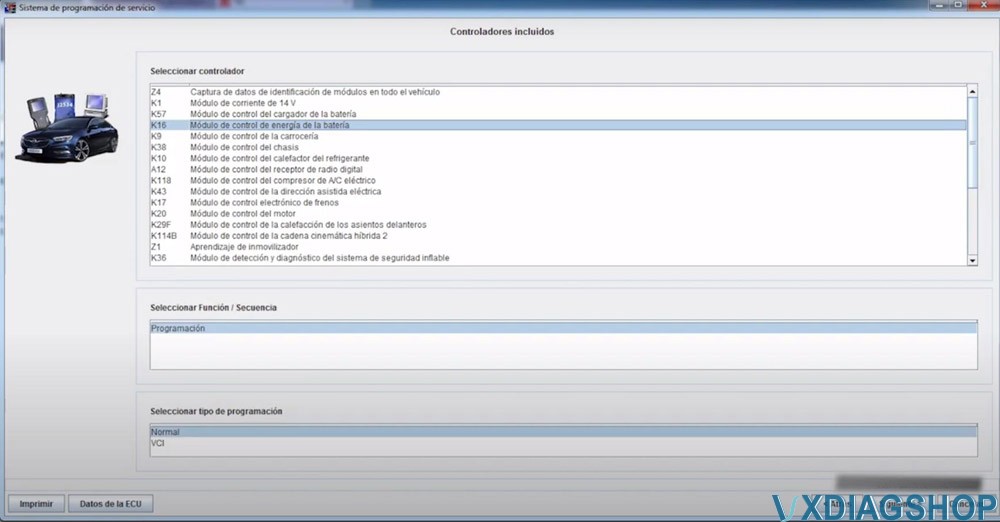
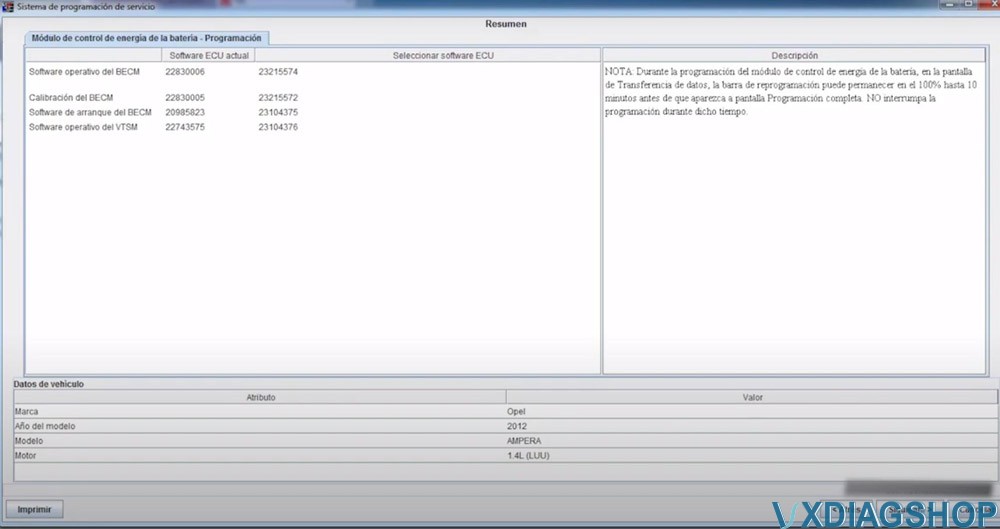
Then program KB16 Battery power control module. Wait until the procedure completed.

Again erase fault code when finish program 2nd module
You can program other ECU modules as well.
Read also:
What is VXDIAG Subaru FlashWrite2?
VXDIAG Subaru diagnostic scanner contains SSM3, SSM4 as well as FlashWrite2 programs. Here we list some information of the FlasjWrite2.
What is FlashWrite?
FlashWrite is the Subarus reflash software. It is the program for the dealer level programming of all car brand Subaru.
You can reflash everything from ECU, TCU, EPB, BIU, Eyesight, Rear View Camera, etc depending on model year and car and what updates are actually available for it.
Current version in vxdiag: V1.3.4
Check FlashWrite2 v1.3.4 download and install on previous post:
Download and Install 2020.07 VXDIAG Subaru SSM3 SSM4
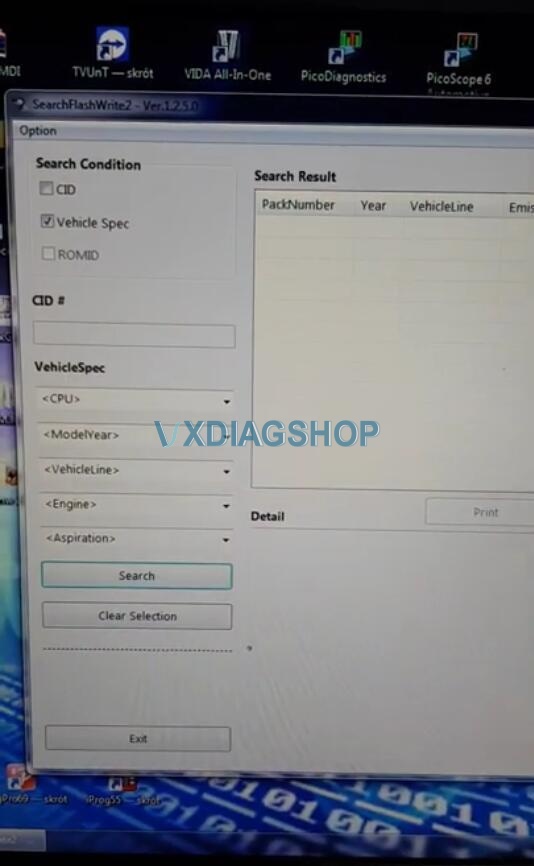
Run SearchFlashWrite2 on desktop
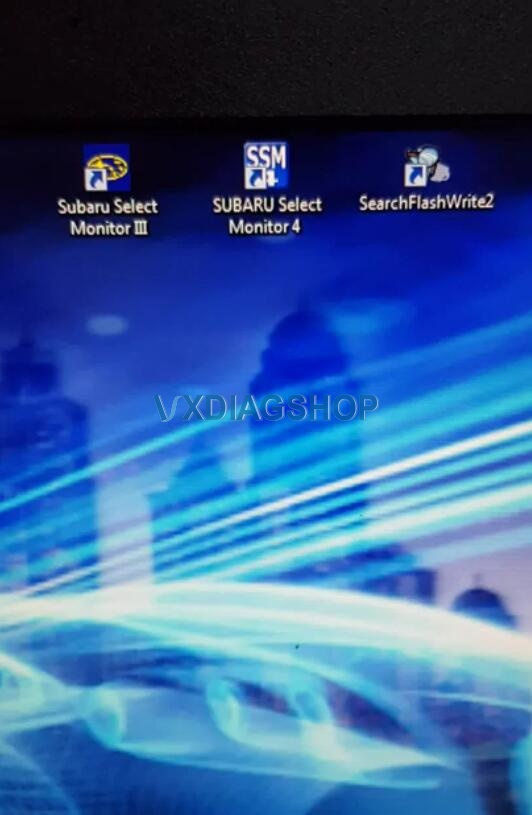
FlashWrite menu
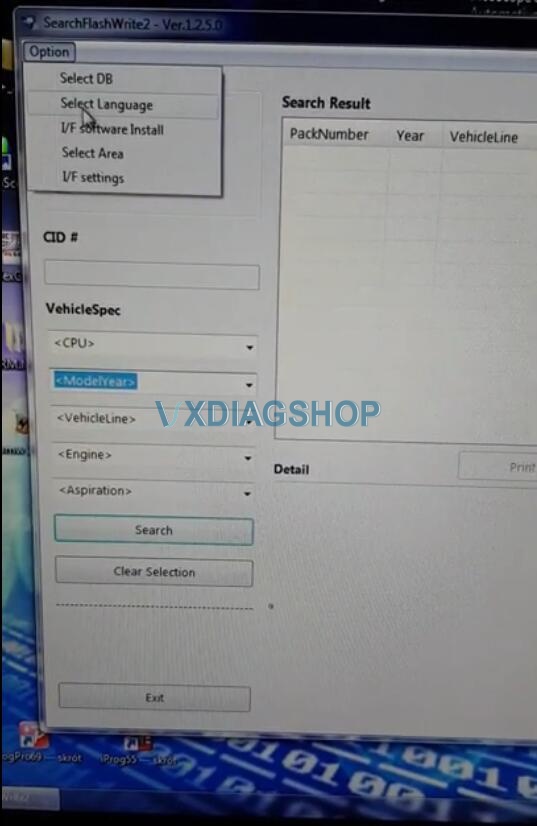
FlashWrite optional language: English, German, French, Spanish, Italian, Chinese, Japanese, Russian

Accessible systems: Auto Start Stop system, ECM, EPB, EyeSight, HCU, Keyless Entry CM, TCM

Supports Subaru model year till 2018
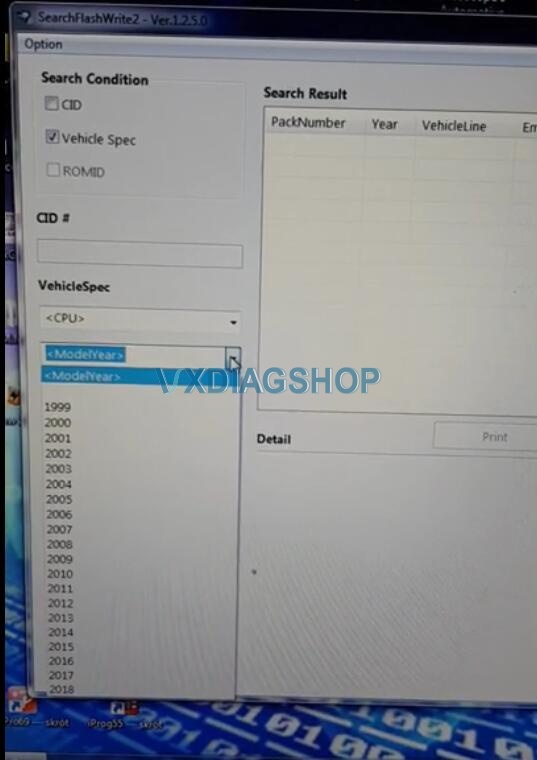
Flashwrite is compatible with multiple J2534 adapters, including vxdiag subaru.
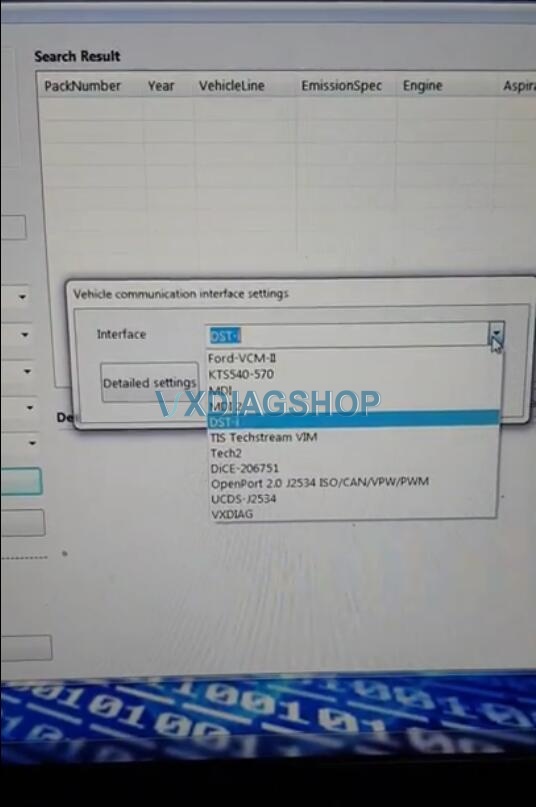
VXDIAG Scanner 5 Connection Methods
Allscanner VXDIAG VCX scanners connection methods are listed below:
Both VCX DoIP and VCX SE supports LAN, WLAN and USB LAN Connection.
VCX Pro and VCX NANO (USB) supports USB connection.
VCX NANO WiFi supports both USB and WiFi connection.
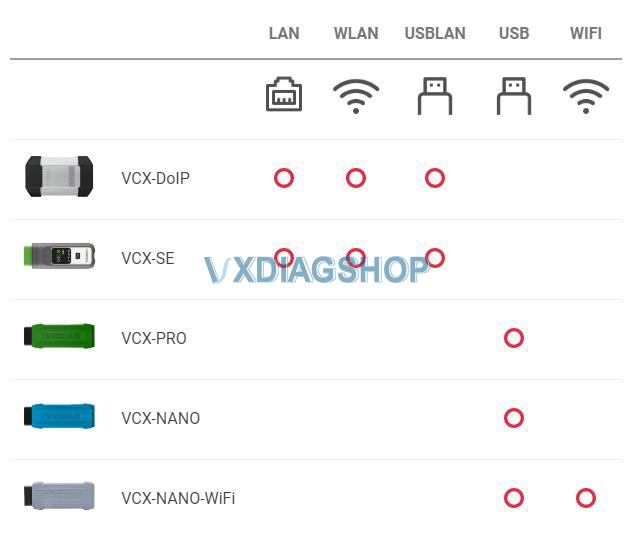
Check guide below to connect your vxdiag diagnostic tools.
Connection:
LAN Connection
Applied to: VCX-DOIP / VCX-SE
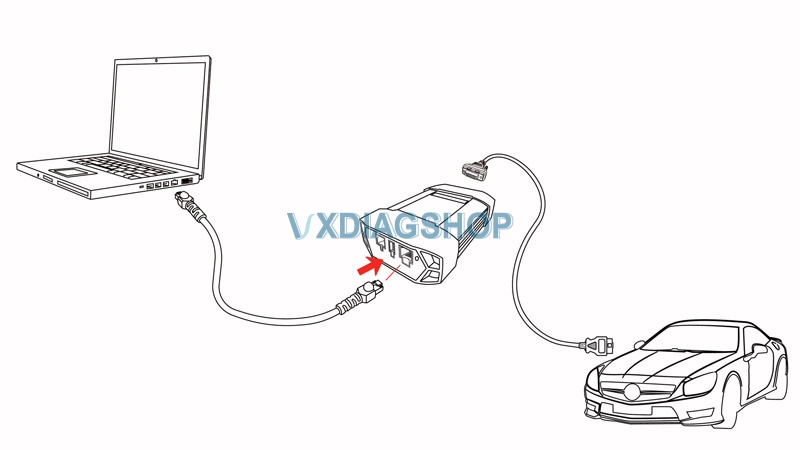
VCX-DoIP LAN Connection Diagram
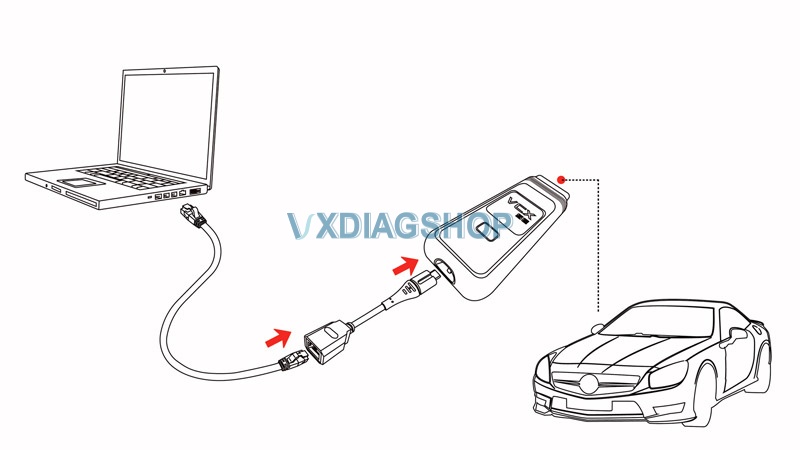
VCX-SE LAN Connection Diagram
via USB Type-C to RJ45 LAN converter
WLAN – Wireless Connection
Applied to: VCX-DOIP / VCX-SE
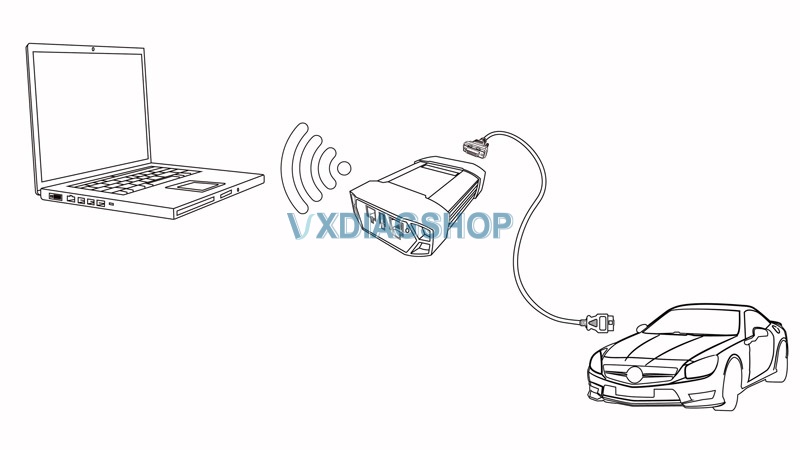
VCX-DOIP WLAN Connection Diagram
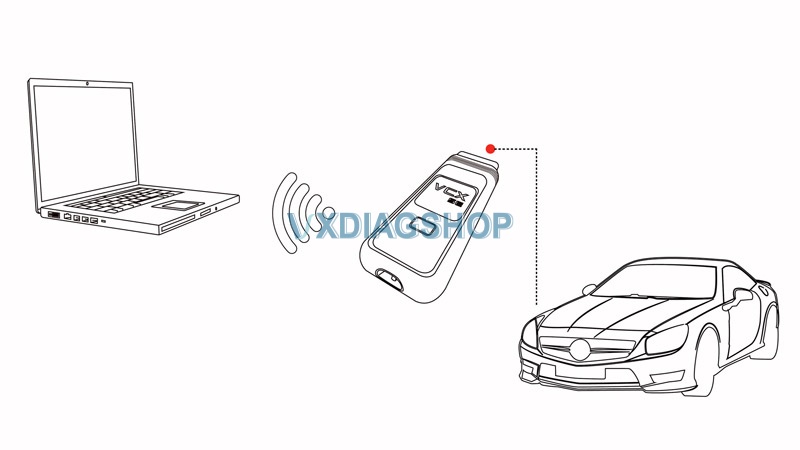
VCX SE WLAN Connection Diagram
WLAN Connection Procedure:
Connect VCX with vehicle, make sure enough power supply is feed to vehicle to start engine
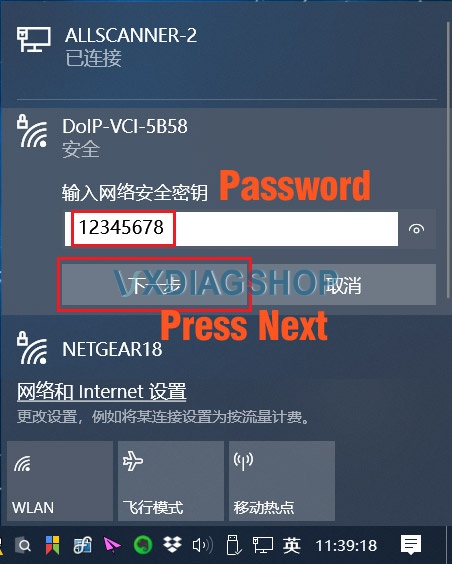
Search WLAN on your laptop: DoIP-VCI-XXXX,Select Auto Connection and press Connect
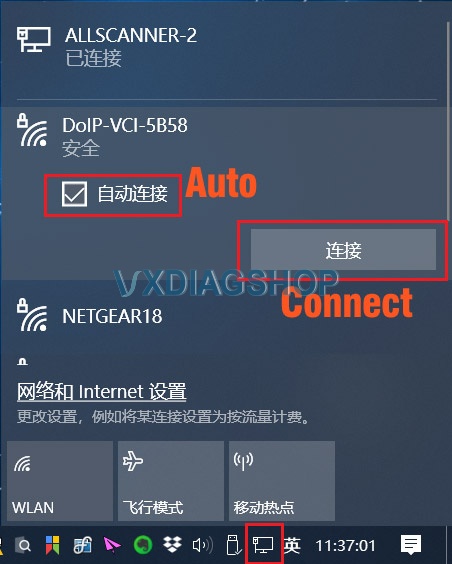
Enter WLAN password: 12345678, Press Next.
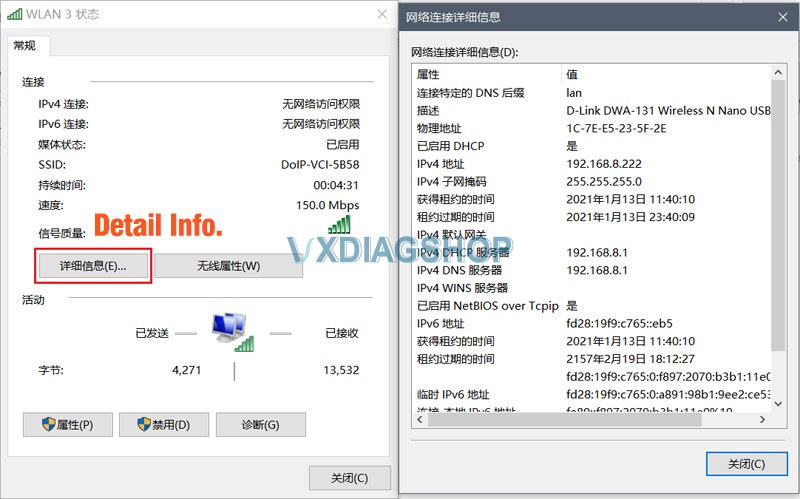
Check WLAN information after well connected.
USB LAN Connection
Applied to VCX-DOIP / VCX-SE
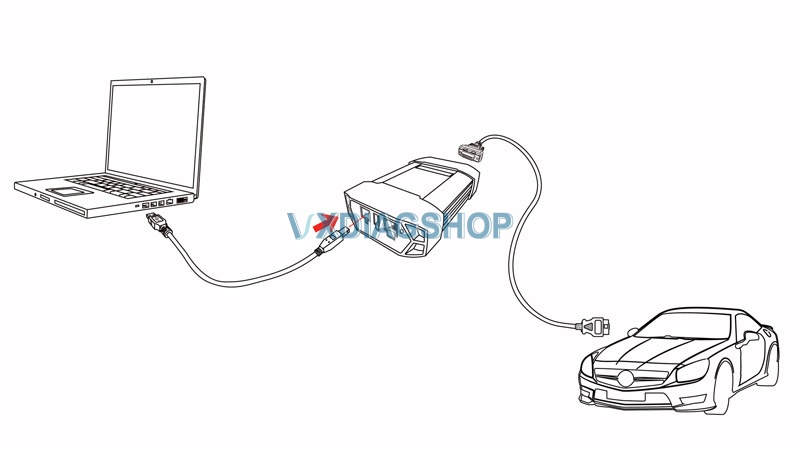
VCX-DoIP USBLAN Connection Diagram

VCX-SE USBLAN Connection Diagram
First Time Connection:
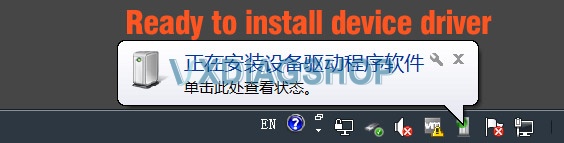
Windows will auto install device driver during the first time USBLAN installation

You will see Realtek USB FE Family Controller in Device Manager if the device driver install successfully
USB (VCX-NANO)
Applied to VCX NANO series only
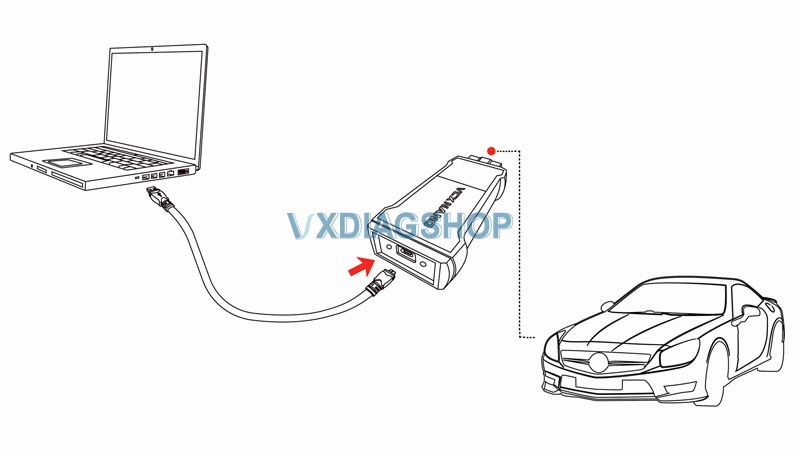
USB VCX-NANO Connection Diagram
First time installation:
Windows will auto install device driver when connecting via USB for the first time
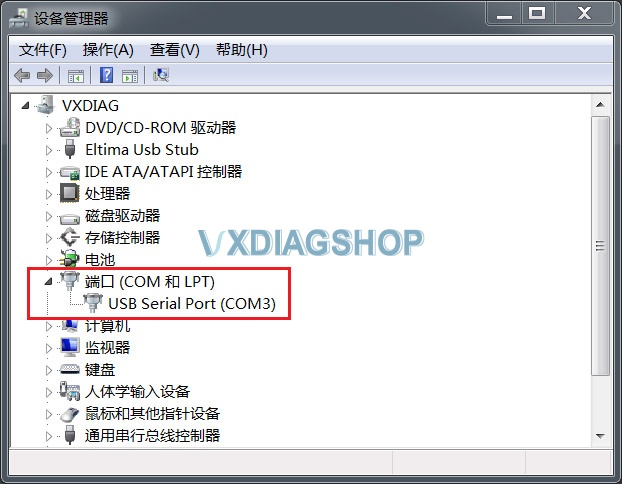
You will see USB Serial Port (COMx) in Device Manager if the device driver install successfully
WiFi (VCX-NANO)
Applied to VCX NANO series only
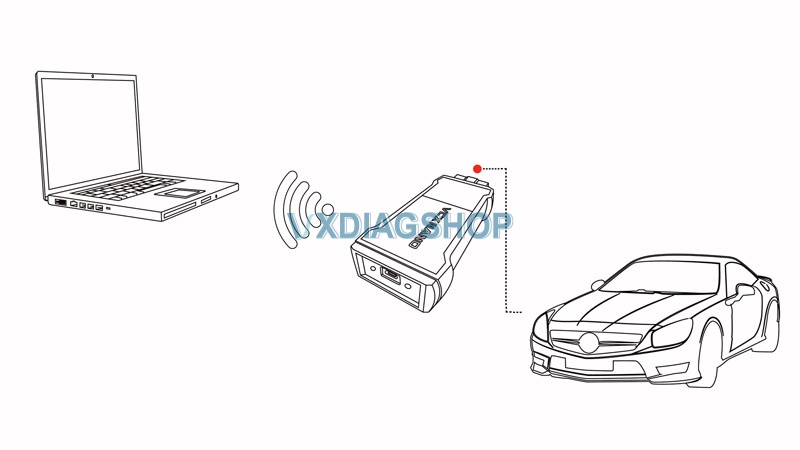
WiFi VCX-NANO Connection Diagram
WiFi Connection:
Start device normally
Search wifi: VCX-WiFi,press Connect
Connect success (Don’t need password)
Detect Device Connection
Run VX Manager, The information of device will be displayed in “Device Manager”.
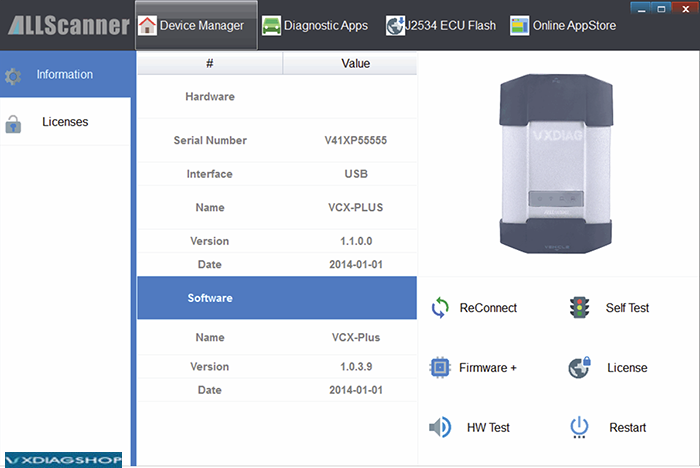
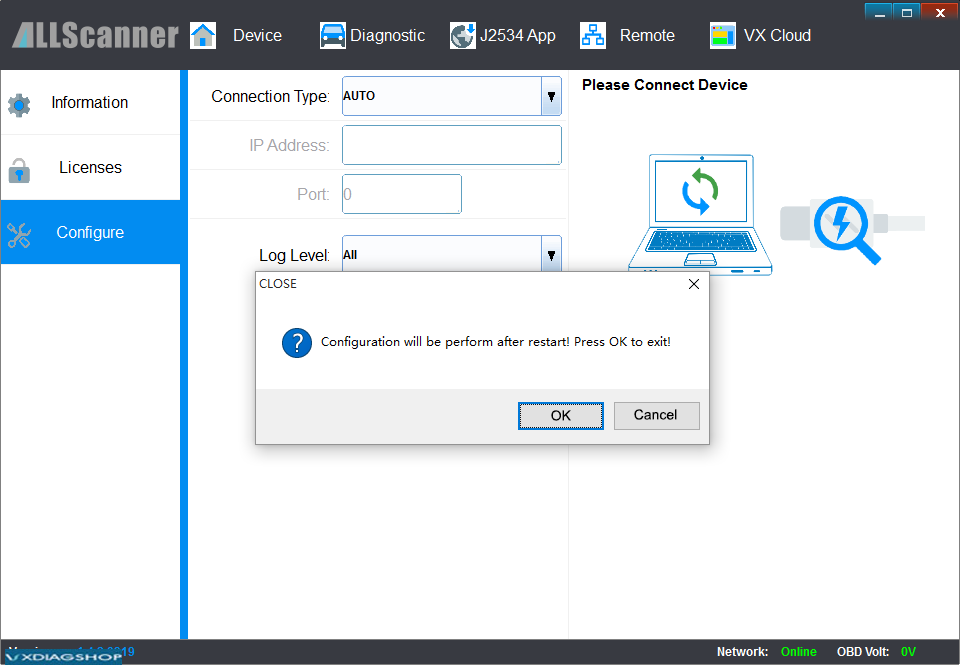
Select [Device], then click [Configure], Connection Type select [Auto], click [Save], Restart VX Manager program
https://www.vxdiagshop.com/service/vxdiag-vcx-lan-wlan-usb-lan-connection.html
Free Download GDS2 Tech2Win for VXDIAG
Question: Please help I need install all programs for vxdiag GM?
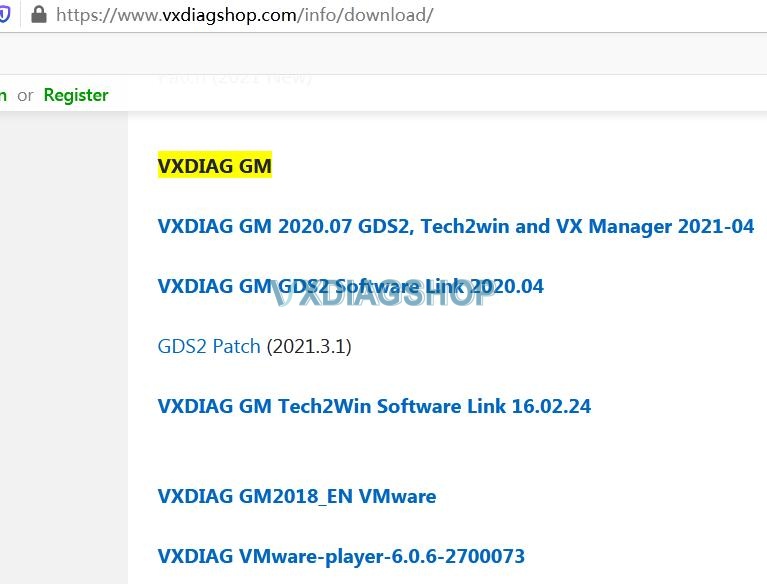
Image source: https://www.vxdiagshop.com/info/download/
Vxdiagshop.com engineer replied:
No, only need gds2 2020.04, gds2 patch and tech2win 16.02.24
1). VXDIAG GM GDS2 Software 2020.04:
https://mega.nz/#F!jN4lSYaA!5Q_p4sZEySxLu6HVPP418A
2). gds2 patch:
https://mega.nz/file/oZ820RCJ#BXRW3mOGCC7mfMjtaJ71AzjwghBlCogoM7RNGWi9KmE
3) tech2win 16.02.24
https://mega.nz/file/tIFWUIxT#XBAFZWEFPhQ3A9MtyPYfT1wojVgB1sEmt2T62nrmQcM
Or download this one link directly, it is working:
https://mega.nz/file/0oZGXJaC#6mKkEWDB0Z6lz7wulFjzmb4bpyoK1KWDkQIzdQW8HFQ
Instructions for installation:
Please follow this link to operate in step by step.
https://www.vxdiagshop.com/upload/pro/21031116155159427787.pdf
Operation System:
Need to use WIN10 PRO
home version is not compatible
vxdiag GM with GDS2 Tech2win software are referred to:
Hope it helps!
Can VXDIAG Benzn C6 diagnose 24V Trucks Buses?
Wondering if VXDIAG Benz C6 DoIP Allscaner is good and work ok for Mercedes Trucks and Buses at 24v with XENTRY XDOS 2019 or 2020? Someone already tested it and would like to share with you their experience.
Here we go for review:
For me was and it is ok, I was able to change HP on mp4 Actros 2012 and work with SCR, I did some comfort coding,
I didn’t work with another Mercedes car, only to truck also euro6!
This its the picture with connection with my truck its EEV and yes ,have 24 volts.
But if you buy must know you will have only 5 years support for firmware and drivers at least for openshell.

Vxdiagshop engineer official reply:
VXDIAG C6 work just on some 24v Mercedes Truck models not on all models this time (For example, C6 cannot work on AXOR with protocol Iso 9141-2.)
They work for 24v Mercedes Trucks fully 100% support in the future but not this time and now.
This time till date Mercedes 12v work perfectly.