Free Download 2021.06 VXDIAG Benz Xentry Patch
VXDIAG Update in 15-06-2021: Mercedes-Benz VCI patch “XentryPatch202106.exe”
https://mega.nz/folder/FYl0RKRL#JHZETHntbTflzNWfFr9NMw
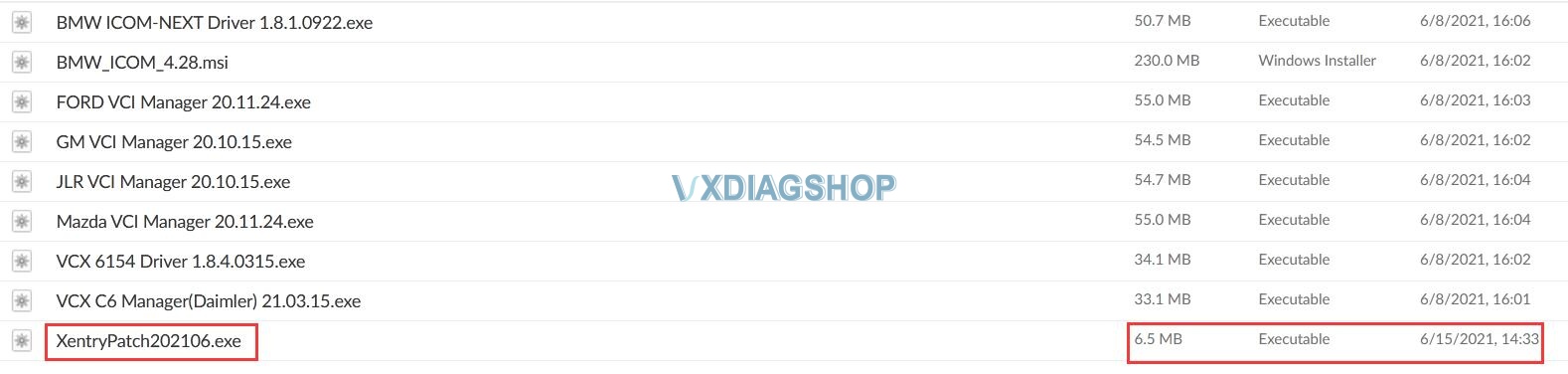
For those who have problem registering Mercedes Xentry software.
Size: 6.5MB
Contributor: vxdiagshop.com
Security: 100% Yes
Compatible VXDIAG Hardware:
VXDIAG Benz C6 Diagnostic Tool
… and any other vxdiag multi scanner with Benz software
Here are videos on How to register VXDIAG Benz Multi Tool XDOS Xentry software:
VXDIAG Mercedes Benz hardware and software tech support: www.vxdiashop.com.
How to Install VXDIAG JLR SDD on Win10 32bit and 64bit?
VXDIAG VCX NANO test on Land Cruiser LX200
I believe Toyota Techstream software can see what all the sensors are reading. I need to troubleshoot a seat heater malfunction on my Land Cruiser LX200.
Alright, Techstream cable arrived. I’d get the newer VXDiag VCX Nano Toyota cable. You can buy it from their website (vxdiagshop.com) if that feels safer. The reports are that it’s much faster and can do more things within TechStream. They send a newer version of Techstream, not that the newer version will buy you anything. I suggest trying this one because using Techstream with the J2534 adapter takes quite a bit of patience.
I was able to diagnose a seat heater malfunction to a faulty sensor. It turned out the sensor had been unplugged by the previous owner/dealer in the seat. Techstream was able to tell me specifically that the temp sensor in the driver’s seat was malfunctioning.
Can VXDIAG Ford IDS do Parameter Programming?
Problem:
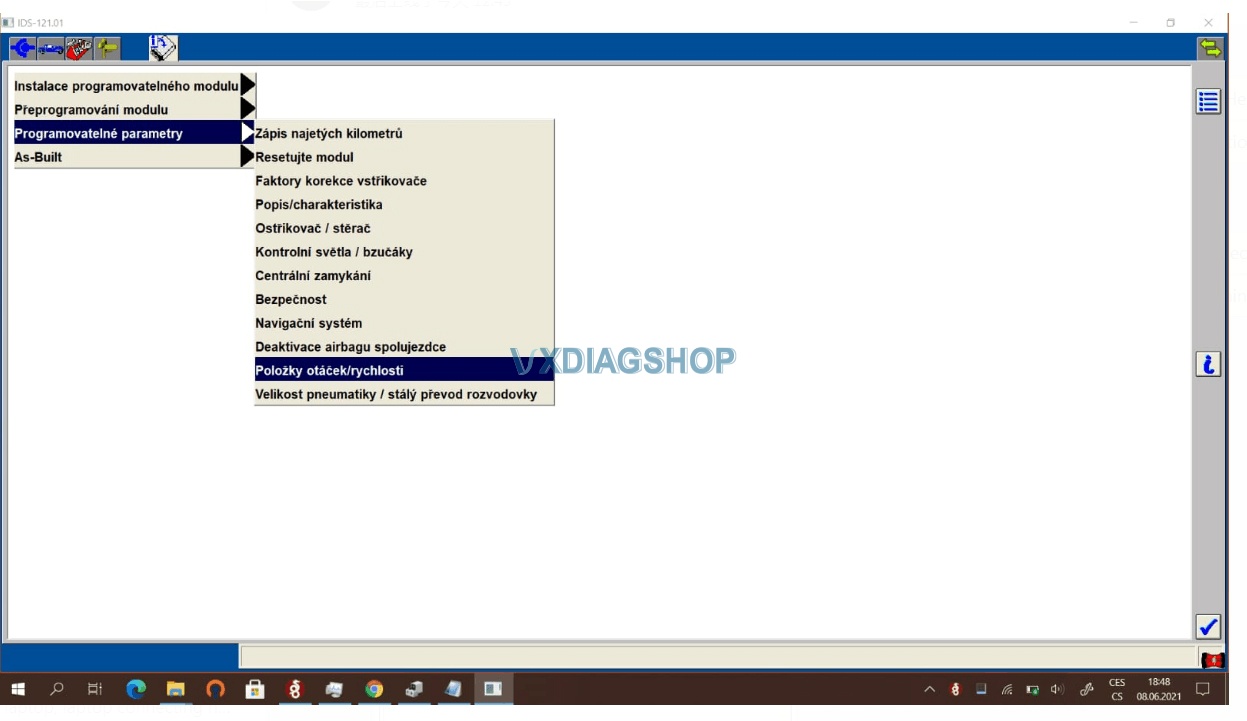
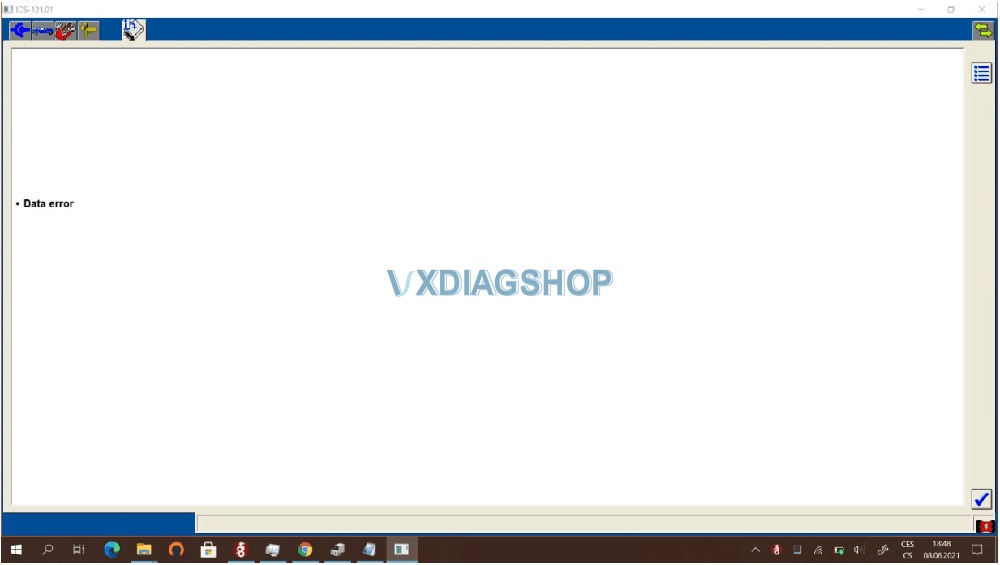
I got a problem when trying to do parameter programming with the vxdiag vcx nano ford IDS V121.01. It gave a data error. It cannot be done?
Solution:
Parameter programming requires online subscription.
We don’t provide an online account.
Ford Parameter programming example:
i.e Ford Mondeo 2007
Start New Session-All other-Vehicle Specification
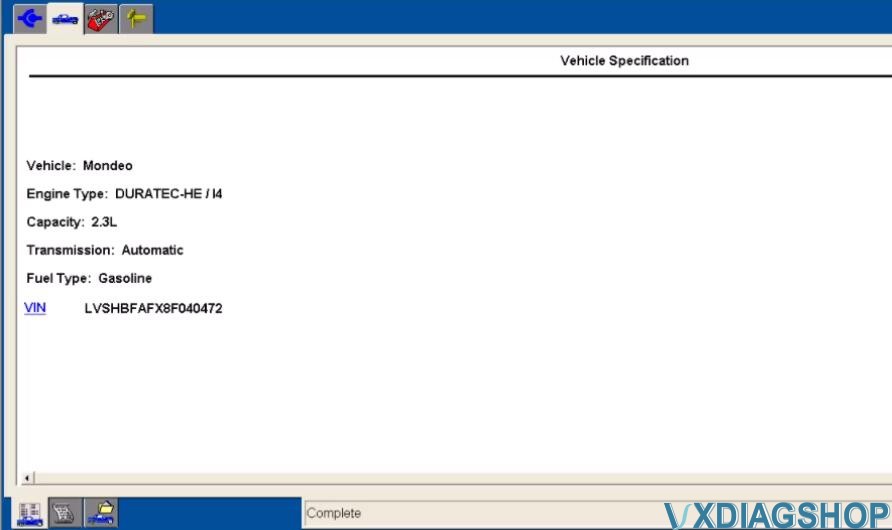
It will show the VIN
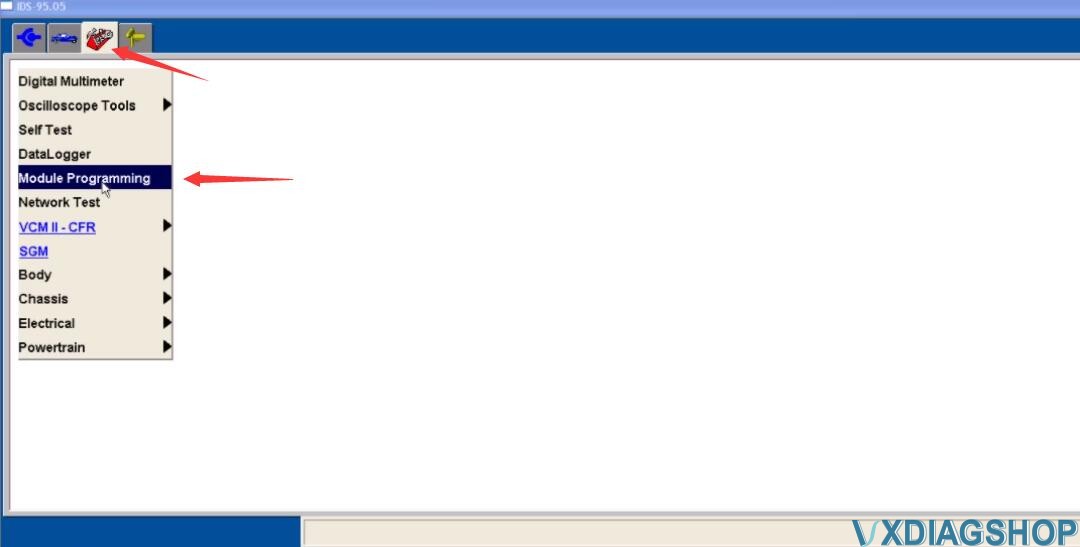
Click menu to select -Module Programming-Programming Parameters- Car Configuration Parameter(s)
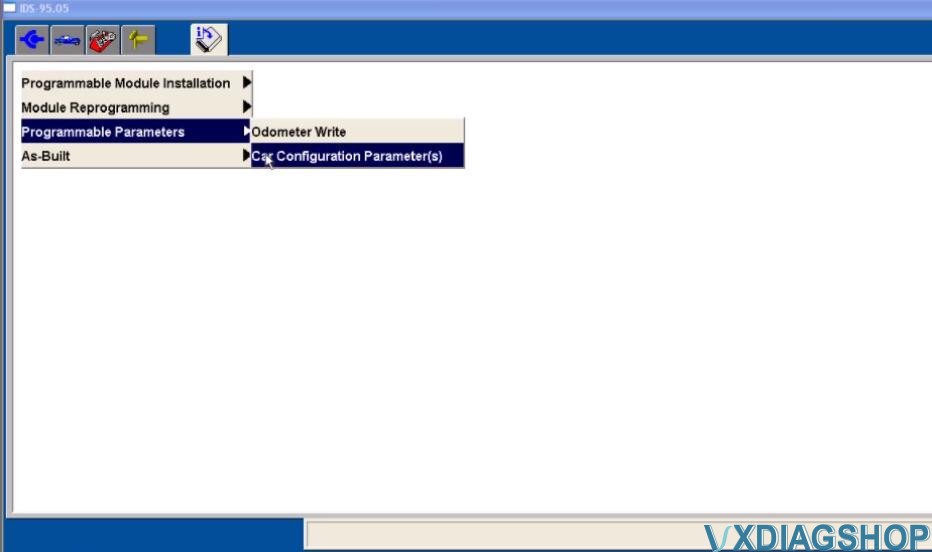
During Module Programming this module goes through a VIN verification process.
This process compares the VIN in this module with the VIN in other modules on the vehihcle. You may see the VIN verification screen more than once depending upon your response to the question.
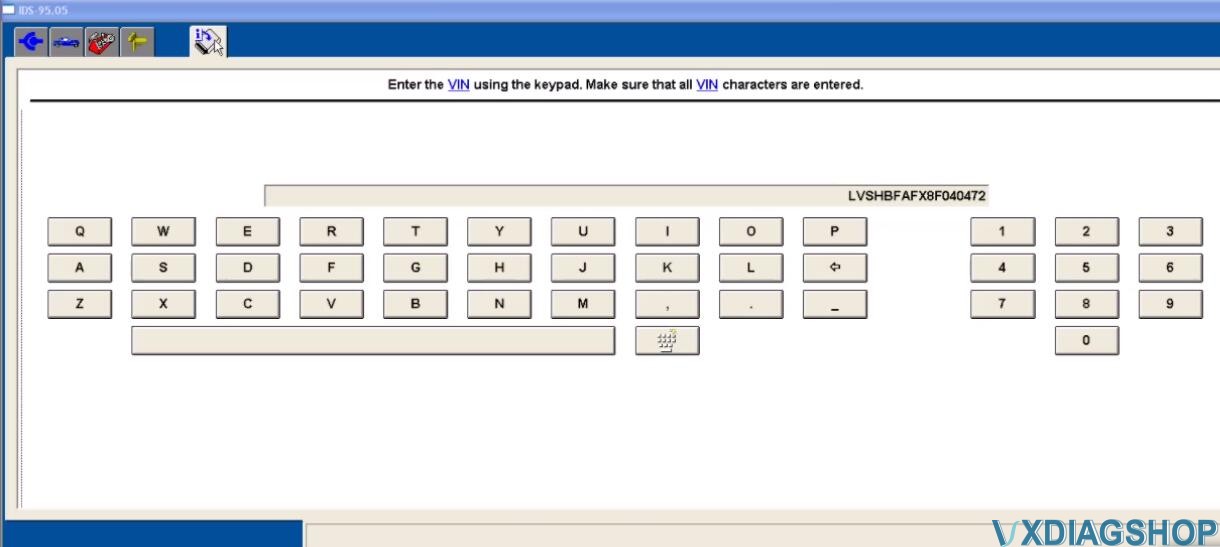
Enter the VIN and confirm
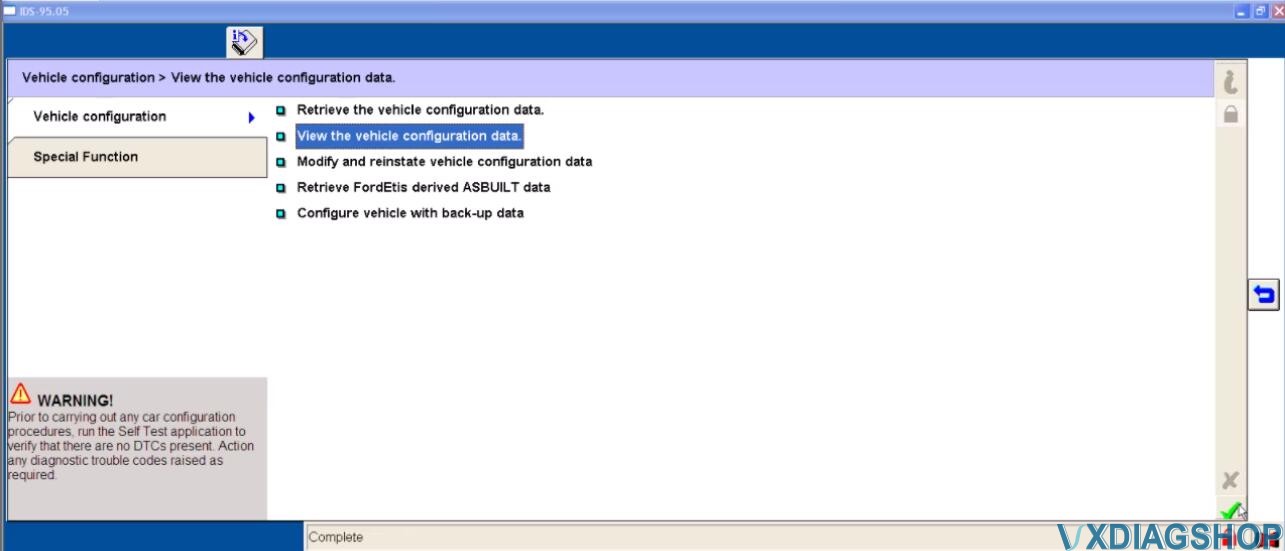
Select “Vehicle configuration”-“Retrieve the vehicle configuration data”
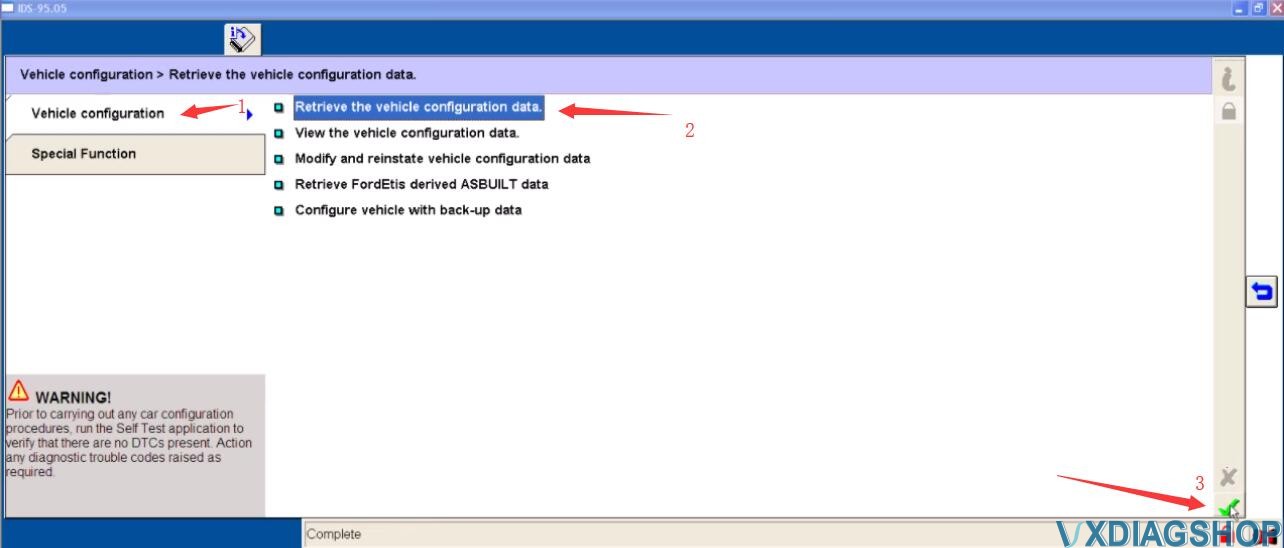
Click tick to continue
It will prompt you with the “Module Configuration Battery Support” information
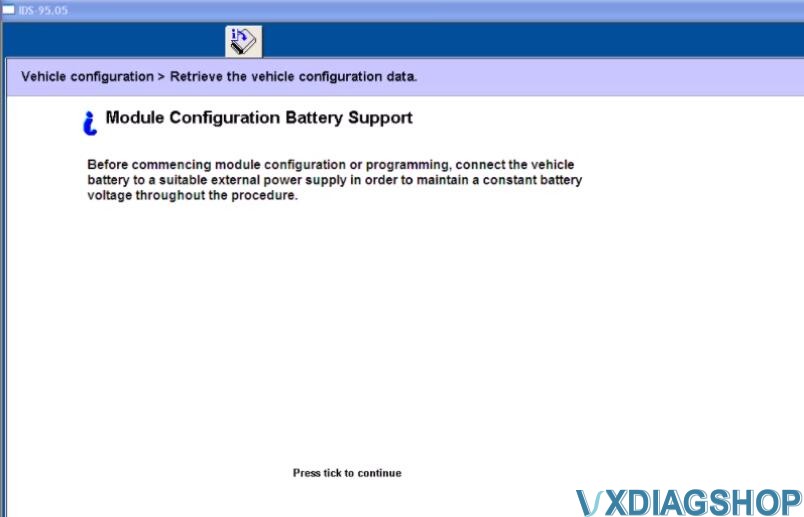
Follow the Ford IDS prompt to set the ignition switch to ON
Operator question
Click tick to continue
Set ignition switch to OFF (Position 0)
Operator Action
Switch the ignition ON
Switch the ignition to off
Press tick to continue
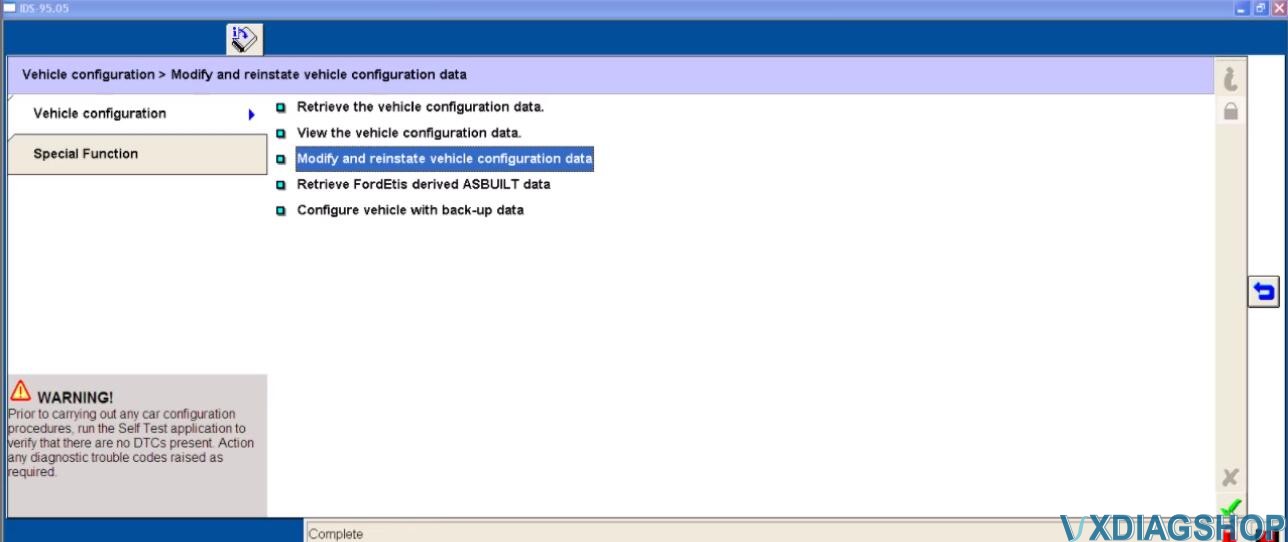
Back to select “Modify and reinstate vehicle configuration data”

Here you can view vehicle configuration data from BCMii(CCF Master module)
And before you modify the configuration data, you would better to download the data file to make a backup.
Select the system data file you want and then click the tick to download
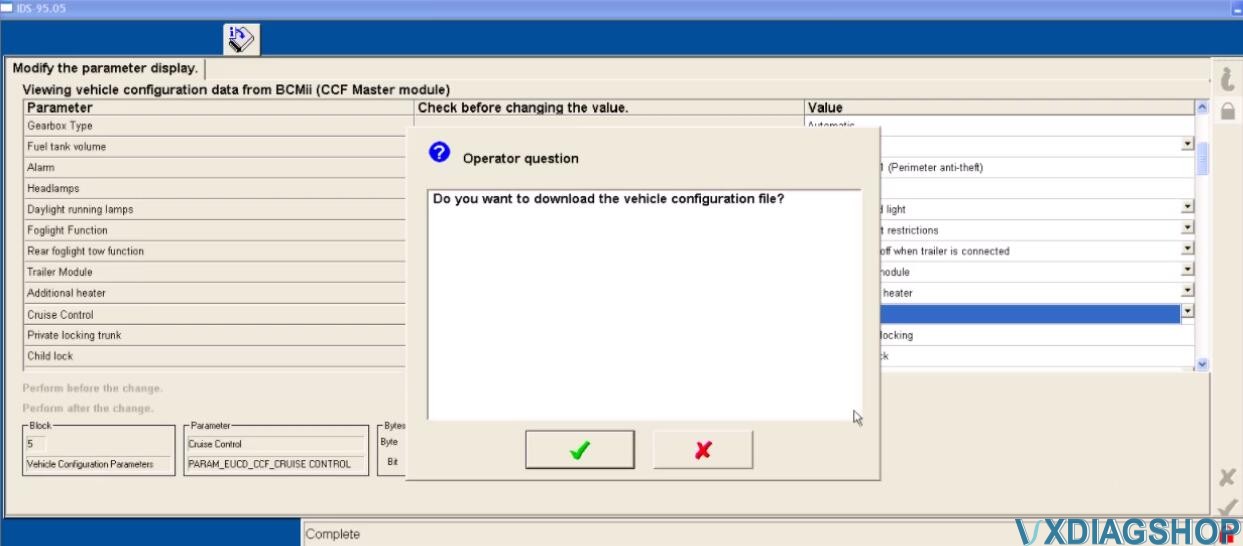
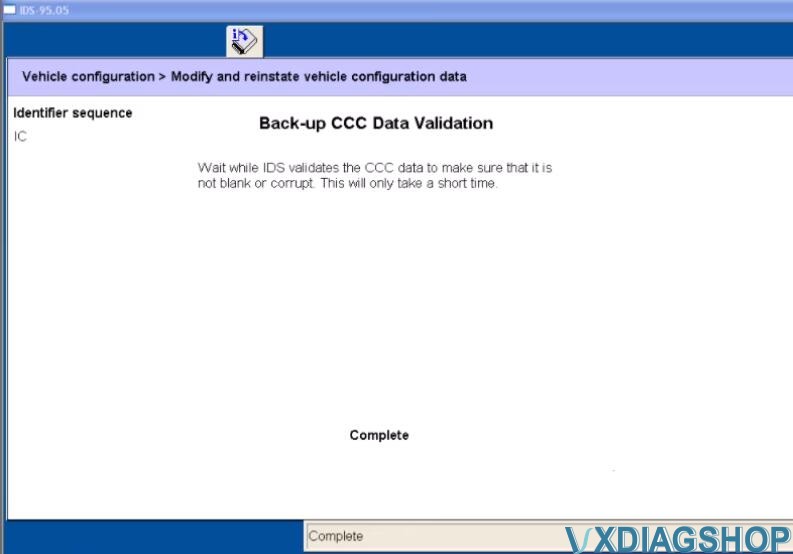
Set the ignition switch to ON
Set ignition switch to OFF(Position 0)
Switch the ignition ON

Download complete
Switch the ignition Off
You can view the vehicle configuration data here
Done!
https://www.vxdiagshop.com/service/ford-parameter-programming-with-ids.html
VXDIAG JLR SDD XK / XKR ( X150 ) Review
Vxdiagshop shares two reviews on VXDIAG VCX Nano with JLR SDD Software on Jaguar XK / XKR ( X150 ) 2006 – 2014.
First come with the first review:
All of you snobs who say it’s $100 so it cannot be good are fools. I was repairing my suspension dealing with a compressor issue when mu trusty Rotunda VCM started having boot issues again. This is now came back after I reballed the chip few years ago.
I got the VXDiag VCX Nano for Jaguar /Land Rover. Installed the driver, launched the VXManager, Launched SDD without reinstalling(same one Ive been using with VCM) and it picked it up as JLR-VCI. Worked like a charm and I was able to pull codes, clear codes, toggle switches in the suspension diagnostic mode, everything worked as promised, plus it works through wifi too.Connects to all modules too without a problem.
I’ve meant it more as a tongue in cheek. My point is, the OEM VCM is very dated. The new chips can do all that the old could do and with way less hardware. Think 90s laptop vs current laptops. All that these things do is send signals back and forth over wires using protocols. The real magic is the software, which unless youre paying heavy subscription fees, you are using a hacked copy anyway. As far as shade tree mechanics using non approved equipment, I can tell you that some of us can do things the dealership can only dream of.
And one more good review of VXDIAG NANO with SDD software:
I don’t know about all writings about SDD and hardware problems,,
But I bought a VXDIAG VCX NANO JLR
Work like a charm,,, doing all uppdates SDD online with Jaguar server on an old win 7 computer,, think there was 3 or 4 uppdates so 163. something.
Hook up with my “jag” and wanted to change speedlimiter,, when reading ecu sdd told me that i needed a special file to complete operation, option to save “update file link” on usb and get downloaded with a internet connected computer,,set. Nothing to loose just plugged in usb to another computer and downloded file from jaguar,, done.
Plugged usb in sdd computer and pointed to usb when asked for uppdate,, done
Process goes on and the speedlimiter is now set to higest value.
Tested allso kess-tool and that other blue jrl cable,, not good at all,, they was scary at he#”% to read ecu with.
(Good to know: no active cruice or camera,, sorry. But have tested the speedlimiter,, and works.
1:Active engineering mode.
2: all ticks must be green to write
3: I read ” JLR Car Configuration File Management Help Documentation”
When I was in SDD i was setting the speedlimiter in “as built” conf. Then i told SDD to use that file and write to car,, and as i understand it it stores CCF on 3 places exept “as-build” and all have to match. BCM RSJB and FSJB.
I just did wat SDD told me to do.
So I changed the AS_BUILT,, 250 to 300 and “download” to car.
Good luck!
Here is the good source of VXDIAG VCX NANO for Land Rover and Jaguar with JLR SDD Software V160
https://www.vxdiagshop.com/wholesale/vxdiag-vcx-nano-for-land-rover-and-jaguar.html