Mercedes W205 Start Stop Coding with DTS Monaco
Brief instructions for coding Mercedes W205 and other cars in similar bodies using DTS Monaco. Encodings, seed key and variant coding, MED40 coding and disable start/stop W205.
Everything you do is at your own risk.
Device used:
VXDIAG Benz C6 or VCX SE Benz DoIP
DTS Monaco comes with software hdd
SMR-D files for connection (taken from Xentry) here.
Disable start/stop in W205
1. Turn on the ignition. Launch DTS Monaco
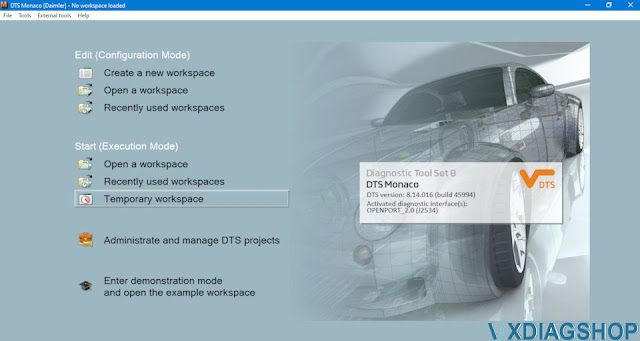
select Temporary workspace
2. Select the SMR-D file from the list, depending on which module you want to connect to. in our case, MED40.
3. Remove the module from the car. In the Diagnostic service tab, we find the Security Access line, find the Request seed key line in the list, click on the Transmit button. We get the key, which we enter in SeedCalc.

4. Run SeedCalc. At the top, select MED40CNG_med40_sec_new_00_00_00.
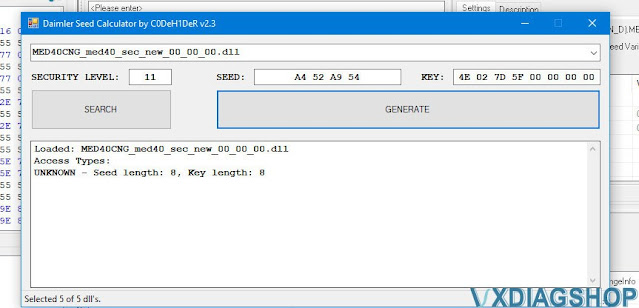
5. In the “SEED” field, enter the values obtained from the Request seed key at the previous stage. Click “Generate”. Copy the first 8 characters (all except 00 00 00 00).
6. Go to DTS Monaco. Select the line Send Key Variantcoding. On the right, in the “Send key” field (highlighted in green), paste the data received from SeedCalc.
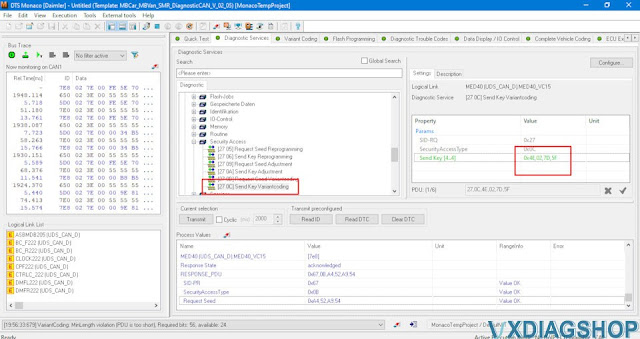
6.1. Click on the Transmit button. If the code is correct, then below it will be “ acknowledged ”.
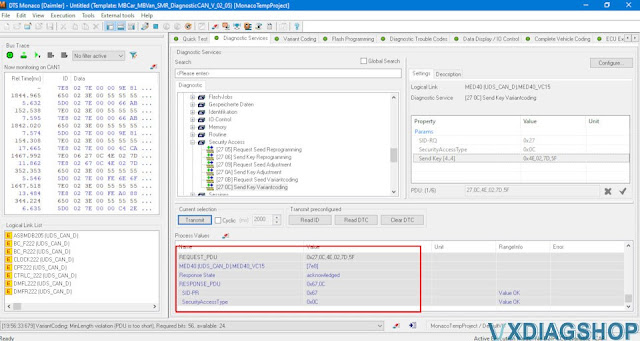
IMPORTANT! If, when sending a seed code, the Response State is marked in red and written not acknowledged, then you need to select another module option in SeedCalc and calculate the code again. The unlock code changes after each entry. Those. if the unlock code did not fit, then you need to select Request seed key again and insert new values into SeedCalc.
7. If everything is successful at this stage, then go to the “Variant coding” tab. In the ECU selection menu, find MED40 and click “Connect”. Scroll down, find the desired line and change to “Last mode”. Then click on Do Coding! In this way, you can change the speed limiter and in general everything that is in the MED40.
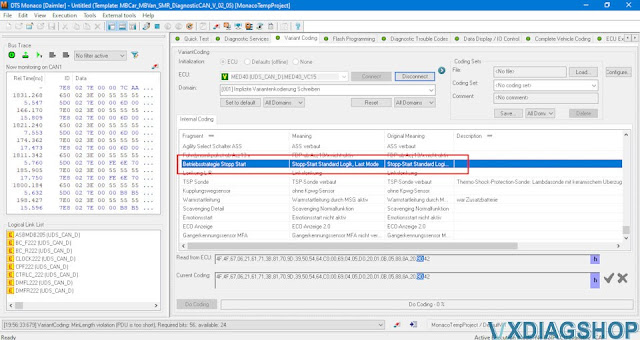
8. After you have done the encoding, you need to return to the Diagnostic service, select Hard reset and click Transmit.
Now start / stop remembers the last position and does not turn on automatically when switching between sport-eco-comfort modes and does not turn on when starting the car. Those. the start-stop system is in the state it was in before the engine was turned off.
The same logic encodes all other modules that support variant encoding.
https://www.vxdiagshop.com/service/disable-benz-w205-start-stop-with-dts-monaco.html
Can VXDIAG VCX NANO Ford do 2020 Explorer?
Problem:
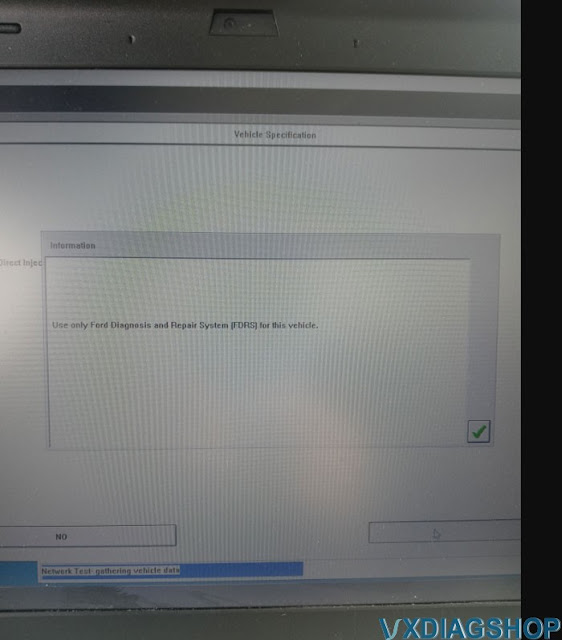
My vxdiag vcx nano Ford IDS V124 failed to communicate with a 2020 Ford Explorer. It says ‘use only Ford Diagnosis and Repair System (FDRS) for this vehicle.’ Any idea how to make it work?
Solution:
As the IDS says, you have to use FDRS on this vehicle.
Ford Diagnostic & Repair System (FDRS) – The next generation factory Ford Motor Company vehicle diagnostic Software designed for use with VCM II, VCMM and J2534 compatible Vehicle Communications Interfaces (VCI). FDRS provides complete dealership level vehicle diagnostic coverage for some 2018 and forward vehicles. FDRS provides superior capabilities, is more user-friendly and provides more diagnostic tools than IDS. The cloud-based system ensures the technician is provided the latest software every time FDRS logs into the Ford network.
Ford vehicles by model year supported on FDRS
- Bronco 2021
- Bronco Sport 2021
- EcoSport 2018-2021
- Edge 2021
- Escape 2020-2021
- Expedition 2018-2021
- Explorer 2020-2021
- F-150 2021
- Mustang 2021
- Mustang Mach-E 2021
- Ranger 2019-2021
- SuperDuty 2020-2021
- Transit 2020-2021
- Transit Connect 2019-2021
Lincoln vehicles by model year supported on FDRS
- Aviator 2020-2021
- Corsair 2020-2021
- Nautilus 2021
- Navigator 2018-2021
VXDIAG VCX NANO Ford J1534 has been tested working without problem with FDRS.
Check guide here to set up vxdiag with FDRS:
https://www.vxdiagshop.com/service/program-ford-f150-ecm-with-vxdiag-vcx-nano-and-fdrs.html
Possible to Program MOST systems with VXDIAG VCX SE?
Q: im about to buy ICOM adapter for coding and flashing E-series and F-series. What you all think about the VXDIAG VCX SE BMW? Can i use it to flash MOST ECU systems?
Solution:
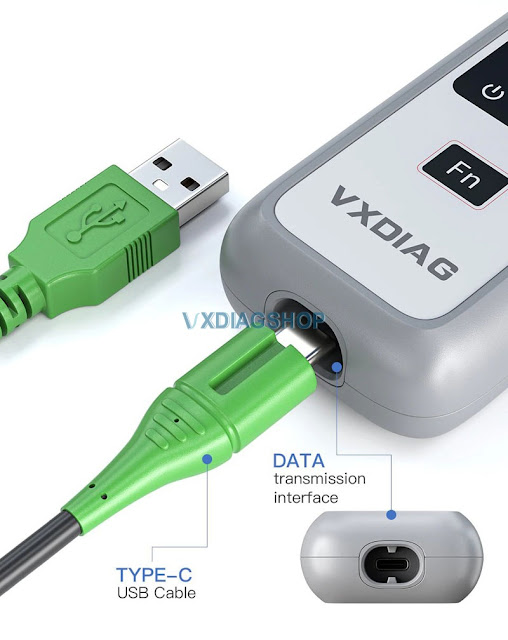
No, VCX SE and VCX Plus does not have the MOST module adapter.
You couldn’t flash e series ( which module connecting with optical cable) with vcx se bmw. Because for flashing you must need MOST (it is around 10 times faster )
F and G don’t use MOST Adapter. It is not needed for Fxx and Gxx cars. This adapter is used for older vehicles that use the MOST connector, like E-Series cars.
In E series, you need MOST connector to use ICOM-B in conjunction with ICOM-A to flash any ECU on MOST bus, as Exx does not have Ethernet ZGW (Gateway) like Fxx does.

Donot Use Windows 11 for VXDIAG J2534 with Ford FJDS
Today we want to talk about laptops when you’re getting into j254 flash programming. Do not purchase a laptop that has windows 11.
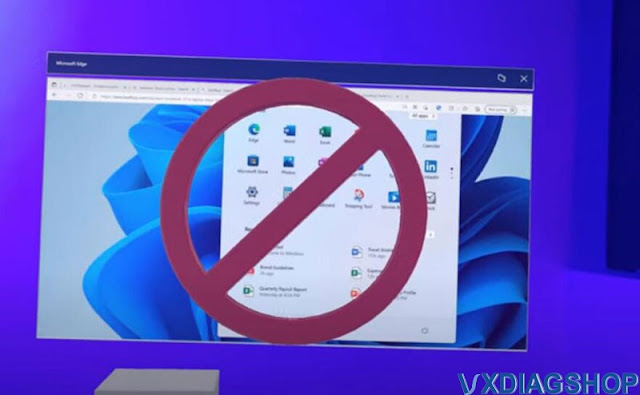
Here’s why.
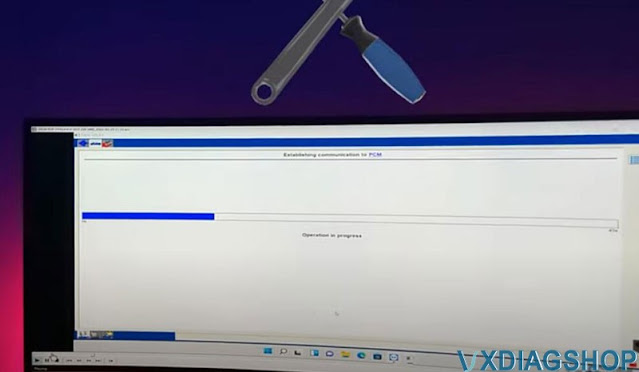
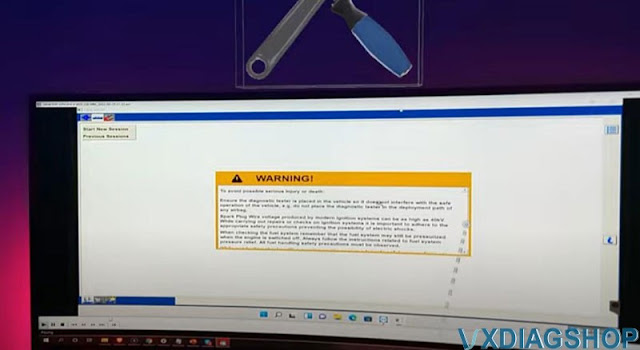
so a few days ago our customers try to flash program with the ford fjds software and vxdiag vcx nano Ford J2534 passthru.
and as you can see here the progress bar is trying to communicate
the software’s trying to communicate with the vci here but it’s not it kept on looping
They tried it on several different vehicles but all had the same result it kept on looping
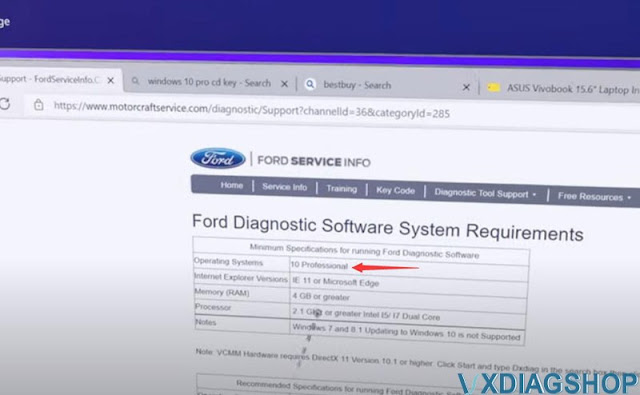
If we go to ford’s website, they have their operating system requirements.
It says windows 10 professional.
It takes 3 years on average for the flash programming software from the manufacturers to work with the brand new operating systems.
You’re gonna get a lot of errors like this if you purchase a laptop that has this windows 11 operating system.
so we repeat do not upgrade your existing windows 10 to windows 11 and do not purchase a laptop that has the windows 11 operating system.
Most of them probably have windows home version. VXDIAG software does not accept Home version Windows.
Reflash Mazda PCM with VXDIAG VCX NANO J2534
My check engine light was on, and my code reader said the likely solution was to update the PCM. I found the reflashing mdars software on Mazda’s website for $50 for a 72 hour subscription but needed a pass thru device.
I got the vxdiag vcx nano Ford/Mazda 1 in 1 J2534 passthru interface here
https://www.vxdiagshop.com/wholesale/vxdiag-vcx-nano-for-ford-mazda-2-in-1.html
The device works as Pass thru, just take your time installing it.
This wasn’t exactly easy to use. The software it runs wouldn’t work until I corrected a .dll file name that was different from what the .exe was trying to run. The software would not install the included Mazda IDS (which is OK because that isn’t why I got this). It had several errors connecting the device and having the software read it. However, after some patience and plugging and replugging, the Mazda software did recognize it and it worked! Updated PCM with Mazda Flashing software and it fixed my check engine light. Saved me a bunch of money/ or a trip to the dealer.
Based on previous reviews, I made sure to install an antivirus(Kaspersky) and it didn’t detect anything off with this program.
Good luck! Not the most user friendly thing, but it saved me a ton of money and time.