How VXDIAG VCX SE Set Up GM Techline Connect
Question:
Please anyone give me a hint or a guide to setup the VXDIAG
VCX SE with GM Techline connect
sps2.
I don’t know if i have to change the connection in the vx manager from
auto to usb or leave as the passthru.
If is need to select as vxdiag j2534 or bosh mdi or vci manager?
The main problem is the gm Techline Connect show an error when they tried to connect to the ecu, and then have to restart the program.
The interface firmware is already updated
I’m using “proton vpn”.
Solution:
Run VXDIAG installed, change the connection from Auto to USB and select
PassThru driver.
Next on Techline Connect, you should see
Vxdiag option on other adapters list.
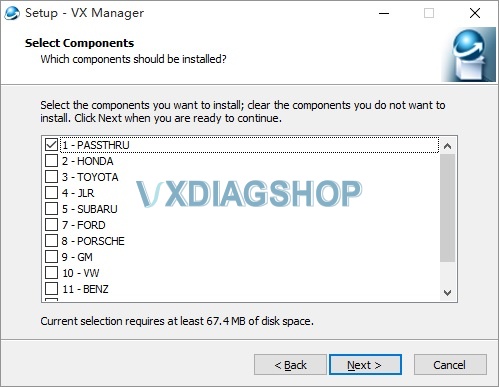

It is similar to seting up vxdiag vcx nano gm for Techline Connect.
https://www.vxdiagshop.com/service/solve-vxdiag-gm-sps2-techline-unexpected-error.html
Feedback:
Finally i had programmed the ecu, I had to install a clean Windows 10, Techline Connect, vcx manager and the passthru, vpn (outside of North America).
How to Access European GM SPS2 Programming?
Question:
I’ve got the vxdiag vcx nano gm gds2 interface and need one time to Vauxhall Movano 2019 BCM SPS program. The SPS2 or the Techline Connect does not work for European cars and vans.
Any idea how to access EU SPS program?
VXDIAGSHOP Solution:
SPS2/Techline Connect is for North American GMs.
For European legacy Opel & Vauxhall, Chevrolet and Daewoo vehicles you need a subscription to PSA Service Box online website: https://public.servicebox.peugeot.com/pages/index.jsp.
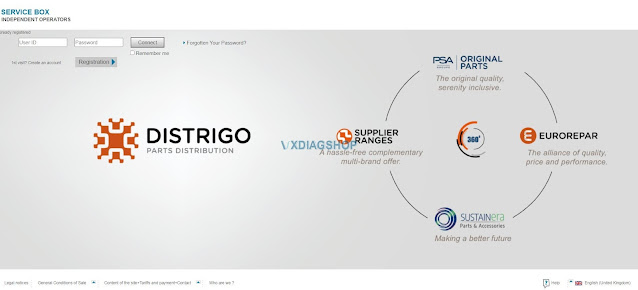
It is 47 Euro or 35 Euro respectively for 2-hour access. You can register and purchase a subscription by yourself.
The vxdiag gm gds has been tested working as a J2534 passthru to SPS.
here is a demo guide on programming Opel Ampera ECU with vxdiag and SPS via PSA Service Box
https://www.vxdiagshop.com/service/reprogram-opel-ecu-with-vxdiag-and-sps.html
Jaguar Land rover Pathfinder Will End in April 2022?
Is it true that Jaguar and Land rover Pathfinder will be shut down in April?
Yes Topix cloud diagnostic only from April.
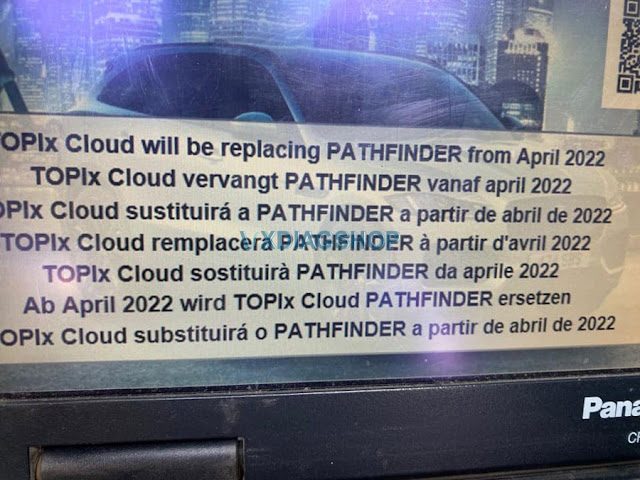
With Topix cloud you can do only diagnosis, no programming modules and so on. Just basic things.
The cracked version should still work.
You can’t update anymore, they have new software engineering mode and will replace the functions- “Pluto”
Only dealer can do now, they didn’t release for public, same as Mercedes’ policy.
All diagnostics are going this way. Volvo is already online, many others will follow.
Where to Download JLR Pathfinder Software?
We have a customer consulting if we can send the SDD and Pathfinder software for vxdiag jlr doip scanner via email.
Here comes the solution.
SDD can be downloaded on vxdiagshop.com Download menu or search our previous blog post. SDD would be updated continuously, keep an eye on our website.
As for the Pathfinder can only be downloaded from JLR TOPIX official.
https://topix.landrover.jlrext.com/topix/vehicle/lookupForm

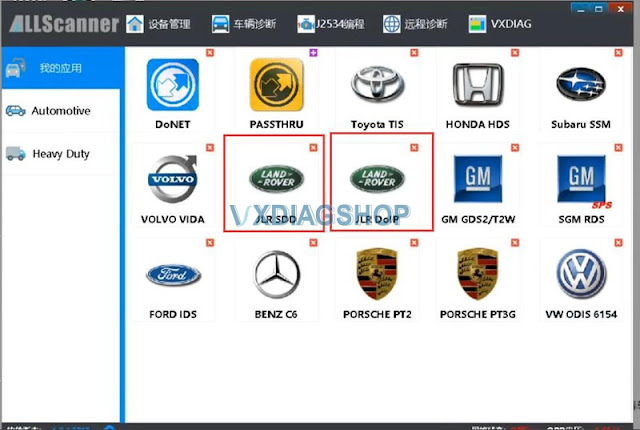
Pathfinder does not require a patch but you have to install JLR DoIP driver in vx manager.
You can register an user account on TOPIX, you can access diagnosis for free.
From April 2022, Topix cloud is for diagnostic only. No programming modules and so on. just basic things.
You can’t update anymore , we have new software engineering mode and will replace the functions -“Pluto”
VXDIAG JLR DoIP tested no issue on programming with an online subscription from TOPIX.
How to Unlock GM LAN29 Radio by VXDIAG Tech2Win?
Let’s say you bought one of these vxdiag vcx nano gm or mdi clone interfaces and you are trying to program a new radio in your GM LAN29 because you get the ‘lock’ message. You want to have a free range to unlock radios but you are having trouble finding anywhere the menu.

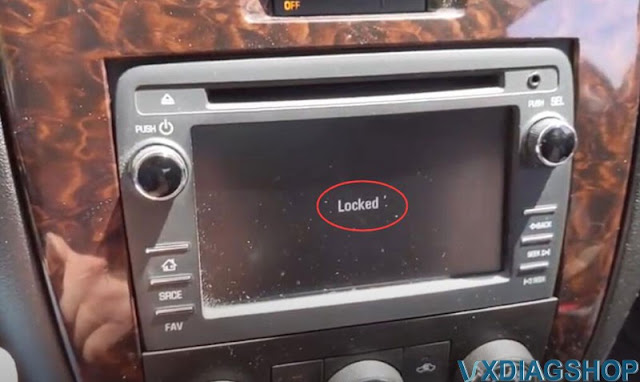
Vxdiagshop.com here gonna show you the secret to unlock GM Radio.
Device required:
Tech2Win 30.004
Free download GM NAO V30.004
https://mega.co.nz/#!fUBQHLYY!1xmrJPOG6-vV2oem_gGwKxaJpf31I01VHZisDHCPRio
Click on the link, then look for the password at the bottom of that group of links.
2). Here the customer has installed a MyLink radio out of 2013 Traverse into a 2015 Impala limited.
3). You have to roll back the Tech2win software version to 30.004. The vcx nano now comes with T2W 33.004 and in that version all the vin unlocking for the radios is completely erased. You can search the youtube guide to roll it back.
The software included with the VCX Nano or cloned MDI has a version of Tech2Win that has eliminated the capability to program the proper VIN to a “new” radio. In fact, reprogram radios after you roll back the firmware version of the Tech2Win software. This is mainly for GM LAN29 vehicles from 2006 to 2017 such as the Impala, Tahoe, Traverse, Silverado, Lucerne, and their corporate cousins.
You can keep original 33.004 in case you want to go back.
4). The original firmware version 33.004 that came with the VCX Nano is not deleted when you follow the procedure to roll back to 30.004. When you initialize the Tech2Win program, click on “North American” to run 33.004 (which you have to do for newer Impalas, as 30.004 only goes to 2011.). To use 30.004, click on “GM NAO.” They both co-exist without any other tweaks. For instance, you want to program a new radio and new key fobs to a 2012 Impala. You will need to run “GM NAO” (30.004) on the Tech2Win to program the radio. After that you will have to exit out of Tech2Win, restart it, and run “North American” (33.004) to program the key fobs.
Procedure:

Get the vcx nano hooked up to the USB.
Turn on ignition switch.
Run the vx manager, go to Tech2Win
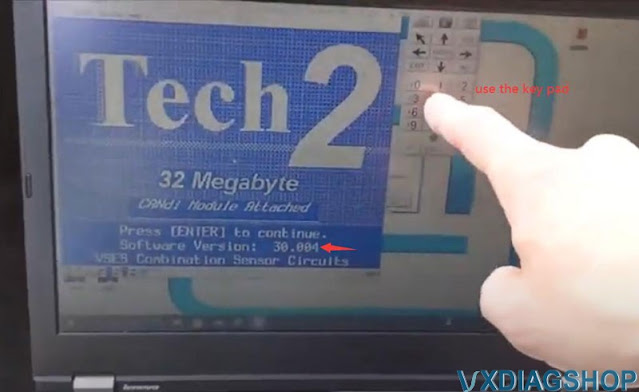
you’ll see that as soon as it boots up here, see that 30.004. you need this version
the other thing is you have to use this keypad, you can’t click on whatever’s on the screen on
this version doesn’t work.
we’re going to set the car up
if tech2win asks to tech2 software may need to be updated, we don’t care, just proceed.
Select Diagnostic- 2006- Passenger Car- Chevrolet, scroll down to select W line
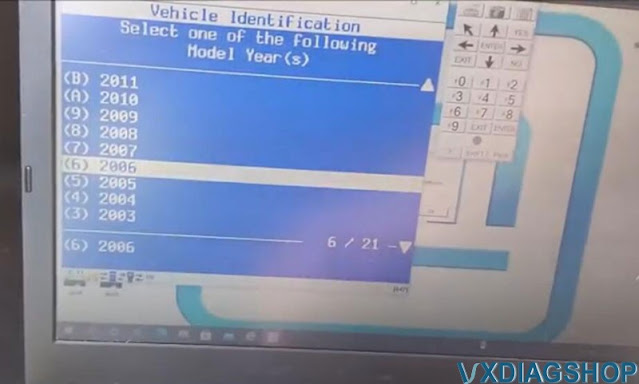
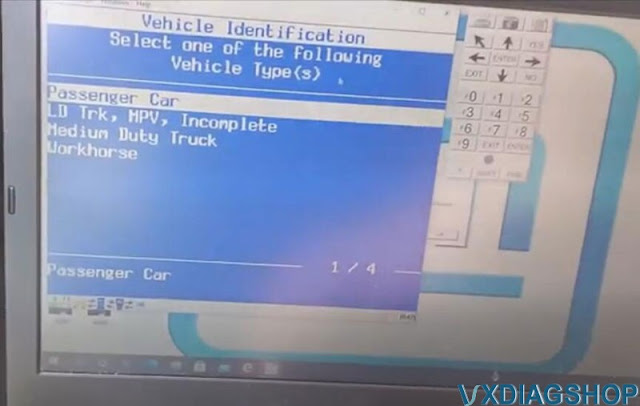
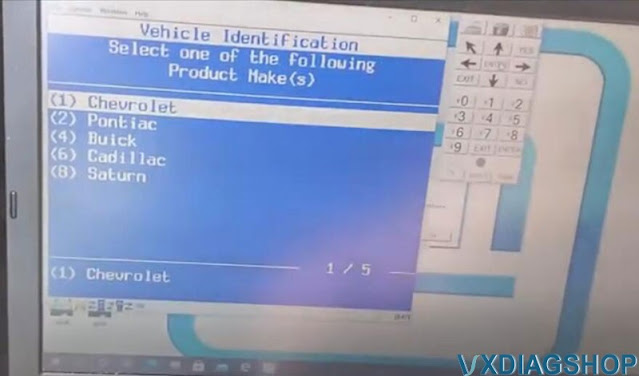
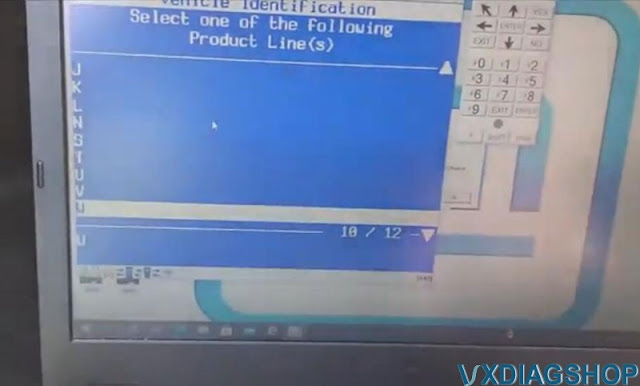
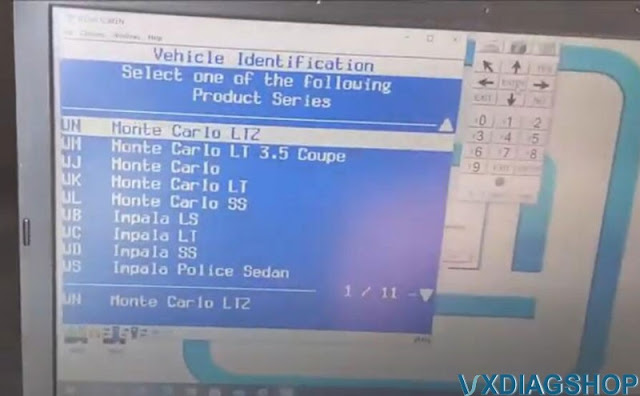
We’re gonna set it as a Monte Carlo ltz
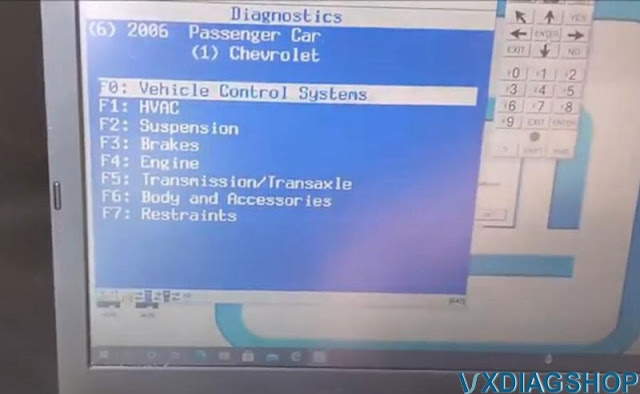
Then select Body and Accessories- – Entertainment- Module setup- F0 Radio- VIN Relearn
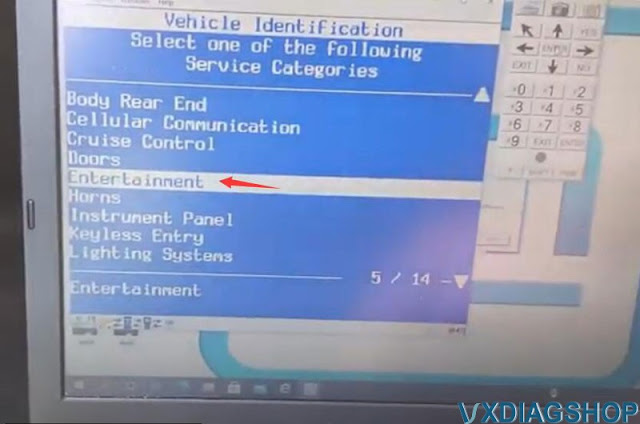

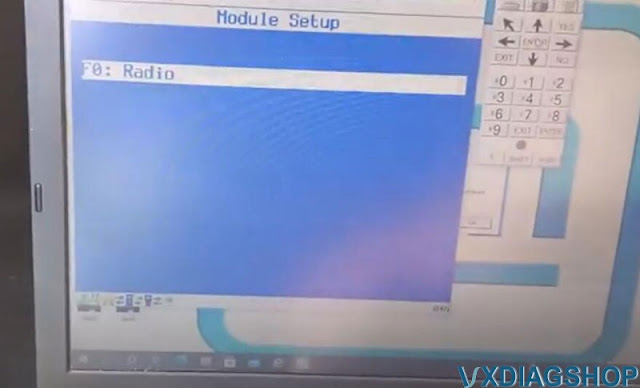
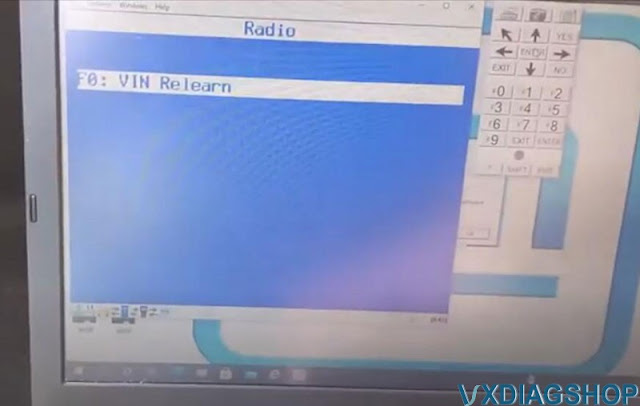
make sure you hooked up right here
We’re getting communicating okay
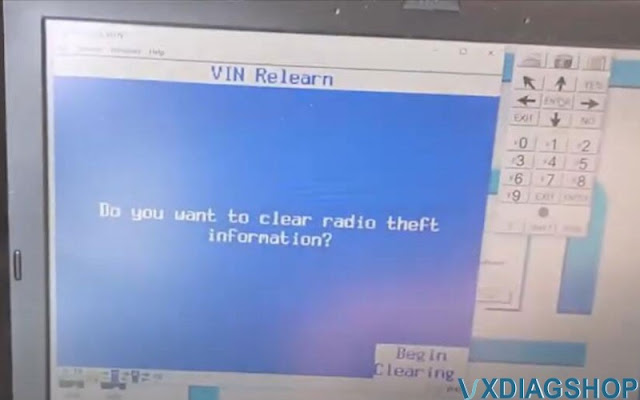
vxdiag vcx nano tech2win ask if you want to clear radio theft information.
Press ENTER to begin clearing.
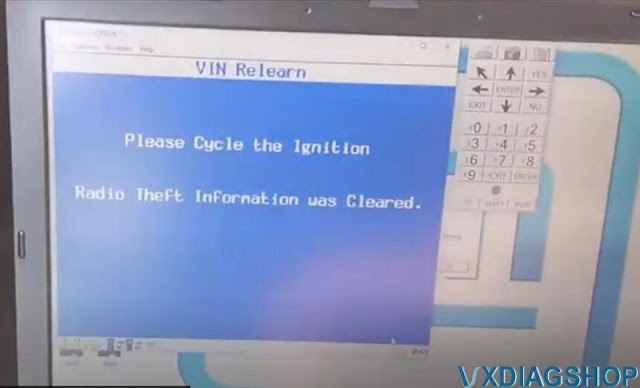
Cycle the ignition. Radio theft info. was erase.
Exit out of that prompt and disconnect vcx nano.
Now it is working
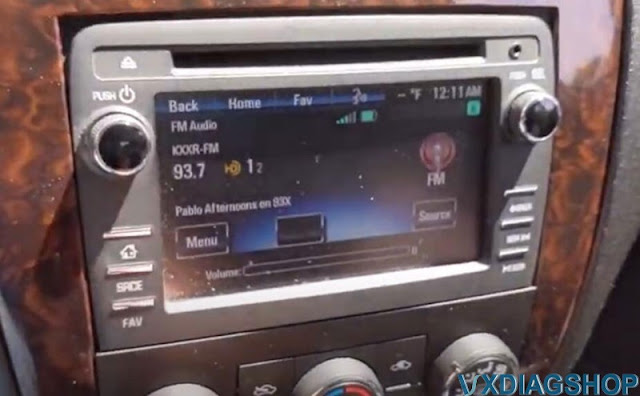
It works. Turn the volume down.