VXDIAG VCX SE Full and 2TB HDD Review
Here is the new software interface- they call it Allscanner VXDIAG VCX SE. It has a lot of functionality with the j2534 and it has also some software built-into it.
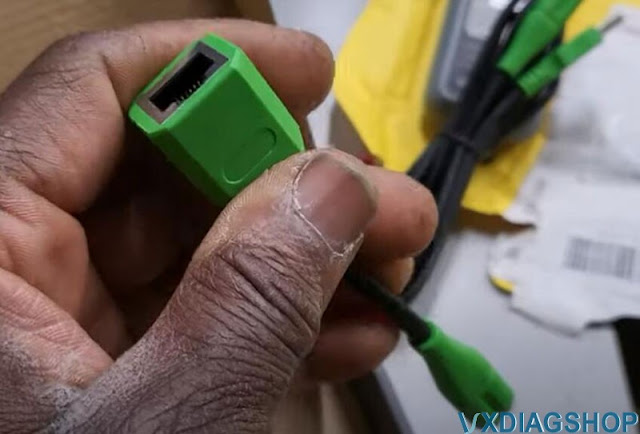
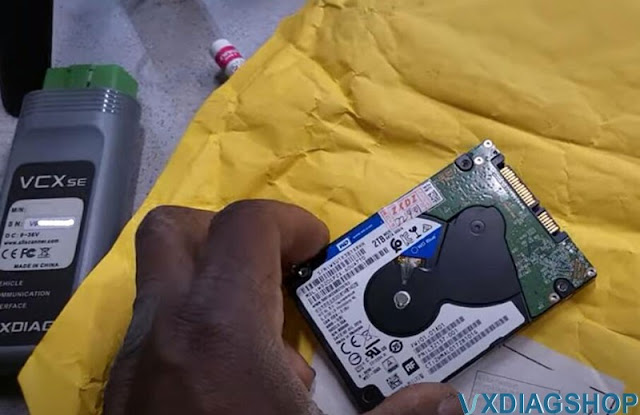
Let's open it from inside what i have is the vcx se interface, a OBD cable and a Type-C USB to LAN converter along with 2TB HDD all software activated.


If you don't have this vcx se, you will need several separate interfaces for BMW, Mercedes, VAG, Subaru and other makes. This is all-in-one, that's the reason i got it.
If you don't have a regular volkswagen software j2534 interface you will have some functions will not working.
This is a Bluetooth functionality laptop which is good.
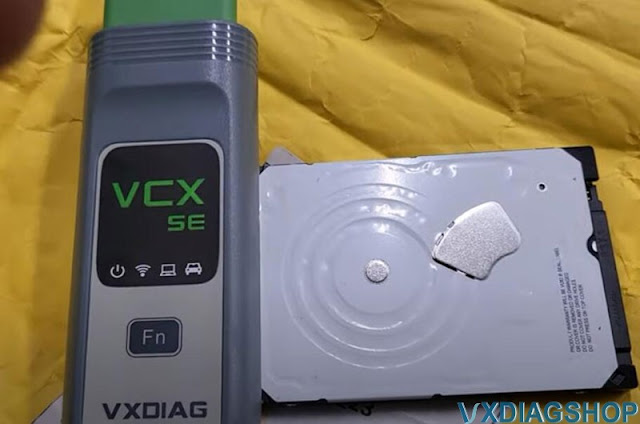
It comes with a hard drive that's have to be installed and it has some functions that come with.
You can check a lot of companies that they use it.
Let me try to see what is there. I am going to turn this computer off. Shut it off, take hard driver off and put it into the vxdiag hard drive.
I have a vcx nano ford for a long time and it's worked fine. So this one here makes things easier.
This is the hard drive it's come with because i bought they have set up their own functions on how you do connection and programming.
So let's try to start it now.
You see it's coming with Mercedes-benz, BMW, Audi, Jaguar Toyota Porsche and many other programs.
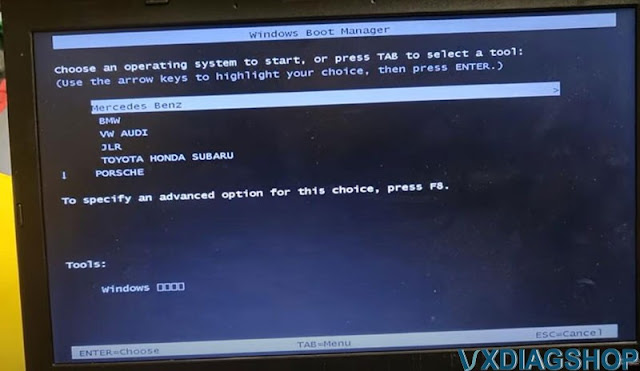
Choose an operating system and go.
I have tested the BMW software, works pretty fine with E-Sys, ISTA, and NCSExpert, but a year of cars starts from 2004 and up, if older cars, it doesn't work, has to use ICOM.
Planning to test MB software and JLR. Keep updating.
VXDIAG JLR Pathfinder Login Only Once for Account?
Problem:
Me and some others had login problem with the JLR Pathfinder online programming and vxdiag vcx se jlr device.
When you try to login then your Login not work, this problem only show. vxdiag is blocked by the JLR official?
Answer:
It is not the device issue. JLR server is under maintenance. During this time, users can only login to user once for the account.
The problem will be solved later.
JLR Pathfinder has changed the online programming policy.
Pathfinder diagnosis is not affected, only programming.
http://blog.vxdiagshop.com/2022/03/15/jlr-pathfinder-will-be-shut-down-in-april/
How to Choose VAG Project on ODIS-E?
Where I can find which ODIS-E project is for my car? Do I need to have project for ecu flashing? What info is ODX containing?
Here's the clue.
There is a helo file in ODIS-E what project with what car goes.
ODX are the pojrect files you need to inport them in odis if they are in a zip file.
How to Choose VAG Vehicle Diagnostic Data on ODIS Engineering?
For ecu flashing with vas5054, vas 6154,vxdiag vcx se 6154 or others.
Method 1: searching from below vehicle list if you know vehicle model
Project List
Project List
AUDI:
AU21X: AU210/AU220(A1)/AU316(Q3)
AU35X: AU35X(A3AB2)/AU324/AU325(TTNF)/AU714/AU715(R8)
AU37X: AU37X(A3AB3)/AU334/AU335(TT3)
AU48X: AU48X(A4/A5 B8)/AU416(Q5)
AU56X: AU56X(A6 C6)/AU716(Q7)
AU57X: AU57X(A6/A7 C7)
AU64X: AU64X(A8D4) AU724: AU724(R8NF)
AU924: AU914/7(RSe)/AU924(R8e Tron2.0)
MLBEVo: MLBEVo/AU736(Q7 NF)/AU49X(B9)/AU246(Q5 NF)/AU651(D5)
MLBEVo_DolP: MLBEVo/AU736(Q7 NF)/AU49X(B9)/AU246(Q5 NF)/AU651(D5)
VW:
MQBAB: MQB-A/B
VN337E:E-Caddy
VN35X: Caddy
VN54X: Crafter NF
VN75X:T5
VN81X: Amarok
VW019:1-Liter Auto
VW120: Up! NSF
VW21X: Suran
VW23X: Gol
VW250CS: Polo China
VW2531CS:A-Entry China
VW2532CN: Jetta A2 NF China
VW25X: Polo
VW26X: Polo GP(MQBAO)
VW3111: Lavida China
VW3112CN: New Bora China
VW316C: Tiguan Lang China
VW32X: New Beetle
VW358C: Touran China
VW36X: Golf 6
VW36XCN: Golf 6 China
VW37X: Golf 7
VW37XCN: Golf 7 China
VW37XCS:A+China
VW411:New Midsize Sedan
VW411CS:New Midsize Sedan China
VW46XCN:Passat B7 China Lang
VW47X:Passat B7
VW48X:Passat B8
VW51XCS:C-Modell Chian
VW526:Touareg
VW611GP3:Phaeton GP3
VW62X:Phaeton NF
VWVRTVPT:Konfigurationsdatei
SEAT:
SE25X:Ibiza
SE26X:SE26X
SE35X:Altea/Toledo/Leon/Freetrack
SE37X:PQ37
SE41X:Exeo
Lamborghini:
LB72X:LB724/LB725(Huracan)
LB83X:LB83X(Aventador)
SKODA:
SK25X: SK25X(A05-Fabia+Roomster)
SK25X1: SK25X1(A-Entry)
SK26X: SK26X(A06-Fabia ll)
SK35X: SK35X(A5-Octavia+Yeti)
SK37X: SK37X(A7-Octavia ll)
SK46X: SK46X(B6-Superb)
SK48X: SK48X(B8-Superb ll)
SKSVW: SKSVW(Skoda China)
Method 2: How to use ODIS choose vehicle model if you can not find model from above list.
Running ODIS, then click "Start Diagnostic"–"Diagnostic"
After diagnosis click "Report"—>"Save"–>"Long record", then click "OK"
Save file
Open this file you saved via IE browser, check the name of ASAM project, AU48X is the data what we need.

How to Fix VXDIAG Subaru SSM4 Password Don't Match?
Question: Where can I find the 'subaruid.exe' file for the patch? When I try to install VXDIAG VCX SE Subaru SSM4 it says my passwords don't match, and asks me to type in a new one. The videos say to copy the product ID to subaruid.exe file, but I don't have it and it's not in the Subaru patch file posted.
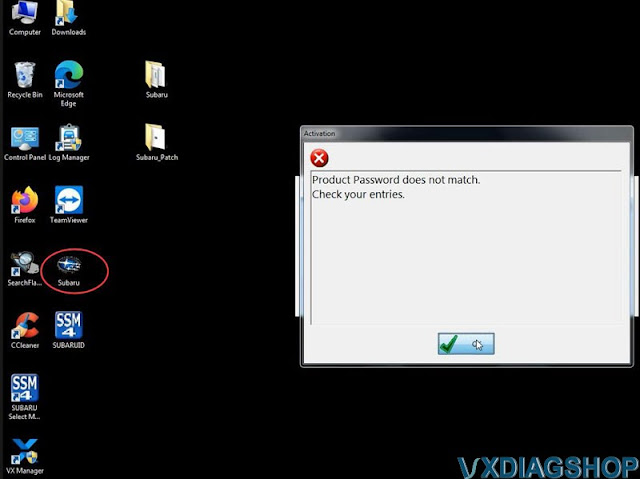
Solution:
Download Subaru patch file here
https://mega.nz/folder/o1sHjK7S#f-SPzsTxU6-ZrEqGmq7ItA
subaruid.exe is included.
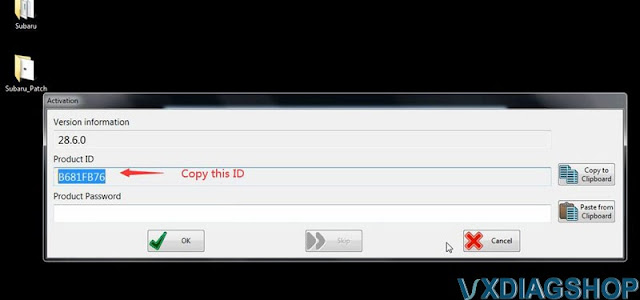
Copy and paste product ID to subaruid.exe
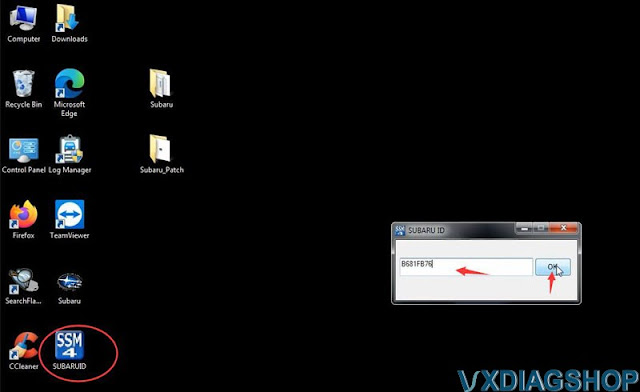
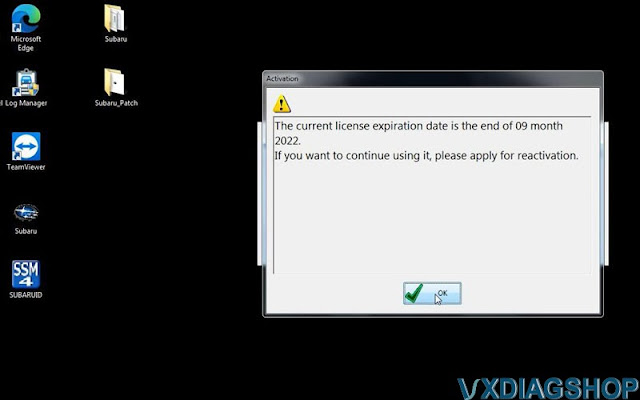
Crack succeeded.
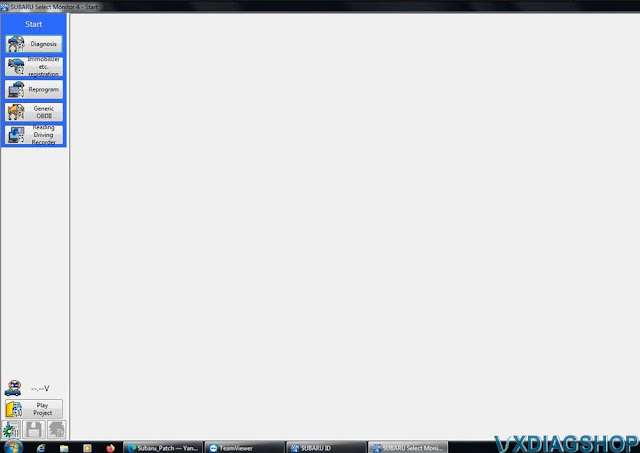
Now Subaru SSM4 software is ready to use.
Read also:
Where to Buy VXDIAG Ford Online Account?
To do Ford online module flashing and immobilizer programming with vxdiag vcx nano Ford or VCX SE Ford, you have to access Ford online account.
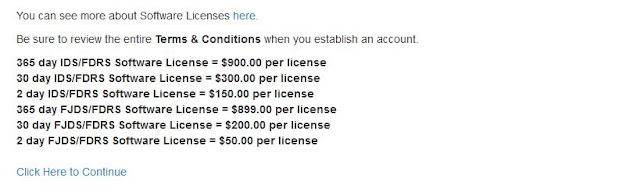
Ford OEM IDS/FJDS/FDRS online subscription is required in this case. We have customers asking where to get the online subscription. Here’s the clue.
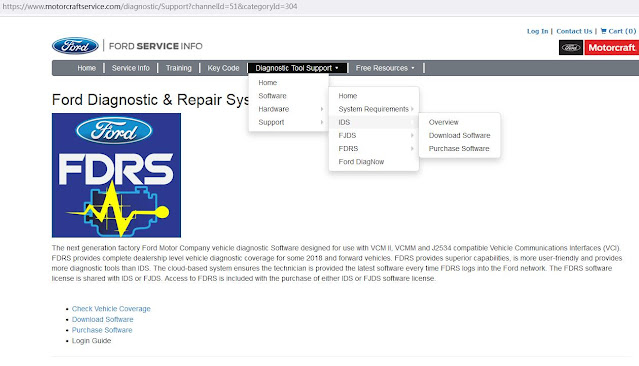
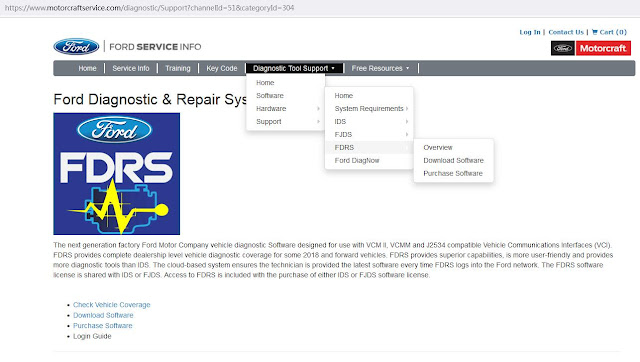
Download and install FDRS software from here. You will need a license to run this software and can be purchased here (2-day FDRS license cost $50)
Download IDS, FJDS, FDRS and purchase online subscription here
https://www.motorcraftservice.com/
| 365 day IDS/FDRS Software License = $900.00 per license |
| 30 day IDS/FDRS Software License = $300.00 per license |
| 2 day IDS/FDRS Software License = $150.00 per license |
| 365 day FJDS/FDRS Software License = $899.00 per license |
| 30 day FJDS/FDRS Software License = $200.00 per license |
| 2 day FJDS/FDRS Software License = $50.00 per license |
Users will get Ford online subscriptions from 3rd party suppliers from forums as well, i.e MHHAUTO.
IDS vs FJDS vs FDRS
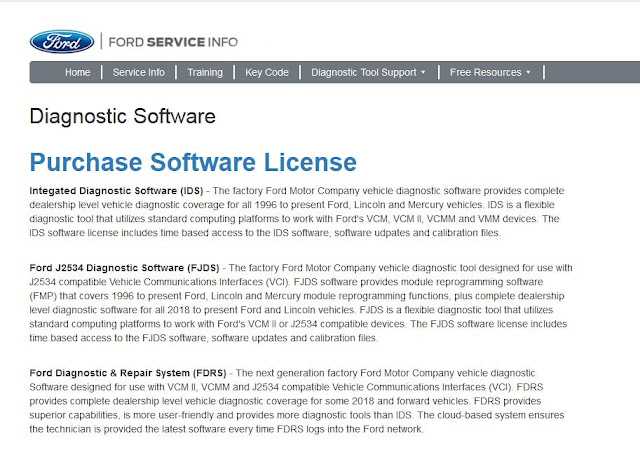
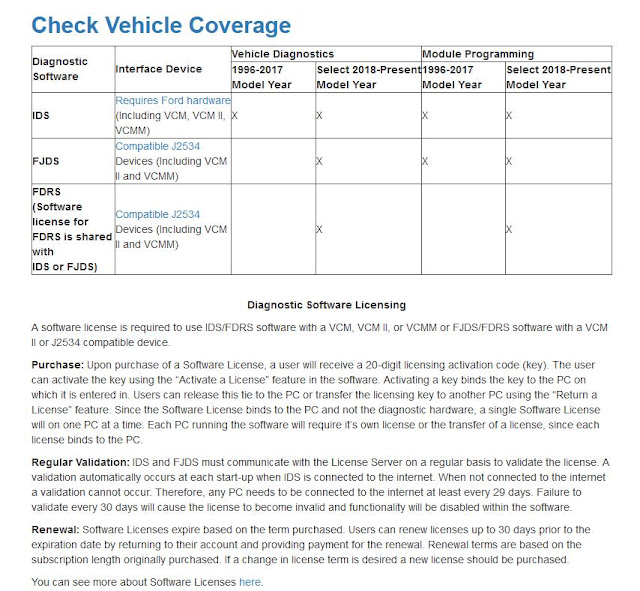
Integated Diagnostic Software (IDS)– The factory Ford Motor Company vehicle diagnostic software provides complete dealership level vehicle diagnostic coverage for all 1996 to present Ford, Lincoln and Mercury vehicles. IDS is a flexible diagnostic tool that utilizes standard computing platforms to work with Ford’s VCM, VCM II, VCMM and VMM devices. The IDS software license includes time based access to the IDS software, software udpates and calibration files.
Ford J2534 Diagnostic Software (FJDS)– The factory Ford Motor Company vehicle diagnostic tool designed for use with J2534 compatible Vehicle Communications Interfaces (VCI). FJDS software provides module reprogramming software (FMP) that covers 1996 to present Ford, Lincoln and Mercury module reprogramming functions, plus complete dealership level diagnostic software for all 2018 to present Ford and Lincoln vehicles. FJDS is a flexible diagnostic tool that utilizes standard computing platforms to work with Ford’s VCM II or J2534 compatible devices. The FJDS software license includes time based access to the FJDS software, software updates and calibration files.
Ford Diagnostic & Repair System (FDRS)– The next generation factory Ford Motor Company vehicle diagnostic Software designed for use with VCM II, VCMM and J2534 compatible Vehicle Communications Interfaces (VCI). FDRS provides complete dealership level vehicle diagnostic coverage for some 2018 and forward vehicles. FDRS provides superior capabilities, is more user-friendly and provides more diagnostic tools than IDS. The cloud-based system ensures the technician is provided the latest software every time FDRS logs into the Ford network.