VXDIAG VCX NANO Review on K-line Lexus
First comes with a review on vxdiag vcx nano Toyota techstream.
“I was able to test it on a 2008 Lexus RX350 and it worked perfectly, instantly communicated with the car and all functions worked. A little disappointing I can’t use the Nano with the LS430. The LS430 is a K line using the ISO 9141 protocol. I wanted to use the Nano because it has a much higher refresh rate for live data monitoring. The Mini VCI cable is too slow, it has a refresh rate of around 8-10 seconds and that doesn’t work for live data.”
We had some other customer reported that vcx nano failed to test on some 2002 2003 Toyota with K-line protocol. The only cable that work fine with old K-line was the mini vci j2534 from Xhorse (firmware 2.0.4). but the cable is discontinued. The Mini vci clone also has bugs in K-line Toyota.
VXDIAG vcx nano works better on 2005 up Toyota models.
Supported Communication Protocols:
- SAE J1850 PWM
- SAE J1850 VPW
- CAN 2.0B ISO 11898
- CAN ISO 15765-4
- Partial K-Line Support
Read more:
Free Download VXDIAG VCX NANO Toyota Techstream V16.20.023 and Patch
How to Set up INPA Ediabas Esys for VXDIAG VCX SE?
VXDIAG VCX SE BMW works well with ISTA+, INPA, ESYS. Some may have trouble with detecton of car using INPA, Ediabas or E-sys with vcx se. Here’re some setting tips.
How to Configure INPA Ediabas E-sys for VCX SE BMW?
Turn on DoIP switch. Ensure the device has connected to car VIN. Always use DOIP to connect no matter what software tool you’re using.
The car can’t be seen without DOIP On. Use ediabas configurator 2.0 / easyconnect / or edit ediabas.ini.

Configure for remote 192.168.8.1 (works for either WiFi or USB). And try to open INPA. I had quite the experience with Tool32 and not INPA but should be the same principles.
If you want to simulate an ENET cable configure any of the above for ENET = 192.168.8.XXX. XXX being your car’s IP address. If you can connect to ista this should show in the connection window.
This should also be a choice I’m e-sys for connect to vin option. When you can connect to ista and e-sys but not one of the main base tools with an error net-009 time out it usually means there’s conflicting programs or tasks running still from other programs.
If nothing works run in command prompt as administrator:
netsh winsock release catalog
ipconfig /release
ipconfig /renew
And restart your computer and unplug all network devices including the vxdiag vcx se for bmw.
VXDAG VCX SE Benz No DoIP Information Solution
Problem:
I have a question with vxdiag vcx se benz doip scanner. I always turn on the DoIP switch before connecting to a Mercedes. Sometimes it does show DoIP and VIN information in DoIP Config interface, sometimes does not. see images comparison below. Any idea how to fix it?
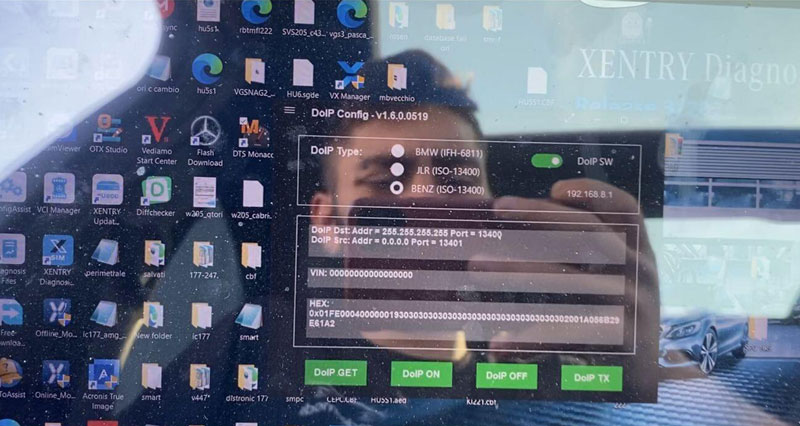
On this car, it shows DoIP information

It shows nothing on another Mercedes.
Solution:
Only when you diagnose DoIP protocol Mercedes Benz, you are required to turn on the DoIP switch. Otherwise, it is not necessary and it won’t display DoIP information.
Can I Program Mazda ABS Module with VXDIAG IDS?
Question:
I’ve got the latest Mazda IDS V123 download resource from vxdiagshop.com. It loads fine with the vxdiag vcx nano Mazda interface. However, i cannot find ABS module under module reprogramming list. Can i program ABS module with Mazda IDS?
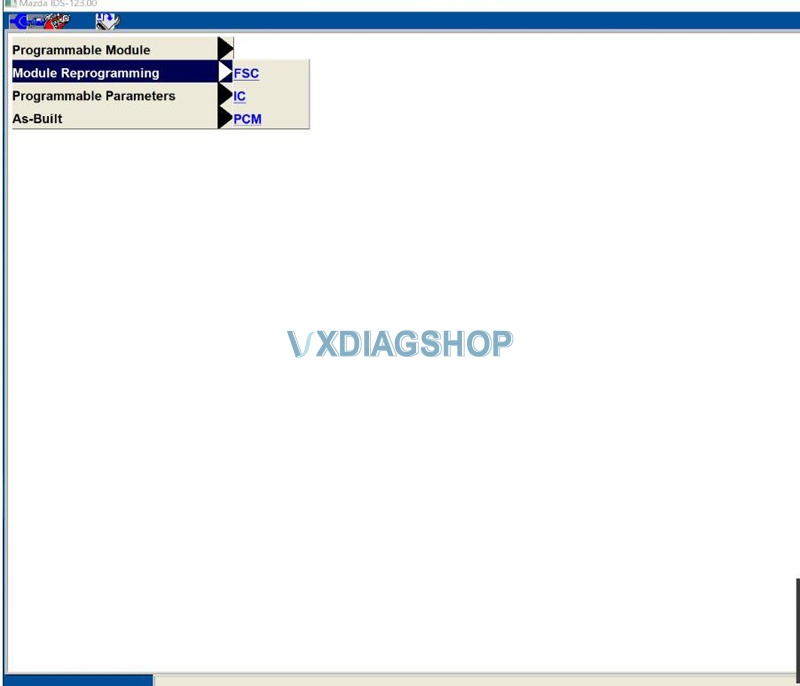

Answer & Solution:
You cannot program ABS module with Mazda IDS. You’ll need MDRS (Ford needs FDRS).
MDRS provides complete dealership level vehicle diagnostic coverage for 2019 and forward vehicles. A software license is required to use MDARS software with a VCM II or J2534 compatible device.
VXDIAG Ford and Mazda IDS V123 Software Free Download
Both Ford and Mazda Integrated Diagnostic Software (IDS) V123 have been tested working fine with allscanner vxdiag Ford/Mazda scanners.
Free Download VXDIAG Ford IDS V123
https://mega.nz/folder/6dwzgaJR#XW2q1xPdbgKV4XtZQqkB0w
Including
FordIDS-123.01_full.exe
VCI_Software_1.0.0.10.exe
VCI Manager (Ford) 20.11.24.exe
Free Download VXDIAG Mazda IDS V123
https://mega.nz/folder/iQp1UACZ#d4ey2cWHmaEMf9n2dTcTAQ
Including
MazdaIDS-123.00.exe
VCI Manager (Mazda) 20.11.24.exe
Free download IDS patch
https://mega.nz/folder/OV4RRC6B#seCWP6UCzOPWEDYlQxZ1iQ
Compatible all vxdiag Ford device: vxdiag vcx nano for Ford/Mazda USB and WiFi, vxdiag vcx pro, vxdiag full , vcm2 clone (using vxdiag solution) etc
Multi-languages: English, German, French, Italian, Dutch, Spanish, Swedish, Finnish, Danish, Norwegian, Portuguese (European) , Portuguese (Brazil)
Operating system: Windows 7, Windows 8, Windows 10
Ford IDS V123 Installation Instruction
1. Install IDS Software
2. Install VCI_Software_1.0.0.10
3. Install VCI Manager(Ford) 20.11.24
Install Ford IDS-123
Wait for the installation of Ford IDS – 123, and restart the computer
Install the Ford original VCI software_ 1.0.0.10.exe
Install VX manager and Ford IDS driver
Wait for VX manager and Ford VCI driver installation to complete
Connect VCX device and install idspatch
Use idspatch to open IDs and start diagnosis.
Mazda IDS V123 Installation Instruction
1. Install mazdaids-123
2. Wait for mazdaids – 123 installation to complete and restart the computer
3. Install VX manager and Ford IDS driver
4. Wait for VX manager and Ford IDS driver installation to complete
5. Connect VCX device and install idspatch
6. Use idspatch to open IDs and start diagnosis.
Note:
1. Ford IDS requires VCI Manager driver, Mazda IDS does not.
2. Ford IDS and Mazda IDS need to be installed on separate systems.
3. Don’t install IDS on Home version windows system