ICOM NANO vs ICOM Next vs VXDIAG BMW
BMW Diagnostic Tool BMW ICOM Next, ICOM NANO or VXDIAG VCX SE BMW ICOM? Check brief comparison below:
1. ICOM Nano
ICOM NANO is the new diagnostic unit for BMW. It's wireless. Very small size.
Support E series with INPA, F series and G series diagnostic with E-sys.
.jpg)
Drawbacks:
Can't connect to a hotspot like ICOM NEXT
Just available alone on a separate Wifi


NcsExpert not connected
only for diagnosing, it risky for programming
F series is Only available for body coding.
After all, there was a reason why ICOM NEXT was expensive.
2. BMW ICOM Next
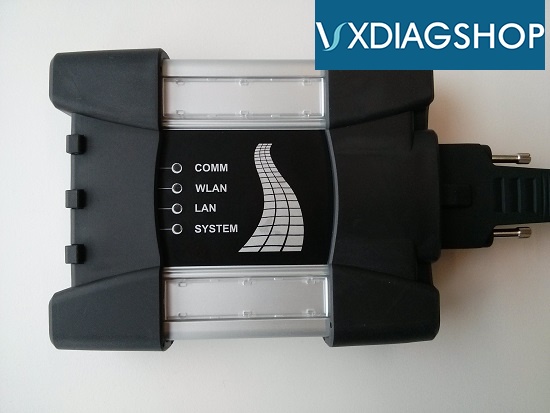
ICOM Next Benefits:
1. Wireless diagnosis connection
2. Ease of use in a shop with multiple
active connections
3. Self-hosted DHCP server for ethernet programming
There are different ICOM next clone multiplexers on the aftermarket. All high-quality ICOM Next clones are discontinued due to a lack of chips. Only the ICOM Next using VXDIAG solution is available. So it is a VXDIAG BMW with ICOM Next case indeed. Let's move to VXDIAG ICOM.

For those with the VCX DoIP:
No need for DHCP server or router, it's build in.
– WiFi, LAN, USB, Type C to USB, DoNET remote multiple connection ways
– Firmware update is available via VXManager.
– For connection with ista-p you need to download BMW ptt driver from VXDiag, start Pass-Thru app in VXManager and emulate by loading dll. Make sure its set to SAEJ2534
– For connection with ista-d you need to set connect via icom/ethernet local
network in ista settings.
If your license is valid you can also use cloud
software
– For connection E-sys sometimes ZGW is not detected on first try, select connect via icom/ethernet tcp://<icom ip adress>:50160 than close connection. Now ZGW is available and connection can be made via vin or gateway url.
We have made a comparison between ICOM Next and VCX SE before:
http://blog.vxdiagshop.com/2021/05/13/vxdiag-vcx-se-bmw-vs-icom-next/
VXDIAG VCX SE BMW Review from Korean
I have an old icom, but it is broken. I recently changed my car to a G body.
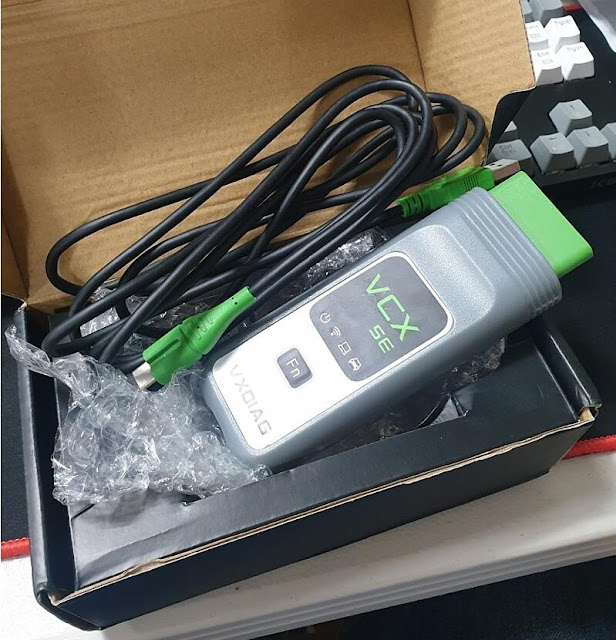
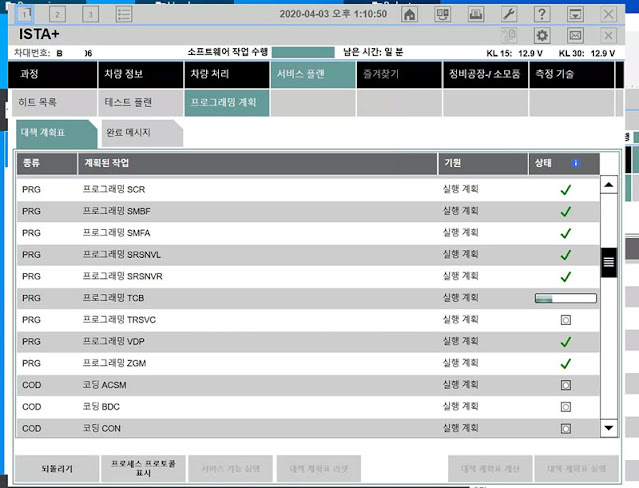
When I took it out after a while, the version was upgraded a lot.
I connected both the E-series vehicle and the G-series vehicles.
How to Flash Benz ME97 ECU with VXDIAG DTS Monaco?
VXDIAG tutorial: Mercedes Benz W211 ME97 engine ECU flash programming with VXDIAG VCX DoIP (VCX SE Benz or Benz C6 DoIP) and DTS Monaco.
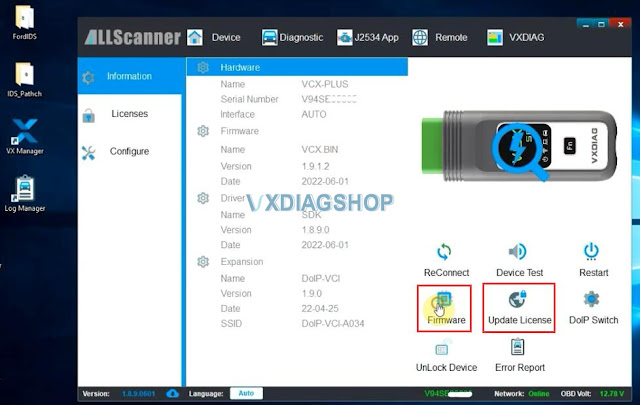
1. Connect VXDIAG Benz VCI with laptop and vehicle (or engine), run VX Manager, check device status.
Update firmware and license to the latest version.
2. Run DTS Monaco software on desktop, Open a workspace
3. Select vehicle chassis and device.
If DTS ask for an upgrade, press No.
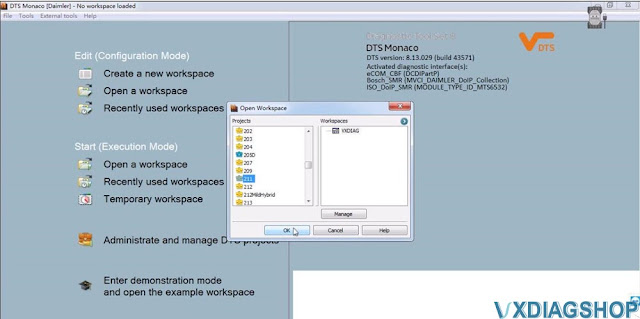
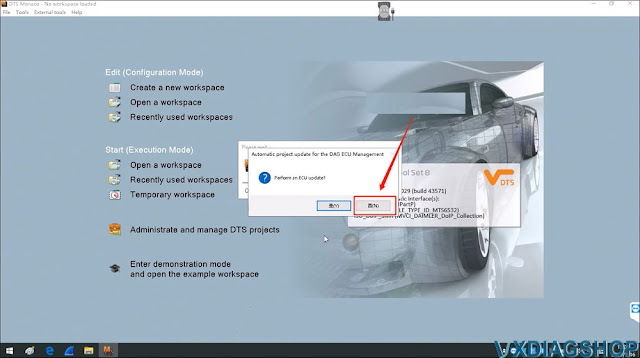
4. Click "Start" button to scan all modules
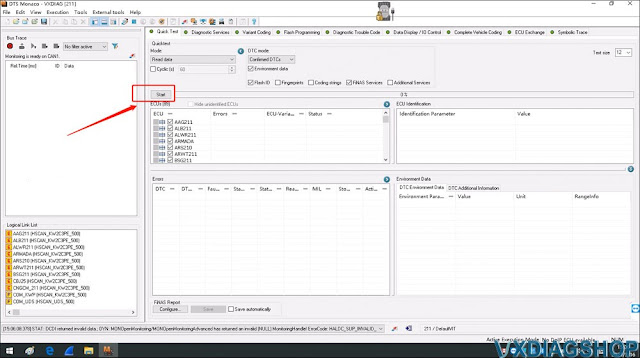
5. Select ME97 module
6. Select "Flash Programming"-> "ME97(HSCAN_KW2C3PE_500). Bootmode"
Then press "Temporarily add flash data"

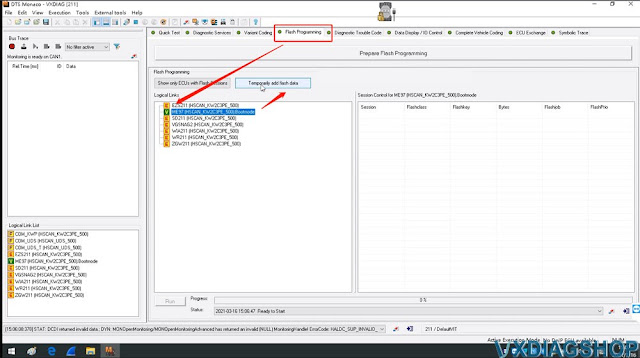
7. Then select the ME97 flash data file
(Some CFF files are included in the C:/DTSProjects folder, you need to find files yourself if not included)
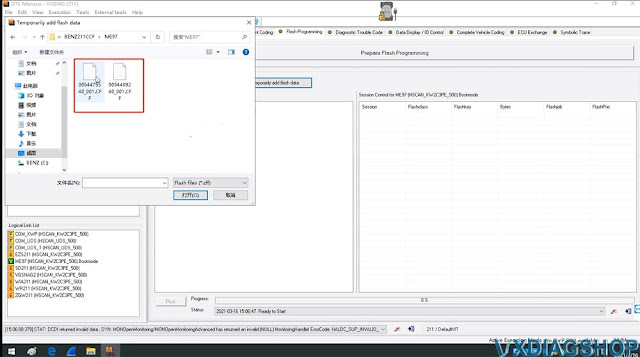
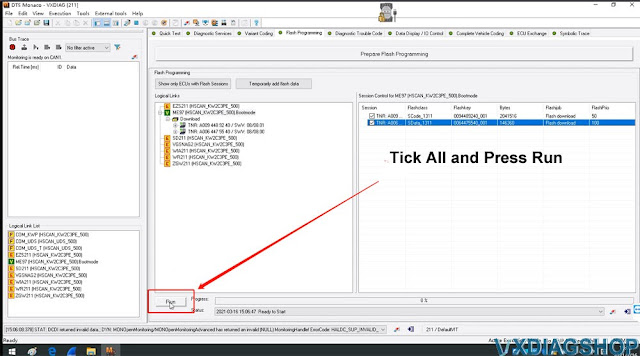
8. Tick All TNR options from Session Control window
Then select "Run"
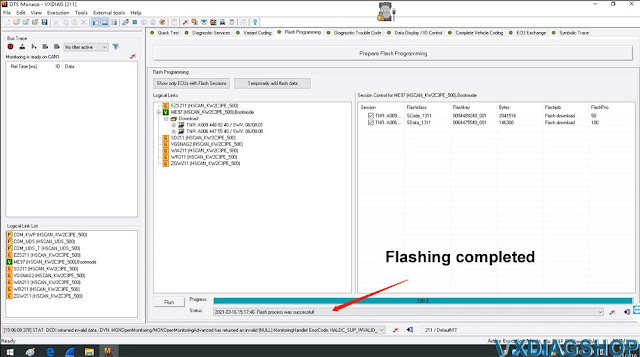
9. Programming in process. Wait until completed.

10. After the programming process completing, back to "Diagnostic Service" tag
Select "ME97(HSCAN_KW2C3PE_500)"(It have updated)
Click "Read ID", then you can get process value:
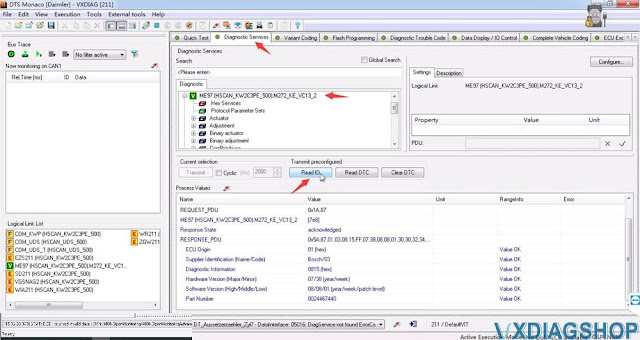
Done!
[Solution] Conflict between router IP address and VXDIAG device
VXDIAG Tutorial: how to change IP address for vxdiag vcx doip diagnostic tools (VCX SE & Multi Tool series).
When you need change IP address as following?
After the VCX-DoIP device is connected to the vehicle, it is equivalent to a
vehicle gateway device, and the gateway IP address of the device itself is
192.168.8.1 by default.
During the DoNet remote diagnosis, the
device needs to be connected to the user router. In some cases, the router IP
address may conflict with the VCX DoIP IP address. In this case, the gateway IP
of the VCX device can be modified. This blog describes how to modify the IP
address of the VCX-DoIP.
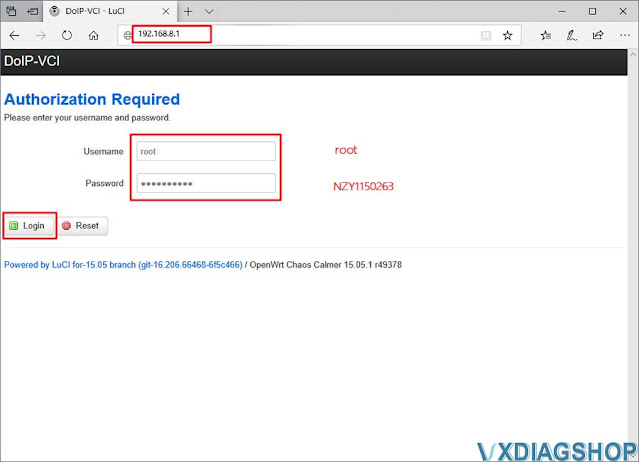
1. Open the browser, go to 192.168.8.1, and login with user name and password
User name: root
Password: NZY1150263
2. Go to Network tab-> Interface
Press LAN Network and [Edit]

3.
Change IPv4 address to 192.168.8.1 , press [Save & Apply]

4.
After change the device IP address, you must also change the connection configuration of the VX Manager driver. Open [Device Configuration], select [LAN], make sure VCX-DoIP device has connected and modify the IP address to be consistent with the device IP, click [Save]

The corresponding IP address also needs to be changed when using other connection methods such as WLAN / USBLAN.
VXDIAG VCX SE JLR DoIP vs JLR Mangoose Cable
Jaguar and Land rover diagnstic tool VXDIAG VCX SE and Mangoose Pro which one is better?
First of all, check a table comparison between Mangoose cable and VCX SE
|
|
JLR Mangoose Pro/SDD |
|
|
Image |
|
|
|
Currect SDD version |
V162 |
V162 |
|
DoIP compatible |
No |
Yes |
|
Pathfinder |
No |
Yes |
|
Software Update |
By link |
SDD by link, Pathfinder by HDD |
|
Connection |
USB only |
USB, WiFi, WLAN, Type C to USB, DoNET |
|
Vehicle coverage |
2005-2017 |
SDD 2015-2017, Pathfinder 2017- |
|
Firmware updatable |
No |
Yes |
|
Diagnosis |
Yes |
Yes |
|
Programming |
No |
Yes with online account |
|
Operating system |
WinXP, Win7, Win10 nee luck |
Win7, Win8 and Win10 |
|
Edit CCF |
No |
Yes |
|
J2534 compatibility |
No |
Can be used as J2534 Passthru for other brands |
|
Brand |
Jaguar Land rover |
Jaguar Land rover Optional addons- GM Ford Mazda Porsche Volvo Subaru Benz BMW Toyota Honda |

In a nutshell, mangoose cable (the mongoose cable) is dangerous for reprograming. It will not properly program moeule nor program keys. But it is recommended and stable version for JLR beginners or DIYers.
If you are working on a MY18+ vehicle then you will need a suitable interface either the JLR Bosch DOIP or VCX SE DoIP VCI. VCX SE is the approved j2534 interface that allows you to do online programming via online account. It can also be used as a J2534 passthru device for OEM diagnostic program ODIS, techstream , Xentry passthru etc.
After connecting vxdiag vcx se to your PC, run vx manager, connect to the Internet, and press 'Update License' and 'Update Firmware' to update it to be able to use it normally in ISTA.