VXDIAG VCX NANO GM C6 Corvette Review
Here comes the new VXDIAG VCX NANO GM GDS2/Tech2win review on Camaro Z28 and C6 Corvette.
Hooked it up, asked it to pull the vin from the car – which it did – proving a connection so went for it! Steering lock software removed forever yay!!
The VCX Nano GM was $119 and VIN subscription for $40, happy days.
- When using GDS2, you have to use MDI2 as the interface (not VXDIAG).
- When using SPS, select VXDIAG as the J-2534 passthru device. Run IE as Administrator to browse acdelcotds.com. Install only the J-2534 wrapper component when prompted (don't want to overwrite vxdiag's MDI software).
- Even if you're only using Tech2Win, you probably have to use the MDI setup from their GDS2 package.
VXDIAG VCX NANO Toyota vs Carista
The Carista and the VXDiag VCX NANO Toyota (Techstream) are the cheapest scanners for Toyota including TPMS reset.
For anyone else pondering which equipment to get:
Carista: cheap, quick to get, effective for TPMS and other MIL-triggering diagnostics, on Toyotas and other vehicles. No ability to get real-time TPMS data. part of the functionality is free and part of it is paid. When you "purchase" the program, you purchase a year, with monthly charges automatically applied. They give you the first month for free.
Carista only does basic OBDII readouts for older vehicles (like 2002 Toyota/Lexus models).
Carista will not work on lexus SC. But it works well on LS series. Carista for 10-19 models won't do TPMS settings.
No EV or HV miles driven, no total kWh charged, no emissions data/calculations (Toyota Europe), no daily/monthly EV and HV data (Prius Prime) available in Carista Beta app (till now).
Techstream with VCX Nano: looks more robust. can be finicky to set up, but once it is, incredibly powerful tool that goes way beyond TPMS functionality. Note the Mini VCI will not do live engine/transmission data nor program TPMS IDs, though it generally can read and reset MILs.
You are able to do customary seat belt alarm turn off, TSB update, and have cleared ECU/TCU memory (vehicle will need to learn trims/transmission learning again, takes some driving) with techstream. There are logging capabilities, DTC reading and clearing, PIDS to monitor.
Autel: convenient but not at all versatile. You'll need to spend more money on other tools to do basic diagnostics.
Summary:
Tech stream is probably better if you want to get into serious levels of
servicing.
but for just basic customizing might be
better with carista.
its cheaper and easier to use.
Free Download VXDIAG VCX NANO Renault CLIP V219
Allscanner rolls out the new VXDIAG VCX NANO for Renault with CLIP V219 software in Oct. 2022. It is the only vxdiag device for Renault Now.
For Renault from 2005 to present
Software V219
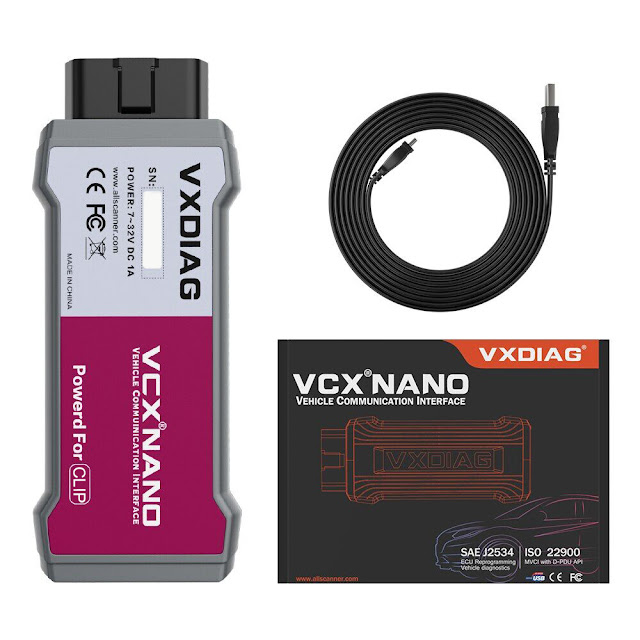
Free download VXDIAG VCX NANO Renault V219
Operating system: Windows 10 (free to test other operating systems)
Software including:
CLIP V219 software
Install Fix
Renault VCI driver
Renault Bosch driver
Register keygen

How to Install VXDIAG VCX NANO Renault V219 on Win10?
1. Run Install Fix
2. Install CLIP
3. Install Bosch Driver
4.
Install VCI Driver
5. Registration CLIP
1. Run Renault CLIP Install Fix
Merge CLIP successfully
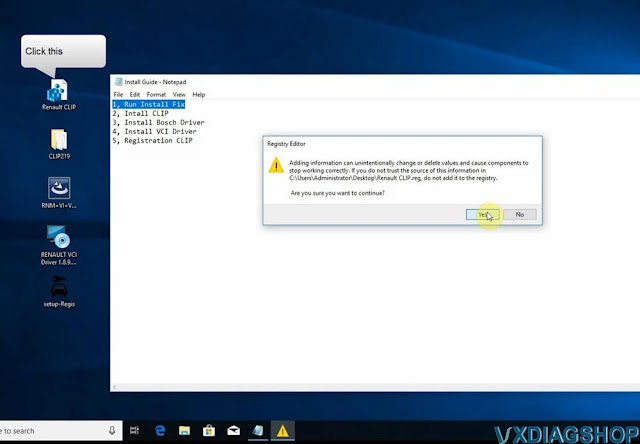
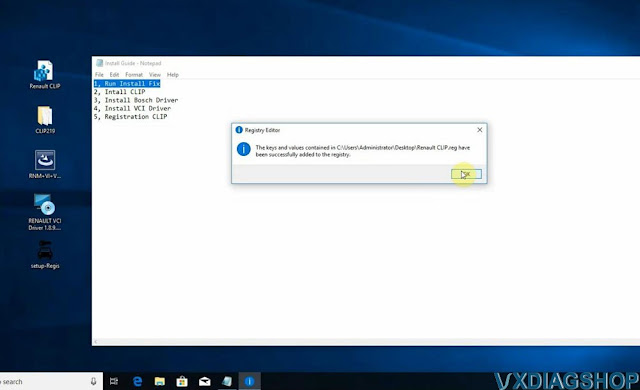
2. Install CLIP setup
Open CLIP219 folder
Install setup.exe

Accept license agreement
Select region

Select Language
Finish installing setup
The platform will restart automatically
Install NET framework 3.5

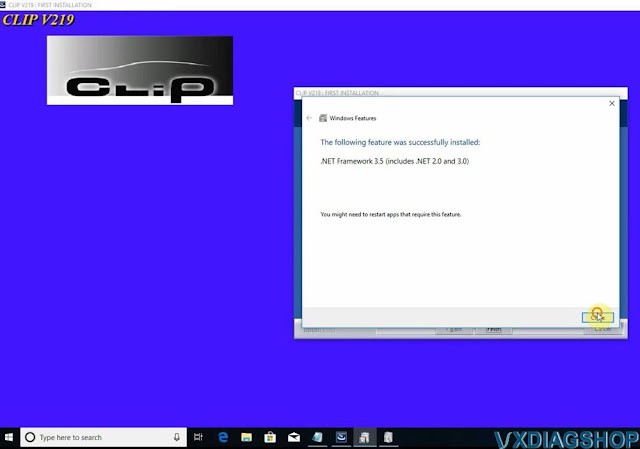
Finish first installaiton.

3. Install Bosch driver
Run RNM VI Bosch driver and install it

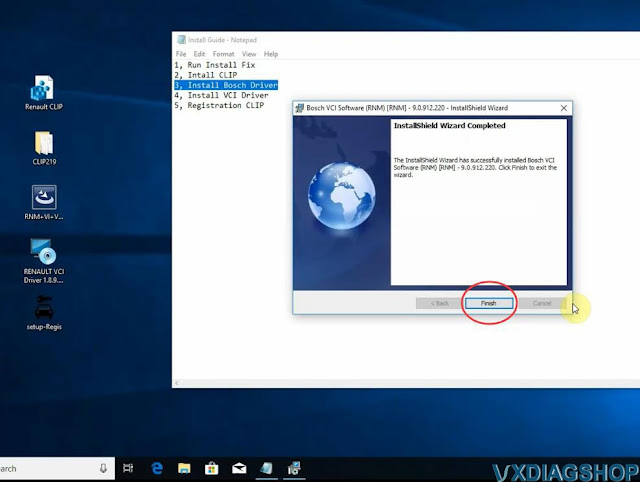
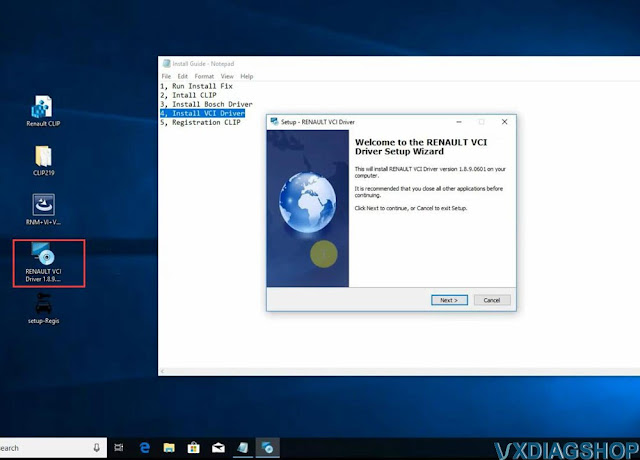
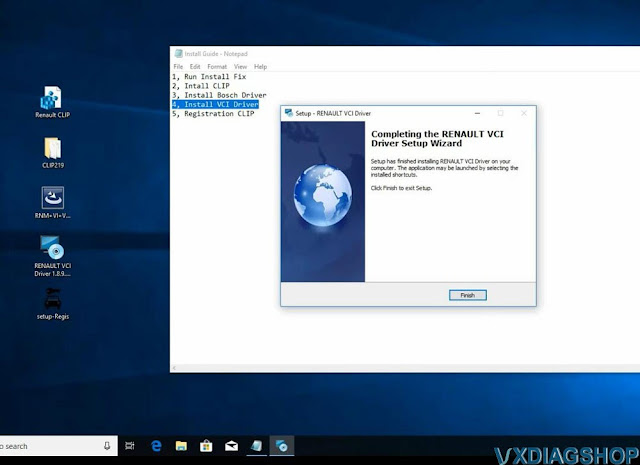
4. Install VCI Driver
Install Renault VCI Driver 1.8.9
5. Register CLIP
Run CLIP software on desktop
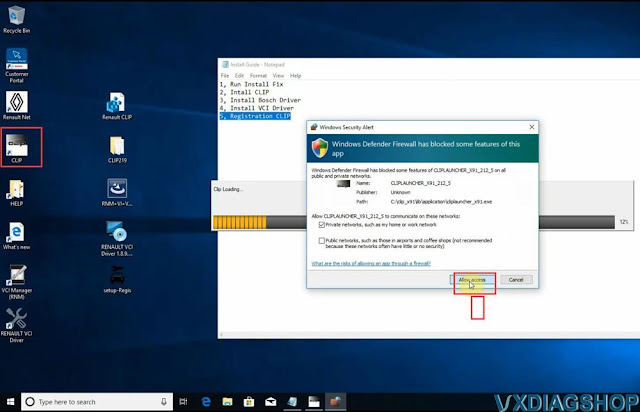
Allow window security alert
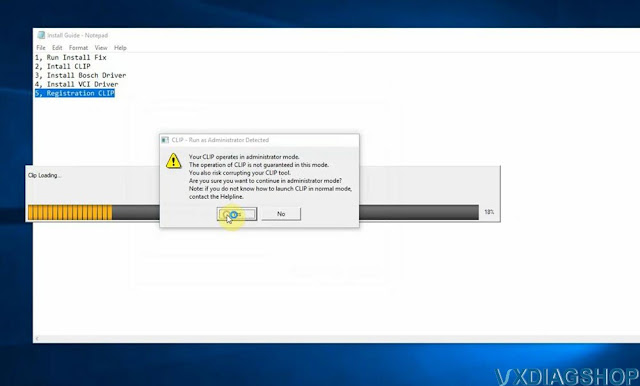
Press Yes to run as Administrator
CLIP will ask for registration
Tick accept the license contract
Press Register me now

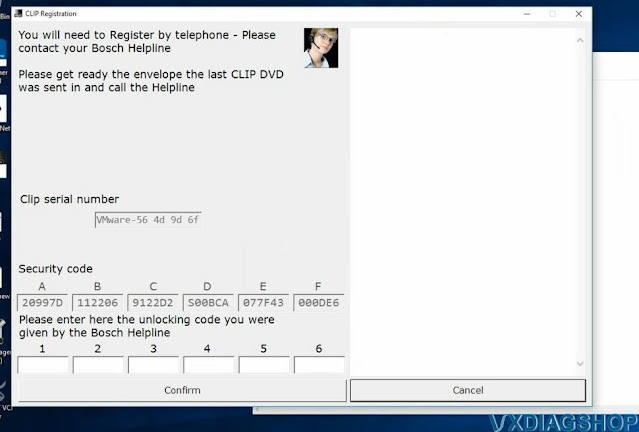
Then run setup-Regis file on the desktop

Press Generate key (Manual)
Then paste the register
key to CLIP and Confirm

Registration successfully
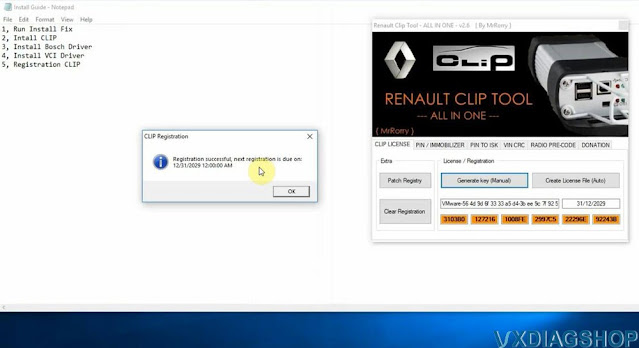
Restart computer
Run VXDIAG VCX NANO Renault CLIP software on desktop

Software is ready to use.
https://www.vxdiagshop.com/service/install-and-register-vxdiag-vcx-nano-renault-software.html
Ford F150 DRL Coding by VXDIAG and Forscan
The other day I messed around with Forscan on the F150 for the first time in a while, and it went well, so I got excited and started coding my own car.
I drove about 1,600km in America last year, and quite a few cars had DRL
on.
I wasn't really interested in it until now, but I thought I'd try
something a little more American.
I connected VXDIAG VCX NANO Ford interface.
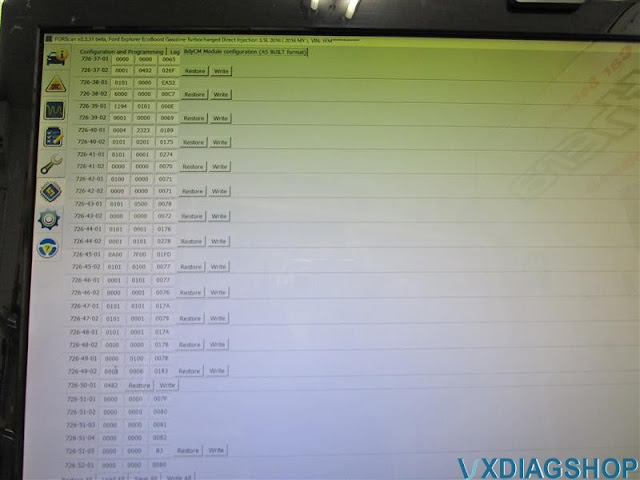
Forscan updated to the 2.3.31 when I was busy with coding last time, there were almost no menus, and I accessed and changed the address by myself, calculated the checksum, and entered it, but now, as you can see, there are as many items as you can see. You may not need to access the address anymore!!

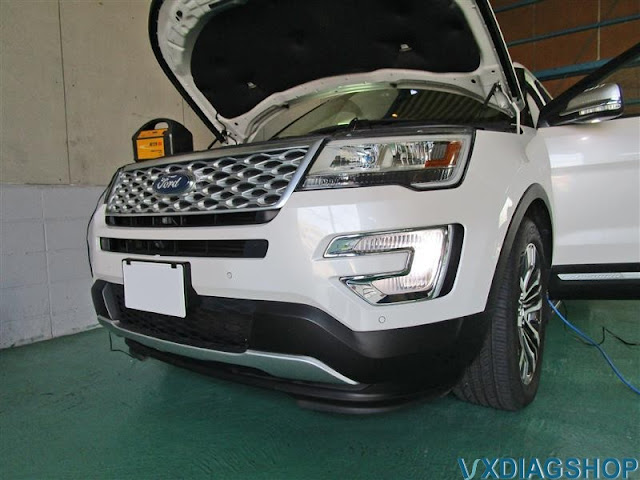
I referred to various articles. This is the Dedicated DRL setting ON state. the high beam is dimmed.

This is the high beam setting. I think it's definitely brighter. I think the high beam setting is cool, but I don't want the reflector to burn or get dull if I leave it on without halogen, so I decided not to.

blinker setting. This is very cool!! The turn signals attached to the door mirrors do not light up, only the front lights up. In this state, when the blinker was issued, it flashed, and the other side remained lit. I wish the other side would disappear. There were A and B in the item "DRL conditions", but there was no change even if I changed it.
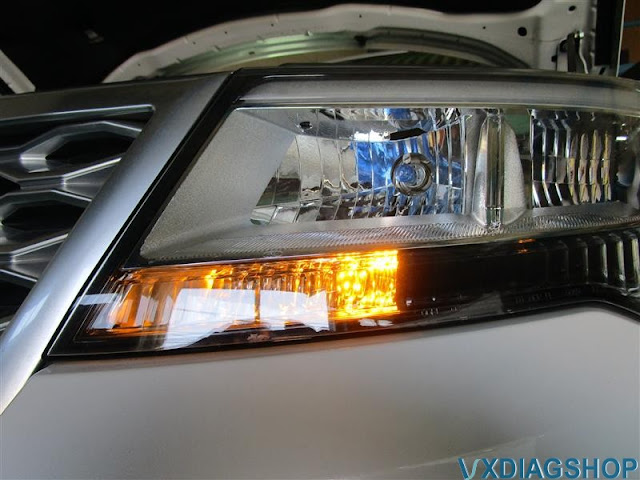
I ended up setting it to fog lights.
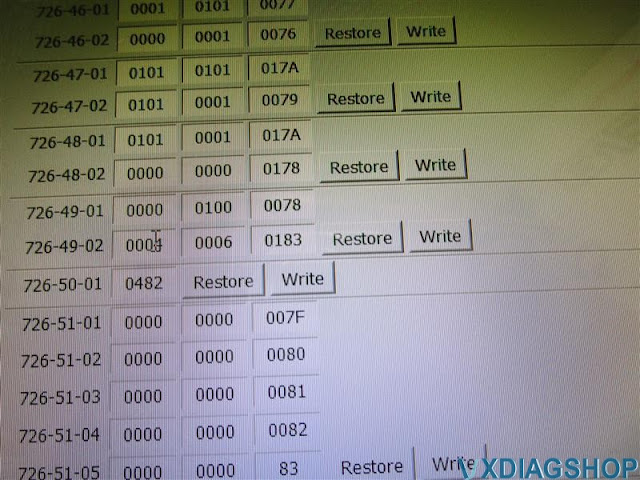
I changed it from the menu, but the address has been changed properly (naturally).
The lights in the pit would turn on the auto lights, so I used a fluorescent light for the sensor of the auto lights. By the way, if it was an LED work light, no matter how much I applied it, it was useless.

VXDIAG Toyota Techstream V16 Win10 Review
Here is the VXDIAG VCX NANO Toyota Techstream unbiased review from one of our Japanese customers.

I put win10 32bit in an old HP computer and reused it as a diagnostic machine.
Along with that, the new GTS machine-vxdiag vcx nano toyota scan tool is
purchased. I prefer software v16.
Thank you to those who have developed
it.


You can open and close the window with the smart key button. Why is this customizable? It would be nice to have settings from the beginning.

