VXDIAG Tested Working with J2534 Hyundai Kia
VXDIAG VCX SE was tested working as a passthru device for US J2534 Hyundai/Kia software. Here's the review from Mr. Nick Mayer.
"Just for your info vxdiag vcx se interface works no problem with J2534
Hyundai/Kia usa market
2018-2023.
https://www.hyundaitechinfo.com/
https://www.kiatechinfo.snapon.com/default.aspx
Software work with vxdiag programming and diagnostic 2018 ad passthru.
2019 KIA rio EOL CODING out tpms ( Variant Coding) is done with vxdiag. I remove tpms completely from the car.
Also bitbox, alexflasher, gromcalc so far i checked and it worked."
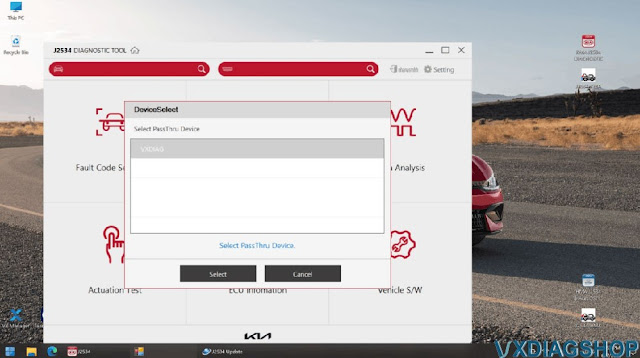


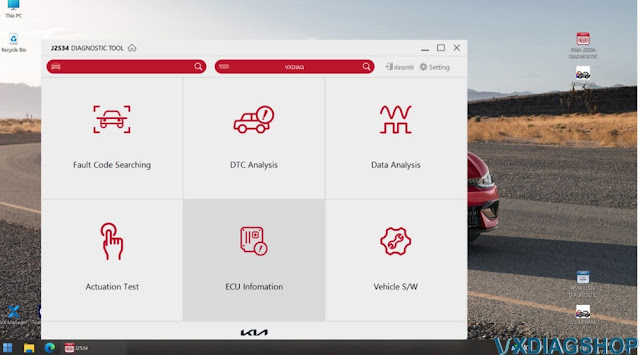

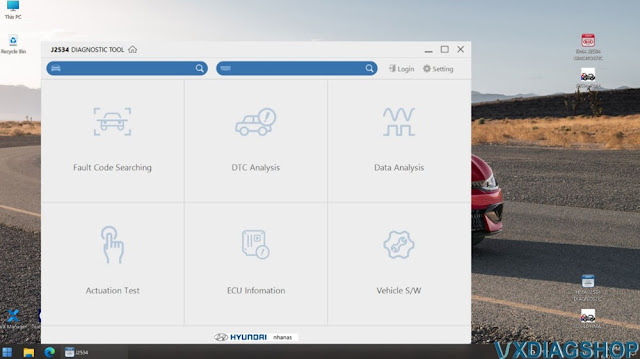
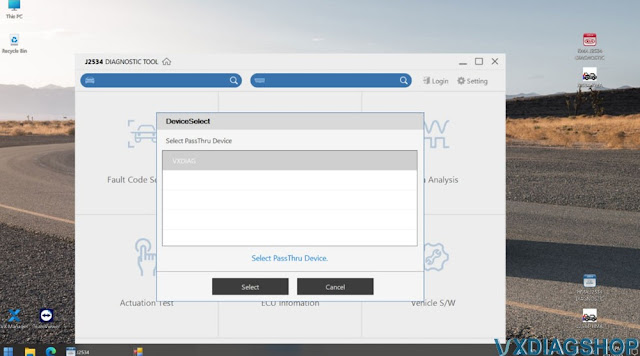

Hyundai/Kia J2534 Diagnostic Tool Software:
The Hyundai/Kia J2534 Diagnostic Tool software is available for use on 2018 model year and newer Hyundai/Kia vehicles sold in the United States market. Utilizing Hyundai's/Kia's J2534 Diagnostic Tool software to diagnosis Hyundai/Kia vehicles requires a current paid J2534 Diagnostic Tool subscription and a compatible SAE J2534-1/2 compliant pass-thru vehicle communication interface (VCI) device.
Solve VXDIAG Benz Xentry W213 License Error C003
Problem:
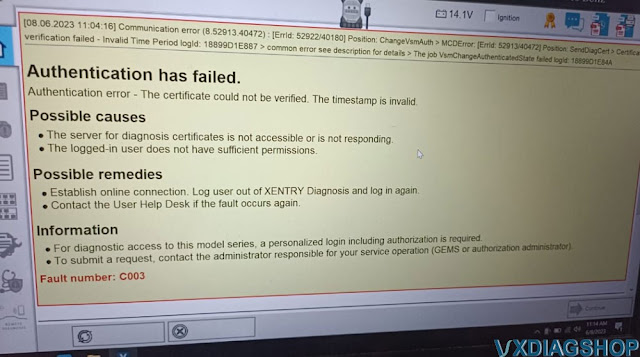
I got the Xentry W223 W206 W213 W167 Software ZenZefi License activated to my vxdiag vcx se benz 2022.12 xentry. When I tried to diagnose a W213, it said authentication has failed and gave fault number C003.
How to fix it?

Solution:
C003 error indicates there is a problem with software.
Download asam.vsm.gmf file

Copy and replace this file in C:\"Program Files (x86)"\Mercedes-Benz\Xentry\Kontexte\Allgemeine_Ablaeufe\Fahrzeug-Kommunikation folder.
Problem solved.


If still not working, contact vxdiagshop.com via teamviewer if get the license from us.
Activate Renault License to VXDIAG VCX SE & VCX Plus
Good news!!! Renault software license now can be activated on the VXDIAG VCX SE and VCX Plus series devices.
If you don't need a brand new vcx nano Renault, then activate the Renault software license to your existing device.
Renault license activation
https://www.vxdiagshop.com/wholesale/vxdiag-authorization-license-renault.html
Available for VCX SE V94SE****, VCX Multi V52XP****, V71XN****, V81XD****,
V83XD****, V94XD*****
Free download Renault Clip V219 software.
After get license activated, don't forget to install the Renault driver in vx manager.
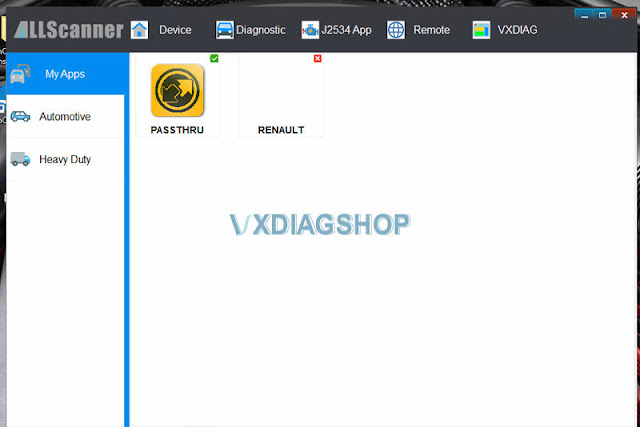
If your device serial number belongs to NANO series (SN: N52VA***, N52FM***, N52JL***, N52GM***,N52TL***, N52VV***, N52VA***, NCA*****), or VCX SE with S94BM*** or S94JL***, then DO NOT support adding extra license.
VXDIAG VCX SE JLR Pros and Cons
Here comes a similar question:
"I'm new to the world of JLR and looking for some advice on diagnostics and programming. I currently have a 2017 XF R-sport (Falls under the 2018 year group however) which means I will need to use the newer pathfinder software. Is there any cheap / clone versions are as all I can seem to find are all > £300 in price!"
Solution:
The VXDIAG VCX SE for JLR appears to support Pathfinder.
You can get a preinstalled on a HDD for $69.
It works great when use for diagnostics. All works apart from seems to have no access to topix.

Pros & Cons of the VCX SE JLR
Pros:
- Supports USB, WiFi and WLAN and DoNET connection
- Compatible both SDD and Pathfidnre for new and old JLR
- Allow being added with more car brands license to the device
- Supports DoIP protocol
- fully diagnose any potential issues.
- Able to change CCF
- can be used as passthru device with OEM software
- affordable
Cons:
- cannot access Topix to do online programming (JLR officially banned 3rd party devices, so it is not the device issue)
- software installation is challenging
Mini VCI or VXDIAG VCX NANO for Toyota VGRS System?
Mini VCI or VXDIAG VCX NANO Toyota which is a better cable to connect Toyota/Lexus VGRS* system?
Here is the customer review.
I have a Lexus 2004 gx470. It has the VGRS steering warning on the dashboard. It previously had another warning related to the VSC and my service told to clear that fault by doing a wheel alignment and resetting/clearing some codes with techstream software.
I have been reading through the threads on the VGRS issues and had downloaded Techstream to do a steering angle adjust.
I purchased the mini vci cable off of Amazon and am running version 1.4.8 and techstream 16.000.07. In the yellow settings I'm not getting a VGRS option, There is no vgrs tab for me to open is the problem, I have the abs/vac/trac and that's it. I'm trying to recenter the steering wheel. Have read on the forum where the steering angle adjustment is in the vgrs tab.
Do i need a new version on this? So I was able to upgrade my techstream to version 18, still not able to access the VGRS system on the vehicle. I've read where it can be related to the cable. Not sure on that end.
Then i get the vxdiag vcx nano toyota cable and download techstream v18 on vxdiagshop.com site. I see there is a VGRS section, then click on utility on the left to get adjustment menu.
I thought it was a cable issue.
VGRS*
VGRS= (Variable Gear Ratio Steering) System
VGRS which variably controls
the steering angle in accordance with the driving speed, has been adopted as
optional equipment on the model for Europe.
This system is controlled by the
VGRS ECU, which operates the VGRS actuator that is mounted on the steering
intermediate shaft. The operating angle of the actuator is thus added to the
steering angle of the intermediate shaft in order to vary the turning angle of
the front wheels in accordance with the vehicle speed.
The VGRS ECU is
equipped with a diagnosis function and a fail-safe function.