VXDIAG VCX NANO Techstream Add New Key to 2018 Lexus LX

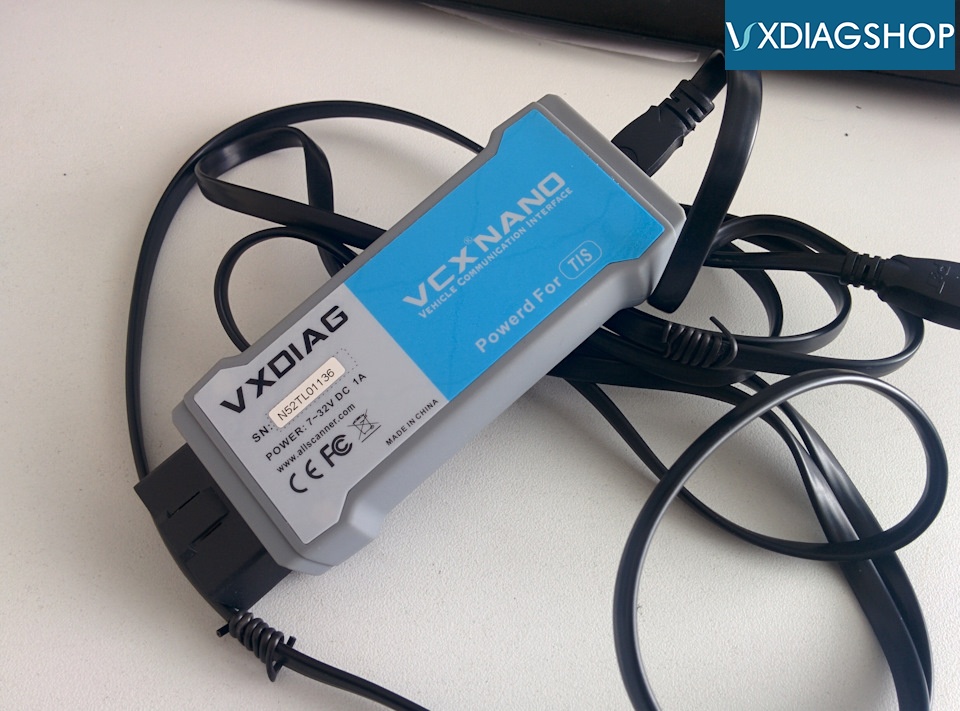
Have 2018 Lexus LX to program a new credit card key, VXDIAG VCX Nano for Toyota works great as I and others have confirmed, it comes with a hacked copy of techstream. Programs keys, tpms, etc. no problem….


vxdiag-vcx-nano-techstream-1

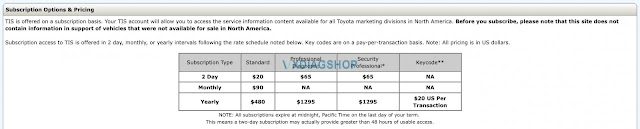
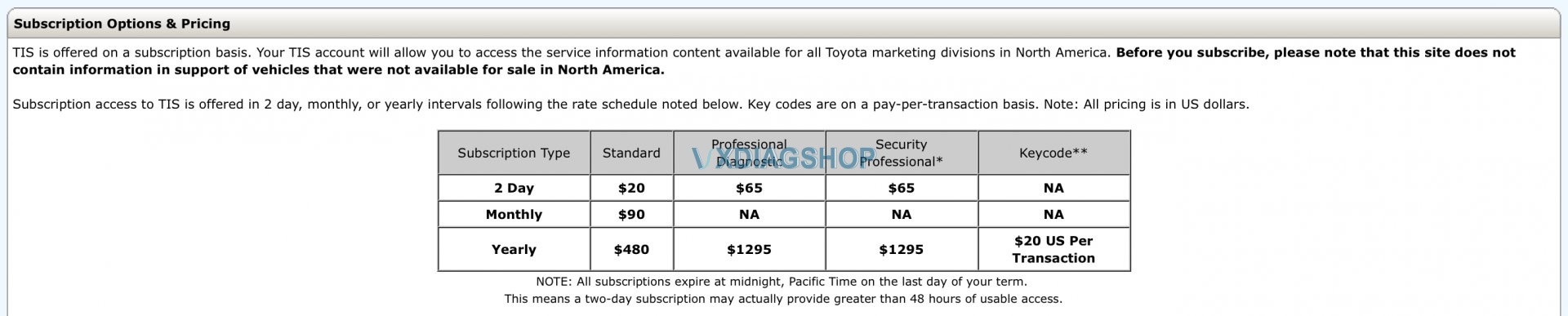
Access to the TIS (online service manual) is required:
vxdiag-vcx-nano-techstream-2 key programming


To program keys that the Standard subscription won’t work and that the “Professional“ version is required. The cost for a 2 day access to find out isn’t all that much. I’ll likely try to program other things too while I’m at it.


By the way, with a Professional subscription, there’s access to something that sounded interesting when I checked it out last night. Here’s a quote from the same page the table above came from. “ Professional Subscribers receive complimentary access to Identifix Direct-Hit for Toyota “ Sound like some kind of knowledge base where professional mechanic, whatever that means, share repair and troubleshooting info/stories. Not knocking the help great members here share when someone is looking for answers, but methinks this Identifix thing might be helpful.


Windows XP or Windows 7 or Windows 10?

Windows XP or Windows 7 or Windows 10 are all okay.


Windows 10: most preferred. 

Review 1.

I run Techstream on a Microsoft Surface tablet and 64-bit Win 10 operating system.

And to be clear, the TIS referenced length of subscriptions is access to the online factory service manual. It does not come with Techstream or the OBDII to computer cable.


Review 2.

I run it on windows 10 on a bootcamp
partition and in a Parallels virtual machine on a MacBook.


Question: What happens to Techstream Lite once the first year is up? Need to renew every year or do you ”own” it after the initial purchase?


Answer: It has to be renewed. That is the big advantage of the “alternate” method. They seem to have broken the time limit. The advantage of the “official” method is that it is supposed to run faster.

One more caveat not germane to 2021 or earlier Toyota/Lexus products. Toyota says that future models will not run using the existing computer cables – their product up until (?? Date), or the existing aftermarket versions. My sources imply the future version of Techstream cable connection (in the USA) is being outsourced exclusively through Snap-On Tools (Usually means $$$$). Probably something to do with the new EV models coming out.


VX Manager ” 60 days left” Solution

VX Manager says that the upgrade was successful (60 days left), Techstream still shows that the subscription is expired.


Solution: Sounds like the patch is not getting installed correctly. Try installing the patch with antivirus off. Then open the patch executable file also w antivirus off.
The patch hacks the techstream to have no expiration.


Finally!

I was fortunate that the original installation went very smoothly, based on what I was able to find online. Not everything online was helpful, however, and “solutions“ to “expired“ s/w didn’t take into account my situation, namely how this is supposed to work (how to start Techstream).


I finally realized that I need to run Toyota Launcher instead of simply starting Techstream.

So….success!


Best source of VXDIAG VCX Nano for Toyota:

https://www.vxdiagshop.com/wholesale/vxdiag-vcx-nano-for-toyota-wifi-version.html
VXDIAG Subaru SSM3 and SSM4 Change Language Guide

Both VXDIAG Subaru SSM3 and SSM4 software come with multi-language.  Here’s the tip to change 2020 version SSM4 language.


SSM3 Language: English, German, Spanish, French, Italian
SSM4 Language: English, Japanese, French, German, Spanish, Italian, Russian, Chinese, Polish


Change Subaru SSM3 language:

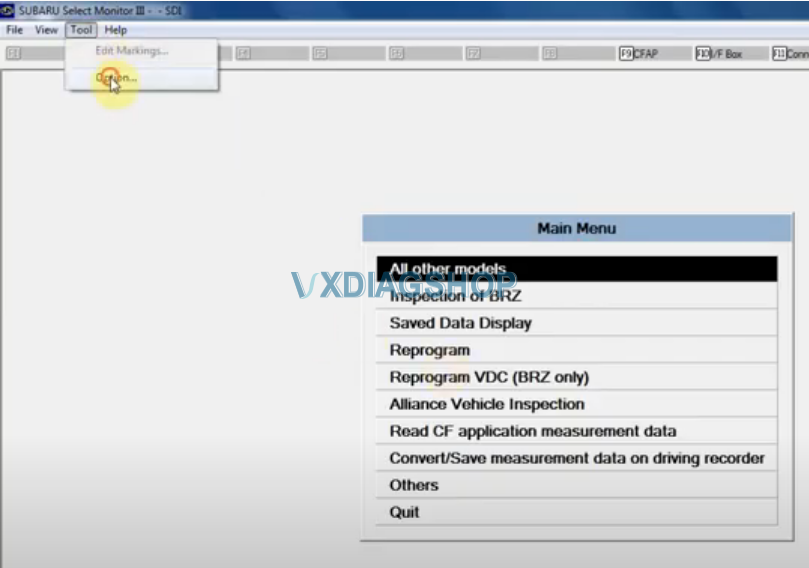
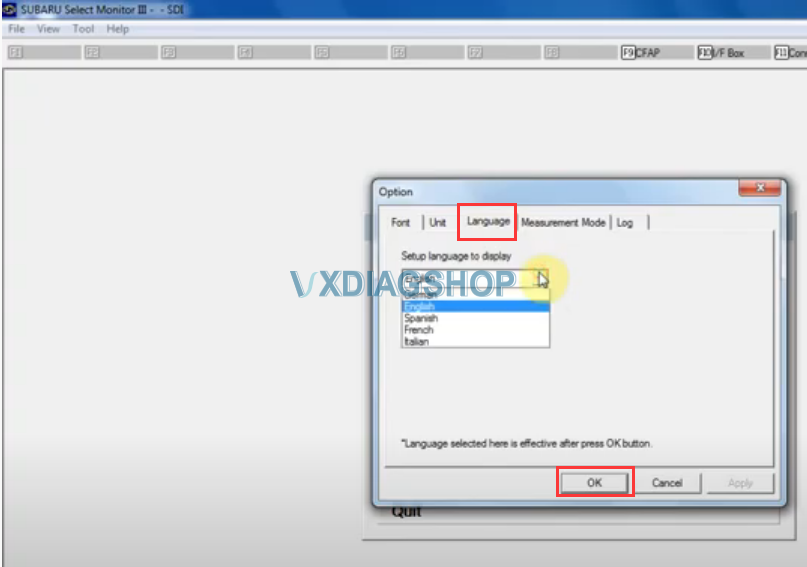
Run SSM3, go to Tool tab- Option – Language, select language desired, and save.

change-ssm3-language-1

change-ssm3-language-2

Change Subaru SSM4 language: 

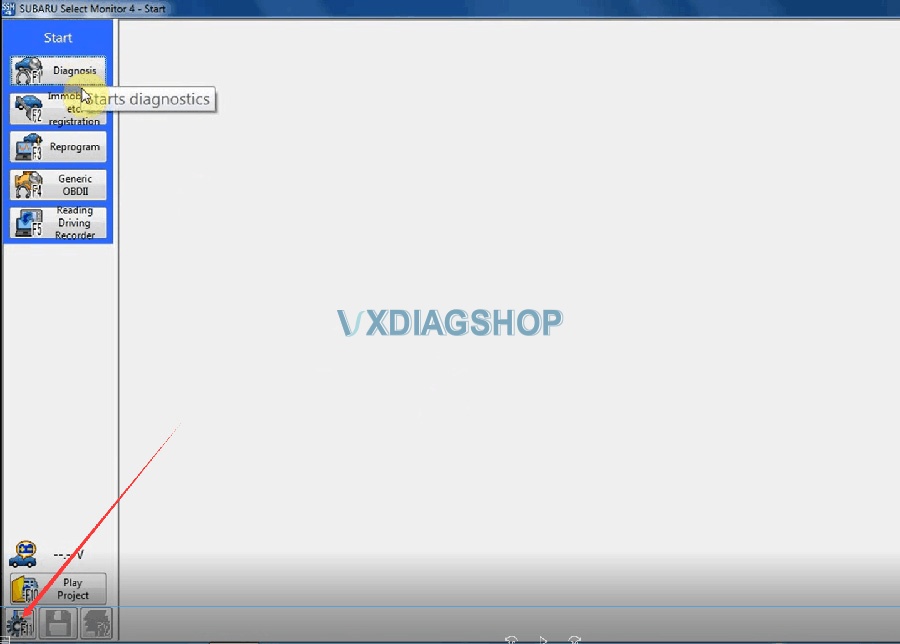
Run SSM4, press Setting icon the on bottom left

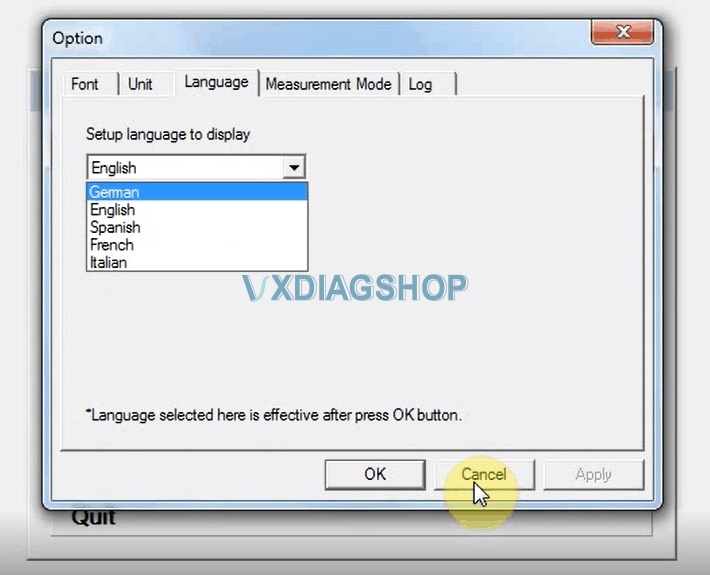
Go to Option- Language,  select language desired, and save.

change-ssm3-language-3

change-ssm3-language-4


Read also:

How to Install 2020.7 VXDIAG Subaru SSM3 SSM4 on Windows 7

Program Toyota TPMS with VXDIAG or Mini VCI

I picked up one VXDIAG VCX NANO for TOYOTA and paired it with Techstream and easily programmed the new TPMS codes.

https://www.vxdiagshop.com/wholesale/vxdiag-vcx-nano-for-toyota-wifi-version.html
 

Many of the cheap Chinese cables won’t work for TPMS programming.

Mini VCI cable: program the new TPMS codes NO

I learned that it is the Mini VCI cable (2.0.4) that I am using that has a bug and cannot complete this process of writing new TPMS sensor IDs for a 2015 Land Cruiser.


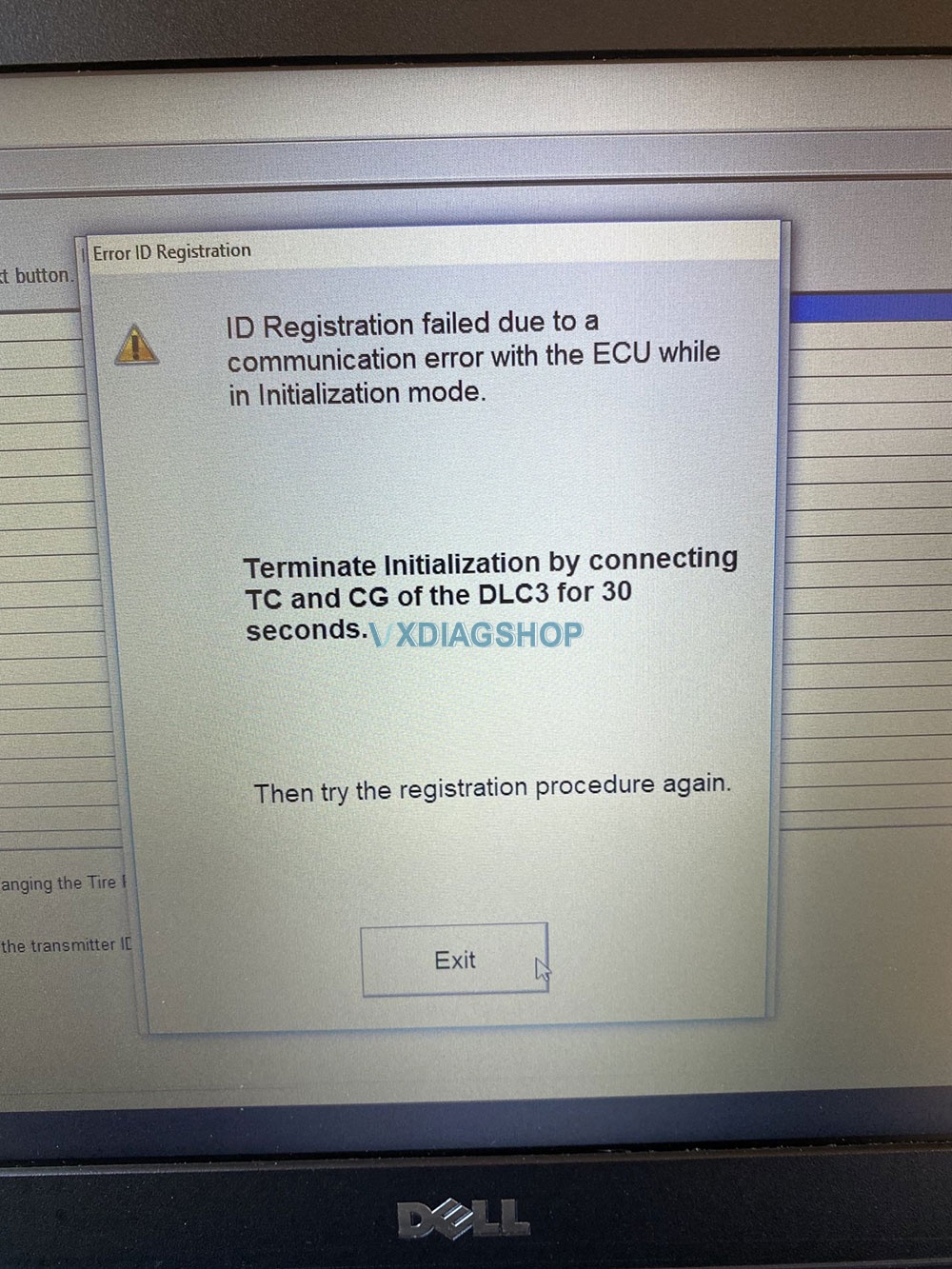
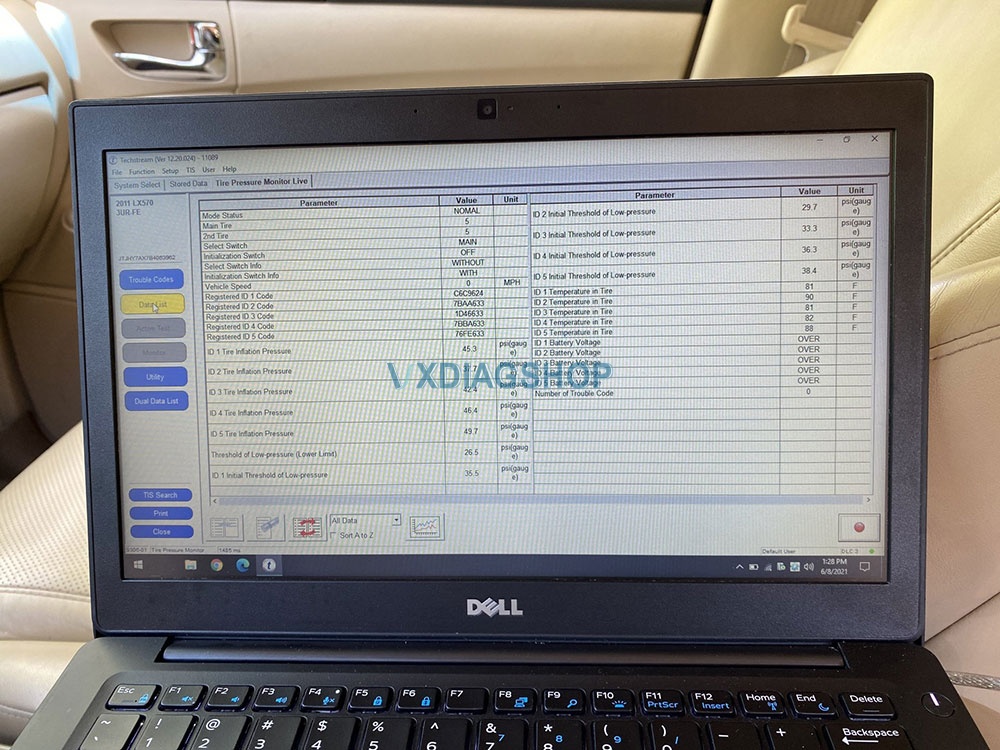
I have a 2011 LX570, I am replacing the wheels (20″) with wheels from a 2008 LC200 (18″). I have a Techstream (s/w and cable) and I have read and have the TPMS ID’s from the new wheels (and the old). When I go to “register IDs” within Techstream, I get the add wizard, I am able to go through adding the 5 ID numbers (reusing the spare) but when it goes to update the ID’s I am getting the error message below. I have also included the DataList for reference.


I have tried like 10 times with the same result. I have tried restarting the laptop, remove/attache the mini VCI cable, restarted Techstream. Always the same result.

Program TOYOTA TPMS by VXDIAG VCX NANO or Mini VCI 1

Program TOYOTA TPMS by VXDIAG VCX NANO or Mini VCI 2

Hope it helps!


https://www.vxdiagshop.com/


2021.6 VXDIAG Benz C6 No Connection Solution

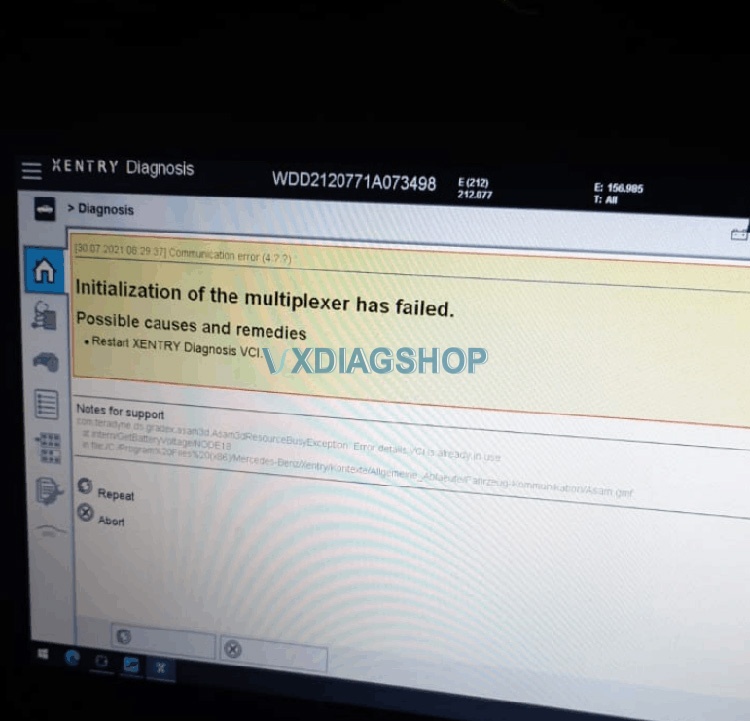
The problem goes like this:  I just try to read fault codes with vxdiag Benz c6 new 6-2021 xentry version, but the VCI can’t make connection to car (W212).
Opens normally and start making connection, popup says VCI available But when starting diagnosis don’t connect, comes initialization of multiplexer failed fault info screen. See pic attached

2021.6 VXDIAG Benz C6 Multiplexer Failed

VX Manager seems good, and I have update VCI and make reconnecting, nothing don’t help.


Vxdiagshop.com working solution:

The problem can be solved by installing the new patch.

Download Xentry Patch 2021.06.exe within the VCI client here

https://mega.nz/folder/FYl0RKRL#JHZETHntbTflzNWfFr9NMw


Feedback:

I made that. Now it works. Thank you.

on 2021 Volt VXDIAG VCX Nano Reset the lifetime mpg

I had the vxdiag vcx nano for GM with GDS2 software. It can do sorts of fun things with the vcx nano software package. Once you get gds2 running, you can reset all these modules.
You can get software download on ACDelco TDS and you can get new module software for 40 bucks for two years for any car you own. That’s pretty slick deal.


I use my VCX Nano to reset the lifetime mpg on my new (to me) 2012 Chevy Volt today.

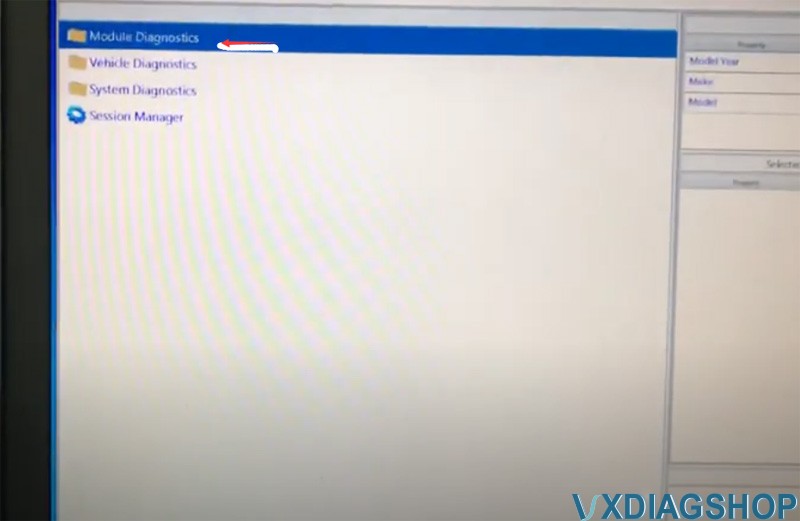
VXDIAG GM GDS2 Reset 2012 Chevy Volt Lifetime MPG 1

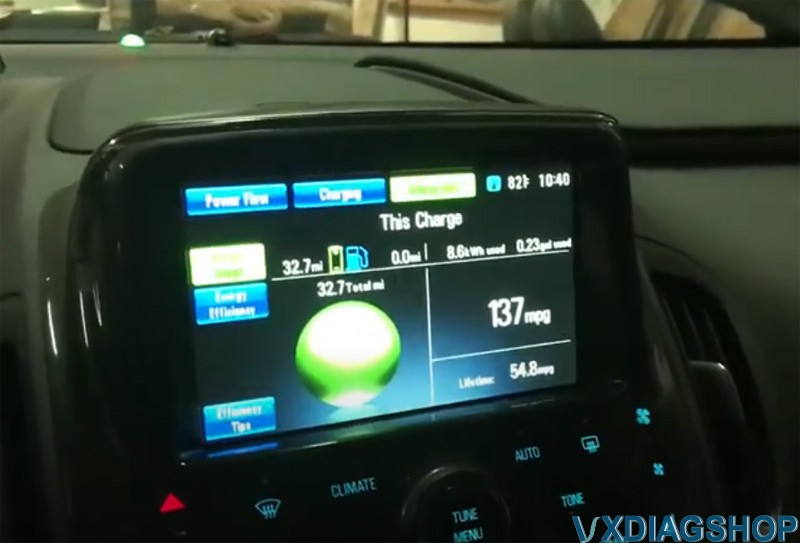
This kind of bugged me 54.8 miles per gallon, I had to feature out a way to reset that.  Here I have my windows 10 laptop, it is kind of a pain to run vxdiag gm gds2 but finally got set up.
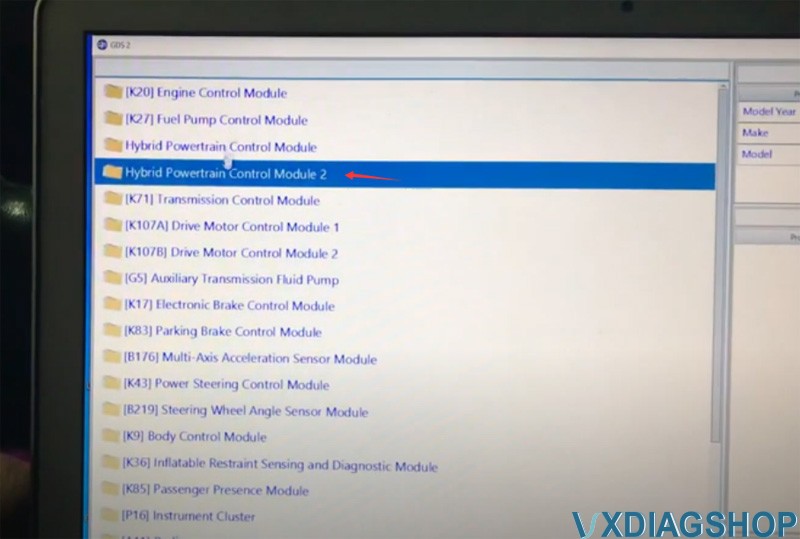
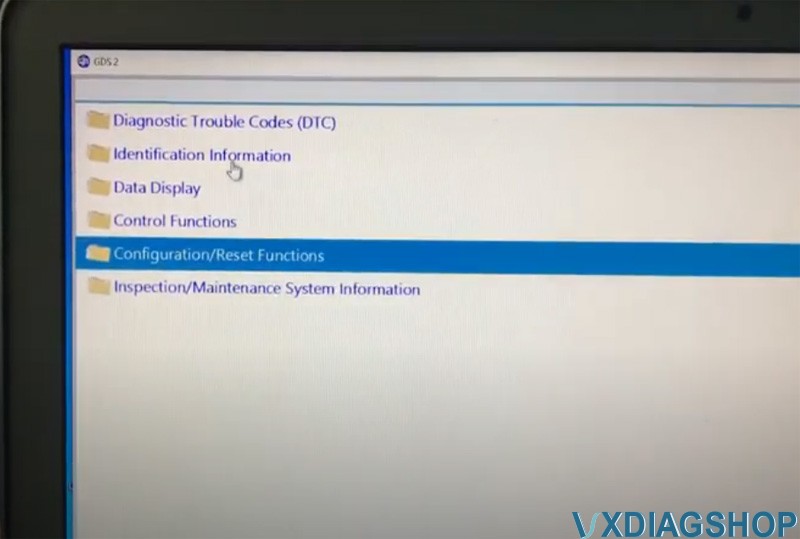
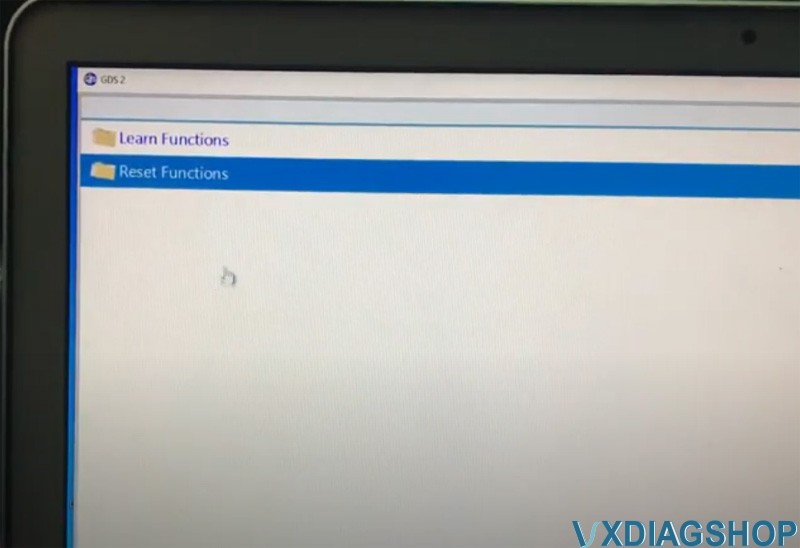
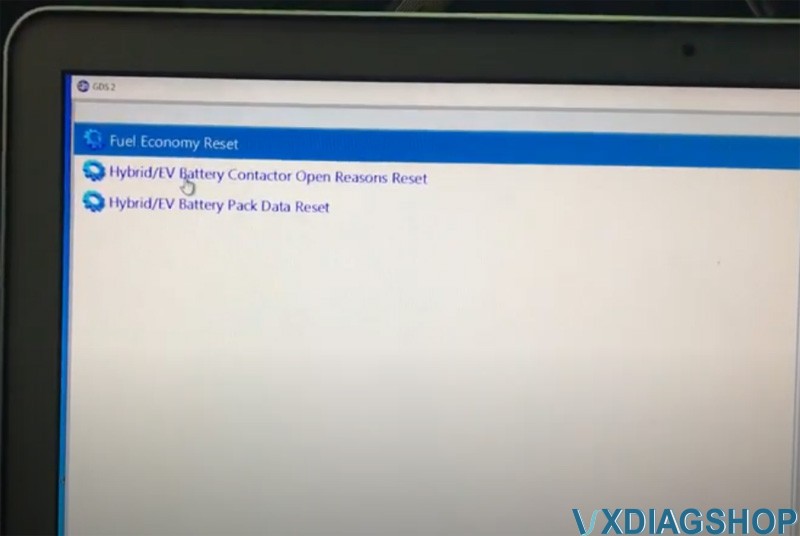
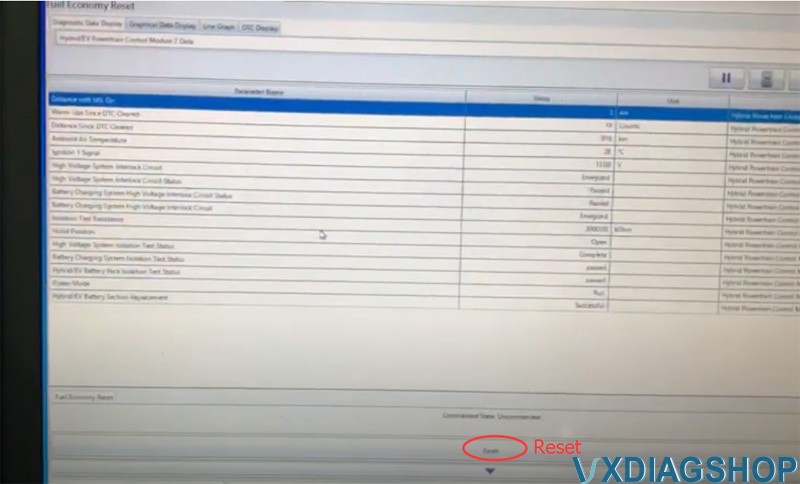
If you want to reset lifetime MPG, go to Module diagnostic – Hybrid powertrain control module 2 – Configuration/reset functions – Reset functions – Fuel economy reset

VXDIAG GM GDS2 Reset 2012 Chevy Volt Lifetime MPG 2

VXDIAG GM GDS2 Reset 2012 Chevy Volt Lifetime MPG 3

VXDIAG GM GDS2 Reset 2012 Chevy Volt Lifetime MPG 4

VXDIAG GM GDS2 Reset 2012 Chevy Volt Lifetime MPG 5

VXDIAG GM GDS2 Reset 2012 Chevy Volt Lifetime MPG 6

Get the bars here, hit the Reset button

VXDIAG GM GDS2 Reset 2012 Chevy Volt Lifetime MPG 7
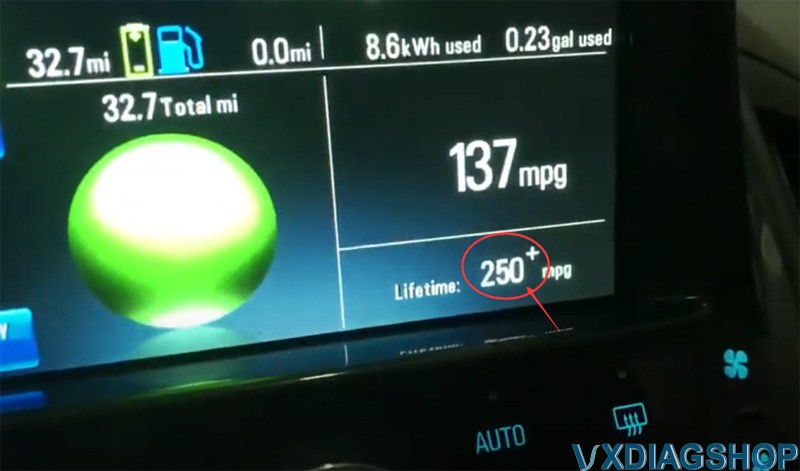
We got 250mpgs it can be done

VXDIAG GM GDS2 Reset 2012 Chevy Volt Lifetime MPG 8


www.vxdiagshop.com