VXDIAG or MINI VCI to Read Lexus AHC Code?
As titled, what is a better cable to read Lexus (LX470 1998 here) AHC codes?Here's one of our customers' report and feedback.
Mini VCI:
Recently picked up an old LX470 1998, wanting to get AHC adjusted properly.
When pulling up TechStream with the mini vci cable, I am unable to check the AHC
codes.
Cable I purchased: (it is advertised as 1.4.8, the cable shows
1.4.1)

I have already started the return process for the mini vci cable that I purchased through Amazon. It was kind of strange to me, it would read some things just fine, but other things, like AHC codes,
I will order the vxdiag vcx nano cable and give it a try.
VXDIAG VCX NANO Toyota Techstream:
Received the vcx nano cable, updated it, and….. IT WORKS!!
It came with a newer version of Techstream V18.
It reads AHC codes without problem.

It does everything Techstream does. I think it's a better-built cable so I have heard that it works for stuff the cable didn't work on like TPMS. I was able to assign my another lexus TPMS ID's to ECU with this. I was not able to do it with the regular cable.
I have been using this VXDIAG one for about 2 months and have zero issues. I love that I can connect wirelessly. I plug in the device, walk over to my garage work desk and use the laptop there. It's much sturdier than the cables.
VXDIAG VCX SE DoIP DoNET Not Working Solution
Here comes a similar problem:
I got the VXDIAG
VCX SE BMW, it works fine with ISTA, E-sys.
But the DoIP DoNET is not
working, vx manager sees the dongle, but cannot see Itool radar or e-sys. Any
advice?
DONET Remote Super Diagnosis is available for brands including Mercedes Benz, BMW, JLR Jaguar Land Rover, Toyota, Honda, Subaru, VW/ AUDI/Skoda/Seat, GM, Ford/ Mazda, Volvo.
For BMW, Benz, Porsche3 and JLR with DoIP protocol, DoNET is not working over DoIP.
DoNET Remote Diagnosis is not available for DoIP protocol. DoIP only supports local diagnostics.
How to Fix VXDIAG Ford IDS Cannot Proceed Error?
Problem:
I had a problem running vxdiag vcx nano Ford IDS V129 software. It gives an error "Cannot Proceed until application has finished". Any idea?

Solution:
Must start IDS from patch.
Download IDS patch here.
VXDIAG 6154 ODIS V11 No EU VW Audi Solution
Problem:
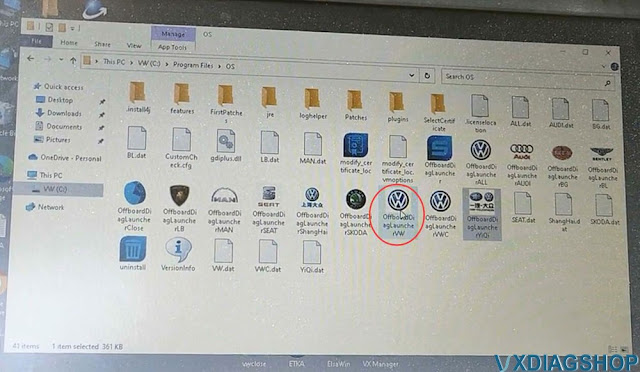
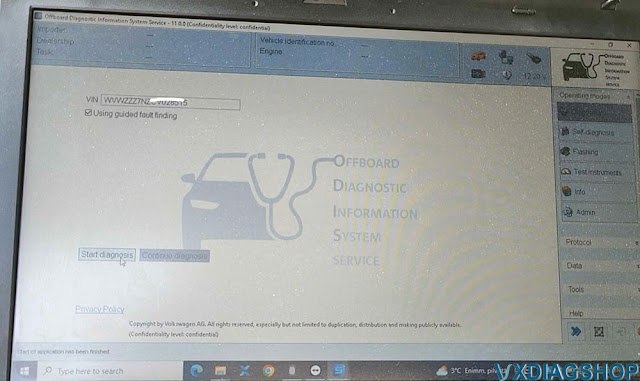
I got the vxdiag vcx se 6154 and odis v11 hard drive. When i run odis software there are USA cars only. No European Audi and VW cars. Is it possible to add European models too? Any idea?
Image attached:

Solution:
Don't start ODIS from that folder and menu.
There is a "ALL" folder on the desktop.
If need to troubleshoot European VAG models, you run VW, Audi, Skoda programs separately instead of 'all'
Run 'all' software if you want to diagnose VAG cars from other regions.'all' program contains major vag models.

VXDIAG VCX NANO Renault No Device Detected Solution
Problem:
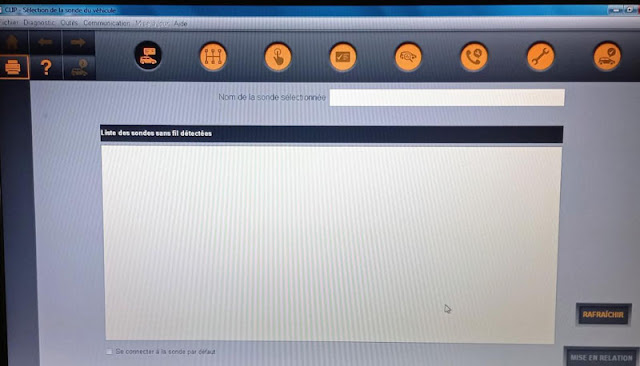
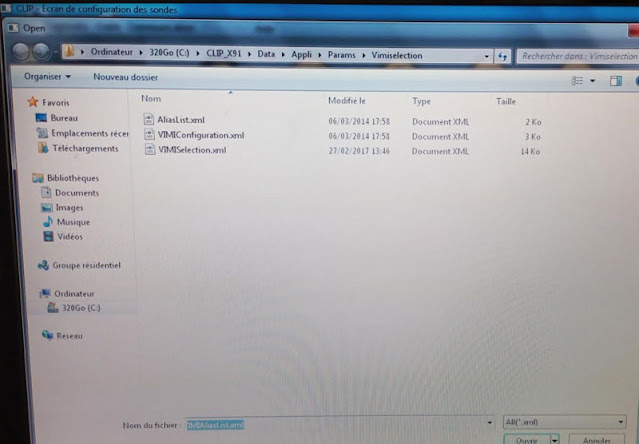
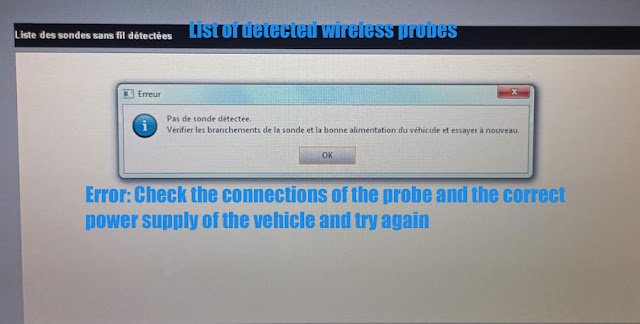
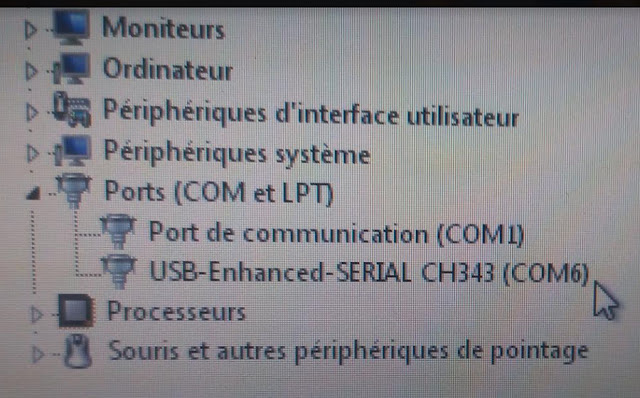
I got the vxdiag vcx nano Renault clip software installed. When I connect the device and run software, the software does not see vcx nano device. Any idea?


Solution:
You need to install Renault driver in vx manager as well in order to run CLIP software.