VXDIAG VCX NANO USB Keeps Disconnecting Solution
Problem:
My vxdiag vcx nano Toyota cannot communicate via WiFi, then tried to connect via USB, USB constantly disconnected, i also failed to update vci firmware, change other laptop and wifi, same result. Any solution?

Solution:
Disconnect vxdiag vcx nano with laptop for more than 3 minutes.
Connect vcx nano via USB again.
Update vci firmware.
Feedback:
Yes, it works. Now it connects fine with USB after updating VCI firmware.
VXDIAG Toyota Techstream Yaris Customization Functions
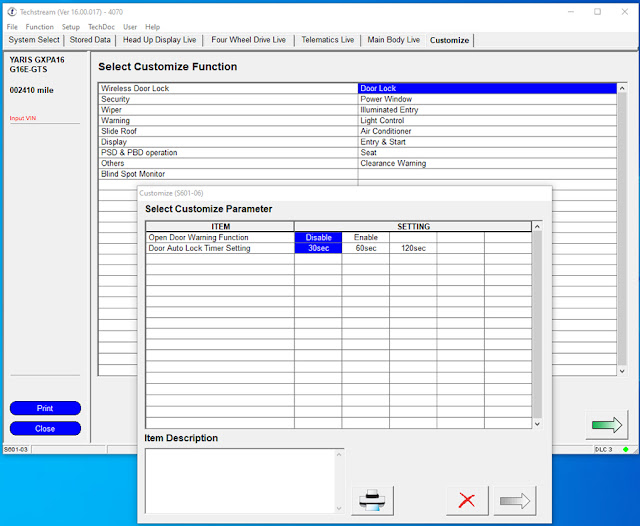
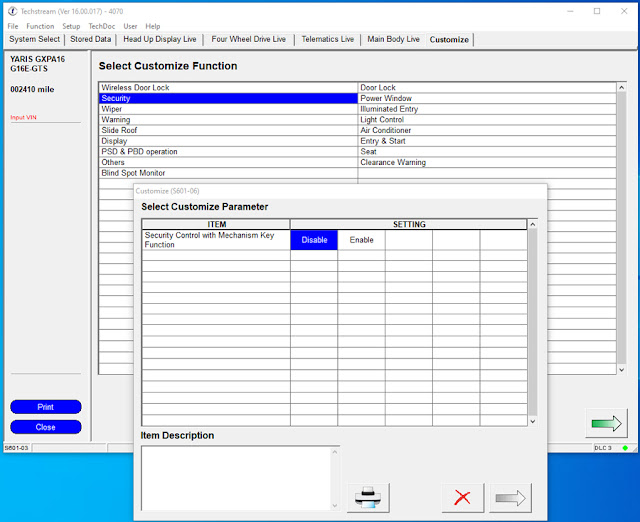
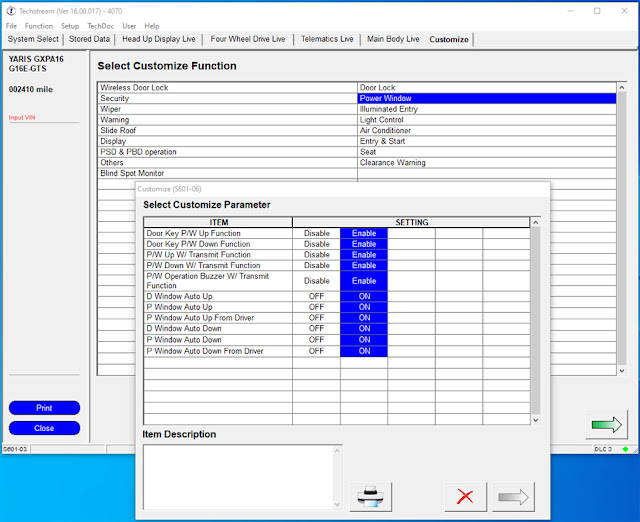
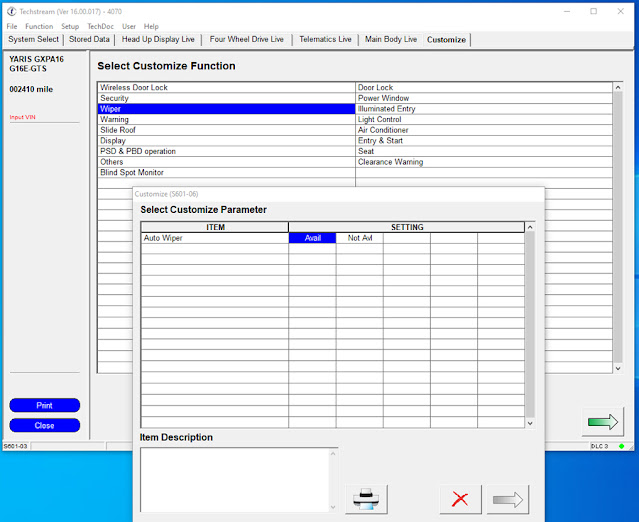
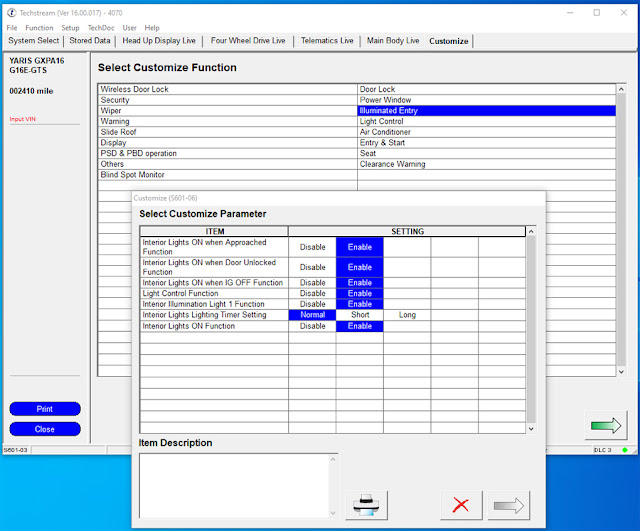
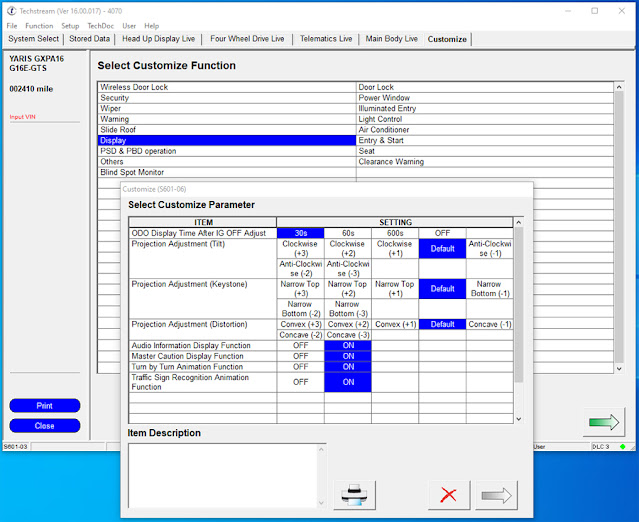
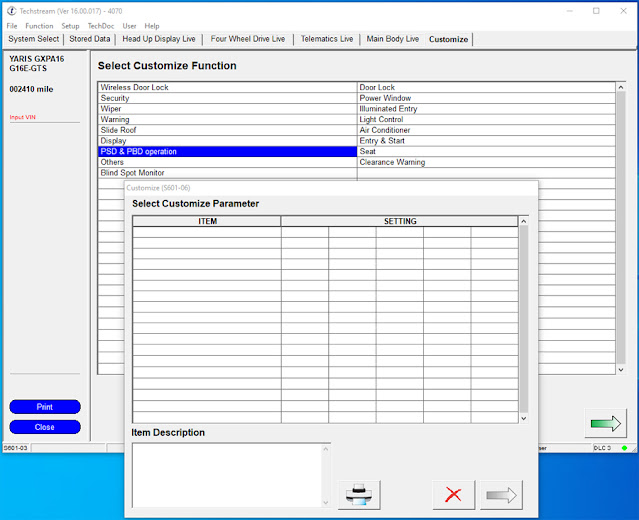
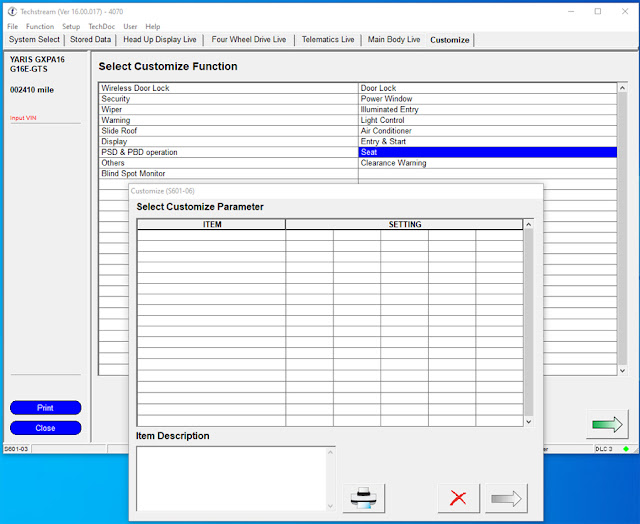
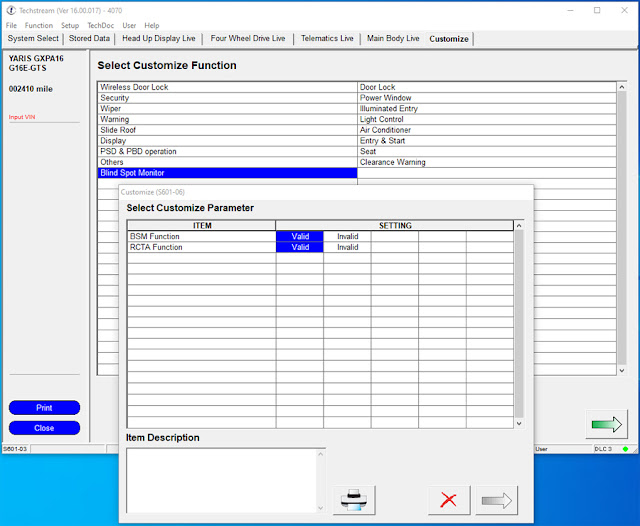
Here are all the customization options available with VXDIAG VCX NANO Toyota Techstream 16.00.017 on a Toyota GR Yaris. All models will have the same options but with empty menus for unavailable items like the Slide Roof, Seat etc.
Techstream version example: 16.00.017 (better version, some reported cannot see customization menu on V17 and onwards version)
You are able to make lane-change indicators flash 4 times instead of 3, enable the auto windows up & down from key fob and lock turn, and disable ESE, disable door warning, disable tail remind buzzer, remove seat belt warning and more.
can't see anywhere to enable auto door locking when starting or driving off because Auto door locking isn't on the GR Yaris.
The utility function can also act a bit like a 'customization'. Like turning on the mileage to oil change on start up and AWD mode etc.
images attached:






VXDIAG VCX NANO Toyota and Original TIS Review
Does VXDIAG VCX NANO Toyota interface work with original TIS Techstream software?
Yes, tested it working without issue.
User feedback:
" I use the vxdiag vcx nano with the latest teachstream which you can download from the Toyota eu website. It also runs with vx manager too. You just need to use the "patch" (which is really a shortcut adjustment) to make it run. Alternatively you can apply for a techstream licence. but its not cheap.
You need to pay for two lots of access (in Europe atleas). For example
1.
to gain access to use techstream and to generate the key
2. to gain access to
the modules where you can download the firmware upgrade files / calibration
files.
Compared to the Mazda MDARS software, where you pay one subscription and the software checks for any firmware/calibration file updates and will download it automatically in the software and update the ecu (obviously if you select it to do so). So its one process within the software, unlike the techstream where you still have to download the files separately.
According to the various region techstream sites, you have to either get the approved toyota obd cable or a SAE J2534 passthru cable. I got the more expensive VXDIAG VCX NANO Toyota Techstream cable. The adapter manufacturer specifically stated that for programming functions the client needs to log in to TIS. As to dealer capability some do have that ability to do task through techstream as per client's request. But some don't so you are left on your own. So to do the firmware upgrades/calibration you do need a TIS subscription, there is no way around that. Thats where you download the calibration files.
If you are referring to below message… it is normal unless you are using a legit TIS version with an active subscription.
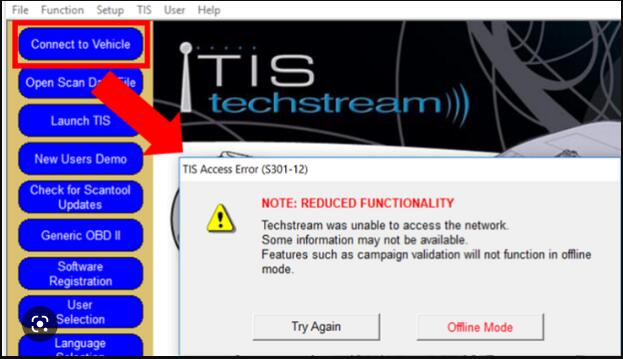
You can still perform checks and customization and pretty much everything that does NOT require a connection to TIS server.
As for this "crack", the patch bypass the license requirement. In the later techstream version eg 17 or possibly 18, all the crack is, is just a modified shortcut to the teachstream execution file, and it looks like its telling teachstream software to run in a offline mode or some kind of a mode.
Observations and clarifications:
If you have a key then
vx manager will run techstream within.
If you run the patch you will not land
in the main menu. Going to the main menu will trigger techstream to ask you to
input your license key. Thus you will not be able to run any tasks (if you dont
have a license) thereafter unless you exit and start all over again.
If you
check for update it will display the installed version as 18 but what is
available for download is 17."
VXDIAG VCX NANO Toyota GR Yaris UK model Review
Here comes the vxdiag vcx nano toyota scanner unbiased user review on Toyota GR Yaris, UK model.
I got a VXDIAG OBD adapter to work using the supplied Techstream V17 software supplied by them (with a 'crack patch" to defeat dealer licence info I assume).
I connect over Wifi rather than USB.
1. install the drivers by installing VX Manager, (latest version on the
VXDIAG website), connect the VXDIAG by USB and upgrade the firmware &
licence if required.
2. install Techstream V17.10.012 (or latest V18 version
on the VXDIAG website)
3. copy the shortcut patch to the desktop
4. run
Techstream from the original shortcut
5. fill out the registration by putting
anything in the fields, select your region
6. if asked for a key on the next
screen, just press cancel
7. at the main UI, select >Setup >VIM Select
>change from TIS to Toyota … on the click down field, exit program
8. plug
VXDIAG in the ODB2 port and connect via wifi through "Network and internet
settings"
9. open Techstream via the shortcut patch on the desktop
I've finally got it working. I've made the lane-change indicators flash 4 times instead of 3, enabled the auto windows up & down from key fob and lock turn, and disabled ESE which I think I actually prefer – it now sounds like a car and not a computer game (a rather feeble car but I'm hearing a lot more of the dump valve which I do like, despite sounding like a mouse sneezing!)
VXDIAG GM SGM RDS "Code Execution Cannot Proceed"?
Problem:
I had a problem installing gm passthru and gds2 driver for vxdiag vcx nano gm device. It reported an error Code Execution Cannot Proceed. Any advice?
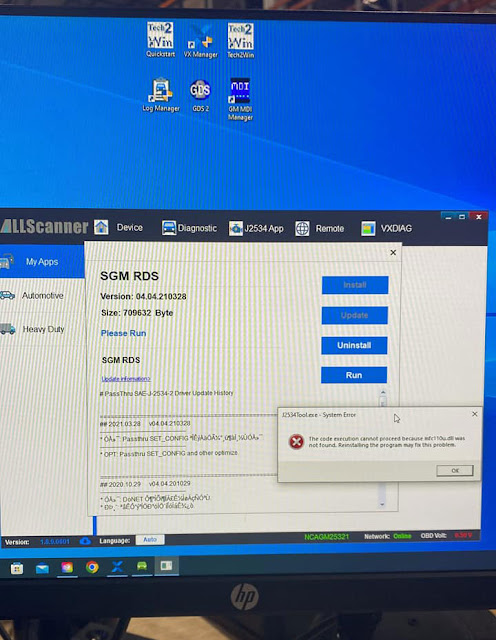
Possible reason:
The operating system is missing mfc110u.dll patch.
Solution:
Download and install Visual C Runtimes All-in-one Jun 2022 patch.
Then install vxdiag passthru and gm drivers again. It should be fine.