VXDIAG VCX SE Volvo S60 No Cummunication Solution
Problem:
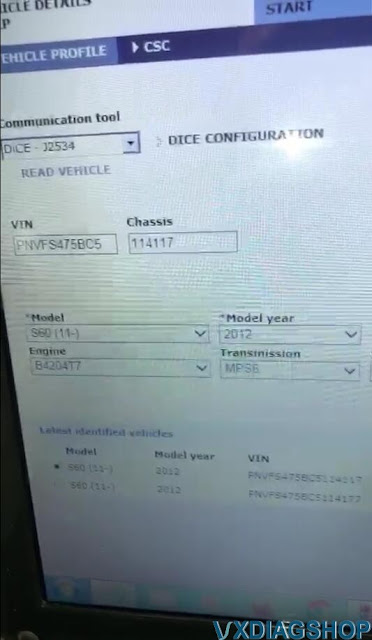
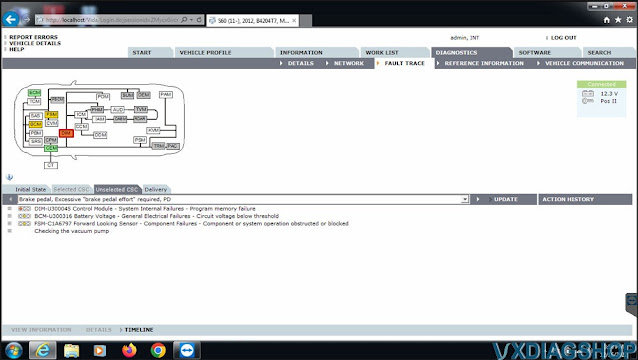
I got the vxdiag vcx se pro with 3 brands including VIDA 2014D. I got it connected and but VIDA software has no communication with the vehicle, It cannot detect vehicle information. Any solution?


Solution:
You have wrong VCI type selected.
Select communicate interface as VXDIAG- J2534 rather than DICE -J2534.
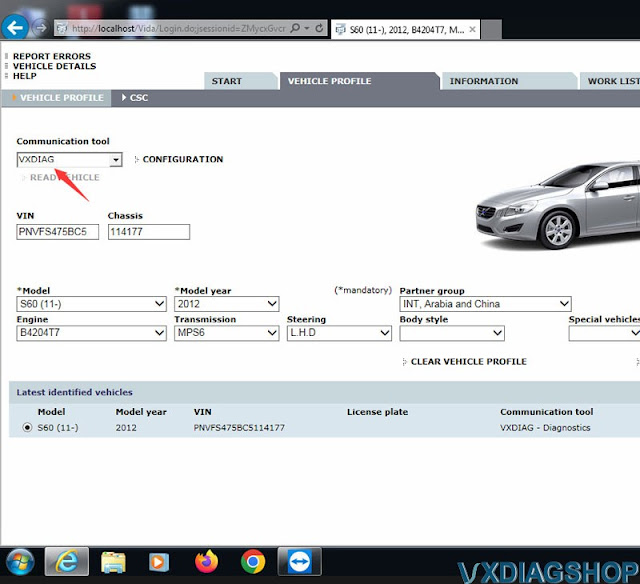
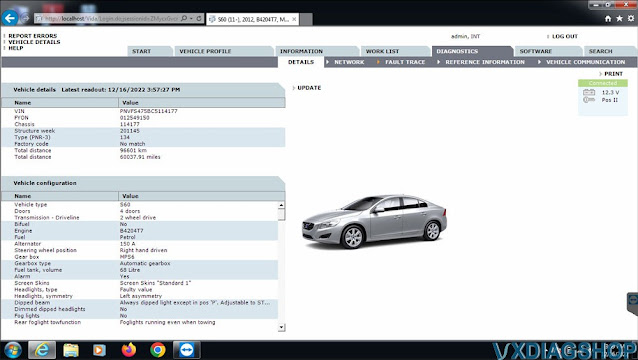
If choose the correct interface, VIDA will detect vehicle information and communicate without issue.
VXDIAG VCX SE Subaru Forester 2016 Review
Here's new Subaru scanner feedback and review from one of our customers.
I have a working bi-directional scan/diagnostic tool. The device is a VXDIAG VCX SE model, made by Allscanner, a Chinese company and it was purchased from vxdiagshop.com. I chose a Toyota and Honda "license" for it as well. Total including shipping from China, was just under $250. The Autel I looked at had very limited bi-directional support for Subaru; mostly "read-only". So i decided to get this vxdiag.
It works on Subaru with a copy of SSM3/SSM4. The SSM "Patch" provided doesn't appear to work with Win10; I'll try win7 later. I like Win7 way better than Win10 in any event.
The SSM4 will connect to my 2016 Forester, and it is bi-directional; the only thing I have done so far is activate the horn, and work the door locks, but for that to happen, it has to be talking to the cars CANBUS, and working is working. SSM4 is not at all intuitive to use, and there doesn't appear to be anything like an instruction manual available for it, so be prepared for a steep learning curve.
I haven't tried the Techstream/Honda software with the VXDIAG device yet, but the TIS v.7 I have on another box works just fine, and it isn't real difficult to learn.
I was able to put Windows7 on the Win10 laptop. It wasn't trivial, but it did
activate.
I was able to install the SSM3/SSM4/VXDIAG_Manager
software, and the "Patch" works as advertised under Win7.
I was able to
connect to the Forry, run assorted diagnostics, see "live" parametric data, etc.
I found the instruction manuals for the SSM* software, and I guess I'll have to
RTFM at some point.
All good, but randomly when trying to connect, the car
CANBUS has a fit about something. The instrument panel lights up like a
Christmas Tree, the VXDIAG refuses to connect, and after shutting down and
disconnecting everything, the car has the CEL on when re-started. A generic
OBDII scanner finds the following DTCs:
U0101, U0122, U0073, U0155.
All
CANBUS "communication" errors. The scanner will clear these DTCs, but they are
listed as "permanent", and they come right back. Driving the car a bit does
clear them, and then the VXDIAG device will connect again. I pulled the car OBD
connector loose, and gave it a good once-over; it looked fine.
$250 is a very nice price compared to sourcing an official tool from Subaru (~$3,000 for the Denso device, plus $1500/yr subscription for SSM software.
How to Fix VXDIAG VCX NANO Ford Not Found Device Error?
Problem:
I got the vxdiag vcx nano Ford and IDS v127. But software does not see VCM device. I tried to install Ford driver in vx manager, but it says "Not found device or license". Any solution?


Solution:
Driver problem.
Update firmware in vx manager.
Then re-install Ford IDS driver.
vcx nano ford is detected by IDS software.

Free Download Toyota Techstream 17.30.011 for VXDIAG
11/2022 newer Toyota TIS Techstream software was tested working fine with vxdiag vcx nano Toyota scanner.
Version 17.30.011 Software
Last Updated: 11/2022
OS: WinXP, Vista, Windows7, WIN8, WIN10
Free Download Teschtream 17.30.011 for VXDIAG VCX NANO Toyota
patch and driver are included.
https://mega.nz/file/xxU1ACTT#gEDHjgmnVvJ5FEm1m74sjdi7M6fN4V1Dc8AkwgbQzZ4
NOTE: The patch inside is for mini vci. For vxdiag users, install patch below.
Free download VXDIAG Techstream V17 patch
https://mega.nz/file/iBo1EC4B#Ai7R7BINqoMDWMmCCMGxpJbenCHNF7BsqIaLbsV3HaU
Password: NO PASS!!! With Patch does not require activation.
.jpg)
Software installation procedure is easy.
Install Techstream setup
Install VX Manager
Crack Techstream V17 with
patch
Run software from patch
VXDIAG Tech2win Diagnose Corvette C6 Radio Circuit Current Draw
Got down to investigating a current draw on the car (Chevrolet Corvette C6 2005 – 2013 ) and narrowed it down to the OBD circuit and radio circuit. I have a PAC RP4-GM11 harness that seems to be zapping away 45ma ,and a draw coming from the OBD port which has a dashlogic connected. For now the dashlogic is disconnected. I ordered a new pac harness that I'll be swapping out.
I plugged it in today and reset it, worked like a charm. I'm not going to worry about that until I figure out the current draw I have on my radio circuit. I think it might be the PAC module but I can't tell for certain. I replaced the module and the harness today and the 45ma current draw on the radio circuit persists. There is currently no radio in the car, and the harness is not powering anything other than the module. I also removed the xm module that I discovered is powered on the radio circuit, and I unplugged the rdclr module — no change.
I ordered a vxdiag vcx nano gm obd2 scanner to see if any of the modules aren't going to sleep. Not sure I have any ideas outside of that.
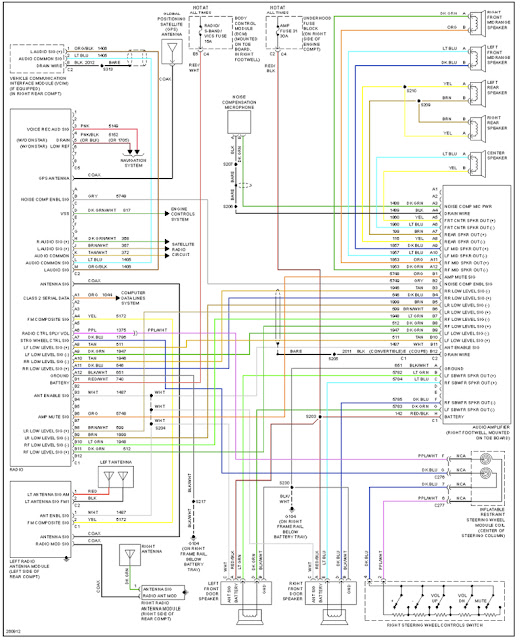
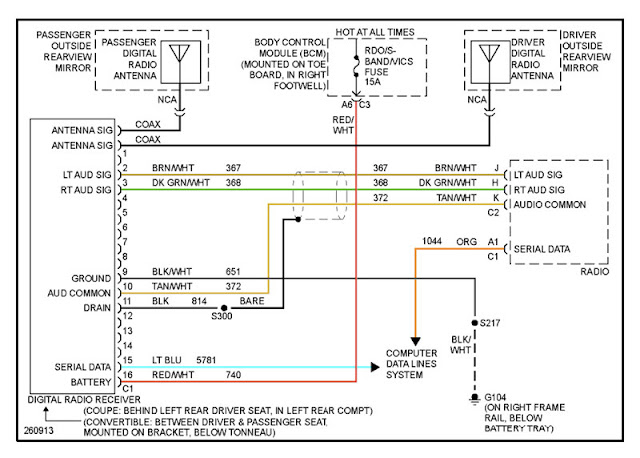
Trying to understand the rdo/s-band/vics circuit. From what I can gather, it powers two things — the head unit and the xm module. Just need to rule out the possibility of something else on this circuit drawing power. In the car right now the head unit and xm module are both removed from the vehicle. Adding the RP4 GM11, the circuit shoots up to 45ma. On the phone they stated 10ma is what it should draw.
Driver Door Module U1301 Class 2 data link high
Driver Door Switch U1301 Class 2 data link high
Driver Door Switch B1009 EEPROM Checksum Mismatch
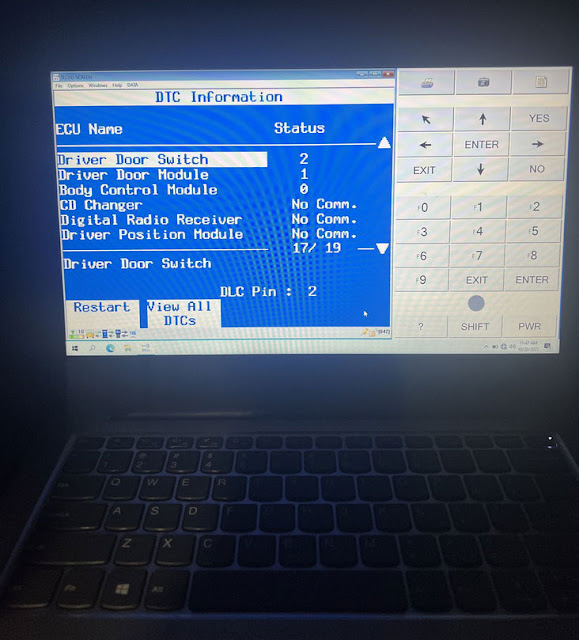

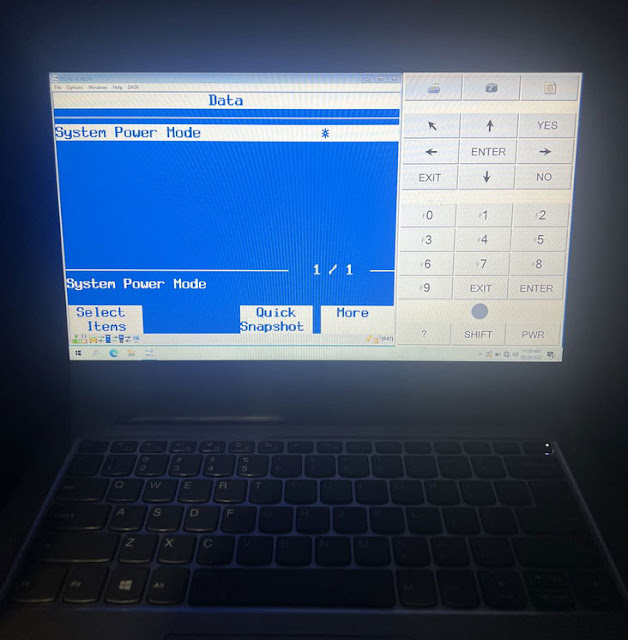
Everything was looking OK on the tech 2. I tried two RP4 GM11s that both had the same issue so this time I tried an RP5 GM11 and I tested the circuit after radio shutdown — power on that circuit gradually falls all the way to zero within 15 seconds of radio shutdown. I think that should fix it. Just wondering now if the DTCs set by the driver door module are anything to care about.