Everything You Need to Know About VXDIAG VCX NANO Opel Tech2win
Here is the vxdiag vcx nano gm/opel diagnostic scanner unbiased review from a Dutch user.
"
I'd like to join in with a few words from the VXDIAG VCX NANO GM model – the good and the bad. And my VXDIAG VCX NANO GM is from
https://www.vxdiagshop.com/wholesale/vxdiag-vcx-nano-for-gm-opel.html
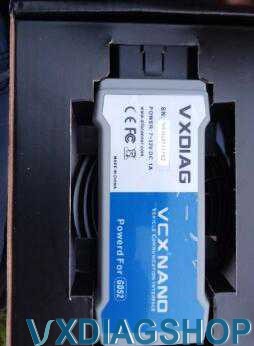
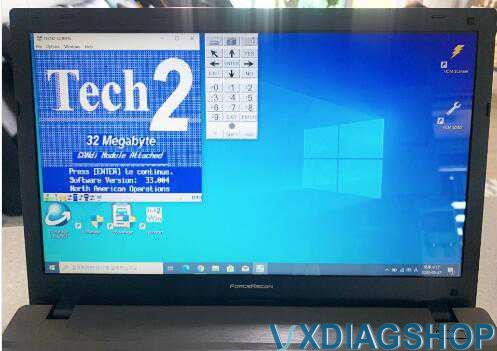
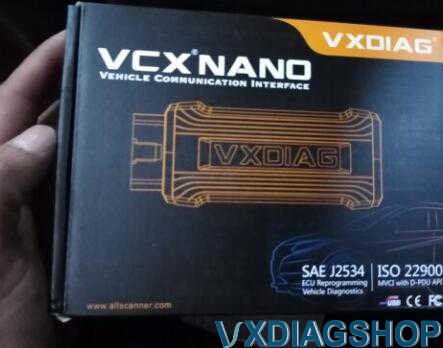
First, it is the 2014 and later vehicles that will be using the GDS 2
software.
On the 2013 and older vehicles, they use the Tech II
and TIS2000 software instead.
Out of the gate, the VXDIAG VCX NANO is to some extent a clone of the MDI (not the much faster MDI 2). This means that because it uses Tech2win emulator software to work with the MDI software, since the MDI software does not natively pick up the NANO.
Now the bad,
As for the only thing you can't do with
the Tech2win emulator software is that you can't make perimeter changes to ECM
(it can still be read, but no changes have been made to the ECM programming).
The BCM and the rest of the other modules, no problem accessing and making
changes.
So let's really get down to business, and since you can access BCM and the other module for modification, there's no problem getting deep into the BCM to disable F55, as well as modifying the RPO codes on the BCM . also all the special functions needed like ABS pump cycle, relearn for radio, fob programming and such for the other non-ECM module just like a tech II and also a clone.
Now the bad because again you have to use TIS2000 to flash such items as firmware, and in some cases also ECM programming here's the glitch, but VCX NANO does not come with a working copy of TIS2000.
When you first launch the tech2win emulator software you will get a pop
up screen, first select whether you are using an MDI or MDI2, then a second
screw will appear to select the NANO device. Once the NANO is selected, the
tech2win emulator software sees and uses the NANO as an MDI device. When I tried
to use my copy of TIS2000 to drive, the NANO threw up, didn't get the popup
screens to select the NANO device, and couldn't connect the NANO to
Tis2000.
Note, I have Tis2000 on my win 10 64 bit machine and
couldn't get the Tech2win emulator software to work with that machine (doesn't
give me the device popup screen to select the NANO after Tech2win has started).
Instead I need to install the Tech2win software on a win 7 32 bit machine to get
it to work and test, not read a VM copy of TiS200 on it.
Again, maybe it's my win 10 64 bit machine, but when it opens TIS2000 it looks for a real Tech II, and it doesn't give me the option to select the NANO device as well. Therefore, the two screens that appear to select the device are part of the Tech2win emulator software, so when you open Tis2000, that software will not open to attend. That's why I think the NANO is going to work with TIS200, and someone needs to crack that software to work with the NANO device as well.
So, for someone who wants to run on the C6, and needs a Tech II for something other than changing ecm parameters or flashing in firmware, the NANO with Tech2win emulator software is a very good tool for that (if you have a machine it will load on, because again, won't work on my win 10 64 bit machine). But, and here's the huge one, unless Vxdiag has a way for Tis2000 to select the NANO to work with Tis2000 (again, I didn't get any popups to select the device to work with the NANO), then don't see if you are working with TIS2000 instead.
The tech II clone has level access to perform ECM parameter changes, and also a working cracked copy of TIS2000. Therefore, saved firmware files for your car allow you to reflash modules at will.
The NANO GM is really for someone that the dealer may desire e.g. relearn a radio, add an XM channel to a radio, have to remove the F55 module and the other items a Tech II comes in handy for , such as Well, the necessary information to retrieve codes in the BCM, for example. It is also a good tool to retrieve and test information about modules when tinkering with the car as well.
If you need to go the extra mile and get into the ECM parameter changes or even reflash firmware then you really need the TIS2000 software.
Now to touch Gds2 software as it comes with it and will be useful for other GM cars you may also have."
Solving VXDIAG VCX NANO's Renault Device Detection Issue
Problem:
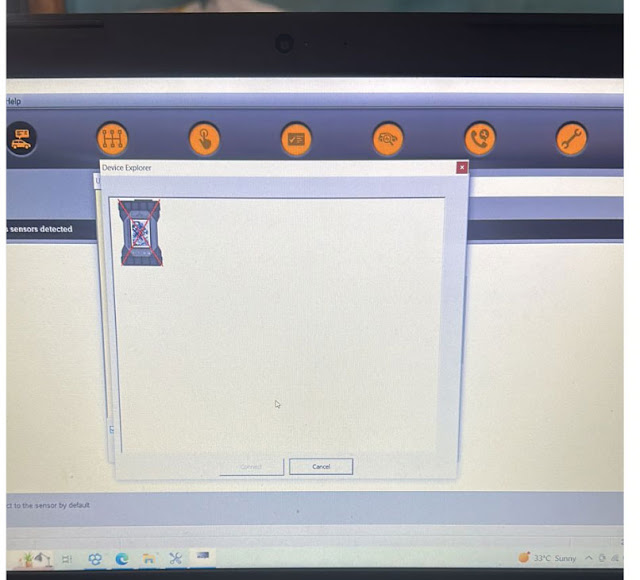
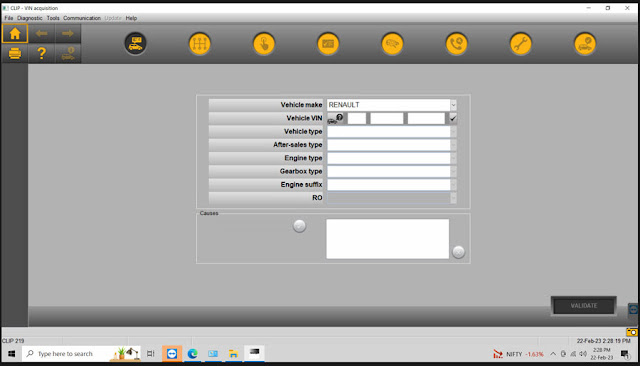
vxdiag vcx nano Renault cannot connect with CLIP software? vx manager recognize the device, CLIP software does not. Any idea?
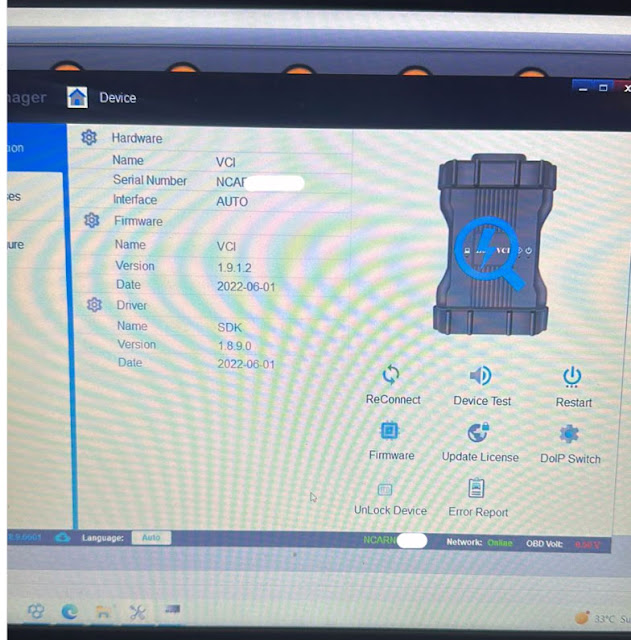
Solution:
Uninstall renault driver and reinstall driver in vx manager, it should work fine.
VXDIAG VCX SE ODIS 9.1.0 Asks for Update Solution
Problem:
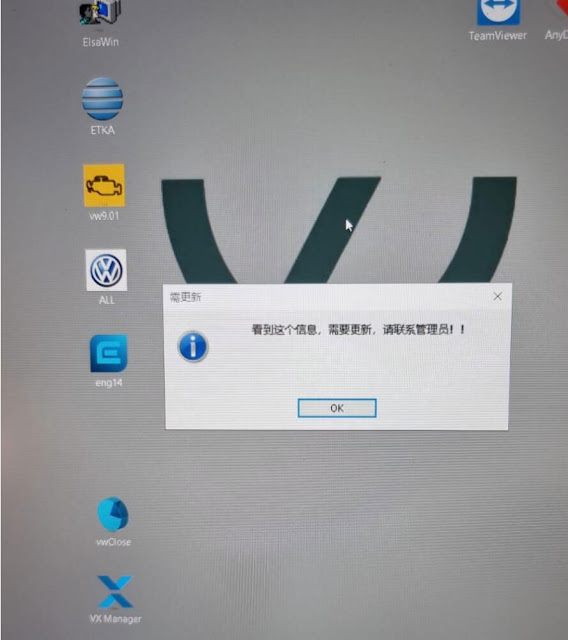
I had a problem with vxdiag vcx se 6154 odis 9.1.0 software. The software prompts a Chinese error. I don't understand. How to get rid of it?
Solution:
It asks to run software update. But actually you don't need an upgrade.
Need to change the computer date/time to 09/2022.
Program Corvette C6 Key Fob After Replace RCDLR
There are 2 ways to program Chevrolet Corvette C6 2005 – 2013 key fobs into brand new installed RCDLR just flashed that has no fobs programmed to it.
- The first is to use Tech2win alone, but your looking at a 30 min wait.
- The second is TDS RCDLR relean, with the relearn box checked, with only ends up with a 10 min wait. The glitch, is this option may not pop up for you, hence placing the RCDLR into relean mode during the flash of program and replace.
So you flashing the new RCDLR are replace and program, and lets just say that you could not do it with the relearn mode option (did not get it, or forgot to check the box).
In Tech2win, go to RCDLR programming, select erase all Fobs, and let it to its thing. Now go back, and select slot one to program in a Fob. In the DIC, you're going to get press stop (igntion button) to start the count down(s). If you did get the RCDLR into relearn mode with the flash, your going to get a count down of 10 mins, and right after the count down, DIC will read install fob 1 in slot (buttons to the right), car will beep when the Fob is learned in the slot, pull it, hit unlock on the fob, and the DIC will tell you ready to install Fob 2. So put Fob 2 in the slot, car will beep once it learned it, pull it and pres the unlock button, and if that is all the fobs you have, hit stop of the ignition and will be done.
If RCDLR was not put into relearn mode on the flash, then what is going to happen is after the first 10 min count down, DIC is going to say press off button (again), and you will need to do this within three mins of the end of count down, for a total of three times (30 mins) before you going to see ready to learn Fob 1 in the DIC. Once you see ready for Fob 1, insert fob1 into slot with buttons to the right, car will beep once it learned the fob, pull it and hit unlock on the fob, and DIC will say ready for fob 2 (and so on).
I bring all this up, since was helping a lad over the phone getting his replacement RCDLR flashed and fobs programmed in, and when you went to replace and firmware flash the new RCDLR in TDS, was not getting the relearn in the list, nor the check box to put the RCDLR into relearn mode when he as firmware flashing the device. So this ended up with him having to do the three count downs of 10 each before the RCDLR/DIC would get to the ready fob 1 in the DIC. Also during the count down, will get no fobs deteted in the DIC that will pop up a few times, but this is normal, since not fobs have been programmed into it yet.
I'm hoping that TDS did not remove the Relearn option in the module list under VDT, or he just was not checking the box, but need to check this when I get a chance if TDS did remove this all together for the $40 for 2 years SPS subscriptions, and forcing the end user to use the 30 min method (3-10's) for programming fobs into a RCDLR that does not have any fobs programed to it yet.
And just a FYI, but you have to program the fobs in first, so you can put the
car into Acc mode to do the TPMS learns next.
Hence not fobs programmed in
yet, and you all you are going to get in the DIC is "no fobs detected" when you
try to use the starter button.
Will VXDIAG Read Mercedes W211 SBC Module?
Many people ask if the vxdiag reads a car of W211 2003-2002 and whether it can read the SBC module. All specialists claim that only Star Diagnosis C4 fully supports this model.
On FBS4, this is no longer possible.
Here we check if vxdiag vcx se Benz (same as vxdiag benz c6) works with SBC or not, connect the device with car.
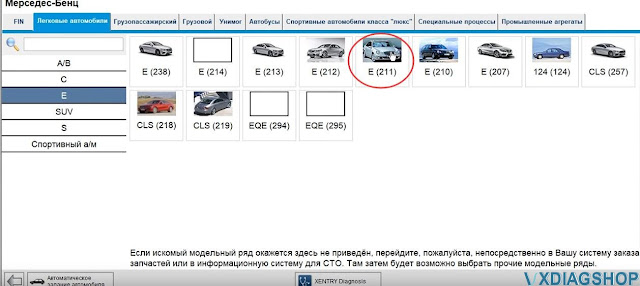
Test 1: W211 year 2004
This is a 2004 w211 FBS3 system that has more than 500,000 km mileage.
Select the module and choose SBC Sensotronic brake control
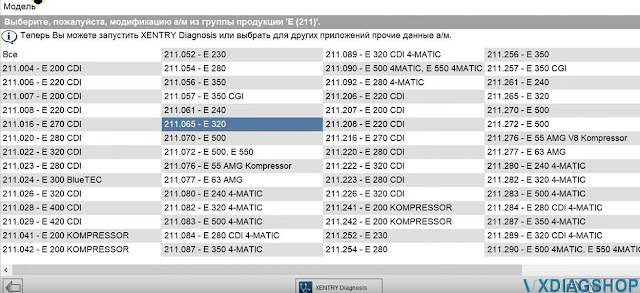


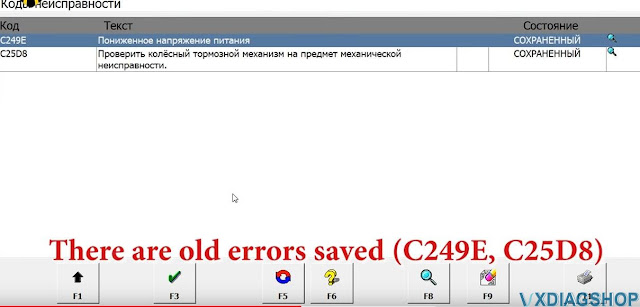
There are old errors saved.
As you can see VXDIAG reads all modules.
Here you can also deactivate SBC to replace brake pads.

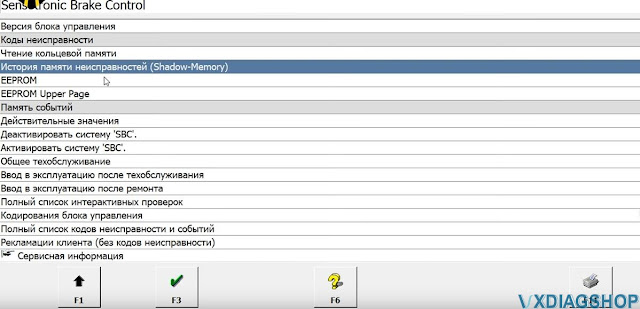
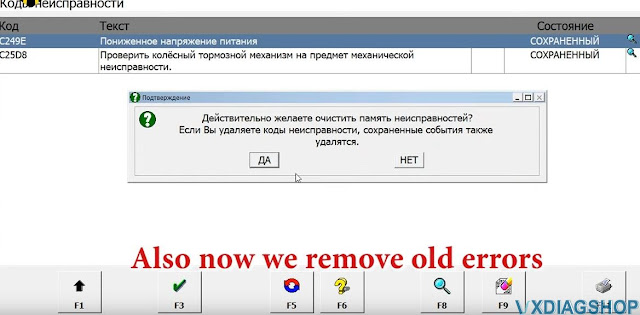
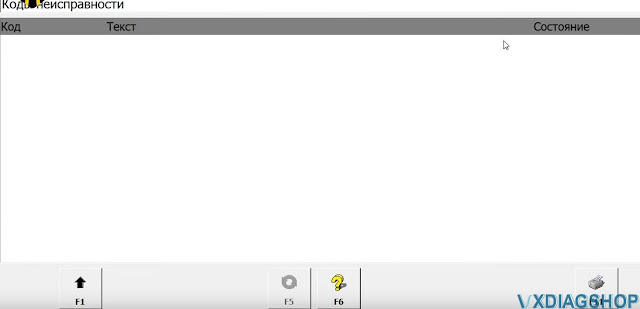
Remove old errors.
No error exists.
Test 2: W211 year 2003
Next we try to enter the SBC module on Mercedes W211 2003 year
Also see the pressure of the receiver in SBC.
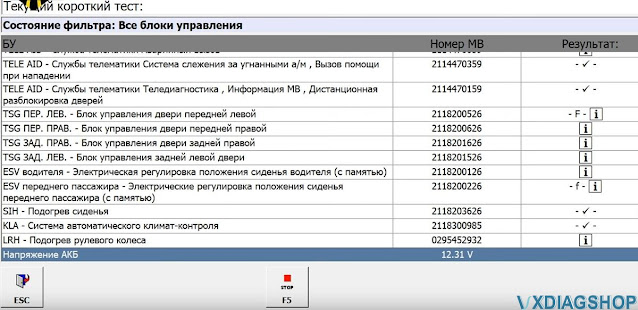
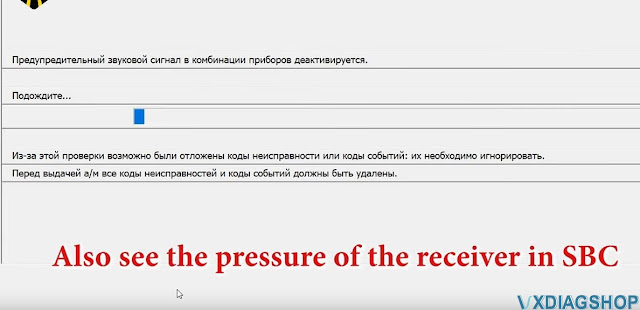
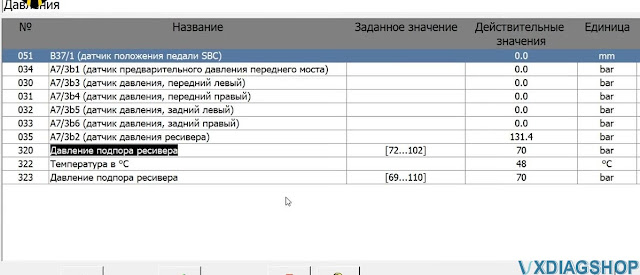
There is no error stored.
Result:
The vxdiag works well with the Mercedes w211 before the lift, it also reads engine. Read as C6 xentry multiplexer but not Passthru j2534.