VXDIAG VCX SE BMW ISTA 4.39 Error Firmware After Update?
Problem:
VXDIAG VCX SE BMW scanner and ISTA 4.39 software have no communication, it is in Firmware status. Tried updating the firmware, still the same. Any clue?

Solution:
Reinstall BMW ICOM driver in vx manager. Problem will be solved.
Check instruction here: How to Reinstall VXDIAG BMW ICOM Driver?
How to Solve VXDIAG ODIS V23 Error Software Components Detected?
Some users had problems installing ODIS-S V23 software for vxdiag vcx se 6154. They delete software and install it again, still had the same error,
"An error with one of the software components was detected. The current installation will be removed. "

Here comes the solution from vxdiagshop.com engineer.
1. Install ODIS-S V23 or ODIS-E V17 on a clean system. That will avoid many installation troubles.
2. Completely remove old software. Download and install software again.
If you have deleted software and install it again, but will have the same error, the software is not removed completely.
How to Uninstall ODIS software Completely from Windows PC?
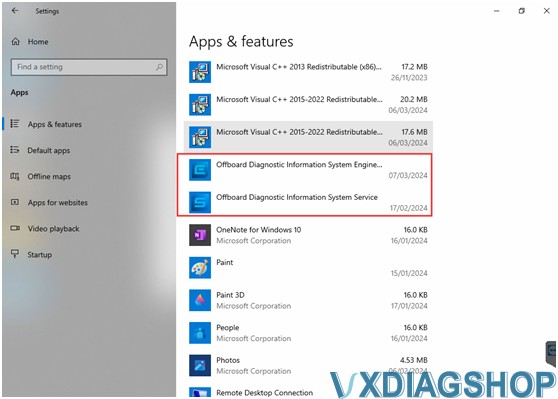
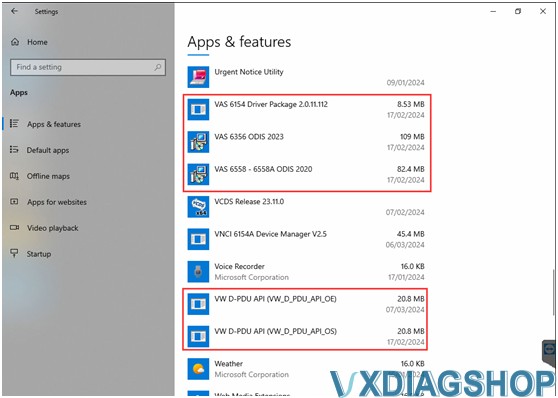
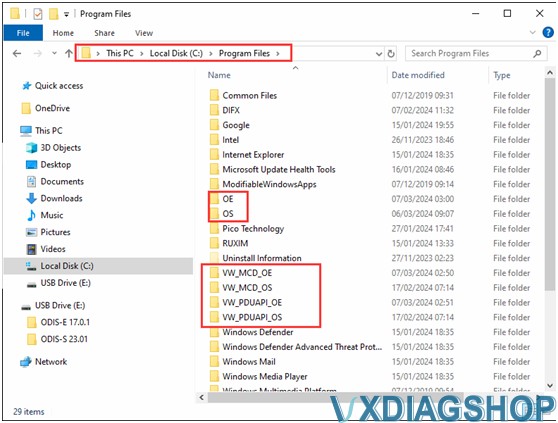
Go to Apps & features
Uninstall the following files (images attached).


NOTE:
If you have other software installed, contact us for technical support via Teamviewer. Otherwise, deleting files accidentally will also cause software failure.
For technical support and aftersale service, purchase exclusively from WWW.VXDIAGSHOP.COM ONLY.
https://www.vxdiagshop.com/service/vxdiag-vw-software-error-software-components-detected.html
How to Set up VXDIAG VCX FD Series?
How to Set Up and Use new VXDIAG VCX FD series diagnostic scanners?
Let's start the software installation on WINDOWS system:
1. First download and install software (download software on our "Download" area)
2. Install the latest VX MANAGER version via www.vxdiag.net
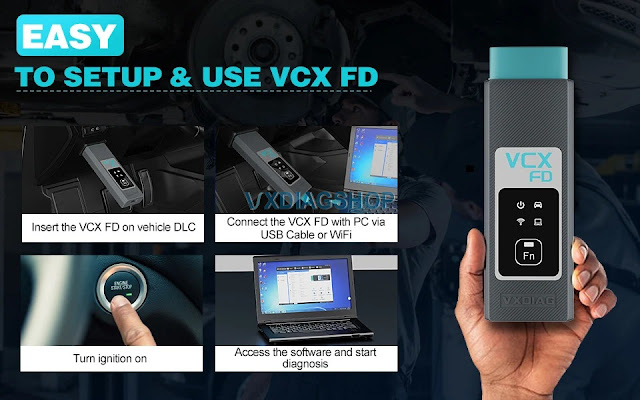
4. Start the VX Manager. Make sure your computer network is good. Connect VCX FD device by USB cable/WiFi to computer and OBD2 Socket to your ECU Bench connector or Your car's OBD2 Port.
5. Install Passthru and software driver. Check your device license.
6.Update firmware and license
7. Turn on the car ignition. You can start to diagnose the car.
Installation Tips: Please turn off anti-virus software before installing.
Q: How to solve "License Expired" issue?
A: Download VX Manager
1.Please download latest vx
manager .
2.After download, please install the new vx manager.
Update the Firmware
1.Then connect device to laptop,
laptop connecting network.
2.Open new vx manager, click "Firmware" to
update.
Update the License
1.Click "Update license" to renew on
the vx manager.
How to Solve VXDIAG ODIS V23 Error Handling License?
Some vxdiag vcx se or nano 6154 users reported that they failed to activate ODIS-S V23 after getting the activation license key.
"Error handling the license. The license is invalid"
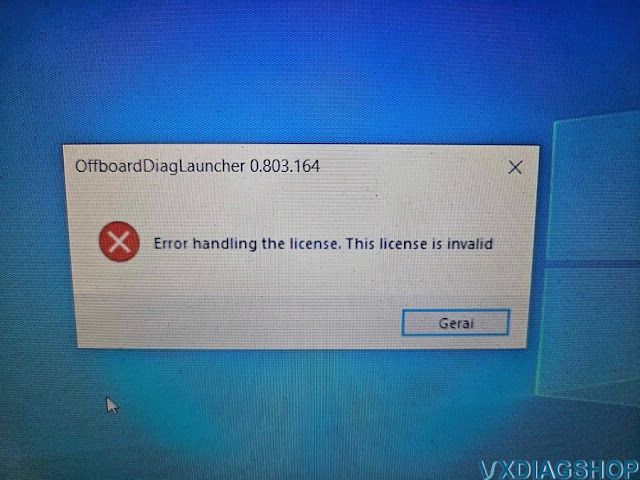
Solution:
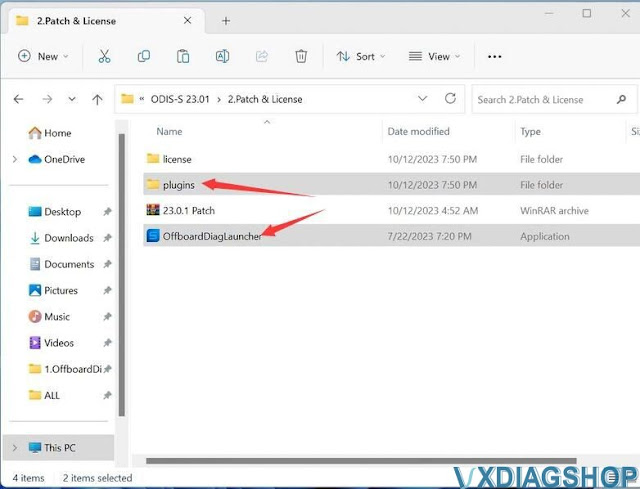
That's because they didn't replace these two files to the correct folder.
Copy plugins and OffboardDiagLauncher files in 2.Patch & License folder
Copy two files and replace them on Win11ProW X64/Program Files/OS folder
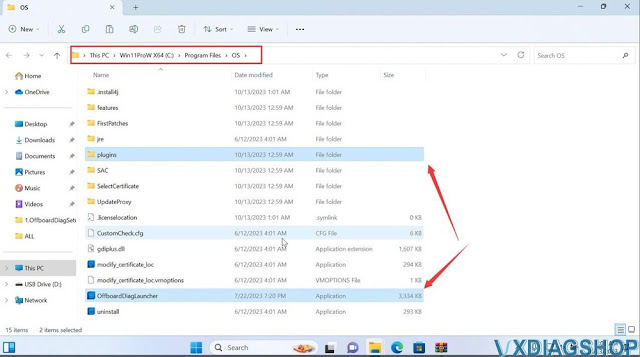
It should be fine.
https://www.vxdiagshop.com/service/vxdiag-6154-error-handling-license-solution.html
VXDIAG VCX FD Ford vs VCX NANO Ford
VXDIAG VCX FD and VCX NANO for Ford which is better?
Here comes the user review.
"I set this up with IDS V130. The data monitor read is very slow, also it will not run power balance it just freezes. I was going to use this on a second machine but it's so slow that I don't like using it. It doesn't have a problem running forscan at all.
.jpg)